Trading is how you skip the grind in Blox Fruits — it is the only way to swap fruits, Game Passes, and scrolls with another player instead of re-rolling the Blox Fruit Dealer for weeks. But the system has hard rules most guides skip: a 40% value-difference cap, a daily trade limit, and a set of well-known scam tricks that cost players their rarest permanents every day.
This guide covers exactly how to trade in Blox Fruits — where the trade tables are, every restriction the game enforces, how "value" actually works when there is no official value list, and how to avoid the Freeze Trade and Auto Accept scams — accurate for the live Update 30 "Magnet" game (released September 5, 2026).
Not keen on the grind? Timesaver runs a Blox Fruits boosting service that covers fruits, awakenings and race progress on your own account.
Roblox - Blox Fruits Boost
Get any fruit, awakened and ready
Key Takeaways
- Trading was added in Update 15. You trade at the Café in the Second Sea or the Mansion in the Third Sea — sit at the table, have another player sit opposite, and a trade pop-up opens.
- You can trade up to 5 times, and only 4 items per trade. Blox Fruits limits how often and how much you can move in one session.
- The 40% value-difference cap is real. The two sides of a trade cannot differ in total in-game price by more than ~40% — unless you add Robux-bought products, which raises the cap toward 80–100%.
- There is no official value list. Blox Fruits gives every fruit a fixed money price (Beli / Robux), but community "trade values" are player-set consensus that move weekly. Never treat a value site as official.
- Permanent fruits are the real currency. Because they cost Robux and never leave you when eaten, permanents carry far higher trade value than physical fruits — and the game lets permanents trade at up to a 100% value difference.
- Scammers use Freeze Trade and Auto Accept. Both exploit the trade GUI. Trade in-game only, never off-platform, and cancel any trade that behaves oddly.
Quick answer: how do you trade in Blox Fruits?
Go to the Café in the Second Sea or the Mansion in the Third Sea, sit at a trade table, and wait for another player to sit on the opposite seat. A trade pop-up opens showing both players' stored fruits and Game Passes. Each side adds up to 4 items, the totals must stay within the 40% value-difference cap (higher if Robux products are added), both players hit accept, and the trade completes. You can trade a limited number of times before a cooldown resets. That is the whole loop — everything below is the detail that keeps you from losing a trade or getting scammed.
Where do you trade in Blox Fruits?
There are two trade locations in the game, and both require you to have reached that sea:
- The Café — Second Sea. The first trade hub most players reach. Standard trade tables with two seats each.
- The Mansion — Third Sea. The recommended spot if you have Third Sea access: the wiki notes it has an extra seat, and Third Sea players tend to have deeper inventories (more Factory raids, more Pirate Raids, longer fruit-rolling), so you'll find better trades there.
You cannot trade in the First Sea — trading unlocks with Second Sea progression. Walk up to an open trade table and sit down; the trade only starts once a second player takes the opposite seat.

How the trade menu works, step by step
- Sit at a trade table. A second player must sit opposite you. If either of you has already used all your trades for the window, the pop-up will not appear at all.
- Open the pop-up. It shows your stored Blox Fruits and any Game Passes you own.
- Add up to 4 items per side. That is the hard cap — you cannot stack more than four items into a single trade.
- Check the value gap. If the two sides differ by more than the allowed percentage, the game blocks the trade until you balance it.
- Both players accept. Only when both sides confirm does the trade go through.
A few mechanics catch new traders off guard:
- Only stored items can be traded. Game Passes and Permanent Fruits must be sitting in your inventory. You store a permanent by gifting it to yourself first.
- You can only store one of each fruit type unless you buy the +1 Fruit Storage product.
- You can't drop fruits after storing them, and you can't give someone a Game Pass or Permanent Fruit they already own.
- Received permanent fruits activate instantly — a permanent you win in a trade does not go to inventory; it activates on the spot and does not replace your current fruit.
How many times can you trade per day?
Blox Fruits caps how often you can trade. Per the in-game wiki, trading is possible up to 5 times, with the counter resetting after the in-game day ends (the clock hits 11:59 PM UTC+8); the game's own trade notes also describe the limit as 5 trades every 8 hours. Either way, the practical takeaway is the same: you get a handful of trades before a cooldown, so plan your big swaps rather than burning trades on small ones. (Before Update 17 Part 2, the cap was only four trades.)
As the official Blox Fruits Wiki (blox-fruits.fandom.com/wiki/Trading) puts it: "Trading is possible up to five times a day, which means if the player maxed their trading for that day, it will automatically reset after the day ended."

Roblox - Grow a Garden Pets
Get the pet you actually want
How does "value" work when there's no official list?
This is the single most misunderstood part of Blox Fruits trading. There is no official trade value for any fruit. As the wiki states plainly, "there are no real trading values of every fruit in the game, although all fruits are given a money price by the developers."
There are two completely different numbers in play:
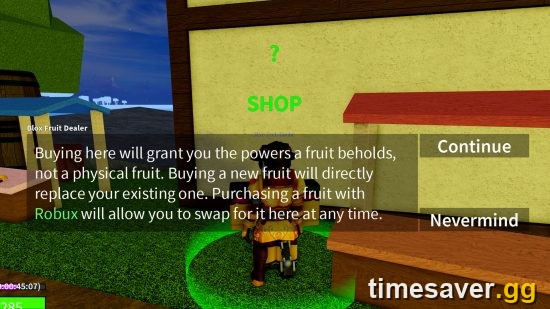
- Dealer price (official, fixed). The Blox Fruit Dealer sells each fruit for a set Beli (physical) or Robux (permanent) price. These are dev-set and stable. Examples of the in-game Dealer prices: Dragon 15,000,000 Beli / 5,000 R$, Control 9,000,000 / 4,000, Kitsune 8,000,000 / 4,000, Yeti & Tiger 5,000,000 / 3,000, Gas 3,200,000 / 2,500, Dough 2,800,000 / 2,400. The freshest addition, Magnet, sells for 6,000,000 Beli / 3,500 R$.
- Community trade value (unofficial, volatile). What players actually trade for is a separate, community-set consensus tracked by third-party sites and trading Discords. These numbers move weekly — sometimes daily right after an update — and different value sites disagree by wide margins.
The rule for traders: use the fixed Dealer price to understand what the game's 40% cap will let you trade, and use community value sites only as a rough read on demand — never as gospel. If a site quotes Kitsune at one number and another quotes it very differently, both are estimates. Check a named site for today's number and treat it as a range, not a fact.
The 40% value-difference cap
The game enforces a balance rule directly in the trade menu: the fruits being traded cannot have a total price difference of more than ~40%. If your side is worth far more than theirs, the trade won't confirm.
You can widen that gap by adding Robux-bought products to the lighter side — high-value products can push the allowed difference up toward 80–100%. Permanent Fruits are the exception: because they're bought with Robux, they're allowed to trade at up to a 100% value difference, which is exactly why permanents are the real store of value in Blox Fruits and why high-tier physical fruits are so often traded straight up for permanents.
What are the best fruits to trade for?
Demand drives trade value, and demand concentrates at the top of the roster. As of the Update 30 (Magnet) meta, the fruits players chase hardest in trades are:

- Kitsune (Mythical) — perennial 10/10-demand chase fruit; one of the hottest trades in the game.
- Dragon (Mythical Beast, East and West variants) — tops the physical-fruit tier.
- Gas, Tiger, Buddha, Yeti — consistently among the most-requested trades.
Two traps to avoid so you don't out yourself as running on old info:
- Leopard is retired. It was discontinued in October 2025 and effectively replaced by Tiger (a Mythical Beast). Returning players searching "Leopard value" want Tiger now.
- Dragon has no player awakening. Some aggregator pages list a Dragon "awakening cost" — that's wrong. Dragon uses a two-stage Fury Meter (Hybrid → full Dragon Form), not an awakening.
If you want a specific top-tier fruit without spending weeks rolling the Dealer or farming trade fodder, our team can deliver the exact fruit to your account fast:
Want the chase fruit without the grind? Skip the rolling and the risky trades — get the exact permanent delivered to your account.
- Blox Fruits items & fruits — normal or permanent — 10 top fruits, fast delivery
- Kitsune (permanent) — the #1 chase fruit
- Dragon (permanent) — top physical-tier Beast fruit
How to avoid getting scammed while trading
Scams are the biggest risk in Blox Fruits trading, and they almost always target players holding high-value permanents. The two most common exploit-based methods, straight from the game's own trading notes:
- "Freeze Trade." The scammer freezes the trade GUI and prevents you from jumping, so you can't cancel the trade window. If your screen locks up mid-trade, don't panic-accept — force-close if you have to.
- "Auto Accept." A cheat that forces the trade to accept without your real confirmation.
Practical safety rules:
- Trade in-game only. Every legitimate Blox Fruits trade happens at the Café or Mansion trade table. Anyone asking you to trade "off to the side," through a website, or via Discord middleman for real money is either scamming you or pushing you into a Roblox Terms of Use violation.
- Never buy or sell fruits/Robux for real money off-platform. Roblox's Terms of Use explicitly prohibit buying, selling, or trading Robux or virtual items outside the platform — such transactions are void and can get your account suspended or terminated. Enforcement is active.
- Recheck both sides before you accept. Scammers swap in a lower item at the last second. Read the final trade screen, not the one from ten seconds ago.
- Be suspicious of "over-pays." If a deal looks far too good in your favour, it's usually the setup for a Freeze Trade or a last-second swap.
FAQ
How do you trade in Blox Fruits? Reach the Second Sea, go to the Café (or the Mansion in the Third Sea), sit at a trade table, and wait for another player to sit opposite. A pop-up opens with both players' stored fruits and Game Passes; each side adds up to 4 items within the 40% value-difference cap, both accept, and the trade completes.
Why can't I trade my fruit in Blox Fruits? The most common reasons: you haven't reached the Second Sea yet (trading unlocks there), your fruit isn't stored in your inventory (Permanent Fruits and Game Passes must be gifted to yourself first), you've hit your trade limit for the window, or the value gap between the two sides is over the ~40% cap.
How many times can you trade per day in Blox Fruits? Up to 5 trades, with the counter resetting after the in-game day ends (11:59 PM UTC+8); the game also describes the limit as 5 trades per 8 hours. You can trade a maximum of 4 items in a single trade.
Is there an official Blox Fruits value list? No. The developers set a fixed money price (Beli for physical, Robux for permanent) for every fruit, but there is no official trade value. Community value lists are player-set consensus that change weekly and disagree with each other — use them as a demand guide, never as fact.
Why are permanent fruits worth more in trades? Permanents are bought with Robux and stay with you when you eat them, so they're the real store of value. The game also allows permanent fruits to trade at up to a 100% value difference, versus ~40% for normal physical fruits, which is why high-tier physicals are commonly traded up into permanents.
Is trading fruits in Blox Fruits safe? Trading inside the game is safe as long as you use the official trade tables and recheck the final screen before accepting. Watch for the Freeze Trade and Auto Accept exploits. Never trade for real money off-platform — it violates Roblox's Terms of Use and risks a ban.