Quick answer (TLDR): To redeem an Activision code, go to the correct official portal for your game, sign in to your Activision account, and enter the code exactly as printed. Main Call of Duty titles (Black Ops 7, Warzone, Modern Warfare) redeem at callofduty.com/redeem; Call of Duty: Mobile uses a separate Redemption Center at callofduty.com/redemption where you enter your in-game UID plus the 12-character code; beta and platform tokens redeem at callofduty.com/betaredeem or directly in the PlayStation / Xbox / Battle.net / Steam store. There are only three official Activision redemption portals — everything else is a scam. And one hard rule up front: no legitimate code has ever granted free COD Points — codes deliver cosmetics, blueprints, calling cards, 2XP tokens and beta access only. Read on for the full step-by-step for every platform and every error.
Millions of Call of Duty players hit a wall at the same moment: they have a code in hand — from a pre-order, a partner promo, a Twitch Drop, an energy-drink can or a physical card — and no idea where to type it. Google shows a dozen "redeem" pages, half of them fake harvesting sites. This guide is the clean version: the three real Activision portals, the exact click path on every platform, what a code will and won't give you, and how to fix the redemption errors that stop 1 in 10 people cold. For the current list of which codes are actually live and working, see our companion post, Call of Duty Redeem Codes (August 2026) — this guide is purely how to redeem, not which codes exist.

Call of Duty - Bot Lobby
Get bot lobby in 10 minutes
Where do you actually redeem an Activision code?
There is no single universal box. Activision splits redemption across three official destinations depending on what kind of code you have. Use the wrong one and you get an "invalid code" error even when the code is perfectly good.
| Code type | Official portal | What you enter |
|---|---|---|
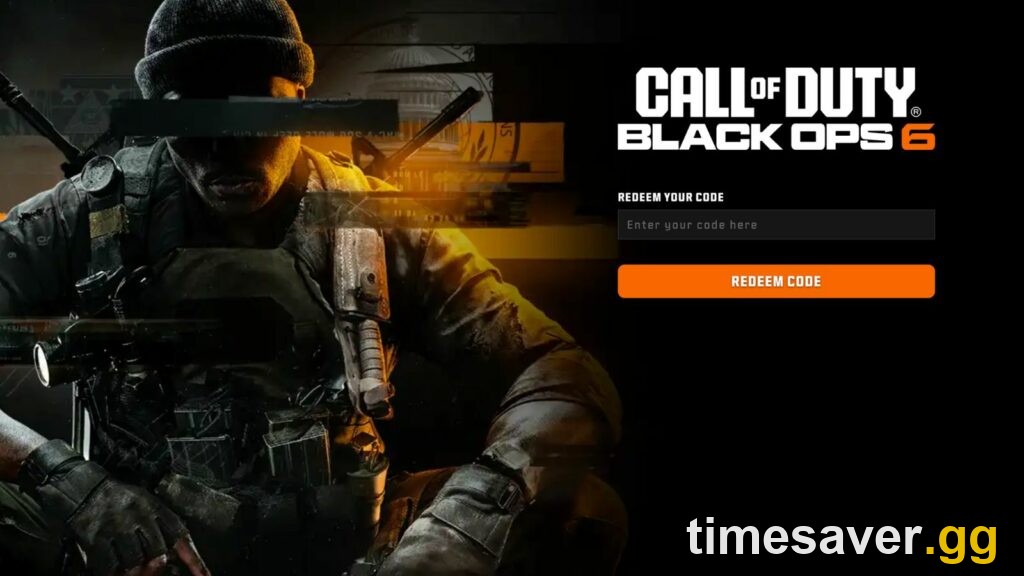
| Main CoD titles (Black Ops 7, Warzone, Modern Warfare) — cosmetics, blueprints, 2XP, calling cards | callofduty.com/redeem | Activision login + code + platform + region |
| Call of Duty: Mobile rewards | callofduty.com/redemption (Redemption Center) | In-game UID + 12-character code + Captcha |
| Beta / early-access tokens | callofduty.com/betaredeem or your platform store | 13-character code (format `XXXX-XXXXX-XXXX`) |
| Platform-issued store tokens (game keys, add-ons) | PlayStation Store · Microsoft/Xbox Store · Battle.net · Steam | Code entered in that store's redeem screen |
Everything routes through one thing: a free Activision account. If you don't have one, create it at profile.callofduty.com before you start, and make sure your gaming platform (PlayStation Network, Xbox, Battle.net or Steam) is linked to that account under Profile → Linked Accounts — otherwise the reward has nowhere to land.
How do you redeem a code on callofduty.com/redeem?
This is the portal for the overwhelming majority of Call of Duty promo codes — in-game cosmetics, weapon blueprints, operator skins, double-XP tokens and calling cards for Black Ops 7, Warzone and Modern Warfare. The click path:
- Open callofduty.com/redeem in a browser (mobile or desktop both work).
- Sign in to your Activision account. As the portal itself states, you "sign in to your Activision account to manage your profile, security, and access across Call of Duty and other Activision titles" (callofduty.com).
- Enter your code exactly as printed. Codes are case-insensitive but every character matters — watch for `0` (zero) vs `O`, and `1` vs `I`.
- Select the platform you play on and your region/location if prompted.
- Confirm. A success screen appears, and the reward is delivered to that game's in-game inventory or Mail/Inbox — not to your browser.
- Launch the game and check your in-game Mail, Inbox or Armory to claim or equip the item.
If a promo came from a partner (a retailer, a drink brand, a hardware bundle), read their instructions first — Activision's own support notes that "in some cases, you may need to confirm your proof of purchase with a partner or retailer online to receive a code redeemable for rewards" (Call of Duty Help Center). In other words, some partner codes are a two-step process: verify with the partner, then redeem on Activision.
How do you redeem a Call of Duty: Mobile code?
Call of Duty: Mobile is the big exception, and it trips up thousands of players who try to use the main portal. Mobile codes go through a separate Redemption Center and require your account's in-game UID — not your username, not your email.
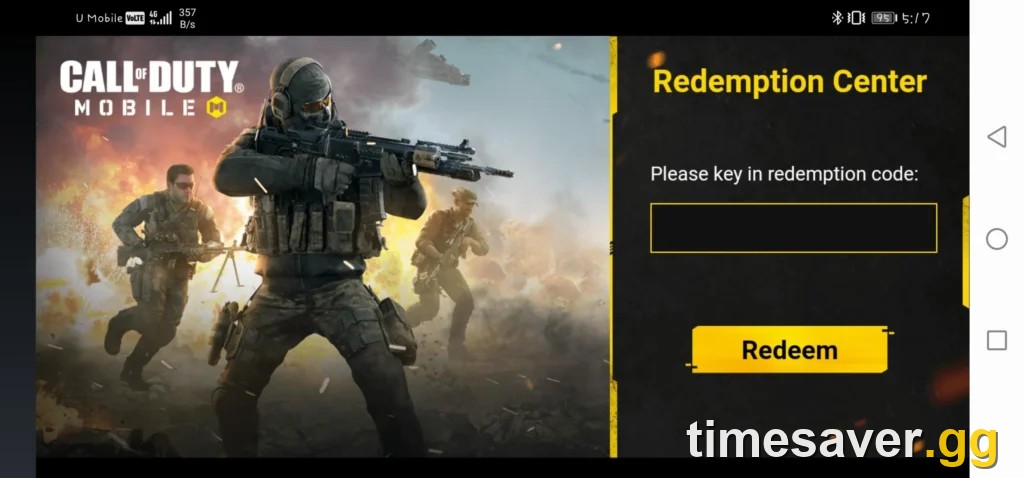
Here is the official process, quoted directly from the Call of Duty: Mobile Help Center:
"Before entering a code, be sure you have the latest version of Call of Duty: Mobile installed on a compatible device. You will also need an Activision account." — Call of Duty: Mobile Help Center (activision.helpshift.com)
Then, at callofduty.com/redemption:
- Find your UID in the app — tap your name at the top of the screen, open your Player Profile (second tab); your UID is displayed below your name.
- Enter that UID in the Redemption Center.
- Enter your 12-character code.
- Enter the Captcha for verification.
- Relaunch Call of Duty: Mobile.
- Tap the envelope (Mail) icon on the home screen and claim your reward.
If nothing arrives, the number one cause is a UID typo — re-check it, because the reward is delivered to whatever UID you typed, not the account you're logged into on the website.
How do you redeem a Black Ops 7 beta or platform token?
Beta early-access codes and platform store tokens follow their own rules. Black Ops 7 open-beta early-access codes came from pre-orders at participating retailers as a 13-character code in the format `XXXX-XXXXX-XXXX`, redeemable at callofduty.com/betaredeem — where you "enter a valid 13-digit code, your preferred platform, and location in the respective boxes" (dotesports).
If your token is a platform store code instead (a full-game key, an add-on, or a store-issued beta token), redeem it directly in that platform's store, per Activision's own support steps (support.activision.com):
- PlayStation: PlayStation Store → scroll the sidebar to the bottom → Redeem Codes → enter the code → Redeem.
- Xbox: open the Microsoft/Xbox Store → Redeem → enter the code.
- Battle.net (PC): log in → Account Overview → Redeem a Code box → Redeem Code.
- Steam (PC): Steam client → Games menu → Activate a Product on Steam → enter the code.
Whichever store you use, make sure that platform account is the one linked to your Activision account so the content shows up in-game.

Call of Duty - Ranked Boost
Get ranked boost in 10 minutes
Can you redeem a code for free COD Points?
No — and this is the single most exploited misconception around Activision codes. COD Points are purchase-only and have never been distributed through a free redeem code. Legitimate Activision codes deliver cosmetics, weapon blueprints, operator skins, calling cards, 2XP tokens and beta/early-access — that is the entire menu. Any site, video or "generator" promising a working code for free CP is a scam designed to phish your Activision login or run you through endless human-verification surveys.
If you want CP, the only real path is buying it through the in-game store or a first-party platform store. And if what you're really after is progression — max weapon levels, mastery camos, ranked placement or a stress-free lobby to grind in — that's exactly what a boosting service handles, which we cover in the CTA below. For the full breakdown of which promo codes are genuinely live right now (spoiler: it's a very short list), see Call of Duty Redeem Codes (August 2026).
Save the grind, skip the scam-code rabbit hole. Codes only ever hand out cosmetics — real progression is a service, not a promo code:
- Black Ops 7 Account Leveling — fast level and weapon-level grind, no lobbies-from-hell.
- Mastery Camo Unlock (BO7) — Dark Matter and beyond, done for you.
- Warzone Bot Lobbies — easy lobbies to farm camos, XP and challenges.
- Warzone Ranked Boost — climb the ranked ladder without the tilt.
Why isn't my Activision code working?
Roughly one redemption in ten fails on the first try, almost always for a small, fixable reason. Match your error to the cause:
| Error / symptom | Most likely cause | Fix |
|---|---|---|
| "Invalid code" | Typo, or you're using the wrong portal (e.g. a Mobile code on callofduty.com/redeem) | Re-type carefully (0 vs O, 1 vs I); confirm you're on the right portal for that code type |
| "This code has already been redeemed" | Codes are one-time use — you, or a seller/previous owner, already used it | Sign in with the account that first redeemed it; if you bought it secondhand, it may be spent — contact the seller |
| Wrong region / "not available in your region" | Code is region-locked and your selected location doesn't match | Set the correct region in the portal; some partner codes only work in their intended country |
| Code accepted but reward missing | Reward lands in-game, not in the browser; or it went to a different platform | Relaunch the game, check your in-game Mail/Inbox/Armory; confirm you redeemed on the platform you actually play |
| Reward on wrong account | Your platform isn't linked to the Activision account you redeemed on | Link the platform under Profile → Linked Accounts, then check again |
| Mobile reward never arrived | UID typo in the Redemption Center | The reward went to whatever UID you typed — re-check your UID and redeem again if the code is still valid |
If everything checks out and the code still fails, the code itself may be expired or fraudulent — official Activision codes always redeem on an official `callofduty.com` portal, never on a third-party "unlocker" site.
FAQ
What is the official Activision redeem code website? There are three: callofduty.com/redeem for main Call of Duty titles (Black Ops 7, Warzone, Modern Warfare), callofduty.com/redemption for Call of Duty: Mobile, and callofduty.com/betaredeem for beta early-access tokens. All three require a free Activision account. Any other "redeem" site is unofficial.
Why does my Call of Duty code say invalid when it's correct? The most common reason is using the wrong portal — a Call of Duty: Mobile code entered at callofduty.com/redeem will always read as invalid because Mobile codes only work in the Redemption Center. After that, check for character typos (0 vs O, 1 vs I) and confirm the code isn't region-locked to a country other than your selected region.
Can I get free COD Points from a redeem code? No. COD Points are purchase-only and have never been distributed through a free redemption code. Legitimate codes only grant cosmetics, blueprints, calling cards, 2XP tokens and beta access. Any code promising free CP is a scam.
Where is my UID in Call of Duty: Mobile? Open the app, tap your name at the top of the screen to open your Player Profile, then look at the second tab — your UID is shown directly below your name. You need this exact number to redeem Mobile codes at callofduty.com/redemption.
How many characters is a Call of Duty code? It depends on the type: Call of Duty: Mobile reward codes are 12 characters, and Black Ops 7 beta early-access codes are 13 characters in the format `XXXX-XXXXX-XXXX`. Promo codes for the main titles vary but are entered whole on callofduty.com/redeem.
My code was already redeemed — can I get it back? If you redeemed it yourself, the reward is already on your account; check your in-game Mail. If a code you bought secondhand shows as already redeemed, it was likely used before you got it — codes are one-time use, so contact the seller. Activision does not re-issue spent codes.