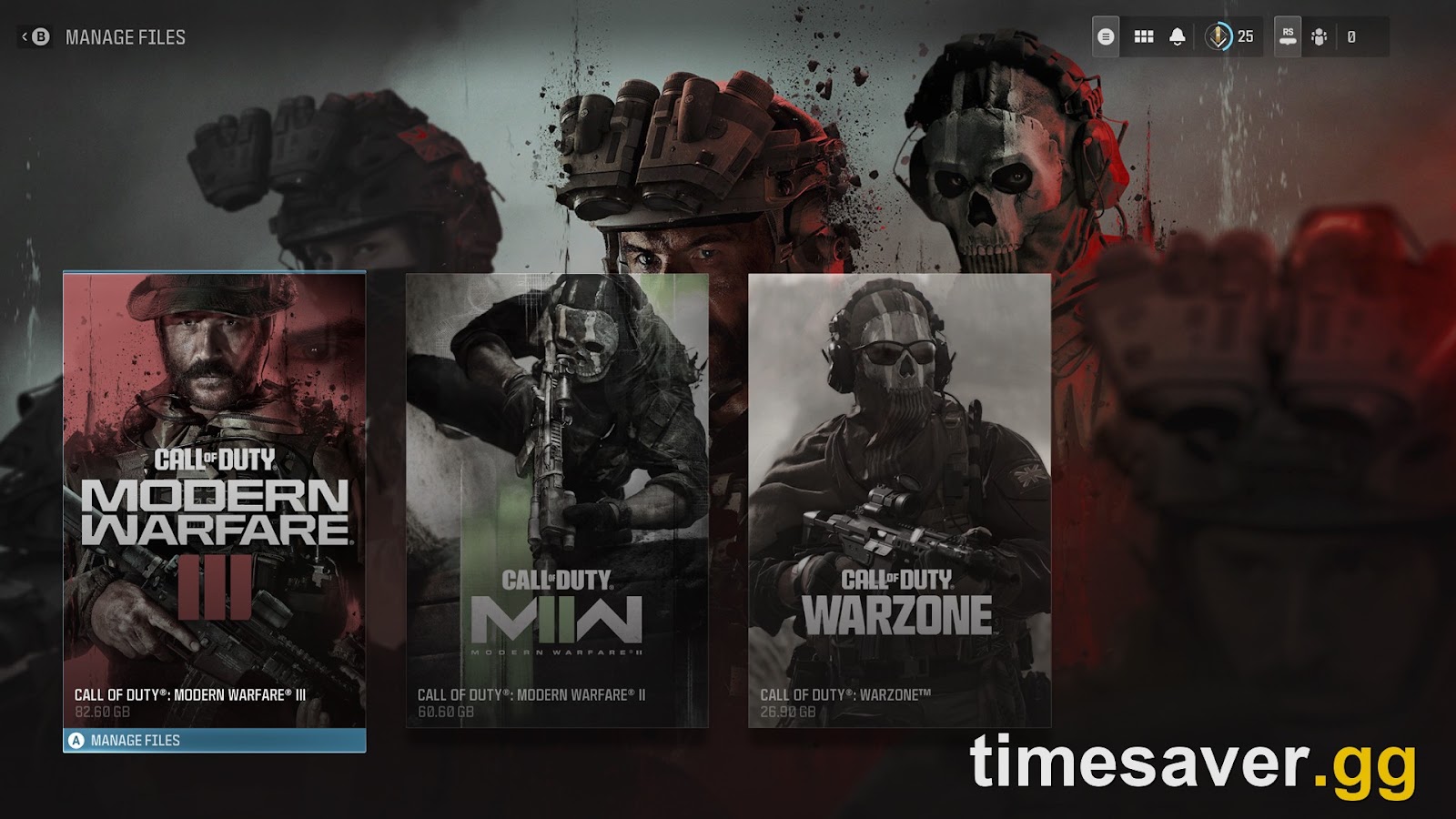
Quick answer: Modern Warfare 4 does not install as its own standalone game. It lives inside Call of Duty HQ — the single launcher that has held every Call of Duty since Modern Warfare II (2022). That's why MW4 can seem "missing" from your Steam library, why the download is so large, and why old titles like MW3 and Black Ops 7 eat your drive. The good news: you control all of it from one screen. Open COD HQ, go to Menu → Manage Files, and you can install only the modes you play, uninstall what you don't, and launch straight into MW4 or Warzone. Here's exactly how — plus fixes for COD HQ not opening and MW4 not showing up.
Call of Duty: Modern Warfare 4 - Bot Lobbies
Get bot lobby in 10 minutes
TL;DR
- MW4 is a row inside Call of Duty HQ, not a separate app. First launch after preload can take you to the HQ hub, not straight into MW4.
- It's modular. COD HQ + Shared Content Pack + your chosen mode packs are the minimum. Campaign + Multiplayer is roughly 111 GB on PS5; the Warzone Pack adds ~42 GB on top; Xbox Series X/S runs up to ~194 GB if you install everything (dotesports, TechWiser).
- To free space: COD HQ → Menu → Manage Files → pick a title/mode tile → Uninstall. Activision explicitly recommends this over your console's own delete menu.
- Launcher won't open / MW4 missing? Let the Day One patch finish updating COD HQ first — Activision lists disc-identification and party-disband bugs as known HQ issues after a new title drops.
- New Warzone map arrives with Season 1 on November 6. Installing "Warzone" before then pulls the current live version, not the MW4-integrated one.
Full launch is October 23, 2026. Campaign Early Access is already live (from October 16 for digital pre-orders), and DMZ Early Access opens October 20. So the launcher questions are peaking right now — and they're the #1 confusion on r/CallOfDuty this week.
Why isn't Modern Warfare 4 its own game?
Because Activision stopped shipping standalone Call of Duty installs in 2022. Call of Duty HQ (often shortened to COD HQ, and simply labeled "Call of Duty" on your dashboard) is a unified launcher released October 28, 2022 that serves as the front door for every CoD since Modern Warfare II, including Warzone (Call of Duty Wiki).
In Activision's own words, COD HQ exists to deliver "benefits like Carry Forward, easier file size management, and more seamless switching between Call of Duty: Warzone and the latest annual releases" (callofduty.com). Each title gets its own row inside the hub; you pick MW4, Warzone, or an older installed title from there.
That design is exactly why the top post on r/CallOfDuty this week is a 64-upvote thread titled "Can we be done with this shared launcher among the newer COD games?" — and why a new MW4 buyer wrote, "I bought MW4 yesterday and I cannot even find modern warfare 4 in my Steam library." The game is there. It's inside COD HQ, which is the thing that shows up in your library.
How do I launch straight into MW4 instead of the HQ menu?
On every platform, you boot the Call of Duty / COD HQ tile, then select the Modern Warfare 4 row from the hub to drop into its Campaign, Multiplayer, or (once unlocked) its content.

- PlayStation 5 / Xbox Series X/S: Launch the Call of Duty tile on your dashboard. If you own MW4, the MW4 row is your default landing spot once it's installed and patched. You can also pin or favorite the MW4 tile on your console home screen so it boots COD HQ pre-pointed at MW4.
- PC (Steam / Battle.net / Xbox app): Launch Call of Duty from your library. On Steam specifically, the single entry in your library is "Call of Duty" (the HQ), not "Modern Warfare 4" — that's normal. Some launchers added a direct Warzone shortcut; if yours hasn't, you route through the HQ hub.
If you only want Warzone and never touch MW4's other modes, you still launch through COD HQ and pick the Warzone row — there's no separate Warzone.exe experience that bypasses the hub.
How big is MW4 really, and what's the minimum install?
MW4's footprint depends entirely on which packs you choose, because the content is modular. Here are the confirmed-to-reported numbers as of launch week:
| Platform / pack | Size | Source | |
|---|---|---|---|
| PS5 — Campaign + Multiplayer (min) | ~111 GB | TechWiser (pack math) | |
| Warzone Pack (adds on top) | +42.033 GB | TechWiser | |
| Xbox Series X\ | S — everything | up to ~194 GB | dotesports |
| Nintendo Switch 2 | ~77 GB | dotesports |
As TechWiser summarizes the pack system: "Content packs are modular, meaning you only need to download what you plan to play. Call of Duty HQ, Shared Content Pack 1, and your chosen mode packs are the minimum required."
The reason the baseline is so heavy is Carry Forward. Activision confirms the HQ bundles "inventory and progression" from prior titles — weapons, Operators, and select maps that carry into the new game "require file downloads during installation" (callofduty.com). That's convenience you pay for in gigabytes.
One important catch for launch week: during MW4 setup you choose whether to install Warzone alongside it, and selecting Warzone before Season 1 installs the current live version of the game — not the MW4-integrated Warzone. The new Warzone experience arrives with Season 1 on November 6, 2026 — a date Activision confirmed in the official pre-launch roadmap posted October 14 (Insider Gaming). If drive space is tight, there's no reason to pull the Warzone Pack today.
How do I free up storage from inside the launcher?
This is the part most people miss, and it's the direct fix for the 58-upvote "CoD games taking up too much storage" thread. Activision built a content manager into COD HQ and recommends you use it instead of your console's own delete option: "When uninstalling full games or game modes, we recommend using the content management system within Call of Duty. If you choose to remove files through your platform's content management system, your experience may differ and files may be managed individually" (support.activision.com).
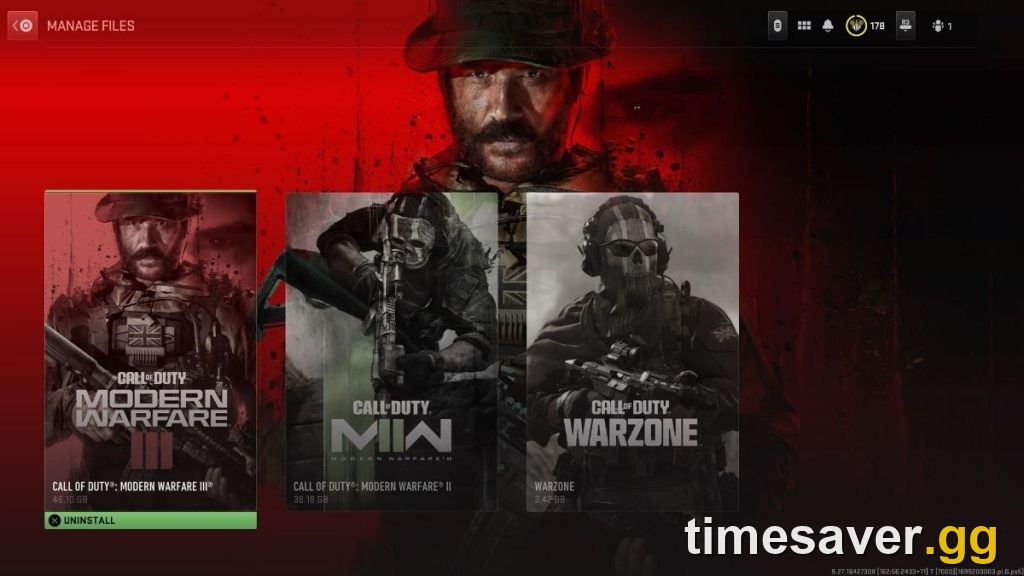
The exact steps:
- Launch Call of Duty (COD HQ) on your console or PC.
- Open the Menu and select Manage Files.
- Select Manage Files again.
- Choose a tile from the available options to Manage Files, Uninstall, or Install content.
Each installed title lists its modes as separate sections. For older games that means Campaign, Multiplayer (which includes Zombies), and so on are individually removable. Finished the MW3 campaign and never touch its multiplayer? Uninstall just those files and keep your MW4 install intact.
Should you delete MW3 to make room? If you don't play it, yes — and that's the better move than uninstalling the whole COD HQ, which would nuke MW4 too. Remove MW3's modes from inside Manage Files, leave the shared/HQ core in place, and your progression and MW4 content stay safe.
Bonus storage lever — texture streaming. COD HQ can stream high-res textures from a cache instead of storing them all locally. Under Manage Files → Graphics → On-Demand High-Quality Streaming, choose Minimal for reduced on-disk size and lower bandwidth, or Optimized for maximum fidelity at the cost of more bandwidth (support.activision.com).
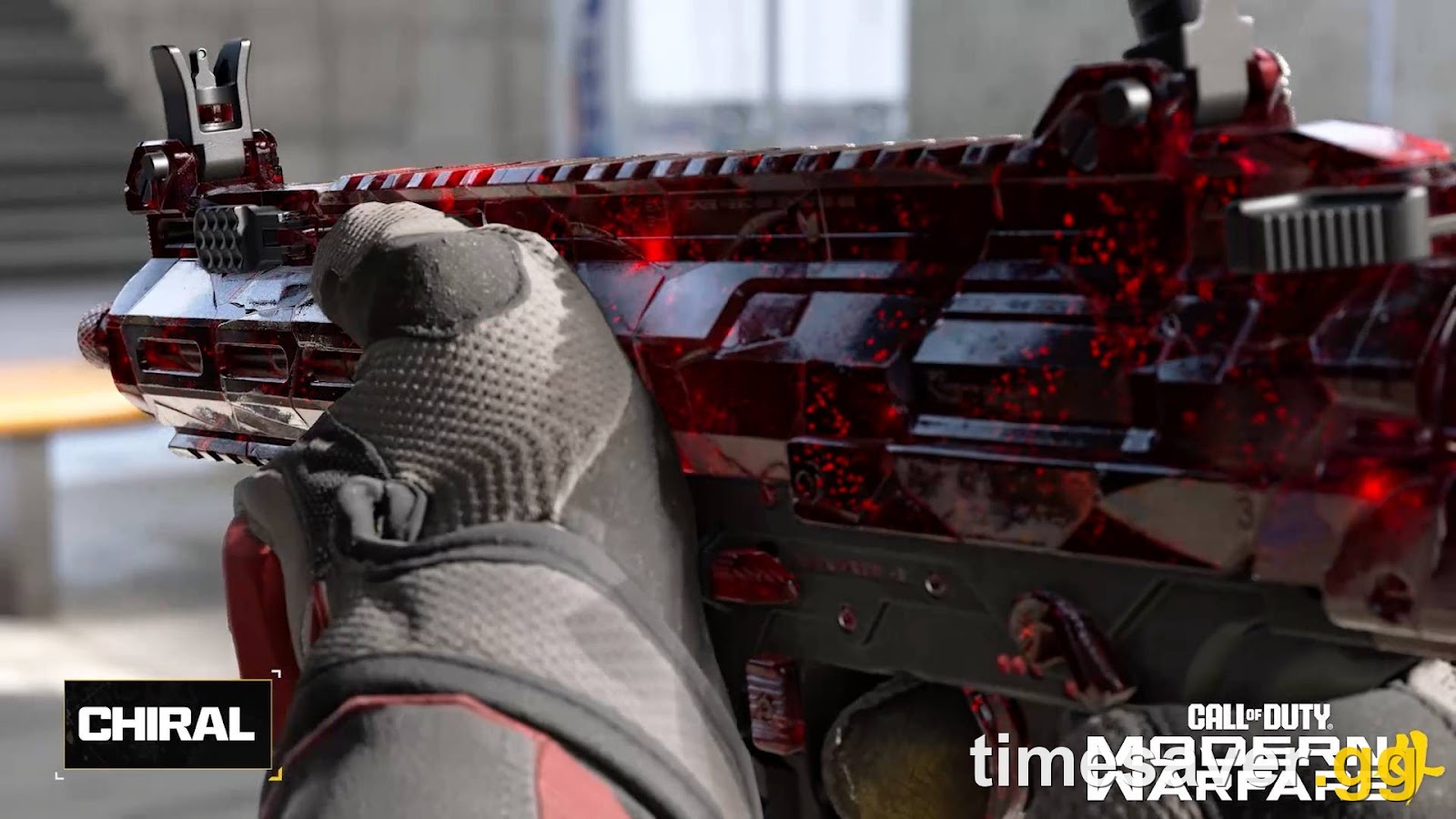
Call of Duty: Modern Warfare 4 - Mastery Camo Bundle
Get mastery camos in 10 minutes
COD HQ won't open, or MW4 is missing — how do I fix it?
Launch week always produces a wave of these, and most resolve the same way: let the launcher finish updating itself before you panic.
- MW4 icon missing after install (especially on disc): Activision lists this as a known HQ behavior. Disc owners who don't already have the prior title installed "will not see the Modern Warfare III icon until COD HQ has fully updated after a Day One patch." The same pattern applies to MW4 — the row appears once the HQ update and Day One patch complete (callofduty.com).
- COD HQ not opening on PS5: Fully close the application (don't just rest it), check for a pending COD HQ update in your console's game menu, and confirm the system itself has the latest firmware. A stuck "patching 1%" or "error during update" — both live complaints this week — usually clears by closing the app, restarting, and letting the update re-queue on a stable connection.
- Can't find MW4 in the Steam library: Look for the single Call of Duty entry, not "Modern Warfare 4." Launch it, and select MW4 from the HQ hub.
- Party disbanded switching to Warzone: A known HQ quirk — re-party inside Warzone. Activision has flagged cross-title party drops as a fixable post-launch issue historically.
If a specific crash code appears — several players are reporting a `KERNELBASE.dll` crash the moment Warzone loads while the HQ menu works fine — treat it as a per-title problem, not an HQ-wide one: verify/repair that title's files inside Manage Files, update your GPU driver, and reinstall only the affected mode rather than the whole launcher.
What should I actually install for launch day?
Keep it lean and get playing faster:
- Just want Multiplayer at launch (Oct 23)? Install COD HQ + Shared Content Pack + the Multiplayer pack. Skip Warzone for now.
- Campaign Early Access (live now)? You only need the Campaign files to start the story before the full launch. See our MW4 campaign early access guide for the exact unlock window.
- DMZ (Early Access Oct 20)? Add the DMZ pack when it's available.
- Warzone? Wait for Season 1 on November 6 unless you want to play the current version today.
For the full size-and-timing breakdown, our MW4 file size & storage guide and the PC preload & 115 GB SSD requirements cover every platform. If you're unsure your rig clears the bar, check the MW4 PC system requirements first.
Get into the grind faster, not the menus
Once the launcher's sorted and MW4 is installed, the real clock starts: camo challenges, weapon levels, and the battle pass all reset to zero. The fastest way to skip the slog is to let us run it for you.
Skip the launcher headaches and the day-one grind:
- MW4 Bot Lobbies — level weapons and farm camos in low-pressure lobbies from the moment you're installed.
- MW4 Weapon Leveling — max your favorite guns without the hundred-match grind.
- MW4 Mastery Camo Bundle — chase the top-tier camos while you actually enjoy the game.
- MW4 Account Leveling — rank up fast and unlock your loadout slots.
- See everything at timesaver.gg MW4 services.
Our launch-day checklist and fastest day-1 weapon leveling guide walk through exactly what to grind first.
Frequently asked questions
Is Modern Warfare 4 a standalone game or part of Call of Duty HQ? It's part of Call of Duty HQ. MW4 installs and launches as a row inside the shared COD HQ launcher, the same system that has hosted every Call of Duty since Modern Warfare II in 2022. There is no separate standalone MW4 app.
Why can't I find Modern Warfare 4 in my Steam library? Because the library entry is called "Call of Duty" (the HQ), not "Modern Warfare 4." Launch that entry and select MW4 from the hub. This is normal and not a sign your purchase failed.
How do I uninstall old Call of Duty content to free up space? Open COD HQ, go to Menu → Manage Files → Manage Files, then pick a title or mode tile and choose Uninstall. Activision recommends this in-game content manager over your console's own delete menu so files are removed cleanly.
Can I delete MW3 and keep MW4? Yes. Use Manage Files to uninstall MW3's individual modes while leaving the shared HQ core and MW4 content in place. Don't uninstall the whole Call of Duty HQ app — that removes MW4 too.
How big is Modern Warfare 4? Roughly 111 GB on PS5 for Campaign + Multiplayer, with the Warzone Pack adding about 42 GB on top. Xbox Series X/S can reach ~194 GB fully installed, and Nintendo Switch 2 is around 77 GB. It's modular, so you only download the packs you play.
Do I have to install Warzone with MW4? No. Warzone is an optional pack. Note that installing Warzone before Season 1 (November 6, 2026) pulls the current live version, not the MW4-integrated one, so you can safely skip it to save space for now.
COD HQ won't open on my PS5 — what do I do? Fully close the app, check for a pending COD HQ update in your console's menu, confirm your system firmware is current, and relaunch on a stable connection. A "patching 1%" stall or update error usually clears after a restart and re-queue.
MW4 full launch: October 23, 2026. Campaign Early Access live from October 16; DMZ Early Access October 20; Warzone Season 1 on November 6. Storage figures are platform- and region-dependent and reflect reported pack sizes at launch week; your exact footprint will vary with the modes you install.