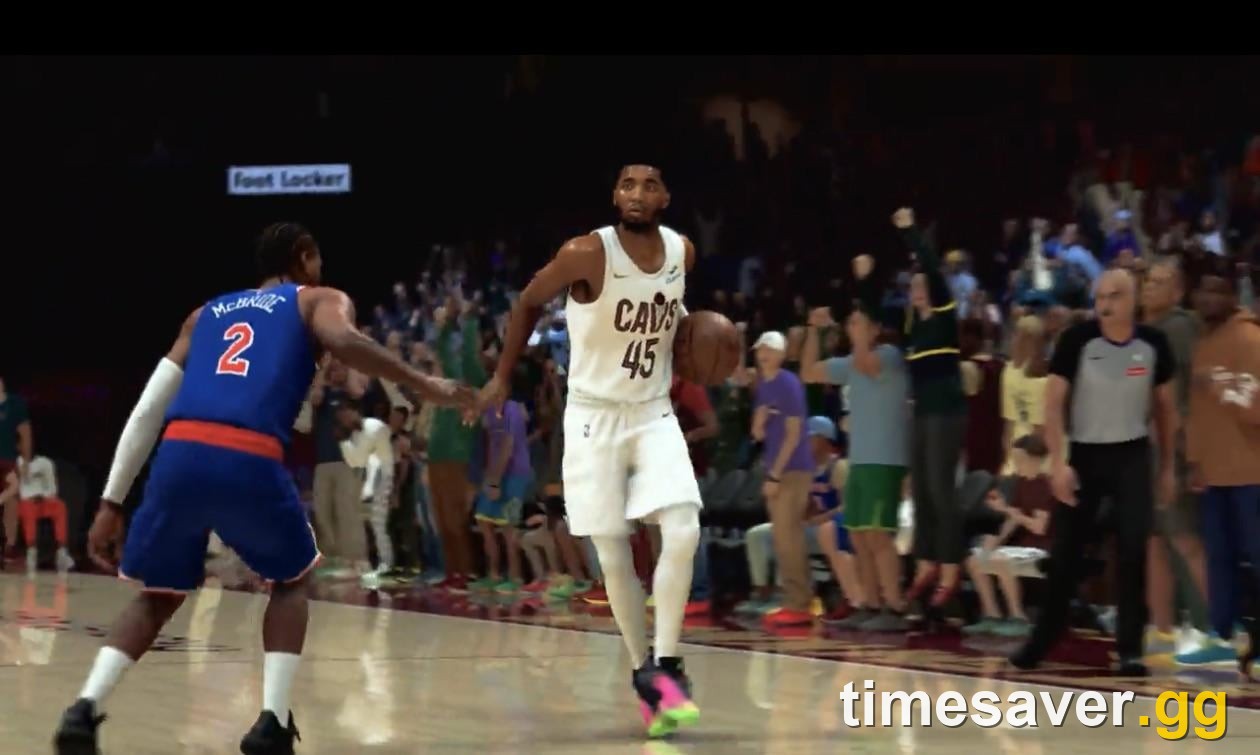
Ask r/NBA2k what's wrong with their game right now and the same complaint comes up a dozen times a day: I can't buy a bucket this year — what jumper is everyone running? NBA 2K27 tightened its shooting, and a jumper that carried you through 2K26 can suddenly rim out every possession. The fix is almost never "shoot better." It's the jump shot you built. This guide walks through the jump shot creator piece by piece — the base, the release window grade, the release speed, and the 3-point rating your build actually needs — then shows you how to find your own release point so you stop guessing and start greening.
Quick answer: There is no single "best jumpshot" in NBA 2K27, because the best jumper is the one whose visual cue matches your timing. But the jump shot that shoots consistently for almost everyone shares three traits: a base with a high Release Window grade (aim for A or A+, not a D+ or F base), a release speed you can react to (most players green more on a slightly slower release than a "very quick" one), and a MyPLAYER with a strong enough three-point rating that the window isn't punishingly small to begin with. Pick a well-graded base, set your release speed one notch slower than feels comfortable, then rep it in the practice facility until you know the cue. Ignore "run this exact base" recipes — the specific base names and millisecond figures circulating in launch week are third-party estimates, not 2K-published numbers. (Applies to NBA 2K27, Season 1, verified September 9, 2026.)
Key takeaways
- Your base sets the window; the Release Window grade multiplies it. A high-graded base (A/A+) gives you a far more forgiving green window than a low-graded one (D+/F) at the exact same rating — this is the single biggest reason two players with identical builds shoot completely differently.
- Release speed is a trade-off, not a "faster is better" slider. A quicker release gets the shot off sooner but shrinks your window; a slightly slower release widens it. Most players are more consistent one notch slower than their instinct.
- You need the rating to back the animation. A strong three-point rating is the practical floor for reliable stand-still threes; movement and fade shots demand more. On a low-shooting build, even a perfect base fights you. (2K confirms rating feeds the window; it hasn't published exact thresholds — ignore precise "you need X" claims.)
- Find your release point in practice, not in the REC. The practice facility and MyCOURT exist so you can learn where your green window sits before it costs you a game.
- Rhythm vs button shooting changes the feel, not the base rules. Whichever you use, the base, grade and speed all still apply — pick the input you can repeat.
- No product, no shortcut. VC buys attributes; it does not buy a jumper. The jump shot creator is free, and consistency is reps. Never touch a "VC generator" or a third-party seller — 2K permanently bans for it.
Why your 2K26 jumper stopped working
The most-upvoted shooting complaint in NBA 2K27's launch window is some version of I'm graying every open look and I can't figure out why. It isn't in your head. As the NBA 2K27 shooting guide explains in detail, the green window — the span of time you can release and still make the shot — is a hard pass/fail threshold, not a dice roll, and NBA 2K27's windows are tighter than 2K26's. 2K's own gameplay direction has stressed there's no RNG in shooting: release inside the window and the ball goes in, every time. The catch is that the window is smaller, so the same muscle memory that greened last year now lands a hair early or late.
That's exactly why the jumper you build matters more this year. In 2K26 you could run almost any base and still shoot fine; in 2K27 the difference between a high Release Window grade and a low one is the difference between greening open looks and graying them — same player, same hands. And the animation that carried you last year is no guarantee this year. As one longtime player put it on r/NBA2k: "Any longtime player of 2K knows they are liable to re-roll the dice in terms of effectiveness of ANY given animation in the game from year to year... I'd be more surprised if it DID [work two years in a row]." The takeaway isn't "shoot harder" — it's rebuild the jumper around a higher-graded base and a release speed you can actually time. That's the whole guide in one sentence.
The jump shot creator, explained
You build your jumper in the jump shot creator inside MyPLAYER. The creator lets you combine a base with release timing and speed settings, and every combination gets a Release Window grade. Get these three dials right and you've done 90% of the work.
1. The base
The base is the animation your MyPLAYER uses — the gather, the rise and the release motion. It does two jobs: it sets the visual cue you'll time your release to, and it comes with a Release Window grade that determines how forgiving that timing is. Bases with a clean, readable peak and a high window grade are what you want.
Here's the honest part most "best jumpshot" pages won't tell you: which specific base plays best is personal, and in launch week nobody has a verified answer. You're timing to a visual, so an animation one player reads instantly can feel invisible to another — that's why "what's the best base" gets a hundred different answers. Just as important, the exact per-base window grades and millisecond figures floating around right now are launch-week estimates from third-party trackers, not numbers 2K has published. Testing sites themselves label their early 2K27 figures as placeholders until their own testing finishes. So don't copy a stranger's "run this exact base" recipe as gospel.
What you should do is method, not a magic name: open the creator, try a base with a readable set point, and read its Release Window grade before you commit. The right base is the one whose cue you can see and whose window grade is high — and the only way to know that is to load it and shoot it.
The rule that isn't personal: whatever base you choose, check its Release Window grade in the creator before you commit. If it reads D+ or F, put it back — you're handicapping yourself before you've taken a shot.
2. Release speed
Once you've got a base, the creator lets you set release speed — how fast the animation plays from gather to release. It's tempting to crank it to "very quick" so you can get shots off over a closeout. Resist that instinct. Release speed is a trade-off:
- Faster release: the shot gets off sooner (good against tight defense) but the green window is smaller, so the timing is less forgiving.
- Slower release: the shot takes longer to leave your hands, but the window is larger and far easier to time consistently.
For most players — especially anyone struggling to green — the right move is to set release speed one notch slower than what feels natural. You trade a few frames of speed for a window you can actually hit. Elite shooters who've studied their animation since variable shot timing arrived can run faster releases; if you're reading this because you can't buy a bucket, slow it down first and get your percentage up, then speed it back up once the timing is automatic.
3. The Release Window grade — the number that matters most
Every base + speed combination shows a Release Window grade in the creator, running from the top (A+) down to F. This grade scales how wide your green window is. A high-graded setup gives you meaningfully more room for error on every single shot; a low-graded one leaves you with a window so tight that even good timing rims out.
This is the trap thin "best jump shot" pages skip past: they hand you a base name and never tell you to check the grade after you set your release speed — because speeding the release up can drop the grade. Build your combo, then read the grade. If it's not at least an A, either slow the release down until it climbs or swap the base. Grade first, aesthetics second. An ugly jumper that greens beats a pretty one that doesn't.
Your build has to back the jumper
A perfect base can't save a build that isn't meant to shoot. NBA 2K27's shooting ratings and badges widen your green window — the higher your three-point rating, the more forgiving a slightly-off release becomes. Below a certain rating, the window is so small that no base fixes it.
2K has confirmed the mechanic — ratings feed how forgiving your window is — but has not published the exact rating thresholds, and anyone quoting a precise "you need X three-ball" number in launch week is estimating, not citing 2K. As a practical, community-reported rule of thumb (treat it as guidance, not a hard cutoff):
- A solid, high three-point rating lets you punish defenders who leave you open on the perimeter — that's the baseline most players aim for before expecting to shoot consistently.
- Even higher is what lets you start hitting movement shots, side-step threes and contested looks.
- Fades and off-dribble threes are the most demanding — don't expect to hit those on a low-shooting defensive build no matter how good the base is.
If your build is a rim-running big or a lockdown defender with a low three, don't blame the jumper. Build to the shot you want to take, and use Cap Breakers and Badge Tokens to push shooting attributes and equip the badges that widen the window. (New to those systems? Start with our guides on how to earn Badge Tokens fast and Cap Breakers.)
How to find YOUR release point
Here's the part most players skip and then rage about in the REC. Because you're timing to an animation, your green window sits at a slightly different spot than the next player's — your reaction time, your TV, your controller lag all shift it. Finding it is a five-minute job in the right place:
- Go to the practice facility or MyCOURT, not an online game. You need reps with zero pressure and instant feedback. Losing a REC game while you experiment helps no one.
- Turn the shot meter ON while you learn. The meter is the best teacher you have — it shows you exactly how early or late each release landed. You can turn it off later for a slightly larger window once the cue is automatic.
- Take the same shot 20+ times and read the feedback. Catch-and-shoot from the same spot. If the game says "slightly early" over and over, you're releasing before your window — adjust. If it's "slightly late," you're holding too long.
- Adjust release timing, not the base, first. The creator's release-timing setting shifts when the green window appears relative to the animation's visual peak. If your natural rhythm is consistently early or late, nudge the timing to meet you instead of fighting it.
- Only then take it online. Once you're greening 7–8 of 10 open shots in practice, the jumper is ready. If you can't green it in an empty gym, it will never work in Ante-Up.
The players greening open looks all night aren't luckier than you — they've learned their animation. You don't need weeks of study; you need one focused practice session with the meter on, reading "early" or "late" until your timing lines up with the window. The advice r/NBA2k shooters keep repeating to strugglers is blunt and correct: "Pick 1, don't change it, and fix that jumpshot." Bouncing between bases every time you miss a game is the fastest way to never learn any of them.
Rhythm shooting vs button shooting
NBA 2K27 supports both rhythm shooting (flick and control the right stick) and button shooting (tap or hold the shoot button). Neither is the "best jumpshot" on its own — they're input methods, and the base, release window grade and release speed rules above apply to both.
- Button shooting is simpler to learn and easier to repeat under pressure; most players start here.
- Rhythm shooting can feel more consistent once mastered and is favored by some high-level shooters, but it has a steeper learning curve.
Pick the input you can repeat when you're tired and the game is close. A jumper is only as good as the timing you can reproduce in the fourth quarter, so consistency beats theoretical ceiling. Whichever you choose, still check that Release Window grade — the input doesn't change the base rules.
Common jumpshot mistakes to avoid
- Running a low-grade base because it "looks clean." The grade is the whole point. A D+ base with a gorgeous animation will still get you cooked.
- Maxing release speed. Fast releases feel pro but shrink your window. Slow down, get your percentage up, then speed up if you want.
- Blaming the jumper when the rating's the problem. On a low-shooting build, no base is your answer — the build is.
- Learning your timing in online games. Rep it in practice with the meter on. The REC is for cashing in, not experimenting.
- Copying a streamer's exact setup and expecting their percentage. You're timing to a visual cue that your eyes and reactions read uniquely. Use their base as a starting point, then tune it to you.
- Chasing "cheap" shortcuts. There is no VC generator, no "unlock the best jumper" hack. The creator is free; the reps are the price. Third-party VC/MT sellers are a permanent-ban risk under 2K's Code of Conduct — stay away.
FAQ
What is the best jumpshot in NBA 2K27? There isn't a single best jumpshot, because you're timing your release to a visual cue and every player reads animations differently. The best jumper for you is a base with a high Release Window grade (aim for A/A+), a release speed you can react to consistently, and a MyPLAYER with a strong enough three-point rating to keep the window forgiving. Ignore anyone selling a one-size-fits-all "best base" recipe in launch week — the specific base names and millisecond figures circulating now are third-party estimates, not 2K-published numbers. Open the creator, test bases with a readable cue, and keep the one whose window grade is high and whose release you can time.
Why does my jumper rim out even when it feels perfect? Because NBA 2K27's green window is tighter than 2K26's, a shot that felt on time can still land a millisecond outside the window. It's not random — the game tells you "early" or "late." Fix it by choosing a higher Release Window grade base, slowing your release speed slightly, and learning your exact release point in practice with the shot meter on.
What three-point rating do I need to shoot in NBA 2K27? 2K has confirmed that your rating feeds how forgiving the green window is, but it hasn't published exact thresholds — so treat any specific number as a community estimate. As a rule of thumb, a strong three-point rating is what you want before expecting to green open, stand-still threes reliably; movement shots, side-steps and contested looks need a higher rating still, and fades or off-dribble threes are the most demanding of all. Build to the shots you actually plan to take.
Should I use a fast or slow release speed? Slower, if you're struggling. A faster release gets the shot off sooner but shrinks your green window; a slower release widens it and is far easier to time. Set it one notch slower than feels natural, get your percentage up, and only speed it back up once the timing is automatic.
Is rhythm shooting or button shooting better? Neither is universally better — they're input methods, and the base, grade and speed rules apply to both. Button shooting is easier to learn and repeat under pressure; rhythm shooting can feel more consistent once mastered but has a steeper curve. Pick the one you can reproduce when the game is close.
How do I find my release point? Go to the practice facility or MyCOURT (never an online game), turn the shot meter on, and take the same catch-and-shoot 20+ times. Read whether you're "early" or "late," then nudge the creator's release-timing setting to meet your natural rhythm. Once you're greening 7–8 of 10 open shots in practice, the jumper is ready for the REC.
The bottom line
Stop searching for a magic "best jumpshot" and build one that fits you. Pick a base with a high Release Window grade, set your release speed a notch slower than instinct, make sure your build has the three-point rating to back it, and spend five focused minutes in practice finding your release point with the meter on. Do that and you'll go from graying every open look to punishing defenders who dare to leave you — no shortcuts, no sellers, just a jumper you actually own.
Want the deeper mechanics behind the green window, meter on vs off, and the exact settings that move your timing? Read our full NBA 2K27 shooting guide. Building the rest of your MyPLAYER? See how to earn Badge Tokens fast, the Cap Breakers guide, and the best dribble moves and combos for your ball handling build.