Once Human's power comes from your gear, and your gear's power comes from Mods — the slotted upgrades that decide whether a weapon chews through a Deviation or bounces off it. If you started on PS5 or Xbox after the August 2026 console launch, almost every "mod guide" you'll find was written for the old 2024 system. Starry Studio overhauled Mods on January 21, 2026 (PT), and the rules changed enough that stale guides will actively waste your time.
This is the 2026-accurate version: how to get Mods, how the Field Guide and level system actually work now, what Mod Dust is for, how Shiny Mods drop, and the best way to spend your time farming on console or PC. Every mechanic below is checked against Starry Studio's own dev blogs — no invented drop rates, no 2024 leftovers.

Quick answer: how do you get Mods in Once Human?
You get Mods as drops from dungeons, Securement Silos, bosses and elite enemies, and you can exchange Mod Dust for Random Mod Crates in the Mod Shop. Higher dungeon difficulty drops higher-level Mods. Every Mod you obtain unlocks its entry in the Mods Field Guide, and the Field Guide always lets you equip the highest-level version of that Mod you've ever gotten — so you never permanently lose a Mod type once you've seen it. Duplicate lower-level copies are automatically turned into Mod Dust. This system has worked this way since the January 21, 2026 Mod overhaul; it is shared across your whole account, so progress follows you between characters and servers.
What Mods are (and why the 2026 system is different)
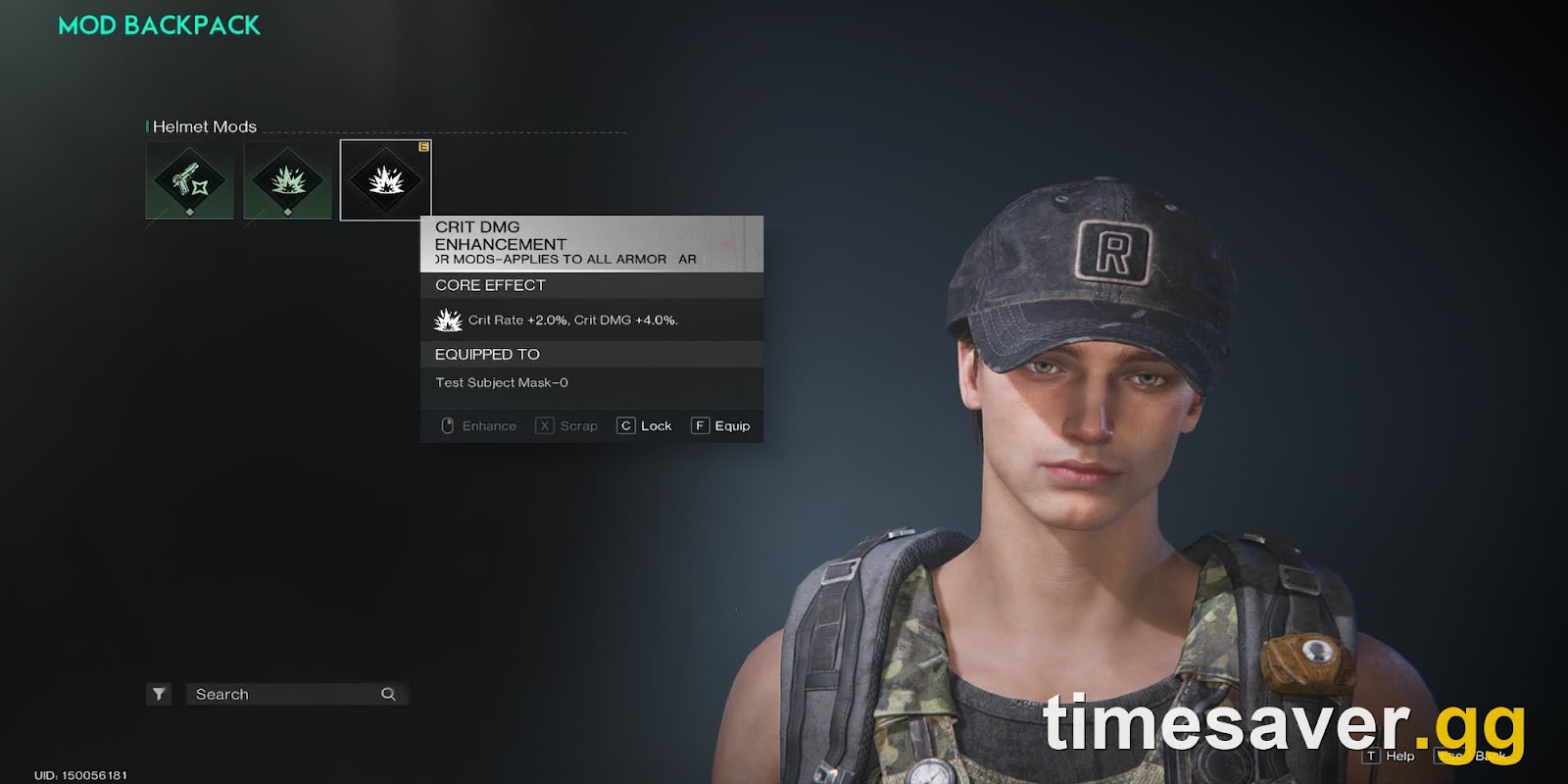
A Mod is an upgrade chip you slot into a weapon or a piece of armor to add stats and effects — extra Crit, Weakspot damage, elemental procs, and build-defining perks like Shrapnel or Bounce triggers. Your overall combat power in Once Human is built on three layers: your weapon blueprint, your calibration (applied during crafting now, not after), and your Mods. Mods carry over between scenarios, which is why veterans rebuild damage so fast after a server reset.
Starry Studio explained why they rebuilt the system in the December 2025 overhaul dev blog:
"The mod system is a core progression mechanic in Once Human, constituting a major portion of a character's combat power... we've consistently received feedback about several issues, such as the difficulty of obtaining certain mod sub-attributes, the system being confusing for new players, and upgrades having insufficient impact." — Once Human dev blog, "Mod System Overhaul and Compensation Plan," December 12, 2025
The three biggest changes that break old guides:
- Sub-attributes are now fixed, not random. Before January 2026, a Mod rolled four random sub-attributes and you re-farmed endlessly for a good roll. Now a Mod's four sub-attributes are fixed to match its core trait. You farm the Mod, not the roll.
- The Mods Field Guide replaced the old inventory grind. Obtaining a Mod unlocks its Field Guide entry permanently. The Guide shows the highest-level copy of each Mod you've ever owned, and that's what you equip.
- Levels run 1 to 17 and are tied to sub-attribute levels. A Mod's level is the sum of its four sub-attribute levels, capped at Lv. 17.
How Mod levels and rarity work now
Under the new system, rarity is just a label for a level band. The higher the Mod level, the higher its sub-attribute levels, and the stronger it is. This is the official correlation (from the overhaul dev blog):
| Rarity | Mod Level | What it means |
|---|---|---|
| Common | 1–2 | One or two sub-attributes active |
| Uncommon | 3–4 | Three to four sub-attributes, all Lv. 1 |
| Rare | 5–6 | Sub-attributes start leveling up |
| Epic | 7–8 | All four sub-attributes at Lv. 2 |
| Legendary | 9–17 | The top band; Lv. 17 is the ceiling |
The number you see on a Mod icon is its level. If you see a lower number than you expected — say a "9" sitting in your Field Guide with a cap of 14 — that just means your codex has already registered a higher-level copy of that Mod. The lower one will be converted to Mod Dust automatically; you're not losing power, you're keeping the best one.
Where to actually farm Mods
Mods and Mod Parts come from combat content, and difficulty is everything — the harder the activity, the higher the Mod level it can drop. Focus your time here:

1. Dungeons by difficulty (your main source of high-level Mods)
Higher-difficulty dungeons drop higher-level Mod Crates, which contain higher-level Mods. Per Starry Studio's January 2026 FAQ, the difficulty-to-level relationship climbs across Normal, Hard, Master and Nightmare, and:
"Master and higher difficulties have an extremely low chance to drop Level 17 Mod Selectable Crates directly." — Once Human dev blog, "FAQ on the New Mod System," January 23, 2026
In plain terms: run the hardest difficulty you can comfortably clear. Normal-mode Mods cap low; Master and Nightmare are where Lv. 17 lives. Don't grind Normal dungeons for end-game Mods — the ceiling is too low to be worth the time.
2. Securement Silos, bosses and elite enemies (for Mod Parts)

Weapon Mod Parts and Armor Mod Parts — the materials you use to enhance Mods — come from Securement Silos (the PSI, THETA, PHI, SIGMA, ALPHA and EX1 facilities on the map), from bosses, from elite enemies, and from disassembling Mods at a Disassembly Bench. If your Mods are stuck, you're usually short on Parts, not short on Mods. Clear silos on a rotation and bank the Parts.
3. The Mod Shop (spend your Mod Dust here)
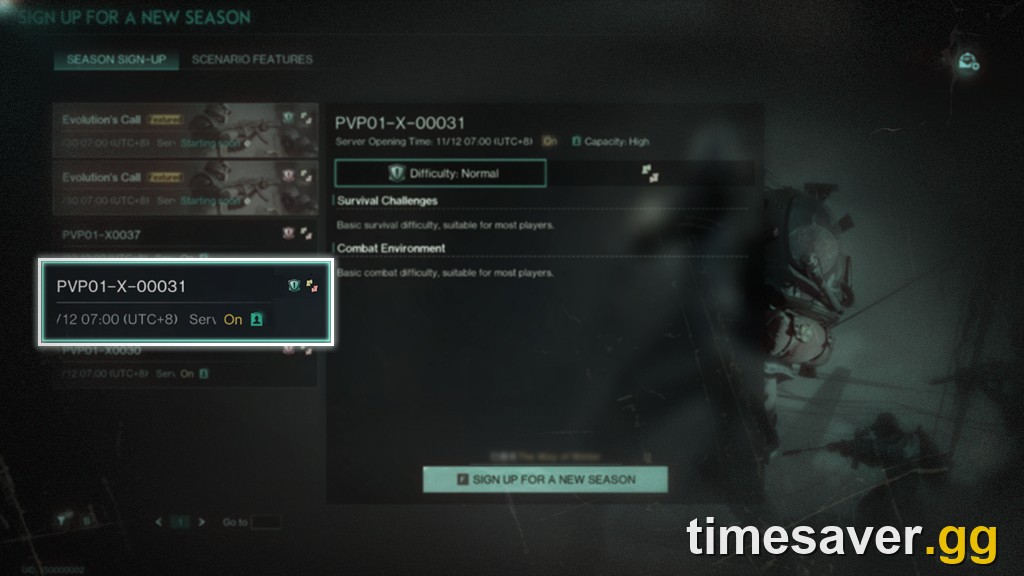
Every duplicate low-level Mod auto-disassembles into Mod Dust. You spend that Dust — plus Energy Links — on Random Mod Crates of various level ranges in the Mod Shop. Two things to know, straight from the official FAQ:
- The Mod Shop refreshes weekly, so check it every reset.
- Mod Dust is shared across every character on your account and survives server transfers — it does not disappear when you move servers.
That last point matters for console players bouncing between a 【Console】-tagged server and a cross-platform one: your Dust and your Field Guide follow your account, not the character.
How to get Shiny Mods
Shiny Mods are the flex tier — the same sub-attributes as a Lv. 17 Mod but a slightly higher main attribute, with a distinct icon so other players can see the achievement. Here's exactly how they work in 2026:
- You must already own a Lv. 17 Mod. Then obtaining another Lv. 17 copy of that same Mod has a chance to transform it into a Shiny Mod.
- They drop from high-difficulty dungeons and game modes only, at a low and random chance.
- As of the system's rollout, only Weapon-slot Shiny Mods are available — armor and other slots are planned for future updates, so don't chase a Shiny armor Mod yet; it isn't in the game.
- Identical Shiny Mods share the same Shiny effect and primary attribute, and the Field Guide is shared across PvE and PvP on your account — a Shiny you unlock in a PvE scenario is available in PvP too, no re-farming.
Do not chase Shiny Mods as a new player. They're a post-Lv. 17 luxury. Get your core build to Lv. 17 Mods first.
How to get Lunar, Crescent and other seasonal Mods
This is the single most-asked Mod question from new players, and the honest answer trips people up: the "collection" seasonal Mods — Lunar, Crescent and similar — are not always obtainable. They rotate through the Visional Wheel event system (open the menu, then the events/Visional Wheel panel to see what's live). When a given event cycle is active, you can earn those Mods from its crates; when it rotates out, you have to wait for it to come back around, and the rotation runs on a roughly monthly-to-quarterly cadence.
The practical rule: if a seasonal Mod you want is available right now, farm it now. Don't assume the next rotation will bring back the one you're waiting on — the studio sets the schedule and it isn't guaranteed to be the one you expect. If you've already got surplus Mod Selection Crates from completing collection ratings, those crates can be used to pick seasonal Mods while they're in the pool.
How to equip and manage your Mods
Equipping is quick once you know the menu path:
- Open your Gear menu (on PC, press K; on console, open your inventory and move to the Gear tab).
- Right-click (or select) the weapon or armor piece you want to modify.
- Open the Mods tab, click a blank slot to see every Mod available for that item, and double-click (or confirm) the one you want.
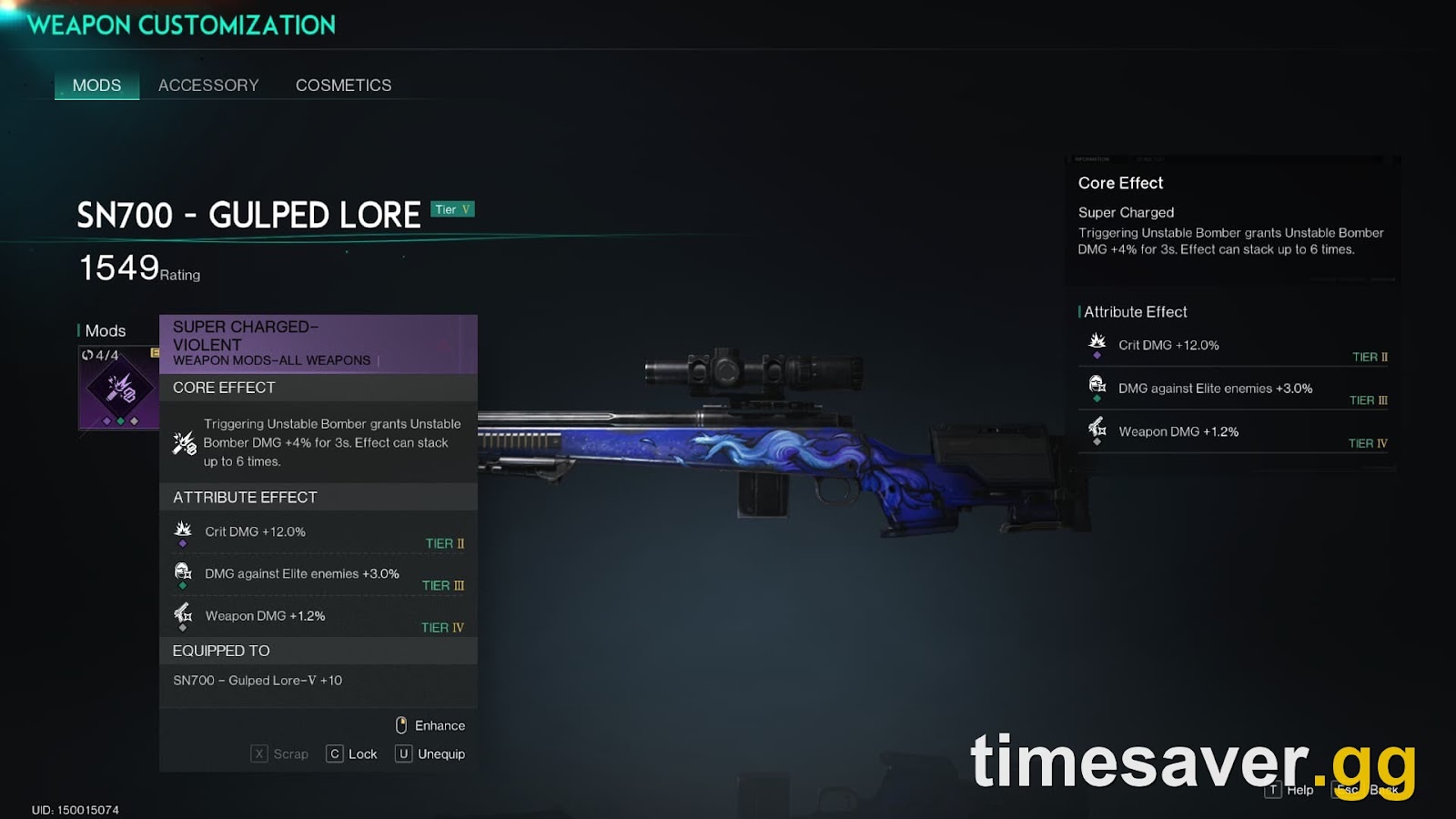
Build around the Field Guide: because it always offers your highest-level copy of each Mod, your job is to push the Mods your build actually uses up toward Lv. 17, not to hoard every Mod type. Match your Mods to your damage archetype — Weakspot and Crit Mods for a sniper setup like the SN700, elemental and proc Mods for status builds — and feed everything else into Dust.
The fastest Mod progression path on console and PC
If you're starting fresh after the console launch, here's the efficient order:
- Hit the gear level where you can clear Hard, then Master dungeons — Mod level is gated by difficulty, so your clear speed is your Mod ceiling.
- Run Securement Silos on rotation for Weapon and Armor Mod Parts; you'll need Parts constantly.
- Spend Mod Dust in the Mod Shop every weekly reset on the highest level-range crate you can afford.
- Farm the current Visional Wheel event if it carries a seasonal Mod you want — it may not return soon.
- Only then start fishing for Weapon Shiny Mods by re-running Master/Nightmare content for duplicate Lv. 17 copies.
Because Mods carry between scenarios and the Field Guide is account-wide, this progress is permanent. When your seasonal server ends and your character merges into a permanent server, your Mod collection comes with you — one of the reasons Once Human's grind compounds instead of resetting.
FAQ
How do you get Mods in Once Human? Mods drop from dungeons (higher difficulty = higher-level Mods), Securement Silos, bosses and elite enemies, and you can exchange Mod Dust plus Energy Links for Random Mod Crates in the Mod Shop. Every Mod you obtain unlocks its Field Guide entry, and the Field Guide always lets you equip the highest-level copy you've ever had.
What is Mod Dust and how do I get more? Mod Dust is the currency you get automatically when duplicate, lower-level Mods are disassembled, and from disassembling Mods yourself at a Disassembly Bench. You spend it on Random Mod Crates in the Mod Shop, which refreshes weekly. Mod Dust is shared across all characters on your account and is not lost when you transfer servers.
How do I get Shiny Mods? You must already own a Level 17 Mod; then obtaining another Level 17 copy of that same Mod has a chance to turn it into a Shiny Mod. They drop at a low, random chance from high-difficulty dungeons and game modes, and currently only Weapon-slot Shiny Mods exist — other slots are planned for later updates.
Why is my Mod showing a lower number than its cap? The number on a Mod is its level. If your Field Guide has already registered a higher-level copy of that Mod type, a lower-level one you pick up will be converted to Mod Dust automatically — you keep the best version, so you aren't losing anything.
How do I get Lunar and Crescent Mods? These seasonal "collection" Mods rotate through the Visional Wheel event system and are not always available. Farm them while their event cycle is live; once it rotates out you have to wait for it to return, and the rotation isn't guaranteed to bring back the specific one you want next.
Do my Mods carry over when my server ends or I switch servers? Yes. The Mods Field Guide and your Mod Dust are shared across your account, so your Mod progression follows you between characters and servers, and your collection merges onto a permanent server when a seasonal scenario ends.
What's the difference between Mods and Mod Parts? Mods are the slotted upgrades themselves; Mod Parts (Weapon Mod Parts and Armor Mod Parts) are the materials used to enhance them, and they come mainly from Securement Silos, bosses, elite enemies and disassembling Mods.
Facts verified against Starry Studio's official dev blogs "Mod System Overhaul and Compensation Plan" (December 12, 2025) and "FAQ on the New Mod System" (January 23, 2026) on oncehuman.game. The overhauled Mod system went live January 21, 2026 (PT). Mechanics current as of October 2026.
Need more Once Human help getting set up on PS5, Xbox or PC?