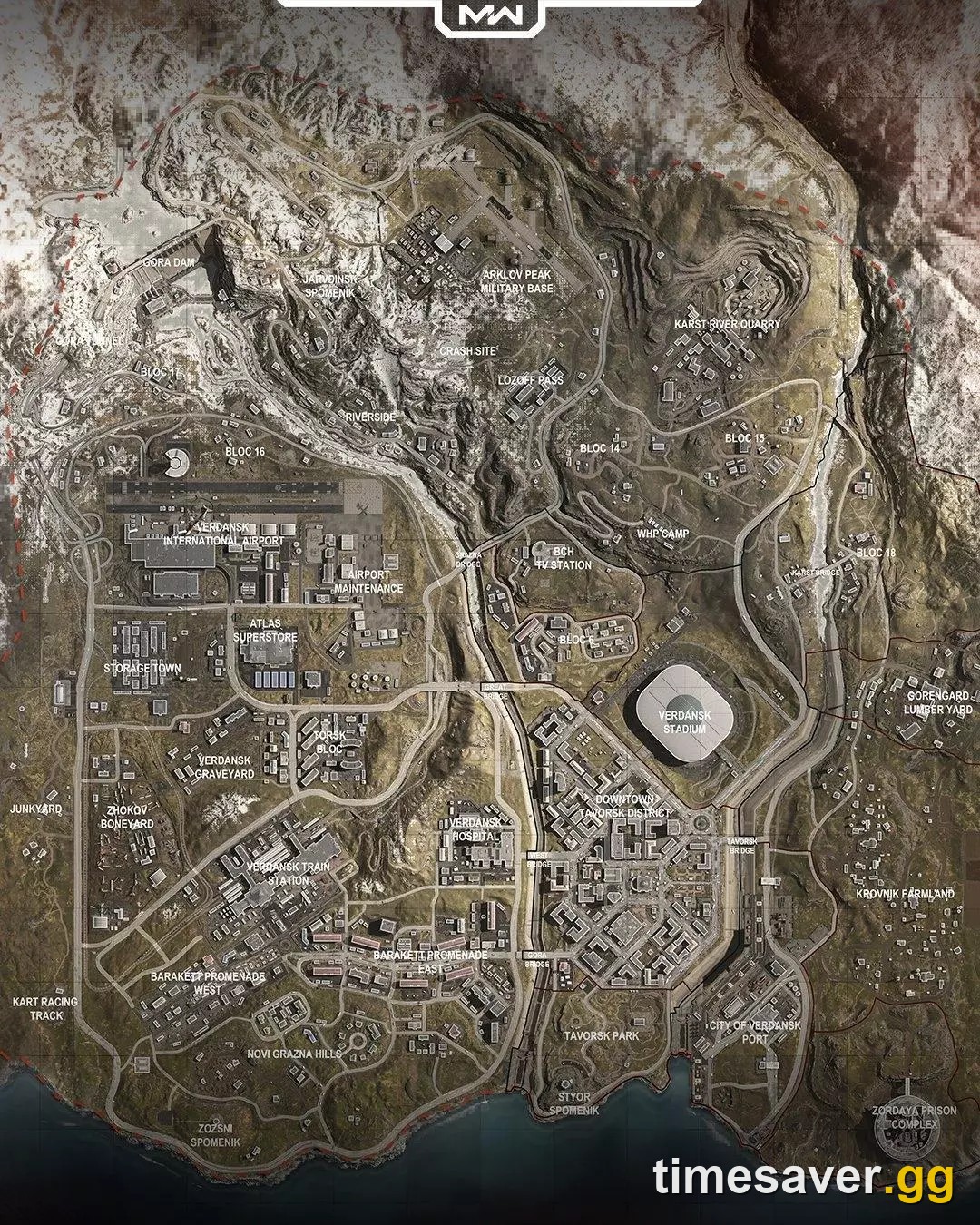
Warzone crashing on Verdansk since the Season 5 update — a DirectX error naming KERNELBASE.dll the moment the big map loads in? You're not alone, and in most cases it's fixable in under ten minutes. The crash landed with the Season 5 patch that went live Thursday, July 23, 2026, and it has a very specific fingerprint: multiplayer and Resurgence run fine, but the moment Verdansk (and, for a growing number of players, Avalon) tries to load, the game hard-crashes to desktop with a DirectX / KERNELBASE.dll fault. Here's exactly why it happens and how to fix it.

Call of Duty - Bot Lobby
Get bot lobby in 10 minutes
Quick answer: how to stop Warzone crashing on Verdansk (do these in order)
Here's the fix. Work top to bottom and re-test after each step — the shader-cache delete alone clears it for most players:
- Delete your Warzone shader cache. Go to Documents → Call of Duty → players and delete the shader-cache files (s.1.0.cod24). Relaunch, let the shaders rebuild, and re-apply your settings. This is the single most-reported working fix for the post-update DirectX/KERNELBASE.dll crash.
- Turn OFF On-Demand Texture Streaming. Settings → Graphics → set On-Demand Texture Streaming: Disabled. Verdansk streams far more texture data than small maps, and this is the setting that most often stops big-map-only crashes.
- Force DirectX 11 instead of DirectX 12. In the Battle.net/Steam launch options add -d3d11 (or switch the in-game render API). DX11 is more stable on many rigs for this specific crash.
- Clean-install or roll back your GPU driver. Do a clean install of the latest NVIDIA/AMD driver — or, if the crash started with your newest driver, roll back (players report NVIDIA 581.42 as a stable fallback).
- Raise your Windows page file (virtual memory). A KERNELBASE.dll fault is a memory access violation; a bigger page file stops the big-map load spike from crashing you.
- Disable overlays (NVIDIA App/GeForce Experience, Discord, Steam, Xbox Game Bar) and run Scan & Repair (Battle.net) or Verify Integrity (Steam).
If Verdansk still crashes after all six, skip to Still crashing? — this is a live post-Season-5 bug and a hotfix may be required.
Why is Warzone only crashing on Verdansk (and not multiplayer)?
Because the crash is a texture/shader streaming failure on the largest map, not a whole-game problem. Verdansk is the biggest, most texture-dense environment in the game; when the render pipeline tries to stream all of that in at once with a corrupted or mismatched shader cache after a patch, DirectX faults and Windows reports the crash against KERNELBASE.dll — the system library that surfaces the underlying memory access violation.
That's why the pattern is so consistent across the community: 6v6 multiplayer and Resurgence (small maps) load fine, but Verdansk crashes on load-in every time. As the original bug report put it:
"Anyone here on PC crashing only on Verdansk map load in since the update? Does it only on that map in any game mode and get a direct x kernelbase.dll error. Tried verifying and repairing files and also restarting shader install as well." — u/Elitecanuck22, r/CODWarzone
Note the last line: verifying files and reinstalling shaders inside the game did not fix it. That's the key — the fix has to happen at the shader-cache-file level, outside the game, which is why the delete in Step 1 works when an in-game "reinstall shaders" doesn't. The thread crossed 80+ replies within its first day, and several players report the crash has since spread from Verdansk to Avalon — confirming it's the big-BR-map streaming path, not one specific map file.
Fix 1 — Delete the Warzone shader cache (the one that actually works)
This clears the corrupted post-patch shader cache that the in-game "reinstall shaders" option leaves behind.
- Fully close Warzone.
- Open File Explorer and go to Documents → Call of Duty → players.
- Delete the shader-cache files named s.1.0.cod24 (there are usually three related files — delete them).
- For a deeper clean, also open your Call of Duty install directory (…\Call of Duty\_retail_\) and empty the shader-cache subfolders inside the per-mode folders (the cod / mp / wz build folders).
- Relaunch Warzone. Let it rebuild the shaders fully before you queue (this takes a few minutes and is CPU-bound). You'll need to re-apply your graphics settings afterward.
One player on a Ryzen 9800X3D / RX 9070 XT summed up the community result: "I deleted the 3 files and it works fine again." A minority still crash after one game and keep a copy of the files to re-delete on each boot — a workaround until the hotfix, covered below.
Fix 2 — Turn off On-Demand Texture Streaming
On-Demand Texture Streaming pulls high-res textures over the network on the fly. On a map as large as Verdansk it can overwhelm VRAM and trigger the exact DirectX crash you're seeing.
- Settings → Graphics → Quality → set On-Demand Texture Streaming: Disabled.
- While you're there, cap VRAM Scale Target to around 85%, turn V-Sync Off, and disable Ray Tracing for Verdansk. These reduce the load spike at map load-in.
- Re-test on Verdansk specifically — this is a big-map-only setting, so multiplayer won't show you whether it worked.
Fix 3 — Force DirectX 11 instead of DirectX 12
Warzone defaults to DirectX 12, but DX11 is more stable for many setups on this crash — a fix confirmed on the Intel graphics community for the KERNELBASE.dll Warzone crash.
- Battle.net: open Warzone → the gear/settings icon → Game Settings → tick Additional command line arguments and add -d3d11.
- Steam: right-click Call of Duty → Properties → Launch Options → add -d3d11.
- Launch and test. If you're already on DX11 and crashing, try removing the argument to run DX12 — a small number of rigs are the reverse.

Call of Duty - Ranked Boost
Get ranked boost in 10 minutes
Fix 4 — Clean-install or roll back your GPU driver
Patch-day crashes are often a driver + new-build mismatch, and it cuts both ways.
- First, clean-install the latest driver. Use DDU (Display Driver Uninstaller) in Safe Mode, then install the newest NVIDIA/AMD driver fresh — a clean install fixes corrupted driver state that a normal update leaves.
- If the crash started right after your latest driver update, roll back. Multiple players stopped the crash by reverting NVIDIA to an older branch — 581.42 is the version most commonly cited as stable for this issue.
- Reboot after either change before testing.
Fix 5 — Raise your Windows page file (virtual memory)
Because KERNELBASE.dll is a memory access violation, giving Windows more virtual memory stops the Verdansk load spike from crashing you — especially on 16 GB systems.
- Search "View advanced system settings" → Advanced tab → Performance → Settings.
- Advanced tab → Virtual memory → Change.
- Untick Automatically manage, select your game drive, choose Custom size, and set Initial and Maximum to roughly 1.5× your RAM (e.g. 24576 MB on a 16 GB PC).
- Set → OK → reboot.
Fix 6 — Overlays, Scan & Repair, and switching client
Clean up the usual DirectX-crash triggers:
- Disable overlays: NVIDIA App / GeForce Experience, Discord, Steam, and Xbox Game Bar (Windows Settings → Gaming → Game Bar Off). Overlays hook DirectX and are a frequent crash source.
- Scan & Repair / Verify Integrity: run it once to rule out a bad file — but don't be surprised if it doesn't fix this specific crash; many players report the in-client repair leaves the Verdansk crash intact (the shader-cache delete in Fix 1 is what clears it).
- Try the other client: a handful of players found the Steam build stable when the Battle.net build was crashing (or vice-versa). If nothing else works and you own both, it's worth a test.
Still crashing? What this really is
If Verdansk still crashes after all six fixes, understand what you're dealing with: this is a live, post-Season-5 bug that shipped with the July 23 patch and is affecting a wave of PC players — not something wrong with your rig. The spread from Verdansk to Avalon and the fact that fresh reinstalls don't cure it both point to a build-side streaming issue that Activision will need to hotfix.
Until then:
- Keep a saved copy of the s.1.0.cod24 shader files and re-delete them before each boot if the crash returns (a working stopgap several players use).
- Play multiplayer or Resurgence in the meantime — the small maps are unaffected.
- Watch the official channels for the hotfix: the Activision Online Services / support page and the in-game patch notes on callofduty.com are where the fix will be announced.
Once you're back in and want to skip the grind while the meta resets, our team can help you level up fast and safely:
Get back into the action quicker:
- CoD Bot Lobbies — easy lobbies, level up fast
- CoD Account & Weapon Leveling — skip the grind, done by pro players
- All Call of Duty services — everything in one place
Frequently Asked Questions
Why is Warzone only crashing on Verdansk and not multiplayer? Because the crash is a texture/shader streaming failure that only triggers on the largest maps. Verdansk (and Avalon) stream far more texture data at load-in than small 6v6 or Resurgence maps, so a corrupted post-patch shader cache faults DirectX there and Windows reports it against KERNELBASE.dll. Deleting the shader cache (Fix 1) and disabling On-Demand Texture Streaming (Fix 2) target this directly.
What is the KERNELBASE.dll error in Warzone? KERNELBASE.dll is a core Windows system library. When Warzone hits a memory access violation during a DirectX operation, Windows names KERNELBASE.dll as the faulting module — it's the messenger, not the cause. The real trigger here is the shader/texture streaming failure on Verdansk after the Season 5 update, which is why raising the page file and clearing the shader cache resolve it.
I verified my game files and reinstalled shaders in-game but it still crashes — why? Because the in-game "reinstall shaders" option and a file repair don't clear the corrupted shader-cache files sitting in Documents → Call of Duty → players. You have to delete those s.1.0.cod24 files manually (Fix 1) and let the game rebuild them from scratch on the next launch.
Should I use DirectX 11 or DirectX 12 for Warzone? Warzone defaults to DirectX 12, but for this crash DirectX 11 is more stable on many systems — add -d3d11 to your launch options. A small number of rigs are the reverse, so if you're already on DX11 and crashing, test DX12.
Is the Verdansk crash getting a fix from Activision? It's a live bug that shipped with the Season 5 update on July 23, 2026 and is spreading across PC players, so an official hotfix is expected. Until it lands, use the shader-cache delete workaround and check the Activision support page and callofduty.com patch notes for the fix announcement.