Quick answer (TL;DR): The Black Ops 7 "level reset" in Season 5 Reloaded is a client-side display bug, not lost progress — your XP, weapon levels, and prestige are stored on Activision's servers and are safe. It shows up as you (or everyone in the lobby) suddenly appearing at Level 1, most often after a game update or after launching straight into a match from an HQ card. The fix that clears it for the vast majority of players: fully close and relaunch the game, then enter matches through Black Ops 7 → Multiplayer → Find a Match instead of clicking a playlist card on the front screen. If it lingers, cycle lobbies (Multiplayer → Zombies/Warzone → back to Multiplayer) to force a re-sync. Activision confirms these post-update display glitches resolve on restart — its official guidance for the near-identical COD Points display bug is to "quit and then restart the game application" (support.activision.com).
If you booted up Black Ops 7 after the Season 5 Reloaded update and your rank icon dropped to a fresh Level 1 — or you loaded into a lobby where every operator on the scoreboard is showing Level 1 — take a breath. Nothing has actually been deleted. This is one of the most reported and most misunderstood bugs in the game, and it has resurfaced with the latest update. This guide explains exactly what's happening, walks you through the fixes in the order that actually works, and tells you when the problem is on your end versus Activision's.

Call of Duty - Bot Lobby
Get bot lobby in 10 minutes
Is my Black Ops 7 progress actually gone?
No. In almost every case, your progress is intact. What you are seeing is a UI/display desync — the game client fails to pull your correct rank data from the server on boot, so it defaults to showing Level 1 until it re-syncs. Your account-level rank, weapon XP, camo progress, and prestige all live server-side.
Two tell-tale signs it's the display bug and not a real reset:
- Everyone in the lobby is Level 1, not just you. The whole scoreboard resetting at once is impossible on the account level — it's the client failing to load rank data for all players.
- Your unlocks are still there. Open your weapons and loadouts: if your leveled guns, attachments, and camos are still unlocked, your progress is fine even if the rank badge says otherwise.
Activision has a documented history of these post-update "visual issue" bugs. Its current Known Issues page describes the parallel COD Points glitch like this: "A visual issue may cause some players to see their COD Points balance at zero after downloading game updates. To restore your balance in game, please quit and then restart the game application. This may need to be done more than one time" (support.activision.com). The level badge behaves the same way — it's cosmetic desync, and a restart re-pulls the real number.
Why does the Black Ops 7 level reset bug happen?
The glitch clusters around a few specific triggers. Knowing the cause tells you which fix to reach for.
| Trigger | What happens | Why |
|---|---|---|
| New game update installs | Level shows 1 on first boot after patching | Client loads before rank data finishes syncing post-update |
| Launching from an HQ playlist card | Rank resets when you jump straight into "Nuke 24/7" or a Season card from the front screen | Skips the Multiplayer menu load that syncs your profile |
| Opening Warzone before Multiplayer | MP rank shows reset after bouncing from Warzone | Cross-mode profile handoff fails to refresh MP data |
| Cross-title level sharing | Warzone level ties to the wrong Black Ops title during transition weeks | Shared progression re-pointing between BO6 and BO7 |
The Season 5 Reloaded wave is mostly update-triggered — players who patched the game are the ones seeing it, which matches Activision's "after downloading game updates" pattern exactly.
How to fix the Black Ops 7 level reset bug (in order)
Work through these from top to bottom. Most players are fixed by Step 2.
1. Check your loadouts first (30-second sanity check)
Before doing anything, open Weapons → your loadouts. If your guns, attachments, and camos are still unlocked, your progress is safe and this is purely a display bug. This step saves you from panic-prestiging or contacting support unnecessarily.
2. Fully close and relaunch the game
This is the single most effective fix. A soft restart forces the client to re-request your rank data from the server.
- PC (Battle.net / Steam): Quit to desktop completely — don't just back out to the menu. Close the launcher too, then relaunch.
- Xbox: Highlight the game on the dashboard, press Menu → Quit, wait a few seconds, then reopen.
- PlayStation: Highlight the game, press Options → Close Application, then reopen.
As Activision notes for the sister COD Points bug, "this may need to be done more than one time" — if the first restart doesn't take, do it once more.
3. Enter matches the correct way
Do not click a playlist card (like "Season 5 Moshpit" or "Nuke 24/7") directly from the first COD HQ screen. That shortcut skips the profile-sync step. Instead, navigate:
Black Ops 7 → Multiplayer → Find a Match → pick your mode
Players consistently report this stops the reset from recurring. As one player put it on the Black Ops 7 subreddit: "don't click on any of the cards to go directly into a match from the first CoD screen... go into Black Ops 7 > Multiplayer > Find a match > pick your match."
4. Cycle your lobbies
If the badge is still wrong in-menu, force a re-sync by bouncing between modes: go to the Multiplayer lobby, back out, enter Zombies (or Warzone), back out, and return to Multiplayer. This nudges the client to reload your profile.
5. Finish one full match
Sometimes the display corrects itself the moment the post-match XP screen processes. Playing a single complete match — and watching the after-action report — often snaps your rank back to the real value.
6. Advanced PC fix — refresh your local game files
If the desync persists only for you (not the whole lobby), your local profile cache may be corrupted:
- Battle.net: Click the gear next to Play → Scan and Repair.
- Steam: Right-click the game → Properties → Installed Files → Verify integrity of game files.
Activision's own advanced workaround for stubborn PC profile errors is to remove the local players cache at Documents → Call of Duty → players (note: you may need to reset keybinds afterward, and this is aimed at login/profile errors, so use it only as a last resort) (support.activision.com).
Does this affect Warzone levels too?
Yes, and it can look scarier because Warzone shares its progression with Black Ops 7. During transition weeks, the shared Warzone level briefly points at the wrong Black Ops title — as one player explained on the Black Ops 7 support forums, "the current Warzone Lv. is tied to Black Ops 6... Next week it will be tied with Black Ops 7." That's a scheduled re-pointing of shared progression, not a wipe.
The practical rule for Warzone: load Multiplayer (or the Black Ops 7 front end) first, let your profile sync, then move into Warzone. Jumping straight into Warzone from a cold boot — especially right after an update — is one of the most common triggers for the MP rank showing reset afterward. If it happens, the same restart-and-resync fix from the steps above applies identically. Your Warzone unlocks, Battle Pass tiers, and weapon levels are all server-side and unaffected by the display glitch.

Call of Duty - Ranked Boost
Get ranked boost in 10 minutes
When it's NOT a bug: intended Season 5 resets
Not every reset is a glitch. Black Ops 7 has intentional resets that people mistake for the bug:
- Prestige resets are by design — when you prestige, your military rank returns to 1 while your unlocks are permanent. That's the intended loop, not the display bug. (See our breakdown of what carries over when you prestige in Season 5.)
- Ranked Play SR resets happen at the start of each season and mid-season. Your Skill Rating dropping is the seasonal reset, not a lost level — details in our Season 5 Ranked Play SR changes guide.
If your military rank badge is the only thing showing "1" and your prestige emblem and unlocks are intact, it's the display bug. If your prestige emblem changed too and you just hit a prestige, that's intended.
How to protect your grind going forward
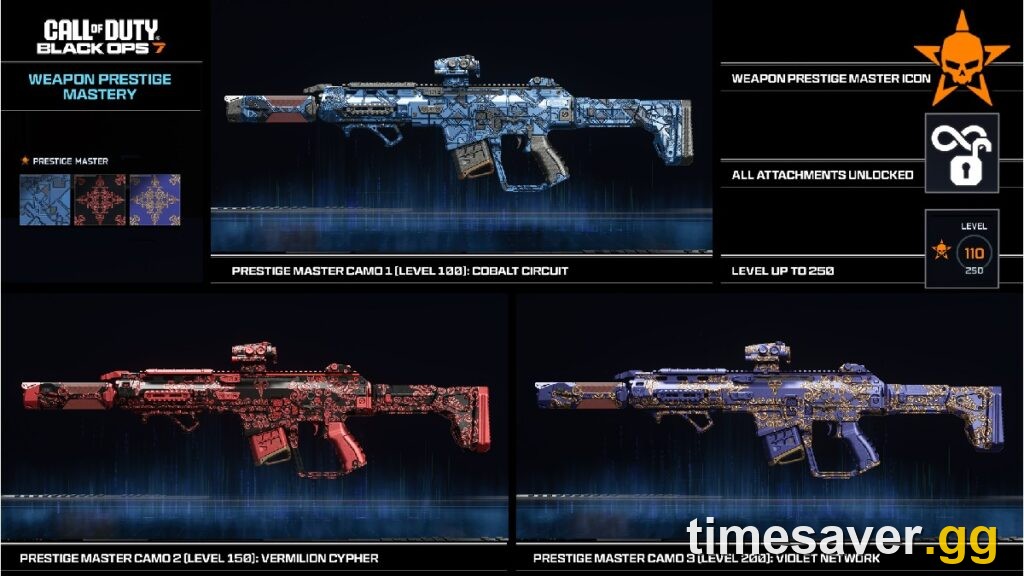
The fastest way to never worry about a phantom reset is to make sure your real progression is where you want it. If the grind back to your target rank feels brutal — Prestige Master sits all the way at Level 1000 — that's exactly where a boost saves you the hundreds of hours.
Skip the grind, keep the progress:
- CoD Account & Weapon Leveling (BO7) — skip the grind, pro players, fast + secure
- CoD Bot Lobbies — easy lobbies to level weapons fast
- All Call of Duty services — camos, ranked, leveling and more
Pair the fix above with a smart XP plan — our fastest weapon XP and max prestige route for Season 5 and the fastest XP to level up in Season 5 both still apply once your rank displays correctly again.
Frequently Asked Questions
Is my Black Ops 7 progress actually deleted when I show Level 1? No. Your rank, weapon XP, and prestige are stored server-side. The Level 1 badge is a client-side display desync that a full game restart re-syncs. Check your loadouts — if your unlocks are still there, your progress is safe.
Why is everyone in my lobby showing Level 1 in Black Ops 7? Because it's a display bug, not an account reset. It's impossible for every account in a lobby to reset at once — the game client is simply failing to load rank data for all players. It usually corrects after a match or a restart.
Does restarting the game really fix the level reset bug? Yes, for the large majority of cases. Activision's official guidance for the near-identical post-update COD Points display bug is to quit and restart the application, and to repeat it if the first restart doesn't take. The level badge responds the same way.
How do I stop the Black Ops 7 level bug from happening again? Enter matches through Black Ops 7 → Multiplayer → Find a Match rather than clicking a playlist card on the front COD HQ screen, and avoid bouncing into Warzone before loading Multiplayer. Both skip the profile-sync step that triggers the reset.
Is the Season 5 Reloaded level reset the same as a prestige reset? No. A prestige reset is intended — your military rank returns to 1 by design while unlocks stay permanent. The bug is when your rank shows 1 without you prestiging, and it corrects on restart.
I verified my files and restarted but I'm still Level 1 — what now? If it persists only for you (not the whole lobby) after a restart and file verification, submit a ticket via the Activision Support Bug Report form. Your progress is still safe server-side; support can force a profile refresh on their end.