You bought the game. You've played it for months. And now the Call of Duty tile is telling you that you don't own it — kicking you to a store page, flashing a Dev Error, or asking you to buy Black Ops 6 or the Cross-Gen Bundle again. Take a breath: your license is fine, your progress is safe, and in almost every case this is a one-tap fix. This is a fallout from the July 2026 standalone migration, and the platforms just need to re-check who owns what.

Call of Duty - Bot Lobby
Get bot lobby in 10 minutes
TL;DR — Quick answer
- Why it's happening: On July 7, 2026 at 9 a.m. PT, Black Ops 6 left the shared Call of Duty HQ install and became a standalone game, right as Black Ops 7 sits alongside it. That reshuffle makes PS5, Xbox, and PC briefly fail to detect your entitlement, so the tile reads "you don't own this game."
- The fastest fix (PS5): Highlight the Call of Duty tile → press Options → Restore Licenses → relaunch. This is Activision's official fix and it clears the error for most players in under a minute.
- Xbox: Hover the correct base-game artwork (not the in-game Store tab), and if it still gates you, uninstall any stray leftover Black Ops content, then reinstall the correct standalone app.
- PC (Steam / Battle.net): Redownload the standalone title from your library, select the right game in the launcher's DLC list (Steam), and run a Scan & Repair / Verify Files.
- You never repurchase. Every method below is an entitlement re-check, not a second purchase. Confirm you're on the correct account and the owned tile will reappear.
If you just want your account back to full strength once you're in, our team can level any Call of Duty account or weapon fast — but first, let's get you past the error.
Why does Call of Duty say I don't own the game?
Because the file your console used to check ownership just changed underneath you. Since the Call of Duty HQ hub launched in November 2023, Modern Warfare, Warzone, and Black Ops 6 all booted from one giant shared install. On July 7, 2026, Activision pulled Black Ops 6 out of that hub and made it a standalone download — the same move it already made for Modern Warfare II and Modern Warfare III. Per Activision Support:
"On July 7, 2026, older files from Call of Duty: Black Ops 6 currently installed within the Call of Duty experience will be automatically removed to help free up storage space."
When old files get swapped for a new standalone entry — and Black Ops 7 is also on your dashboard as its own title — the platform's license service can lag a beat behind. During that window the store hasn't matched your account to the new tile yet, so it defaults to the worst-case assumption: "not owned." One Reddit player summed up the confusion perfectly on r/blackops6, asking why a disc owner would suddenly need to "repurchase" a game they physically own — and the answer is simply that Black Ops 6 is a "new" standalone product now, so the entitlement has to be re-linked, not re-bought.
For the full breakdown of what the split changed — storage, downloads, and what stays — read our Black Ops 6 leaves Call of Duty HQ explainer. If your problem is the game not launching at all rather than an ownership prompt, our Black Ops 6 standalone split launch fixes cover the redownload path in detail.
PlayStation 5: Restore Licenses (the one-tap fix)
This is the single most effective fix, and it comes straight from the official Call of Duty Updates account:
"Players who experience a Dev Error when loading Black Ops 6 on PlayStation 5 can regain access to the game by pressing Options on the Call of Duty tile, then selecting Restore License."
— Call of Duty Updates (official), X
Here's the exact sequence:
- From the PS5 home screen, highlight the Call of Duty / Black Ops 6 / Black Ops 7 tile — don't open it yet.
- Press the Options button on your controller.
- Choose Restore Licenses from the menu.
- Wait for it to finish ("Licenses restored"), then launch the game.
If the menu route is faster for you, the same tool lives in Settings → Users and Accounts → Other → Restore Licenses. Restoring licenses re-validates every digital entitlement on the account, so it fixes not just Black Ops 6 but Black Ops 7 and any bundle content that's showing as locked. If it still gates you afterward, fully close the game, then rebuild the database via Safe Mode → Clear Cache and Rebuild Database — a clean, save-safe step that clears a stale ownership cache.
Xbox: use the right tile, not the Store tab
On Xbox the "you don't own this" trap is usually a navigation issue layered on top of the entitlement one. After the split, the Call of Duty landing screen shows a Store tab right next to the base-game artwork. Clicking that tab always sends you to the shop — even when you own the game. As one r/XboxSupport reply put it, you have to hover the base game artwork directly; if it says Play, you're good.
If the artwork itself still routes you to a purchase page:
- Go to My games & apps → Full library → All owned games and confirm Black Ops 6 (and/or Black Ops 7) appears as owned.
- Uninstall any leftover Black Ops content still tied to the old shared install (look for a duplicate or "Call of Duty HQ" leftover) so the console stops reading the dead entitlement.
- Reinstall the standalone version via Install all, then launch that tile.
- Still stuck? Do a full power cycle (hold the Xbox button 10 seconds, unplug 30 seconds, restart) to force a license re-sync with Xbox Live.

Call of Duty - Ranked Boost
Get ranked boost in 10 minutes
PC (Steam & Battle.net): redownload standalone and verify files
On PC the standalone move means the playable game is a separate install you may not have downloaded yet, and the launcher can point at the wrong content.
- Battle.net: Open All Games, find Call of Duty: Black Ops 6 as its own entry, and Install. Launch from that tile, not the old bundled one.
- Steam: Find the title in your Library and Install. If it errors on ownership or the wrong game loads, open the Call of Duty launcher's Properties → DLC and make sure only the game you own is selected. Then run Scan & Repair / Verify integrity of game files.
- Account check: Confirm the Activision account linked to your Steam/Battle.net is the one that owns the game. A mismatched or unlinked Activision ID is the number-one PC cause of a false "not owned" state — relink it at your Activision account's linked-accounts page.
Disc owners: validate, then download the standalone version
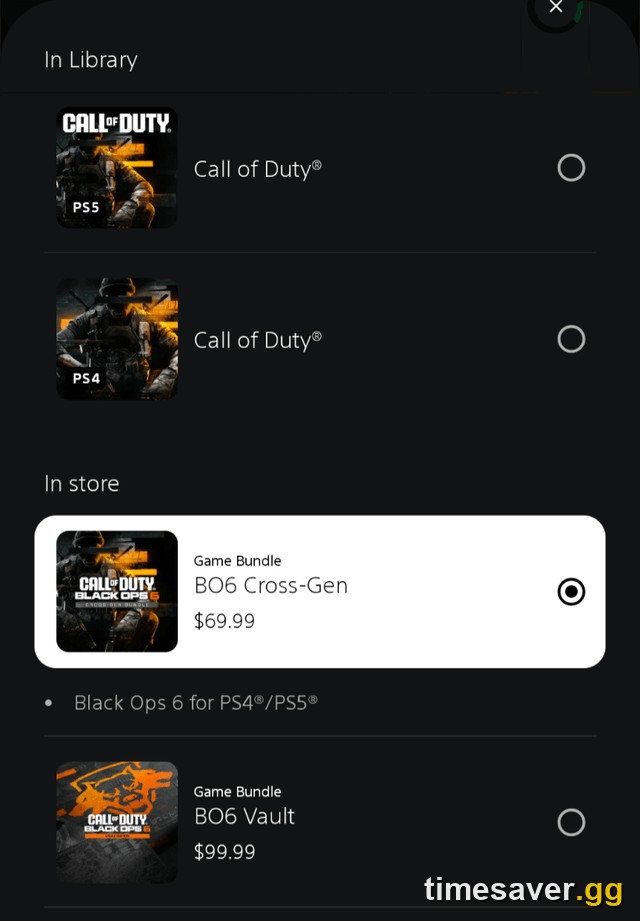
If you own a physical copy, the disc now acts as a license key, not the full game. Insert the disc to validate ownership, then download the standalone Black Ops 6 through your platform's store. This is expected behavior after the split — the disc proves you own it, and the standalone package is what actually boots. Don't be alarmed by a store page opening; as long as it shows $0.00 / Owned at checkout, you're just re-installing what you already paid for.
Will I lose my progress, camos, or rank?
No. This is the part that panics people the most and matters the least. Your rank, prestige, weapon levels, camos, Battle Pass progress, and trophies/achievements are tied to your Activision account, not to the local install. Redownloading the standalone game or restoring licenses touches the files, never the account data. Everything reappears the moment you're back in. (Achievements re-sync on first launch of the standalone build, so give the game a minute after you load in.)
Once you're back in and grinding again, the standalone era is actually a clean moment to catch up on unlocks — whether that's mastery camos or a full account and weapon level boost so you're not starting a season on the back foot.
Skip the re-grind, not the game. Once your license is restored, get back to full power fast:
- CoD Account & Weapon Leveling — skip the grind, pro players
- BO7 Mastery Camo Unlocks — mastery camos, fast & secure
- Warzone Bot Lobbies — easy lobbies, level fast
Frequently Asked Questions
Why does Black Ops 6 suddenly say I don't own it or ask me to buy it again? Because on July 7, 2026, Black Ops 6 became a standalone game separate from Call of Duty HQ. Your console briefly can't match your account to the new tile, so it shows "not owned." You do not repurchase — restoring your license or redownloading the standalone version re-links the entitlement you already have.
What's the fastest fix on PS5? Highlight the Call of Duty tile on your home screen, press the Options button, and select Restore Licenses, then relaunch. This is Activision's official fix and it clears the "you don't own this game" and Dev Error prompts for most players in under a minute.
I own the disc — why do I have to download it again? After the standalone split, the disc validates your license but no longer holds the full standalone game. Insert the disc to confirm ownership, then download the standalone Black Ops 6 from your platform's store. It will show as owned ($0.00) — you're re-installing, not re-buying.
Does restoring my license or redownloading delete my rank and camos? No. Rank, prestige, weapon levels, camos, Battle Pass progress, and achievements live on your Activision account, not the install. They all carry over — nothing is lost when you restore licenses or reinstall the standalone game.
The Xbox tile keeps taking me to the store even though I own the game — what do I do? You're likely clicking the Store tab instead of the game. Hover the base-game artwork directly; if it reads Play, launch from there. If it still routes to a purchase page, confirm the game shows in your owned library, uninstall any leftover Black Ops content, and reinstall the standalone app.
Is this the same as the "failed attestation" or "waiting for relay" errors? No — those are separate. If you're on PC hitting a security/BIOS wall, see our Warzone failed attestation BIOS fix; if the game hangs on connection, see the Warzone / BO7 "waiting for relay" fix. The "you don't own this game" prompt is an ownership/entitlement issue, fixed by restoring licenses or redownloading the standalone title.