Quick answer (updated 25 October 2026, Chapter 7 Season 4 "Override", v42.40): When Fortnite voice chat stops working, the cause is usually a setting, not a broken mic. Work through it in this order. First, set your voice chat permission to Everybody, Friends, Team Members, and Connections, or Friends, not Off/Nobody. Second, check Parental Controls, because they override the normal audio menu. Third, leave PlayStation or Xbox party chat, because Epic says Fortnite voice won't work while you're in one. Fourth, make sure you're in the same channel (Party or Game) as your friends. Fifth, check whether your call is still running on another device through Epic Parties. If you're on PC, also allow microphone access in Windows privacy settings and set your headset as the default recording device. On mobile, turn on Fortnite's microphone permission. Reinstalling the game is the last resort, not the first step.
Key takeaways
- Common cause: your Voice Chat permission is set to Off/Nobody, or it defaulted to Off because your account says you're under 18. Epic says chat settings default to Off for under-18 players.
- Under 13 (or under your country's age of digital consent)? You probably have a Cabined Account. Voice chat stays locked until a parent or guardian finishes setup from the email titled "Your Child Created an Epic Games Account."
- On console: Epic says you must leave Xbox or PlayStation Party Chat to use Fortnite's voice chat, "even if nobody else is there."
- New since 3 September 2026: Epic Parties lets voice calls run in the Epic Games Launcher and Epic mobile apps. If your call is live on another device, Fortnite asks to transfer it. Ignore that prompt and you'll stay silent in-game.
- On Switch: Epic says Bluetooth microphones aren't officially supported. Plug a wired headset into the console's audio jack.
- Known bugs exist. Epic has a support page for party members who show as muted while their mics should be active. Some fixes really do come from Epic's side, in a future update.
Why is my Fortnite voice chat not working?
Fortnite's voice chat runs through a stack of permissions, and any one of them can silence you:
- Your in-game chat setting decides who you can talk to.
- Parental Controls (if they're on) lock that setting. You can't change it from the normal audio menu.
- Account type: Cabined Accounts have no voice chat at all until consent is given.
- Platform settings: console party chat, Xbox privacy, Windows microphone privacy and mobile mic permissions.
- Channel and device: Party Channel vs Game Channel, plus Epic Parties possibly holding your call on a different device.
- Hardware and bugs: a headset routed to the wrong device, Bluetooth on Switch, or a live Epic-side issue.
Here is the quick way to narrow it down:
| Symptom | Most likely cause | Jump to fix |
|---|---|---|
| Nobody hears you, you hear nobody, voice options greyed out | Chat set to Off/Nobody, Parental Controls or Cabined Account | Fixes 1–3 |
| Works in the lobby, dies on console | You're in PlayStation or Xbox party chat | Fix 4 |
| You hear your squad but not your duo partner (or vice versa) | Wrong channel (Party vs Game) | Fix 5 |
| Voice dropped right after opening Fortnite | Epic Parties call still on launcher or phone | Fix 6 |
| Mic works in Discord but not in Fortnite on PC | Windows privacy or wrong input device | Fixes 7–8 |
| Everyone in your party shows a muted icon | Known Epic-side bug | Fix 11 |
All of the fixes below apply to Battle Royale, Zero Build, Reload, Fortnite OG and Creative islands, because they share the same social and voice system.
Fix 1: Is your Voice Chat permission set to Nobody?
Open the main menu, then Settings, and go to the Account and Privacy tab (the person icon). Epic's privacy help points chat options to the Communication section. You can also get there from the Social menu: open Voice Chat, select the three-dots icon, and choose the communication settings. Find Voice Chat and set it to one of the open options:
- Everybody: voice and text chat with everyone.
- Friends, Team Members, and Connections: Epic friends, platform friends, connections in invite-only chats, and everyone on your team. Older menus and some Epic pages call this Friends and Teammates.
- Friends: only people on your Epic or platform friends list (shown as Friends Only on older menus).
- Off (called Nobody on older menus): Epic voice and text chat are disabled.
These are the current labels from Epic's party and chat options guide. Epic's voice chat troubleshooting page still uses the older names, and says voice and text chat won't work when the setting is Nobody. One detail catches a lot of people. On Friends, you won't hear party members who aren't on your friends list, even when they're sitting in your lobby. If you squad up with randoms, use Friends, Team Members, and Connections or Everybody.
Epic also notes that chat settings default to Off if you've told Epic you're under 18. That's why a fresh account or a younger sibling's account often has no voice at all.

Fix 2: Are Parental Controls blocking voice chat?
If Parental Controls are switched on for the account, they override the normal audio settings. Epic says Parental Controls settings can't be changed in the normal audio settings. You'll keep flipping the audio toggle and nothing will happen.
To change them, open Settings, then Parental Controls, and enter the PIN. Set Voice Chat to anything except Nobody. The options a parent can pick depend on the child's age. Epic's Parental Controls page says that if your child is under 10, the maximum voice and text chat permission is "Friends Only". Wider options unlock as the child gets older. Parents can manage the same settings from the web at Epic's Parental Controls page.
Keep one more thing in mind. Epic's in-game controls only cover Epic's voice chat. A console's own party system has separate parental settings. So if a child can talk in PlayStation party chat but not in Fortnite, that's expected behaviour, not a bug.

Fix 3: Do you have a Cabined Account?
Epic creates a Cabined Account when a player says they're under 13, or under the age of digital consent in their country. These accounts can still play Fortnite, but they can't use voice chat until a parent or guardian gives consent. Epic's instructions are short:
"You can enable voice chat by asking your parent or guardian to complete the account setup process, which they can do by clicking on the link sent to them in an email titled 'Your Child Created an Epic Games Account' and granting permission to enable voice chat." (Epic Games, Cabined Accounts)
If that email is gone, the parent can use the parent-guardian flow on Epic's Cabined Accounts page. No in-game toggle will get around this restriction, and that includes reinstalling.
Fix 4: Are you in PlayStation or Xbox party chat?
This is a very common console cause. Epic's support page is explicit:
"If you want to use Fortnite's voice chat, you must leave Xbox or PlayStation Party Chat to use Fortnite voice chat, even if nobody else is there." (Epic Player Support)
PS5 / PS4: press the PS button, open Game Base, and leave the party. On PS5 you can also just switch the party to Game Chat. Epic also notes that PS5 players get brief voice chat interruptions while Fortnite is loading. Voice should come back once you're fully in. Also check that your mic isn't simply muted. The mute button on the DualSense lights up orange when the mic is off.
Xbox Series X/S and Xbox One: press the Xbox button, open Parties & chats, and leave the party (or switch it to game chat). Then check Xbox's privacy settings. Epic's path is System > Settings > Account > Privacy & online safety > Xbox Live privacy > View details and customize > Communication & multiplayer. Allow voice communication with Everybody (or at least friends), and allow cross-network play. On a child account, these settings live under Family settings.
Fix 5: Are you in the right channel (Party vs Game)?
Fortnite has two voice channels:
- Party Channel: talk to the people in your party, across Fortnite and other Epic apps.
- Game Channel: talk to everyone on your team in the current island or match. That includes randoms in fill squads, if the island creator supports it.
If you and your friends sit in different channels, you'll talk past each other. Epic flags this as a classic cross-platform problem. Open the Social menu, go to Voice Chat, and join the same channel as your squad. You can also set Preferred Channel to Party or Game so it sticks between matches.
Fix 6: Is Epic Parties holding your call on another device?
Epic Parties launched on 3 September 2026. It added voice chat to the Epic Games Launcher on PC and Mac and to the Epic Games Store and Epic Games apps on iOS and Android, all connected to Fortnite. It's great for chatting from your phone while your friends load in. It also created a brand-new way to "lose" voice in Fortnite: your call is still running somewhere else.
Here's how transfer works. If you're in a call on the launcher or your phone and then start Fortnite, you get a prompt to transfer the call to Fortnite. If you dismiss it, the audio stays on the other device. Epic's current voice chat troubleshooting page now says to check "whether your voice is active on another device."
Fix: close the Epic Games app on your phone, or leave the party in the launcher. Then rejoin the party from inside Fortnite and accept the transfer prompt. On PC you can keep the launcher minimised. Just make sure the Fortnite client has the call, not the launcher window.
Fix 7: PC: does Windows allow Fortnite to use your microphone?
Windows can block desktop apps from your mic, even when Discord seems fine. Open Settings > Privacy & security > Microphone. Make sure Microphone access is on, and Let desktop apps access your microphone is on. Epic's page specifically says to ensure Windows privacy settings allow Fortnite to use the microphone.
Fix 8: PC: is Fortnite using the right input and output device?
Epic's own step is to set your headset as the Windows default. Open Sound settings, then More sound settings, then the Recording tab. Right-click your headset mic and choose Set as Default Device, then click Apply and OK. Do the same on the Playback tab for your headphones.
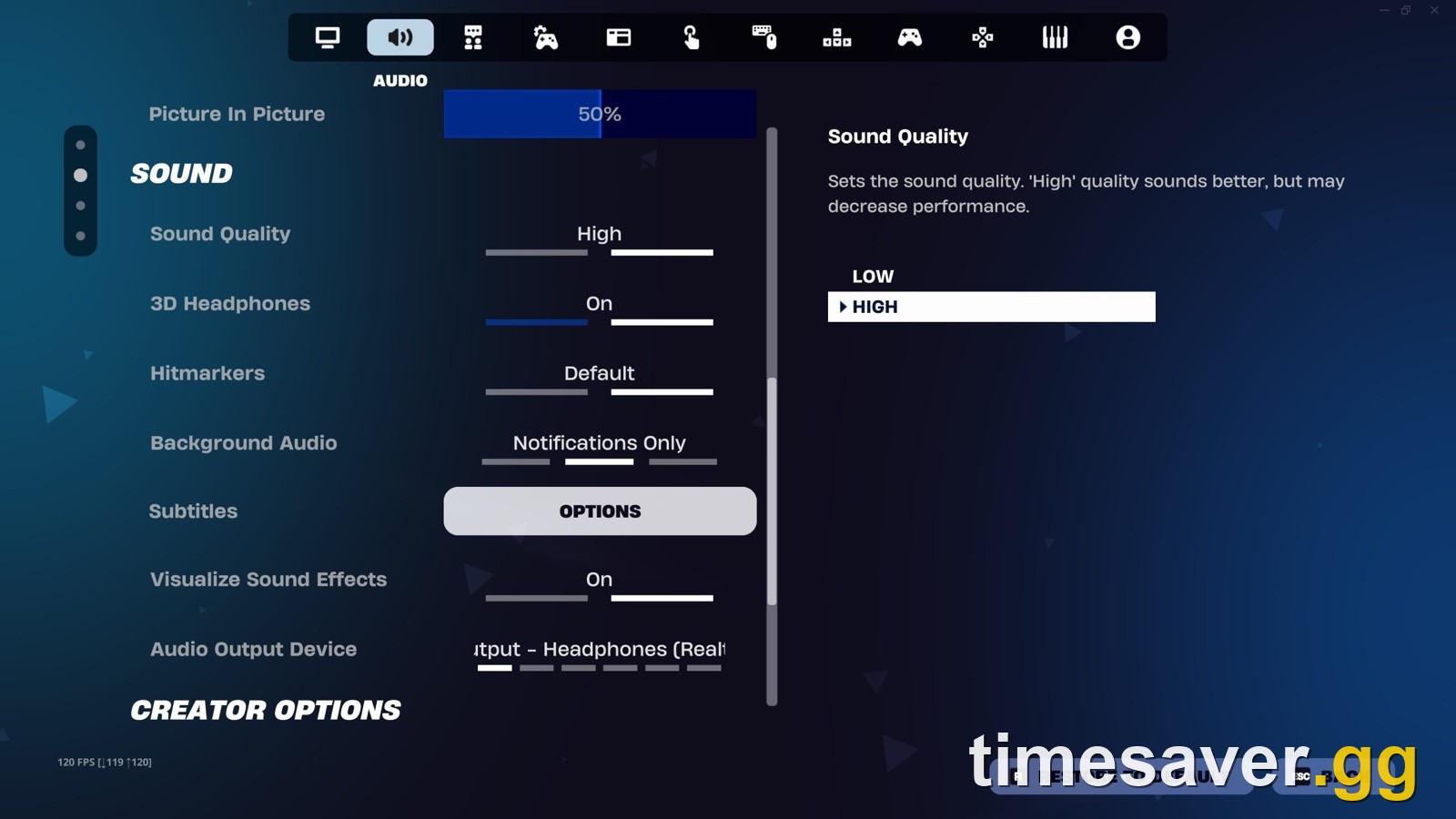
Then go back into Fortnite. Under Settings > Audio, check the voice chat input and output devices and the Voice Method:
- Open Mic: no push-to-talk key needed.
- Push to Talk: you have to hold the bound key. Check the Push to Talk bind under Keyboard Controls, because the key isn't always obvious.
A lot of "my mic isn't working" reports turn out to be Push to Talk with an unknown or missing keybind. If you use a USB headset plus a webcam mic, unplug or disable the devices you don't use. Fortnite sometimes picks the wrong one.
Discord and other voice apps can grab exclusive control of a headset. In an older Epic forum thread, Epic's support team suggested fully closing Discord and restarting the Fortnite client as a test. If it then works, open Windows Sound settings, go to your device's Properties > Advanced, and turn off "Allow applications to take exclusive control of this device."
Fix 9: Nintendo Switch: is your headset wired into the console?
Epic's answer is short: Bluetooth microphone input is not officially supported on the Nintendo Switch. For in-game voice chat, "your headphones/microphone will need to be connected to the Nintendo Switch with a cable via the audio jack." A Bluetooth headset may play game sound, but your mic won't transmit. Plug a wired 3.5mm headset into the console's headphone jack. Then fully close Fortnite with the Home button and relaunch it.
Epic's Switch troubleshooting also suggests changing your Switch DNS settings (System Settings > Internet) if voice keeps dropping while the game itself plays fine.
Fix 10: Mobile (iPhone, iPad, Android): is the microphone permission on?
Fortnite on mobile asks for the microphone on first launch. If you tapped "Don't Allow," voice is off until you change it:
- iOS / iPadOS: open Settings > Fortnite (or Settings > Privacy & Security > Microphone) and turn the toggle on.
- Android: open Settings > Apps > Fortnite > Permissions > Microphone and select Allow.
Then relaunch Fortnite. If you voice chat from the Epic Games app on the same phone, remember Fix 6. That app can hold the call while Fortnite stays silent.
Fix 11: Is it an Epic-side bug? (muted icons, can't join party voice)
Sometimes it really isn't you. Epic currently keeps a support article titled "My party members appear as muted in Fortnite." It acknowledges "an issue where your teammates may appear with the muted icon in the voice chat menu" that stops players from hearing each other, and says the team is investigating. Epic has also documented PlayStation players not being able to join the Party Voice Chat Channel. Its workaround was to hop into a match.
Before you reinstall anything:
- Check status.epicgames.com and @FortniteStatus on X for a live voice or social incident. We also keep a Fortnite server status and downtime guide updated for big update days.
- Have everyone leave the party and re-form it, then queue into one match.
- Fully restart Fortnite, not just back to the lobby.
Be extra careful around 1 November 2026. Chapter 7 Season 4 "Override" ends (Epic's Battle Pass page lists November 1, 2026 ET), and v43.00 launches the "Treasure Hunters" mini-season. Big updates are when voice and social bugs most often appear. If voice breaks right after a patch, check Epic's channels before you rebuild your whole setup.
Fix 12: The last resort: verify or reinstall
If none of the above helps on PC, open the Epic Games Launcher, go to Library, open the three dots on Fortnite, choose Manage, then Verify. If that fails, reinstall.
The reinstall fix is real for some players. In one r/FortniteBR thread where everyone in the social tab showed a "no audio" icon, a player reported: "FINALLY. The delete + reinstall worked, thank you!" Another commenter in the same thread said a reinstall did nothing for them. Our best guess at the difference is the voice chat prompts on first launch, which a commenter in the same thread mentioned. This is a hypothesis, not an Epic-confirmed fix. After reinstalling, read the voice and microphone prompts and accept them instead of skipping them.
If reinstalling doesn't fix it either, test the same Epic account on another device. If voice fails there too, that suggests the problem is tied to the account (age, Cabined status, Parental Controls), so go back to Fixes 1–3. If it works on the other device, look at your hardware or platform settings first.
Still lagging after voice is fixed? See our Fortnite lag and high ping fix. If the game won't launch at all, try the Fortnite not working or crashing fix. If your pad is also acting up on PC, the Fortnite controller not working fix covers the input side.
Does voice reporting stop voice chat from working?
No. Voice reporting records a rolling clip of voice chat so you can attach audio evidence to a report. It doesn't block your mic. For players under 18, voice reporting is always on. Adults can switch it to "Off When Possible." According to Epic, it's only actually off in parties made up of friends where every player has chosen Off When Possible. If you don't want your audio captured, Epic's advice is to mute yourself or set voice chat to Off. That disables voice entirely, so it's the opposite of what you want if you're trying to talk.
More Fortnite help? Every fix, season-change guide and quest walkthrough we publish lives on the timesaver.gg blog.
FAQ
Why can't I hear my friends in Fortnite but they can hear me? You're most likely in a different voice channel (Party vs Game), or your Voice Chat permission is set to Friends Only while your squadmates aren't on your friends list. Join the same channel in the Social menu and set voice chat to Friends, Team Members, and Connections, or Everybody. Also check that your voice chat volume isn't at zero and that the output device is your headset.
Why does Fortnite say voice chat is disabled? On most accounts, it's an age-based restriction. Under-18 accounts default to Off, Parental Controls can lock voice chat to Nobody (and cap under-10s at Friends Only), and Cabined Accounts (under 13 or under your country's age of digital consent) can't use voice at all until a parent finishes setup from Epic's email.
Does Fortnite voice chat work with PlayStation or Xbox party chat? No. Epic says you must leave Xbox or PlayStation Party Chat to use Fortnite voice chat, even if nobody else is in the party. Switch your console party to game chat or leave it entirely.
Can I use a Bluetooth headset for Fortnite voice chat on Switch? Not for the microphone. Epic says Bluetooth microphone input isn't officially supported on the Nintendo Switch. Plug a wired headset into the console's audio jack to talk.
Why did my Fortnite voice chat stop working after I opened the Epic Games app? Epic Parties, live since 3 September 2026, can keep your call on the launcher or your phone. When you start Fortnite, accept the transfer prompt, or close the other app and rejoin the party from inside Fortnite.
How do I find my Push to Talk key in Fortnite on PC? Open Settings and check the Push to Talk bind under Keyboard Controls. Bind it to a key you can reach. If Voice Method is set to Push to Talk and you can't find the bind, switch to Open Mic to test whether your mic works at all.