Nothing kills a Palworld co-op night faster than "Connection timed out" or "Failed to connect" the moment you try to join a friend. The good news: in Palworld 1.0 these are almost never random — they trace back to a short list of fixable causes, and the single most common one on launch-era saves is the one nobody checks first.
This guide covers every version of the error — invite-code co-op, dedicated servers, "server not showing up," and the platform-specific freezes — with the fix order that actually resolves them. All fixes are current for build 1.0.3 (1.101.283), released August 12, 2026 on all platforms.
If the climb to 80 is the part you want to skip, our Palworld leveling service handles it on PC, Xbox and PlayStation, on your own world or a dedicated server.

Palworld - Character Leveling
Get leveled to 80 without the grind
Quick answer
Palworld "Connection timed out" is caused, in order of likelihood, by: (1) a version mismatch — the host and the joiner are on different game builds; (2) the host session or dedicated server not actually running; (3) a blocked UDP port 8211 or a firewall rule; or (4) a stale local network state. Fix it by making sure everyone updates to the same build first, confirming the host is live, forwarding/allowing UDP 8211, and — on PC — flushing DNS. Update first: it resolves the majority of launch-window timeouts on its own.
Key Takeaways
- Update everyone to the same build before anything else. After a patch, a client and host on different versions silently time out — this is the #1 overlooked cause.
- Co-op (invite code) supports 4 players; a dedicated server supports 32. Picking the wrong mode for your group causes join failures.
- The dedicated-server game port is UDP 8211. Blocked or already-in-use = "connection timed out" and a `failed to bind` line in the log.
- Crossplay across Steam, Microsoft Store, Xbox, PS5 and Mac is built in — but it arrived back in v0.5.0, not 1.0, so old "how to enable crossplay for 1.0" guides are wrong.
- A large share of "broken multiplayer" reports are just out-of-date clients. Several launch bugs were already patched in 1.0.1 and 1.0.2.
Why does Palworld say "Connection timed out"?
A timeout means your game sent a join request and never got a valid reply before it gave up. In Palworld that breaks down into four buckets:
- Version mismatch (most common). Palworld multiplayer requires the client and the host/server to be on the exact same build. After every patch — and there have been several since the July 10 launch — anyone who hasn't updated will time out against an updated host. This is the cause most players skip, because the game doesn't tell you why it failed.
- The host isn't actually available. The co-op host closed the game, the dedicated-server process crashed or is mid-restart, or the world is still loading.
- A network path is blocked. For dedicated servers, UDP port 8211 isn't forwarded/open, or a firewall is silently dropping `PalServer.exe`.
- Stale local networking. A bad DNS cache, an expired lease, or (surprisingly often) running the game from an external drive.
Work them in that order. Below is the fix for each.
Fix 1 — Update the game (the version-mismatch fix)
Before touching routers or firewalls, make sure every person is on the same build. Palworld will not connect a client to a host running a different version, and it fails with the same generic timeout as a real network problem.
- On Steam, right-click Palworld → Properties → Updates and confirm it's set to update, then restart Steam so a pending patch actually downloads.
- On Xbox / Microsoft Store / Game Pass, check My Library → Manage → Updates.
- On PS5, highlight the game → Options → Check for Update.
- Dedicated servers must be updated too — a server left on an old build will refuse every current client.
Pocketpair shipped 1.0.1 (July 15) and 1.0.2 (July 29–30) specifically to fix launch-week multiplayer breakage, followed by the 1.0.3 balance patch on August 12. If you're reading old advice and still failing, there's a strong chance one machine in your group is simply behind. Update all of them, then retry before doing anything else.
How do I fix "Connection timed out" on invite-code co-op?

Invite-code / password co-op is the quick path for small groups — up to 4 players in one world. If a friend can't join:
- Confirm the host is in the world, not sitting at the title screen or in a loading zone. The code only works while the host session is live.
- Re-generate the invite code. Have the host reopen the world; codes can go stale after a host restarts.
- Match versions (see Fix 1) — this catches most cross-platform co-op failures.
- Have the host toggle their session off and back on. A host who alt-tabbed or lost focus can leave the session in a half-open state that times out joiners.
- If your group is larger than 4, invite-code co-op can't hold them — you need a dedicated server (below).
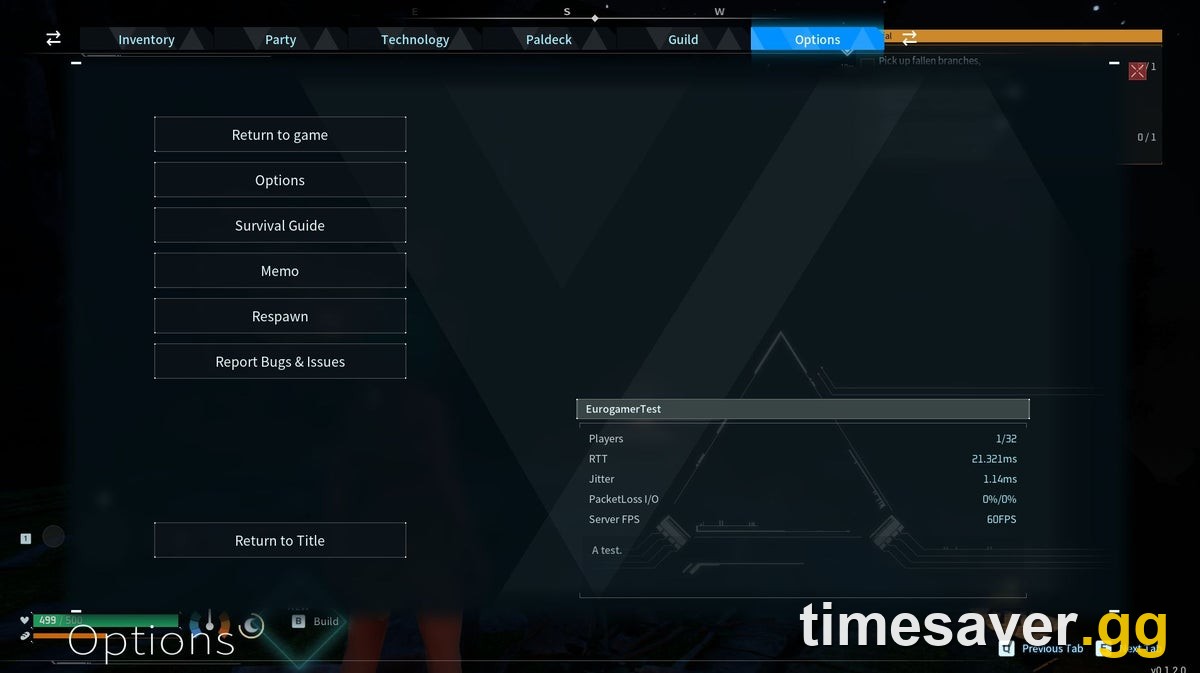
How do I fix a Palworld dedicated server that won't connect?
Dedicated servers host up to 32 players and stay online without the host in-game — but they add a network layer to get right. Walk this list:
| Symptom | Likely cause | Fix |
|---|---|---|
| "Connection timed out" from everyone | UDP 8211 not open/forwarded | Forward UDP 8211 to the server's local IP; allow `PalServer.exe` through the firewall |
| `Failed to bind` in the server log | Port already in use | Free 8211 (close the other process) or set a different `-port=` and forward that |
| Only some players connect | Version mismatch | Update the server and every client to the same build |
| Server was fine, now unreachable | Process crashed / mid-update | Restart the server process; confirm it fully booted before joining |
| Times out on your own LAN | NAT loopback | Direct-connect using the server's LAN IP\:port, not the public IP |
Practical notes that resolve real cases:
- The default game port is UDP 8211. Palworld multiplayer runs on UDP, so the rule you create must be a UDP rule — a TCP-only rule does nothing.
- Prefer Direct Connect with `IP:PORT` over the in-game community server browser, which is flaky and often shows nothing even when the server is healthy.
- Don't disable your firewall — create a specific inbound exception for `PalServer.exe` and UDP 8211 instead. Turning the firewall off is a security risk and rarely the real fix.
- Server logs live in `/Pal/Saved/Logs`. A `failed to bind` line points straight at a port conflict; that's your fastest diagnostic.
Palworld - Pals Leveling
Get any Pal to level 80
Why is my Palworld dedicated server not showing up in the list?
If the server runs but never appears in the in-game community server list, that's usually the browser, not your setup:
- The community list is rate-limited and slow to refresh — a server can take several minutes to appear, and sometimes doesn't at all.
- Use Direct Connect (`IP:PORT`) to bypass the list entirely. If a direct connect works, the server is fine and only the listing is lagging.
- Confirm the server's community-server setting is enabled in its config if you want it listed, but treat the list as optional — direct connect is the reliable path.
- Double-check you're advertising the correct public IP and the forwarded port; a typo here is the usual "why is it invisible" culprit.
PC network fixes that actually clear timeouts
When versions match and the host is up but you still time out on PC, reset the local network state:
- Open Command Prompt as admin and run, in order: `ipconfig /flushdns`, then `ipconfig /release`, then `ipconfig /renew`.
- Restart your router, not just the game — a full power cycle clears stale NAT entries.
- Move the game off an external drive. Running Palworld (or the server) from an external/USB drive has resolved real, otherwise-unexplained connection failures; install to internal storage.
- Verify game files (Steam → Properties → Installed Files → Verify) to rule out a corrupted install.
- Disable conflicting mods. Incompatible or outdated mods can block a clean multiplayer handshake — test vanilla first.
Platform-specific errors — and why updating fixes most of them
Several "multiplayer is broken" reports at launch were specific bugs Pocketpair already patched. If you're on an old build, you're fighting bugs that no longer exist:
- PS5 title-screen save error and an Xbox ~30-second freeze after fast travel were both fixed in 1.0.1.
- All players disconnecting during the Panthalus battle on dedicated servers, and clients crashing mid-fight, were fixed in 1.0.2 — along with World Tree terrain failing to render for the host.
- Infinite loading after the World Tree boss was fixed in the 1.0.2.101103 build.
So if your crashes cluster around a specific fight or region, the fix may simply be the update you haven't installed yet.
Pocketpair also expanded multiplayer in 1.0 itself. Per the official 1.0 patch notes: "Added an in-game voice chat feature. This feature is only available when enabled in the world settings of a dedicated server." If your group wants voice, that's a dedicated-server-only toggle — it won't appear in invite-code co-op.
A note on crossplay (don't follow old 1.0 guides here)
Crossplay is built in. PC (Steam + Microsoft Store), Xbox (including Game Pass), PS5 and Mac can all share one world, and dedicated servers have crossplay on by default unless the host disables it.
The trap: crossplay did not arrive with 1.0. It shipped back in v0.5.0 in March 2025. Any guide telling you to "enable crossplay for the 1.0 update" is out of date — there's no 1.0 crossplay switch to flip. If a cross-platform friend can't join, it's a version or port issue, not a missing crossplay feature.
Stuck on the grind after you've fixed the connection? Once your world is stable, the fastest way to catch your co-op group up to the level-80 cap and the World Tree endgame is a hand-played boost — no slider cheese, no account sharing headaches.
>
- Palworld Leveling Boost — skip the grind, get to cap fast
FAQ
Why does Palworld keep saying "connection timed out" even though my friend is online? The most common reason is a version mismatch — you and your friend are on different game builds. Palworld won't connect mismatched versions and shows the same generic timeout as a real network fault. Make sure both of you fully update to the current build (1.0.3) and restart the game, then retry.
What port does Palworld use for multiplayer? The dedicated-server game port is UDP 8211 by default. Because Palworld's real-time multiplayer runs on UDP, you must forward or allow that port as a UDP rule — a TCP rule won't work. If you changed the launch port with `-port=`, forward that number instead.
How many players can join a Palworld world? Invite-code co-op supports 4 players; a dedicated server supports 32. If your group is larger than four, co-op sessions will fail to hold everyone and you'll need a dedicated server.
My dedicated server runs but isn't in the server list — is it broken? Usually not. The in-game community list is rate-limited and slow to refresh, so a healthy server can be missing from it. Use Direct Connect with the server's `IP:PORT` — if that connects, the server is fine and only the listing is lagging.
Do I need to enable crossplay for Palworld 1.0? No. Crossplay is already built in across Steam, Microsoft Store, Xbox, PS5 and Mac, and it arrived in v0.5.0 (March 2025), not the 1.0 update. There is no 1.0 crossplay toggle — cross-platform join failures are almost always a version or port problem.
I fixed the connection but my whole party crashed during a boss fight — why? Several launch bugs did exactly that. Disconnects during the Panthalus fight on dedicated servers and mid-fight crashes were fixed in 1.0.2, and infinite loading after the World Tree boss was fixed in 1.0.2.101103. Update the server and all clients and the fight should hold.
Multiplayer sorted? Put it to use: work through all 9 tower bosses in order, tackle the Panthalus questline that unlocks the World Tree, explore the new Sunreach sky islands, or level up fast to the new 80 cap.
Facts verified against Pocketpair's official 1.0 / 1.0.1 / 1.0.2 / 1.0.3 patch notes and palworld.wiki.gg as of August 18, 2026 (current build 1.0.3 / 1.101.283).