Black Ops 7 Season 06 "The Haunting" went live on September 17, 2026 at 9:00 AM PT — and within hours the Warzone and BO7 subreddits filled with the same launch-day complaint: the game ran fine yesterday and now stutters, drops frames, or nukes itself to single-digit FPS. If your frames are collapsing to 6–8 FPS after a kill or a loadout pickup, hitching every match on the new Haunted Hollow map, or micro-stuttering on PC, this guide walks the fix top to bottom — and separates the launch-day problems that fix themselves from the ones you have to fix yourself.

Call of Duty - Bot Lobby
Get bot lobby in 10 minutes
Quick answer (TL;DR)
Season 6 launch-day performance problems in BO7 and Warzone are almost always one of four separate issues, and each has its own fix:
- Sudden FPS collapse to 6–8 FPS after a kill or loadout pickup (and it stays low until you restart) — this is a VRAM/texture-streaming blowout, not lag. Turn On-Demand Texture Streaming OFF, drop Texture Resolution one notch, and keep estimated VRAM under ~75%.
- Micro-stutter and constant frame drops on PC — usually Frame Generation, upscaling set above your VRAM, or a stale GPU driver. Turn Frame Gen OFF (never use it in a competitive shooter), and do a clean DDU driver reinstall.
- Traversal hitching for the first hour after the update — the game is recompiling shaders for the new season. Sit on the main menu 5–10 minutes and let it finish; if it persists for days, force a shader rebuild.
- Low FPS across the board that started only with Season 6 — a season patch changes maps, shaders, and settings behavior. Verify game files / rebuild the console database and re-check your graphics settings, which can silently reset after a patch.
Work the checklist at the bottom top-to-bottom and stop when it's smooth. If you'd rather not lose your first days of the season fighting your own PC, a BO7 account & weapon leveling service keeps the Season 6 grind moving while you sort performance out.
Why did BO7 and Warzone start dropping FPS right after Season 6?
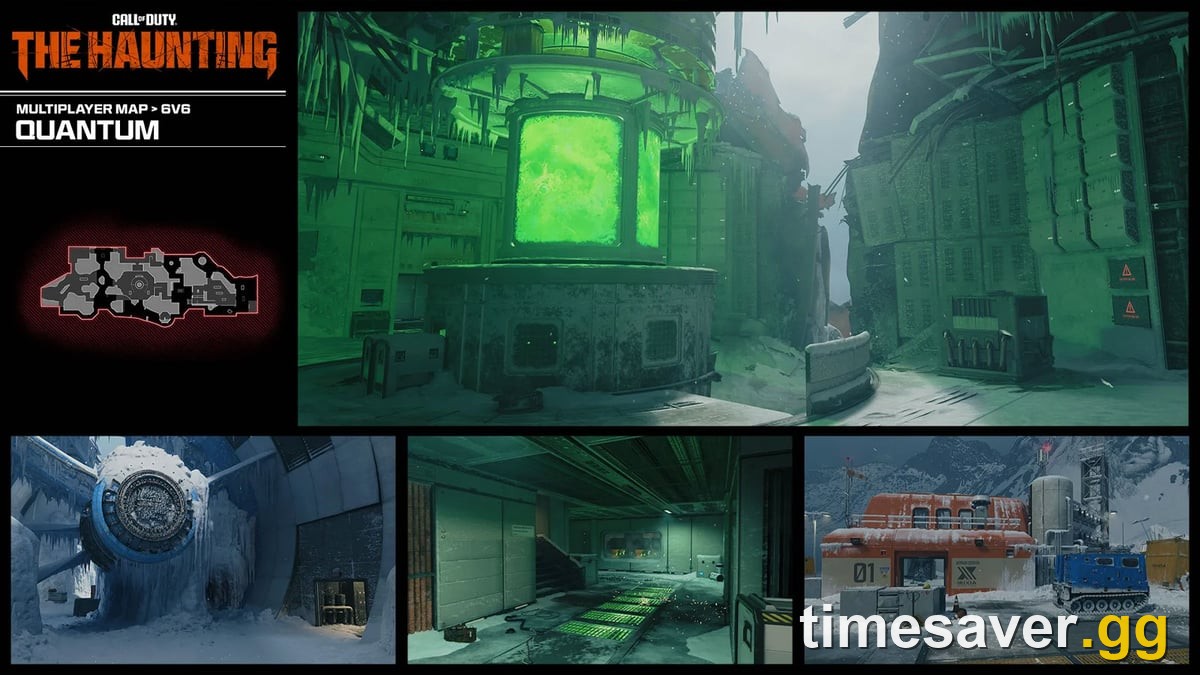
Every Call of Duty season update is a large patch, and Season 06 "The Haunting" is one of the biggest of the year — it ships the new Haunted Hollow Resurgence map (complete with a roaming Ghost Train), reworked Multiplayer maps like Quantum and Bloodstead, the Avalon Night transformation in Endgame, and a full new Battle Pass. Per Activision's official Season 06 intel, this is a "colossal update," and colossal updates reintroduce performance problems that were solved months ago. Here's why your frames tanked:
- New shaders have to recompile. A new map and new visual effects mean the game rebuilds its shader cache on first launch. Until that finishes you get traversal stutter — hitching when you turn corners or load in.
- Settings can silently change. Frame Generation, upscaling, and render-resolution options sometimes re-enable or scale differently after a patch, pushing your GPU past its VRAM and causing micro-stutter or a hard FPS collapse.
- Texture streaming is heavier. New high-res assets on the Halloween maps push On-Demand Texture Streaming harder. On cards with limited VRAM this shows up as a sudden, catastrophic FPS drop after a demanding moment — a kill spawning effects, or a loadout crate loading new textures.
- Server routing and player load spike on day one. Launch day means full lobbies and freshly-changed netcode, which reads as rubberbanding and packet burst rather than a true FPS problem.
What's actually happening: FPS drop vs stutter vs lag?
Fixing this fast means naming the problem correctly. These three feel similar but have completely different causes:
| Symptom | What it looks like | Usual cause | Where to fix |
|---|---|---|---|
| Sudden FPS drop | Frames fall off a cliff (e.g. to 6–8 FPS) after a kill/loadout and stay low until restart | VRAM / texture streaming blowout | PC graphics settings |
| Micro-stutter | Constant tiny hitches even when your average FPS is high | Frame Gen, VRAM, GPU driver | PC graphics + system |
| Rubberbanding / packet burst | Your character teleports back; shots don't register | Network, server routing, launch-day load | Connection + wait it out |
If the whole screen hitches or your FPS number crashes, it's client-side — settings, VRAM, drivers, or a background app. If your character snaps backward or your bullets don't register, it's the network. Don't apply a graphics fix to a network problem.
How do you fix the sudden FPS drop to single digits after a kill or loadout? (the Season 6 launch bug)
This is the big one this week. Multiple players report frames collapsing to 6–8 FPS after getting a kill or picking up a loadout, then staying pinned low until they restart the game. One player summed it up on r/CODWarzone: "I've been having random hitches down to about 8 FPS during infill … happening since the update." That signature — a hard drop tied to a moment that loads new textures — points at texture streaming outrunning your VRAM, not lag.

Fix it in this order:
- Turn On-Demand Texture Streaming OFF. In Settings > Graphics, disabling On-Demand Texture Streaming (and its high-res assets) stops the game from streaming new textures mid-fight — which is exactly what triggers the collapse. This is the single most effective fix for the "6–8 FPS after a kill" symptom on limited-VRAM cards.
- Drop Texture Resolution one notch. From High to Normal, or Normal to Low, frees VRAM headroom immediately.
- Watch the Estimated VRAM Usage bar and keep it under ~75%. BO7's graphics menu shows your target VRAM against your card's limit. Leave a ~25% buffer so a spike (a kill effect, a new loadout) doesn't push you over the edge. If the bar is red or near-full, lower upscaling/render resolution until it isn't.
- Restart after changing it. These settings apply cleanly on a fresh launch — a mid-session change won't fully release the memory that already blew out.
How do you stop micro-stutter and frame drops on PC?
If your FPS is generally fine but the game feels like it's hitching constantly, the culprit is almost always one of three PC-side things:
- Turn Frame Generation OFF. This is the top community rule for competitive Call of Duty, and it came up over and over this week: "Never use Frame Gen in a fast-paced multiplayer game," "You shouldn't use frame generation for competitive shooters, ever." Frame Gen inserts interpolated frames that add input latency and cause visible stutter under fast motion. Run DLSS/FSR upscaling without Frame Gen if you need the frames.
- Clean-install your GPU driver with DDU. "Update to the latest driver" isn't always right — the newest driver is tuned for brand-new releases, not Warzone, and can introduce stutter. Use Display Driver Uninstaller (DDU) in Safe Mode to fully wipe the old driver, then install a known-good version cleanly. Many players report this is what finally killed their stutter.
- Disable in-game overlays and background apps. Discord's overlay, the NVIDIA App/GeForce overlay, Steam overlay, iCUE, and antivirus "game optimizers" all inject hooks that cause micro-stutter. Turn them off one at a time to find the offender — one Redditor jumped from 70–90 FPS to 110–130 just by disabling the Steam overlay and changing voice-chat settings.
For the full network side (rubberbanding, high ping, packet burst) that also spikes on launch day, our companion BO7 & Warzone lag and stutter fix covers the wired/QoS/bandwidth checklist in depth — it's the same ladder, updated for the Season 6 map and shaders.

Call of Duty - Ranked Boost
Get ranked boost in 10 minutes
How do you fix traversal hitching after the Season 6 update?
If you only stutter when turning corners or loading into a match — especially on the new Haunted Hollow or Avalon Night maps — the cause is the shader/texture cache, not your settings.
- Let shaders finish compiling. After a season update the game recompiles shaders for the new content. Sit on the main menu for 5–10 minutes and let it complete before you queue. Launch-day hitching very often clears itself once shaders are done.
- Force a shader rebuild if it lingers. If traversal stutter is still there days later, your shader install is likely corrupted. Clear the shader cache from Settings (or delete the cache folder) and let it rebuild once, cleanly.
- Verify / repair game files. On Steam and Battle.net, run a file scan — a half-applied Season 6 patch is a common source of new-season stutter.
How do you fix stuttering and FPS drops on Xbox and PS5?
Console isn't immune — the Halloween assets are heavy on last-gen too.
- Rebuild the database (PS5) / clear the cache (Xbox). On PS5, boot into Safe Mode and run "Rebuild Database." On Xbox, do a full power cycle (hold power 10 seconds, unplug 30 seconds) to clear the cache.
- Force Performance Mode and check your refresh rate. In BO7's video settings, prefer the frame-rate/Performance preset over resolution. On PS5, set 120 Hz Output to Automatic and confirm the in-game 120 Hz toggle is on.
- Go wired and reinstall if drops persist. A wired connection removes network-side rubberbanding from the equation; a clean reinstall clears a corrupted post-patch install if nothing else works.
The fast-fix checklist
Work these in order and stop when your game is smooth:
| # | Fix | Platform | Targets |
|---|---|---|---|
| 1 | Sit on the main menu 5–10 min (let shaders finish) | All | Traversal hitching |
| 2 | Turn On-Demand Texture Streaming OFF | PC | Sudden FPS collapse after kills |
| 3 | Drop Texture Resolution one notch; keep VRAM under ~75% | PC | FPS drop, micro-stutter |
| 4 | Turn Frame Generation OFF | PC | Micro-stutter, input lag |
| 5 | Disable overlays (Discord/NVIDIA/Steam) + iCUE | PC | Micro-stutter |
| 6 | DDU clean GPU driver reinstall | PC | Stutter, hitching |
| 7 | Verify/repair game files | PC | New-season stutter |
| 8 | Rebuild database (PS5) / power cycle (Xbox) | Console | FPS drops, hitching |
| 9 | Force Performance Mode + confirm 120 Hz | Console | Low FPS |
Would rather skip the launch-week headache?
Season 06 is Black Ops 7's final major update before Modern Warfare 4 (October 23, 2026) — which makes these next weeks your last clean window to finish The Haunting's Battle Pass, Prestige the new VMP and TR51 Para, and close out mastery camos while lobbies are still full. If your rig is fighting you instead of the enemy, don't lose the season to a driver stack:
Want the Season 6 grind done while you troubleshoot? Our pro players handle the leveling and unlocks so you keep your progress even on a bad-FPS week.
- BO7 Account & Weapon Leveling — skip the grind, Prestige the new guns, done by pros.
- BO7 Mastery Camo Unlocks — finish The Haunting camos before MW4 drops.
- All Call of Duty services — leveling, camos, bot lobbies and more.
Frequently Asked Questions
Why did BO7 and Warzone start dropping FPS after the Season 6 update? A season update rebuilds shaders and the texture cache, ships new maps with heavier assets, and can change how graphics settings behave. Until shaders finish compiling you'll get traversal stutter, and heavier texture streaming or a re-enabled Frame Generation setting can push your GPU past its VRAM and cause sudden FPS drops. Rebuild shaders, turn On-Demand Texture Streaming and Frame Gen off, and keep VRAM under ~75%.
Why does my FPS drop to 6–8 after a kill or picking up a loadout? That signature — a hard drop tied to a moment that loads new textures, staying low until you restart — is a VRAM/texture-streaming blowout, not lag. Turn On-Demand Texture Streaming off, lower Texture Resolution one notch, and keep estimated VRAM under ~75% so a spike doesn't push you over your card's limit.
Should I use Frame Generation in Warzone? No. The competitive community is near-unanimous that Frame Gen has no place in a fast-paced shooter — it adds input latency and causes visible stutter under fast motion. Use DLSS/FSR upscaling without Frame Gen if you need more frames.
Is it FPS drop or is it lag? If the whole screen hitches or your FPS number crashes, it's client-side — settings, VRAM, drivers, or a background app. If your character teleports/snaps backward or your shots don't register, it's the network — go wired and check your ping. Launch day makes network-side rubberbanding worse simply because lobbies are full.
Does updating to the latest NVIDIA driver fix Season 6 stutter? Not always. The newest driver is tuned for the latest game releases, not Warzone, and can introduce stutter. Many players fix it by using Display Driver Uninstaller (DDU) in Safe Mode to fully wipe the old driver, then installing a known-good version cleanly rather than updating over the top.