Quick answer (TLDR): Post-Season 5 lag in Black Ops 7 and Warzone is almost always one of three separate problems, and each has its own fix. Rubberbanding and high ping are network-side — go wired, enable QoS, and stop background downloads/streams. Micro-stutter and frame drops on PC are usually Frame Generation, upscaling set above your VRAM, or a bad GPU driver — turn Frame Gen off, keep VRAM usage under ~75%, and do a clean DDU driver reinstall. Hitching every match is often a background app (iCUE, Discord hardware acceleration, HPET, an antivirus "game optimizer"). Console players: rebuild the database and set a wired connection. Work the checklist below top to bottom and stop when it's smooth. (see our black ops 7 zombies packet burst guide).
Since Season 5 went live on July 23, 2026, the Black Ops 7 and Warzone subreddits have filled with the same complaint: the game ran fine last season and now stutters, lags, or rubberbands. It's not your imagination — a new season ships a new map (Jubilee), fresh shaders, and updated netcode, and any of those can reintroduce performance problems that were solved months ago.
The good news: lag has a small number of root causes, and Activision documents most of them. This guide separates the three things people lump together as "lag," then gives you the exact fix order for PC and console — fact-checked against support.activision.com and callofduty.com, with the community fixes that are actually working right now layered on top.

Call of Duty - Bot Lobby
Get bot lobby in 10 minutes
Why is Black Ops 7 and Warzone lagging so much after Season 5?
A seasonal update changes three things that each affect performance independently:
- Shaders and the texture cache get rebuilt. Until they finish compiling in the background, you'll get traversal stutter — brief freezes when you turn a corner or a new asset streams in. This clears on its own but a corrupted install can leave it stuttering forever.
- Netcode and server routing change. New maps and playlists mean matchmaking is routing you to different data centers, which can spike ping and cause rubberbanding even on a good connection.
- Settings can silently reset or behave differently. Frame Generation, upscaling, and render-resolution options sometimes re-enable or scale differently after a patch, pushing your GPU past its VRAM and causing micro-stutter.
The single biggest mistake players make is treating all of this as one bug. A network fix won't stop GPU micro-stutter, and swapping graphics settings won't fix rubberbanding. So first, identify which problem you have.
Lag vs stutter vs rubberbanding: what's actually happening?
Activision's own support documentation splits "lag" into distinct symptoms. Matching your symptom to the right column tells you which section below to jump to.
| Symptom | What it looks like | Root cause | Fix section |
|---|---|---|---|
| Rubberbanding | You run forward, then snap back to where you were a second ago | Network / packet loss | Network fixes |
| High ping / hit delay | Your shots don't register; you die "behind cover" | Latency to the server | Network fixes |
| Micro-stutter | Constant tiny hitches even at high FPS | Frame Gen, VRAM, driver | PC graphics + system |
| Traversal stutter | Freezes only when turning corners or loading in | Shader/texture cache | PC system fixes |
| Frame drops | FPS tanks in fights or on smoke | GPU overload / settings | PC graphics fixes |
As Activision Support puts it: "Rubber banding – Your character is running toward a destination and then jumps back to where it was a few seconds prior. Stuttering – An effect that makes your character appear to freeze and skip ahead while moving." If your character is teleporting, it's the network. If the whole screen hitches, it's your PC.
How do you fix Warzone rubberbanding and high ping? (network fixes)
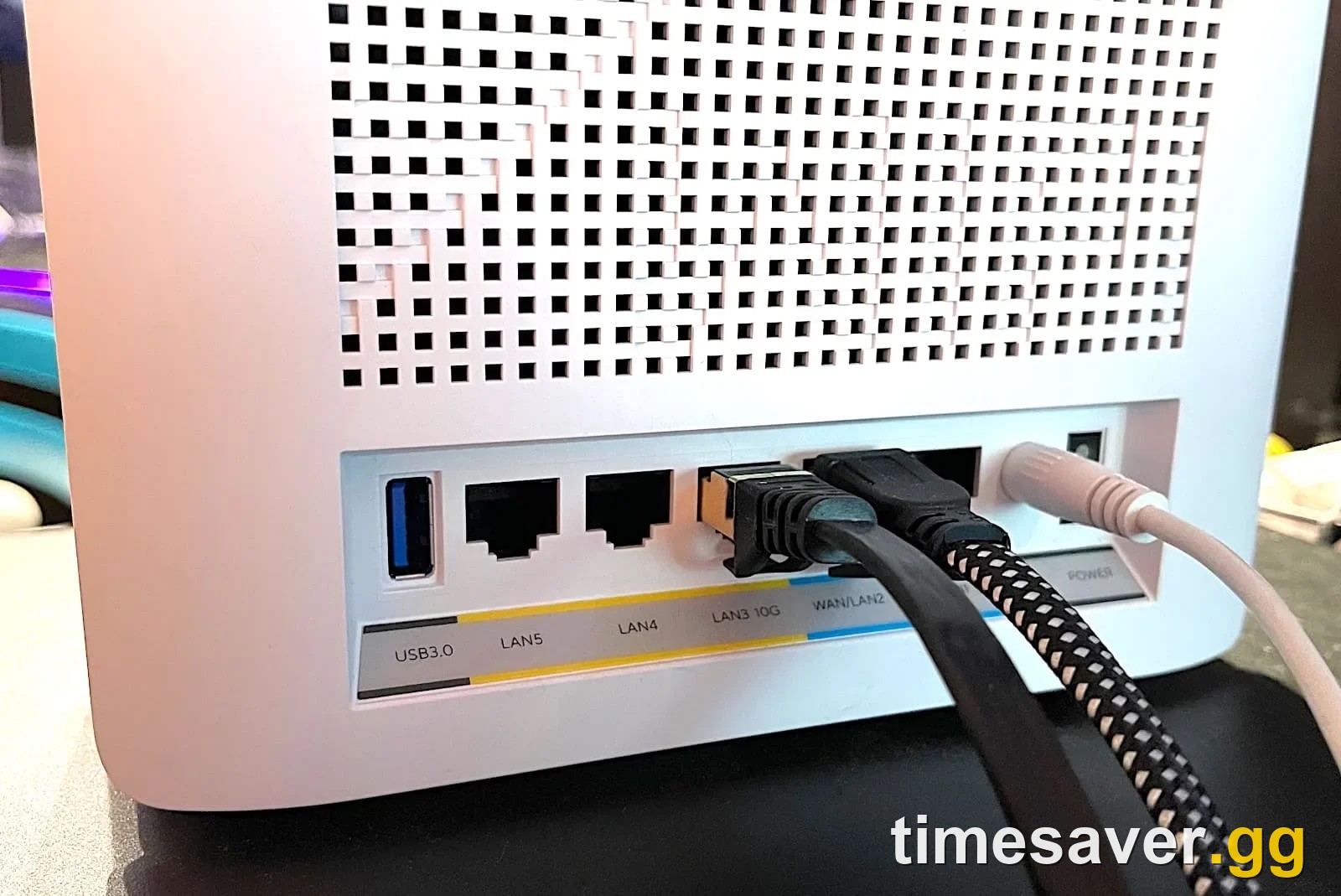
Rubberbanding, hit-registration delay, and getting booted mid-match are connection problems. Per Activision's official lag guide, work these in order:
- Play on a wired connection. This is the highest-impact fix by far. Activision is explicit that "Wi-Fi connections have a wide variance in reliability and bandwidth and can dramatically affect the quality of online gameplay. Wired Ethernet connections will maintain the minimum bandwidth connection that is required for online gaming." If you can run an Ethernet cable, do it before anything else.
- Enable QoS on your router. Quality of Service lets you prioritize your gaming device's traffic. It won't lower your ping to the server, but it stops other devices on the network from stealing bandwidth mid-fight.
- Kill background bandwidth. Streaming music/video, cloud backups, and especially other people downloading on your network eat the bandwidth Warzone needs. Uploading (streaming your own gameplay) is worse than downloading because ISPs give upload less headroom.
- Check your ping. Latency is measured in milliseconds; run a test at speedtest.net. Under ~50 ms is comfortable for competitive play; a triple-digit ping will cause hit delay no matter what you change in-game.
- Forward ports / check NAT. An Open or Moderate NAT type helps matchmaking place you on nearby servers. Activision publishes the exact port-forwarding and NAT guide for this.
One thing you can't fix from your end: if your ISP routes through too many exchange points, you'll get packet loss during peak hours regardless of settings. If tests show loss on a wired connection at good ping, the problem is upstream.
How do you stop micro-stutter and frame drops on PC?
If the screen hitches (not your character teleporting), it's a client-side problem. These are the fixes the community is landing on right now for Season 5:
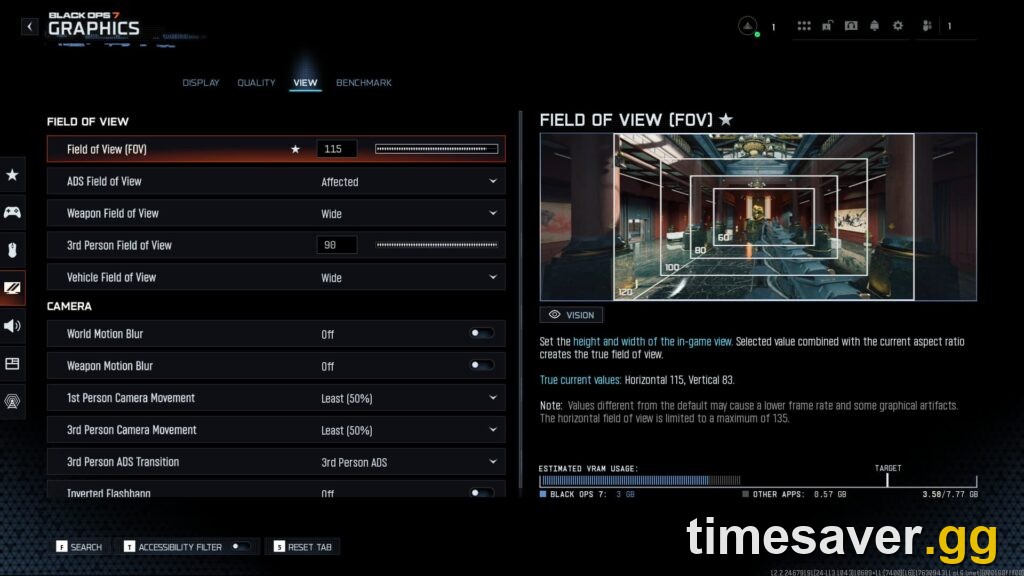
- Turn off Frame Generation. This is the most common fix in the current stutter threads. Frame Gen (including DLSS 4 Multi-Frame Gen) adds interpolated frames but also adds input delay and stutter in a fast PvP shooter. The consensus in the current Season 5 stutter threads is blunt: a smooth 200 FPS with Frame Gen off beats a stuttering 400 FPS with it on. Unless you're below your monitor's refresh without it, leave Frame Gen off in Warzone and BO7 multiplayer.
- Lower upscaling / render resolution to fit your VRAM. Upscaling quality and render resolution set too high will push past your GPU's video memory and cause hitching. A good rule of thumb from the community: keep VRAM usage under ~75% so you have a ~25% buffer for spikes. You can watch usage on the in-game performance overlay while you tune it.
- Cap your frame rate. An uncapped FPS that swings from 60 to 240 feels like stutter because frame times are inconsistent. Cap slightly below your monitor's refresh (e.g. 141 on a 144 Hz panel) for a smoother, more consistent frame time.
- Disable in-game overlays. Discord's overlay, GeForce Experience/NVIDIA App overlay, and Steam overlay all inject hooks that can cause micro-stutter. Turn them off one at a time to test.
If your FPS is collapsing entirely (not just stuttering) after the update — or the game is hard-crashing rather than hitching — that's a different problem. Our Black Ops 7 crashing and FPS-drop fix covers the crash-side causes step by step, and if you're seeing a specific error box, the DirectX unrecoverable error fix walks through that one.
How do you fix traversal stutter and hitching (PC system fixes)?
If you stutter only when turning corners or loading into a match, the cause is usually the shader/texture cache or a background process — not your in-game settings.
- Let shaders finish, or rebuild them. After a season update the game recompiles shaders. Let it sit on the main menu for a few minutes. If stutter persists for days, your shader install is likely corrupted — see our shaders not installing or stuck fix to force a clean rebuild.
- Clean-install your GPU driver with DDU. "Update to latest" isn't always right — the newest driver is tuned for brand-new releases, not Warzone. Use Display Driver Uninstaller (DDU) in Safe Mode to wipe the old driver completely, then install a known-good version cleanly. Multiple players report this is what finally killed their stutter.
- Kill the usual background culprits. Corsair iCUE, Discord hardware acceleration, RGB/peripheral suites, and antivirus "game optimizers" (Norton's is a repeat offender) all cause hitching. Close them and test. Disabling the High Precision Event Timer (HPET) has fixed packet-burst-style stutter for some users.
- Check what's spiking in Task Manager. Open Task Manager (Ctrl+Alt+Del), Alt-Tab out mid-stutter, and see whether CPU, RAM, GPU, or your SSD is pinned at 100%. That tells you which component is the bottleneck instead of guessing.
- Debloat startup. Disable unnecessary startup programs. A cluttered Windows install with dozens of background processes competes with the game for CPU time in exactly the moments you need it.

Call of Duty - Ranked Boost
Get ranked boost in 10 minutes
How do you fix stuttering on Xbox and PS5?
Console isn't immune — Season 5 stutter threads are full of Xbox and PS5 players too. The fixes are simpler because you can't touch drivers:
- Wired connection first, same as PC — it's the biggest single win.
- Clear the console cache. On PS5, boot into Safe Mode and rebuild the database. On Xbox, do a full power cycle (hold power 10 seconds, unplug for 30). This clears the corrupted post-patch cache that causes hitching.
- Reinstall if it persists. A season update that half-applied can leave a bad install. Deleting and reinstalling is heavy-handed but reliably clears a persistent post-patch stutter.
- Turn off cross-network background downloads. A console downloading another game in the background will starve Warzone of bandwidth.
The fast fix checklist
Run this top to bottom and stop when it's smooth:
| # | Fix | Platform | Fixes |
|---|---|---|---|
| 1 | Switch to wired Ethernet | All | Rubberbanding, ping |
| 2 | Enable router QoS, kill background downloads | All | Rubberbanding, hit delay |
| 3 | Turn Frame Generation OFF | PC | Micro-stutter, input delay |
| 4 | Lower upscaling to keep VRAM under ~75% | PC | Micro-stutter, frame drops |
| 5 | Cap FPS below monitor refresh | PC | Inconsistent frame time |
| 6 | DDU clean driver reinstall | PC | Stutter, hitching |
| 7 | Close iCUE / Discord HW accel / Norton, disable HPET | PC | Hitching, packet burst |
| 8 | Rebuild database (PS5) / power cycle (Xbox) | Console | Traversal stutter |
| 9 | Reinstall if corrupted after patch | All | Persistent post-patch stutter |
Would rather skip the laggy grind entirely?
Server-side rough patches at the start of a season are frustrating when you're trying to level a new weapon or grind camo challenges. If the sweaty, laggy public lobbies are killing your progress, timesaver.gg can carry the grind while the servers settle:
Skip the pain and keep your progression moving:
- CoD Bot Lobbies — easy lobbies to level weapons and complete challenges without fighting stutter and sweats.
- CoD Account & Weapon Leveling — pro players level your account and guns fast, no grinding through rough post-patch servers.
- All Call of Duty services — camos, ranked, Zombies and more for Black Ops 7 and Warzone.
Frequently Asked Questions
Why did Black Ops 7 and Warzone start stuttering after the Season 5 update? A season update rebuilds shaders and the texture cache, changes server routing, and can alter how graphics settings behave. Until shaders finish compiling you'll get traversal stutter, and settings like Frame Generation or upscaling may push your GPU past its VRAM. Rebuild shaders, turn Frame Gen off, and clean-install your GPU driver.
Is it lag or is it my PC? If your character teleports or snaps backward (rubberbanding) or your shots don't register, it's a network problem — go wired and check your ping. If the whole screen hitches or freezes even at high FPS, it's client-side — Frame Gen, VRAM, drivers, or a background app like iCUE or Discord.
Should I turn off Frame Generation in Warzone? For competitive PvP, yes. Frame Generation adds input latency and, in the current build, causes stutter for many players. A smooth 200 FPS with Frame Gen off beats a stuttering 400 FPS. Only leave it on if you can't otherwise reach your monitor's refresh rate.
Does using the latest NVIDIA driver fix Warzone stutter? Not always. The newest driver is tuned for the latest game releases, not Warzone, and can introduce stutter. Many players fix stutter by using Display Driver Uninstaller (DDU) in Safe Mode to fully wipe the old driver, then installing a known-good version cleanly rather than just updating over the top.
How do I fix high ping in Warzone? Ping is mostly determined by your ISP and distance to the server, so you can't lower it much directly. Play wired, enable QoS, stop other devices downloading, and set an Open/Moderate NAT via port forwarding. If a wired speed test still shows packet loss at good ping, the bottleneck is your ISP's routing.
How do I stop stuttering on PS5 or Xbox? Use a wired connection, then clear the console cache — rebuild the database in PS5 Safe Mode, or fully power-cycle an Xbox (hold power 10 seconds, unplug 30). If a post-patch stutter persists, deleting and reinstalling the game clears a half-applied update.