Quick answer (TL;DR): If the Modern Warfare 4 Open Beta hitches, micro-stutters or runs at low FPS on PC, work in this order. 1) Let Shader Preloading finish before you queue — on Steam the beta still does a one-time shader compile on first boot, and playing through it is the single most common cause of the stutter people are posting on Weekend 2. 2) Update to Activision's officially recommended drivers: NVIDIA 610.47, AMD 26.7.1, Intel 32.0.101.8861. 3) In graphics settings, turn on DLSS/FSR upscaling, set VRAM Scale Target to ~80%, and cap your frame rate a few FPS under your refresh. 4) Make sure the beta is installed on your SSD (it's a required, not optional, spec) and close Chrome/Discord overlays. If your ping is fine and only your frame rate is bad, this is a GPU/shader problem — not the network issue we cover here. Most of these take under 10 minutes.
The Modern Warfare 4 Open Beta went live at 10 AM PT on Friday, August 28, 2026 — "The Modern Warfare 4 Open Beta arrives at 10 AM PT today," per the official MW4 Beta patch notes — and Weekend 2 opens the beta to everyone with no pre-order across all platforms, so the player count (and the number of first-time PC installs hitting a fresh shader compile) just jumped. Predictably, r/CODWarzone filled up within hours with the same complaint: the game runs, but it stutters on weapon swaps, hitches every time a new effect loads, or crawls at low FPS on hardware that should handle it fine.
Here's the important split most posts miss: stutter and low FPS are not lag. If your ping is normal and only your frame-time is spiking, no amount of restarting the router will fix it. This guide is the GPU/VRAM/shader side of the problem. If enemies teleport and your shots don't register, that's a network fault — go to the MW4 beta packet-loss and high-ping guide instead.

Call of Duty - Bot Lobby
Get bot lobby in 10 minutes
First: is it stutter, low FPS, or actually a network problem?
Two minutes of triage saves you an hour of chasing the wrong fix. Pull up the in-game performance overlay (or any FPS counter) and watch what's actually breaking.
| What you see | What it is | Where to fix it |
|---|---|---|
| Sharp micro-freezes when a new gun, killstreak or map area loads | Shader compilation stutter | Let shader preloading finish (below) |
| Steady but low frame rate everywhere | GPU/CPU-bound low FPS | Drivers + settings (below) |
| Frame rate fine, but enemies teleport / hits don't register | Packet loss / high ping | Network guide |
| Game closes to desktop after ~10–15 minutes | Crash / stability — often VRAM or driver | Drivers, VRAM target, verify files (below) |
| Won't launch, black screen, or an error code at boot | Access / install fault | MW4 beta launch & access fixes |
If your reading says stutter or low FPS, keep going. One honest note up front: this is a beta build. Activision is shipping tuning changes between weekends — Weekend 2's notes even include "Fixed an issue that caused stutters when climbing ladders and pipes," proof they're actively hunting client hitches. Some of what you feel will be patched, not fixed by you. Everything below is the part you can control.
Why is the MW4 beta stuttering? Shader preloading, explained
This is the number-one cause of Weekend 2 stutter, and it's not a bug — it's a feature you're interrupting.
Shaders are, in Activision's own words, "small programs that tell your graphics card — or GPU — how to optimally render what you see on screen, from surfaces and lighting to shadows, visual effects, and more." Because every PC has a different GPU and driver combo, those shaders have to be compiled for your specific machine before they can run smoothly. If they aren't ready when a new effect appears mid-match, the game compiles them on the spot — and that's the exact hitch you feel.
Shader Preloading does that work ahead of time. Per the official Early Intel post, it "prepares these shaders ahead of time, rather than waiting until they're needed during gameplay… helping to minimize stutters and other performance hitches." Here's how it behaves in the beta, and what to do:
- You'll see a system-tray notification — "Call of Duty: Modern Warfare 4 — Shader Pre-Loading Will Start" — after you install or update the beta. That's expected, not an error. Let it run.
- Battle.net: preloading is enabled from the moment you first install the beta.
- Steam: preloading is enabled, but there's still a one-time shader compile on first boot (the loading screen where the game "precompiles shaders"). Do not skip it and drop straight into a match — that's what produces the stutter people are reporting on Weekend 2. Let it finish once; subsequent boots are fast.
- Preloading "uses some system resources while it's running, but its impact is designed to be minimal," so you can keep using your PC while it works. You can also disable or interrupt it in settings/the system tray without consequences — it resumes in-game.
Bottom line: if you're on Steam and jumped straight into a match without letting the first-boot compile finish, quit, let the shader compile run once, and re-queue. For a lot of people, that alone ends the stutter.
Update to the exact drivers Activision recommends
Outdated GPU drivers are the second-biggest cause of both stutter and crashes, and Activision published specific version numbers for the beta — not "just update," actual builds. From the official PC specs:
| GPU vendor | Recommended driver for the MW4 Beta |
|---|---|
| NVIDIA | 610.47 |
| AMD | 26.7.1 |
| Intel | 32.0.101.8861 |
Install the vendor app (NVIDIA App, AMD Adrenalin, or Intel Arc Control) and match or beat those versions. As Dexerto notes in its MW4 settings guide, "If you're not getting the performance you expect from MW4, ensure your graphics drivers are up to date. Activision recommends using the following drivers: 610.47 (NVIDIA), 26.7.1 (AMD), 32.0.101.8861 (Intel)." If you just did a clean driver install, re-run the shader preload — a new driver invalidates the old shader cache, so the compile happens again.
The best MW4 beta settings for more FPS (and fewer hitches)
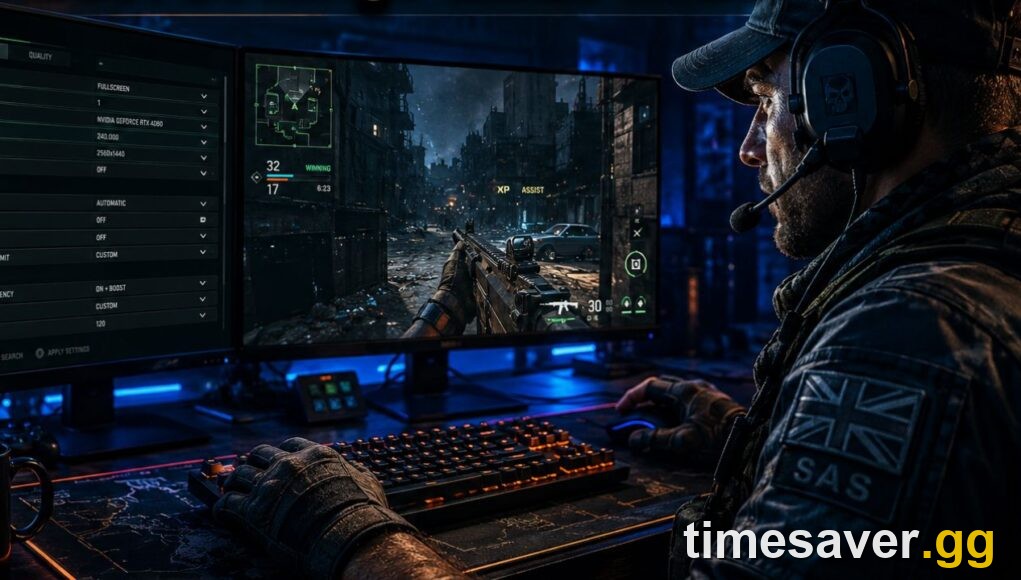
Once drivers and shaders are handled, settings do the rest. These are the community-tested values from dotesports and other MW4 settings guides — not official mandates, but they line up with how the engine behaves:
- Upscaling: NVIDIA DLSS (RTX cards) or AMD FSR 3. Set it to Quality or Balanced. This is the single biggest FPS lever without turning the game into mush.
- VRAM Scale Target: ~80%. The beta's minimum spec is only 3 GB of video memory and the recommended tier is 8 GB — if you're near the floor, leaving headroom stops the VRAM-overflow stutter and crash-to-desktop pattern.
- NVIDIA Reflex: On + Boost. Cuts system latency; keep it on even if you're chasing raw FPS.
- Frame rate cap: cap a few FPS below your monitor's refresh rate (e.g. 141 on a 144 Hz panel). An uncapped frame rate is a classic cause of frame-time spikes and coil-whine hitching.
- Render resolution: your monitor's native. Don't render above 100% — it's pure GPU cost.
- Texture Streaming / on-demand texture quality: lower it a notch if you're on ≤8 GB VRAM or seeing textures pop in late.
Apply upscaling first, benchmark in a real match (not the menu), then tune one setting at a time so you can tell what actually helped.

Call of Duty - Ranked Boost
Get ranked boost in 10 minutes
Still stuttering or crashing? The stability checklist
If you've done shaders, drivers and settings and it's still hitching — or the game crashes to desktop after ~10–15 minutes, a pattern several r/CODWarzone players reported that survived a full reinstall and even a Battle.net → Xbox app switch — work down this list:
- Confirm the beta is on an SSD. An SSD is a required spec, not a recommendation. On a hard drive you'll get constant texture-streaming stutter no matter what else you change.
- Scan / repair the install from your launcher (Battle.net → "Scan and Repair," Steam → "Verify integrity of game files"). A half-unpacked shader or asset file causes repeatable hitching in the same spot.
- Close overlays and background apps. Discord overlay, browser hardware acceleration, MSI Afterburner/RTSS, and recording software all fight the game for the GPU. Kill them and re-test.
- Cap background downloads. A second Call of Duty download or a Windows update eating disk I/O will starve the shader cache — pause everything while you play.
- Free up SSD space. The beta is a large install and needs scratch room for shader cache and temp files; a nearly-full SSD stutters. Leave a comfortable buffer of free space.
- Set the game to your dedicated GPU in Windows Graphics settings if you're on a laptop with switchable graphics — the "not playable on my laptop" reports are frequently the iGPU running the game instead of the discrete card.
- Reset graphics settings to default, then re-apply the changes above one at a time. A bad manual value carried over from another CoD title can tank performance.
If none of that lands and you're on an older laptop or a card near the minimum spec, you may simply be under the bar — the beta's recommended tier is a RTX 3060 Ti / RX 6700 XT with 8 GB VRAM on Windows 11, and DirectX 12 is required across the board.
Make the beta count once it's smooth
The Open Beta runs August 28 (10 AM PT) through September 1 (10 AM PT), 2026, free on every platform including Nintendo Switch 2, before Modern Warfare 4 launches on October 23. Once your frames are stable, the beta is a short window to farm Beta Rewards and get a feel for the new weapons — every gun was re-tuned for Weekend 2. If you'd rather spend that window ranking up and unlocking rewards than fighting your PC, our team can handle the grind:
Skip the grind and play the beta the fun way:
- CoD Bot Lobbies — easy lobbies, level fast and farm rewards without the sweat
- CoD Account & Weapon Leveling — pro players push your rank and unlocks while you play
- All Call of Duty services — camos, leveling, bot lobbies and more
Need to actually get into the beta first, or hitting a launch error instead of a stutter? Start with how to play the MW4 Open Beta free, the Warzone-missing-from-Battle.net fix, or the BIOS/Secure Boot requirement fix if you're blocked at the door.
Frequently Asked Questions
Why does the MW4 beta stutter so badly on Steam specifically? Because on Steam the beta does a one-time shader compile on the first boot even with Shader Preloading enabled, per Activision's official PC intel. If you skip that compile and jump into a match, the game compiles shaders live as new effects appear — that's the stutter. Let the first-boot compile finish once and it clears up on later launches.
What drivers should I use for the Modern Warfare 4 beta? Activision officially recommends NVIDIA 610.47, AMD 26.7.1, and Intel 32.0.101.8861 for the beta. Match or beat those versions in your GPU vendor's app, then re-run the shader preload since a new driver resets the shader cache.
Is the stuttering a bug Activision will fix, or my PC? Both play a part. It's a beta, and Weekend 2's patch notes already include "Fixed an issue that caused stutters when climbing ladders and pipes," so some hitches are being patched between weekends. But shader-compile stutter, outdated drivers, an HDD install and VRAM overflow are all on your side — fix those first before blaming the build.
My frame rate is fine but the game still feels laggy — is this the right guide? No. If your FPS is normal and enemies teleport or your shots don't register, that's packet loss or high ping, a network fault with a different fix list. Use the MW4 beta packet-loss and high-ping guide instead. This guide is only for stutter and low FPS.
The game crashes after about 15 minutes even after reinstalling — what now? Reinstalling rarely fixes a crash loop because it doesn't touch drivers or VRAM. Update to the recommended driver above, set VRAM Scale Target to ~80% to stop overflow, verify/repair the game files, close every overlay, and confirm the beta is on an SSD with free space. On a laptop, force the game onto your dedicated GPU rather than the integrated one.
Do I have to use Shader Preloading? No — you can disable or interrupt it in settings or by right-clicking the system-tray process, and it'll resume once you're in-game. But leaving it on is the whole point: it moves shader work out of your matches so you get fewer in-game hitches.