Quick answer (TL;DR): If Black Ops 7 started freezing for 20–45 seconds or spiking toward four-figure ping after August 21, 2026, run the 2-minute test first: check the Activision Online Services status page, then run a speed test with a ping/jitter reading while the game is closed. If your idle jitter is under ~10ms and packet loss is 0%, the fault is your route or a background download — not your PC. The highest-hit-rate fix in this exact window is pausing every active game download on your platform: the Modern Warfare 4 Beta is a separate install of roughly 40 GB, its Open Beta preload opened August 26 at 9AM PT, and it will happily pull tens of gigabytes across your line while you are in a match. Then go wired, power-cycle the modem for 60 seconds, and switch DNS to 1.1.1.1. Most of these fixes take under 15 minutes.
Since the week of August 21, 2026, Black Ops 7 players on both PC and console have been reporting the same thing on r/blackops7: a game that ran fine all season now freezes for 20 to 45 seconds mid-match, spikes from a normal ping to four figures — including on hardware as recent as PS5 Pro — and flashes the orange Packet Burst warning in lobbies that used to be clean. Those reports are community-sourced rather than an acknowledged fault, but the pattern is consistent enough to diagnose properly. This is a network path problem, and it has a different fix list than stutter.
This guide separates packet loss from ping from packet burst, gives you a two-minute test that tells you whether the fault is yours or Activision's, then walks the fix order for PC and console — plus the Modern Warfare 4 Beta download trap that is quietly wrecking connections right now.

Call of Duty - Bot Lobby
Get bot lobby in 10 minutes
Why did Black Ops 7 suddenly start packet-bursting in late August 2026?
Several things landed on top of each other in a nine-day window, and the ones that matter all touch your bandwidth:
| Date (2026) | What happened | Why it can affect your connection |
|---|---|---|
| Aug 20, 9AM PT | Season 5 Reloaded goes live on all platforms | Mandatory multi-gigabyte patch on top of your existing install |
| Aug 21 | Call of Duty: NEXT, then the MW4 Early Access Beta launches (pre-order only) | A separate ~40 GB Call of Duty install starts downloading on the same connection |
| Aug 21–25 | MW4 Early Access Beta window | Peak concurrent load on Activision's online services |
| Aug 26, 9AM PT | MW4 Open Beta preload opens | The single biggest download wave of the cycle begins — and it is opt-in, so most people forget it is running |
| Aug 27 | Black Ops 7 Featured-playlist rotation (Nuketown 24/7 rotates out, community-reported) | Changes which lobbies you land in — not your routing |
| Aug 28 – Sep 1 | MW4 Open Beta — all platforms, no pre-order needed | Everyone who preloaded now plays, downloads day-one patches, and streams |
The August 26 preload row is the one to focus on, because it lines up almost exactly with the wave of complaints. The Open Beta itself runs August 28 (10AM PT) to September 1 (10AM PT), 2026, free on every platform including Nintendo Switch 2, no pre-order — so the number of people downloading a beta while trying to play Black Ops 7 is peaking right now. (Access steps: our MW4 Open Beta guide.) Modern Warfare 4 launches October 23, 2026.
Two honest caveats. First, Activision has not posted an outage for Black Ops 7 in this window — "the servers are down" is not a verified explanation, so confirm status yourself. Second, correlation with the beta is not proof of causation on Activision's side. What is verifiable is that a second ~40 GB Call of Duty download on your line takes bandwidth from the match you are in. That is the part you control, and it is where the wins are.
Packet loss vs high ping vs packet burst — which one do you actually have?
Players use all three words for "the game feels bad," but they are different faults with different fixes. Activision's own documentation sets the baseline: "Latency, also referred to simply as ping, is the amount of time it takes for data to travel between locations, measured in milliseconds," and "From time to time, even the best internet connections can suffer from data loss, also known as packet loss." — Activision Support, Improving Lag and In-game Performance in Call of Duty: Black Ops 7.
| Symptom | What it looks like in-game | Most likely cause |
|---|---|---|
| High ping | Consistently dying behind cover, delayed hitmarkers, but smooth motion | Distance to server / ISP routing |
| Packet loss | Enemies teleport, your shots don't register, brief total freezes | Damaged or congested link between you and the server |
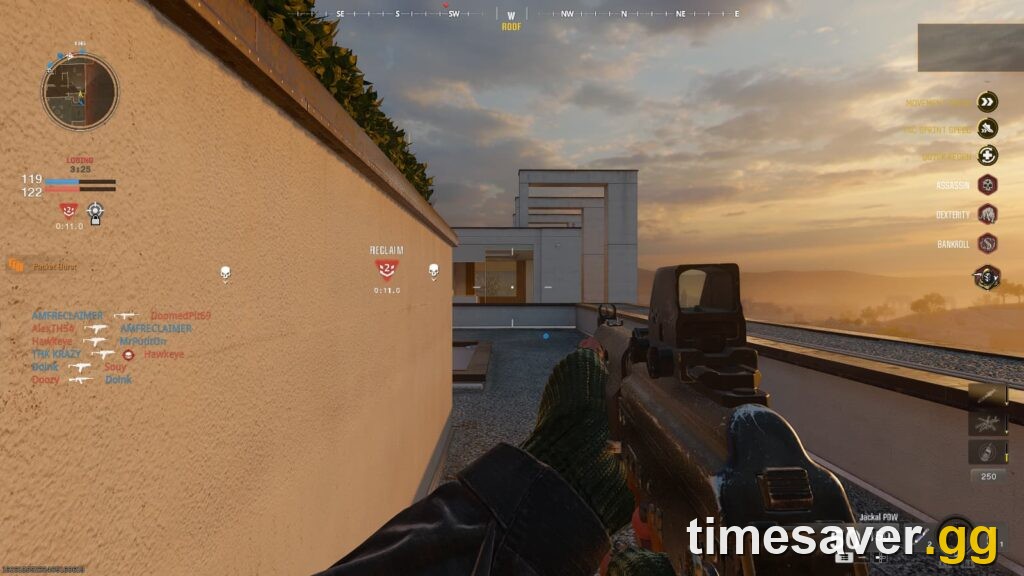
| Packet burst | Orange Packet Burst icon on the left of the HUD, micro-freezes | Data arriving in clumps — congestion or a saturated uplink |
| Rubberbanding | You sprint forward and get snapped back | Sustained packet loss + jitter |
| Stutter / FPS drops | Frame-time hitching, HUD still responsive, ping normal | Not a network problem — GPU, VRAM or shaders |
That last row is the one people get wrong most often. If your ping is normal and only your frame rate is suffering, you are in the wrong guide — use our Black Ops 7 lag, stutter and rubberbanding fix instead, or the Zombies-specific packet burst guide if it only happens on high rounds.
Step 0: is it you or is it Activision? (2-minute test)
Do this before you touch a single setting.
- Check the official status page. Open support.activision.com/onlineservices and select Black Ops 7 from the game dropdown. If it does not read as online for your platform, stop — nothing on your end will fix it. Check your platform network (PSN, Xbox, Battle.net, Steam) from the same page's network links too.
- Speed test with the game fully closed — and read the jitter and packet loss figures, not just the download number. A 900 Mbps line with 60ms of jitter plays worse than a 50 Mbps line with 3ms. Rule of thumb: under ~10ms jitter and 0% loss is healthy; above ~30ms jitter, or any sustained loss above ~1%, will visibly hurt Call of Duty.
- Test a second online game. If Warzone, BO6 or an unrelated multiplayer game also stutters, the fault is your connection or your route. If only Black Ops 7 does it, it is the game's install, its server assignment, or bandwidth contention from another download on your line.
If step 1 is green and steps 2 and 3 look clean, you are dealing with routing or contention — which is what the next two sections fix.
The MW4 Beta download trap almost nobody checks
This is the most overlooked cause in the current window, and Activision's documentation points straight at it: "…your available bandwidth can also be consumed by other sources, leaving you with less overall bandwidth for online gameplay and affecting in-game performance…" — Activision Support, Improving Lag and In-game Performance in Call of Duty: Black Ops 7.
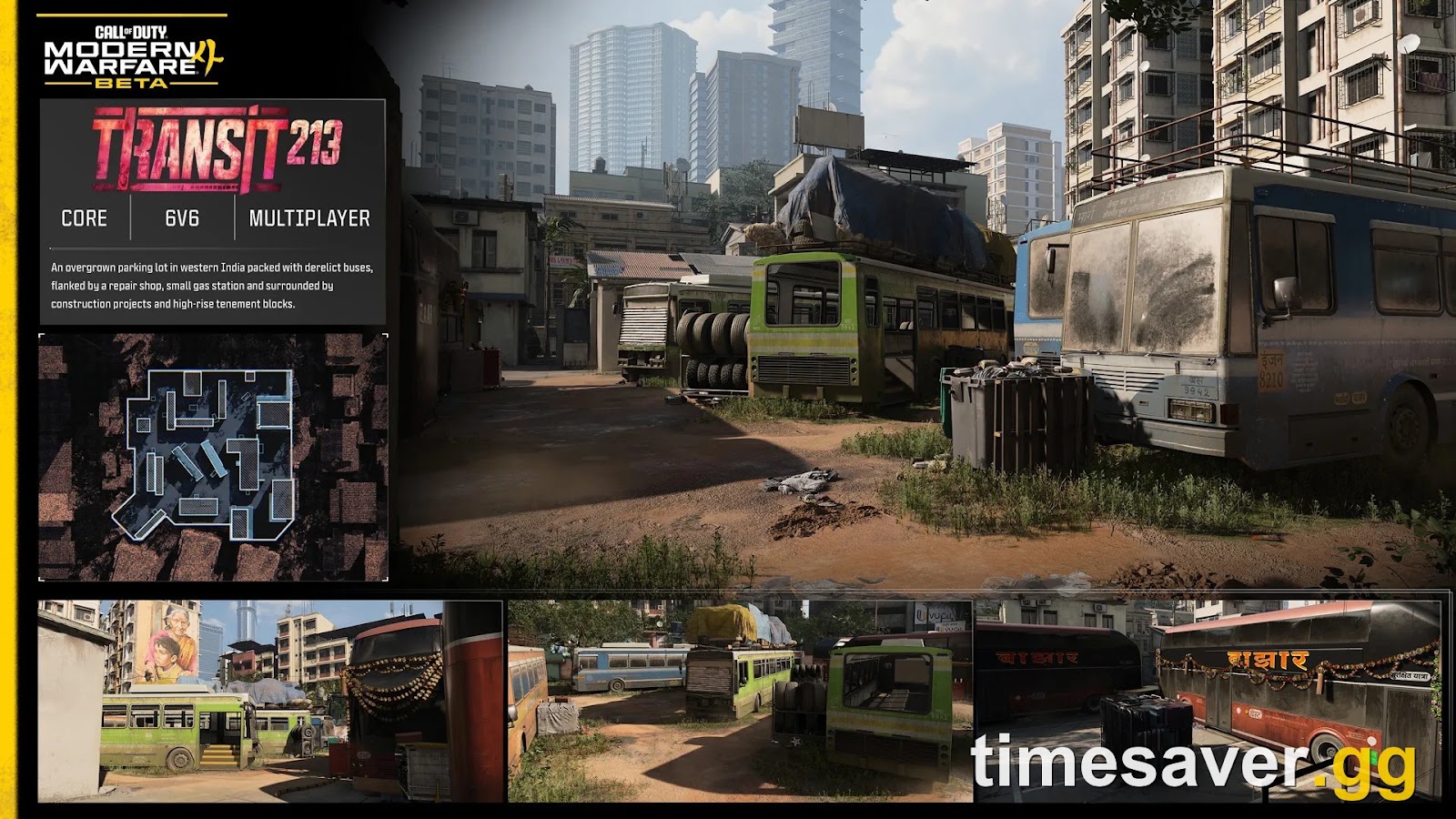
Here is the part people get wrong: the MW4 Beta is not a Call of Duty HQ update. Per Activision Support, "The Call of Duty: Modern Warfare 4 Beta is downloaded separately through your platform's store." (Accessing the Modern Warfare 4 Beta) It installs as its own app, you start it manually, and it is a large download on top of your existing Black Ops 7 install — reporting puts the beta around 40 GB, and Activision's official PC requirements ask for 70 GB of available SSD space. Activision has not published an exact beta size, so treat the figure as approximate; either way it is tens of gigabytes moving across your line.
That separation is what makes it dangerous. Because it is a second app rather than a queued update inside the game you are playing, it is easy to kick off the preload, jump back into Black Ops 7, and never notice it is still pulling tens of gigabytes across the same connection. Console players get hit hardest — PS5 and Xbox both keep downloading during gameplay by default.
Do this now, before anything else:
- On every store/launcher you use: open the download queue and pause or cancel every non-active download — the separate MW4 Beta app, Call of Duty HQ optional content packs, and anything else queued.
- On PS5: open Control Center → Downloads/Uploads to see what is active, then open Settings → System → Power Saving → Set Features Available in Rest Mode and enable Stay Connected to the Internet so big downloads run in Rest Mode instead of during your session.
| - **On Xbox Series X | S: check My games & apps → Manage → Queue**, and Settings → System → Updates, for anything installing. |
|---|
- On PC: check Battle.net, Steam and the Xbox app for a second Call of Duty install running, plus Windows Update, cloud-backup clients and auto-updating launchers.
- Household check: a 4K stream, a console update in another room, or a phone backing up photos will do the same thing to your uplink.
If your freezes stop the moment you pause the downloads, you have found it — resume them when you are done playing.
How do you fix Black Ops 7 packet loss on PC?
Work down this list and stop when it is stable. It is ordered by hit rate, not effort.
- Go wired. Activision is unambiguous: "Play on a wired connection – While convenient, Wi-Fi connections have a wide variance in reliability and bandwidth and can dramatically affect the quality of online gameplay." A 3-meter Ethernet cable fixes more Call of Duty packet loss than every settings tweak combined.
- Power-cycle the modem and router properly. Unplug both at the wall for a full 60 seconds, then power the modem up first and wait for a solid sync light before the router. A soft reboot from the admin page is not the same thing.
- Pause every background download (see above).
- Change your DNS to Cloudflare `1.1.1.1` / `1.0.0.1` or Google `8.8.8.8` / `8.8.4.4`, then run `ipconfig /flushdns`. This won't lower your ping by itself, but it fixes broken lookups and bad initial routing.
- Enable QoS or Smart Queue on your router and give your gaming device priority — on a shared connection this is often the difference between clean and unplayable.
- Enable UPnP or open a moderate/open NAT; a strict NAT forces relayed connections, adding both latency and loss.
- Turn off any VPN, proxy or "ping booster" and retest on a clean route first.
- Scan and Repair / Verify Integrity the install — corrupted network or shader files are a known cause of title-specific problems.
- Disable NIC offload features (Large Send Offload, plus any motherboard "gaming network" utility), which regularly cause bursty delivery.
If you get an explicit error string rather than silent loss, jump to the targeted guide: connection to Blizzard server lost or the networking failed to start / Hueneme-Negev error.

Call of Duty - Ranked Boost
Get ranked boost in 10 minutes
How do you fix BO7 packet loss and ping spikes on PS5 and Xbox?
Players are reporting four-figure ping on hardware as recent as PS5 Pro, so this is not an old-hardware issue. The console list overlaps with PC but has three platform-specific steps that matter:
- Wired, again. Console Wi-Fi radios are typically weaker than a gaming PC's and share the band with everything else in the house.
- Pause background downloads and set rest-mode download behavior so the beta is not installing while you play.
- Rebuild the database (PS5) — boot into Safe Mode and run Rebuild Database. It does not delete games and it clears the corrupted-cache class of problems.
- Full power cycle (Xbox) — hold the power button 10 seconds, unplug for 60 seconds, then restart. A normal restart does not clear the cache.
- Set a manual DNS in your console's network settings to `1.1.1.1` or `8.8.8.8`.
- Check for bufferbloat. If your household saturates the uplink, a router with Smart Queue Management fixes spikes that no console setting can touch.
- Reinstall only the Black Ops 7 multiplayer pack, not the whole title, if your platform offers modular content installs.
What not to do: "lag reducer" VPNs and ping boosters
Search "Black Ops 7 packet loss" and most of page one is a paid ping-booster or gaming VPN. Be skeptical: routing your traffic through a third-party server adds at least one extra hop, and on an already-healthy connection that reliably makes latency worse. There is a narrow real case — if your ISP's path to the game server is genuinely broken, a different route can help — but that is the exception, and only worth testing after the free steps above have failed.
Worth knowing too: RICOCHET's remote attestation places PC clients that fail TPM 2.0 / Secure Boot checks into separate, restricted matching pools. Activision has not said VPN use alone triggers that — but it is one more reason not to bolt a third-party route onto a connection you are trying to diagnose.
Check out our top Call of Duty services
Lag you can't control eats grind time — camo challenges, weapon levels and prestige progress all stall when half your matches are unplayable. If you would rather not spend the MW4 beta window fighting your connection:
Trusted by thousands of Call of Duty players — fast delivery, real players, no cheats.
- BO7 Account & Weapon Leveling — skip the grind, handled by pro players
- BO7 Mastery Camo Unlocks — mastery camos, fast and secure
- Warzone Bot Lobbies — easy lobbies, level fast
- All Call of Duty services — every live BO7, BO6 and Warzone offer
Frequently Asked Questions
Is Black Ops 7 packet loss caused by the Modern Warfare 4 beta? Not directly, and Activision has not confirmed any server fault for Black Ops 7 in this window — treat "the beta broke the servers" as a theory, not a fact. What is verifiable is that the MW4 Beta is a separate install of roughly 40 GB whose Open Beta preload opened on August 26 at 9AM PT, so beta files downloading in the background take bandwidth from the match you are in. Pause every non-active download and retest before assuming anything server-side.
Does the MW4 Beta download through Call of Duty HQ? No — and this trips a lot of people up. Activision Support states plainly that "The Call of Duty: Modern Warfare 4 Beta is downloaded separately through your platform's store." (Accessing the Modern Warfare 4 Beta) It is its own app that you install manually, which is precisely why so many players do not realize it is still downloading while they play Black Ops 7. Check your platform's download queue, not the in-game menu.
Why does my ping spike to four figures on a PS5 Pro with fast internet? Raw download speed has almost nothing to do with it. A huge spike is a routing or congestion event, not a bandwidth shortage — a 1 Gbps line with a saturated uplink or 60ms of jitter will spike where a 50 Mbps line with clean jitter will not. Check jitter and packet loss in a speed test, go wired, and stop any background download before looking at your plan.
Is Activision throttling Black Ops 7 to push people onto Modern Warfare 4? There is no evidence for this, and it is worth saying plainly because the claim is all over the subreddits right now. The timing is genuinely suspicious to players, but every symptom being reported — bursty delivery, jitter spikes, freezes during background installs — has an ordinary technical explanation, and the fixes in this guide resolve most cases.
What's the difference between packet burst and packet loss in Call of Duty? Packet loss means data never arrives; packet burst means it arrives in clumps after a delay. The orange Packet Burst indicator on the left of your HUD is the game telling you the data flow is uneven, which is usually congestion on your line or a saturated uplink. Both produce the same feeling — enemies teleporting, shots not registering — and both respond to the same wired-plus-QoS fixes.
Will this be fixed when the MW4 Open Beta ends? The Open Beta closes September 1, 2026 at 10AM PT, and if your problem was download contention or peak-load routing, it should ease once the download wave passes. But if your connection has a genuine fault — Wi-Fi, bufferbloat, a bad DNS route, a corrupted install — it will still be there on September 2. Work the checklist rather than waiting it out.
Fact-checked 2026-08-27 against Activision Support: Improving Lag and In-game Performance in Call of Duty: Black Ops 7, the Activision Online Services status page, and the Modern Warfare 4 Beta page. Season 5 Reloaded live since August 20, 2026; MW4 Open Beta preload opened August 26, with the beta running August 28 – September 1, 2026; Modern Warfare 4 launches October 23, 2026.