Booted Once Human on your PS5 or Xbox, and your character is gone — or a mystery "Level 50" save is sitting there that you never made? You are not losing progress, and in almost every case it is a five-second fix. This is the single most common panic at the console launch, and the cause is never what it looks like.
Quick answer: Your character is bound to one specific server, not to your account as a whole, so if the game drops you on the wrong server list — or Steam boots you in offline mode — the character slot looks empty. Re-select your scenario and sign up again, or flip online, and it comes back. The surprise Level 50 character is not a glitch either: you created it inside the RaidZone scenario, which starts everyone at level 50 with no gear. Nothing was deleted.
Every fix below is verified against the official Once Human console-launch information and current in-game behaviour as of the 3.0.6 build (September 16, 2026 update). Once Human launched on PS5 / PS5 Pro / Xbox Series X/S on August 25, 2026 (11:00 PT / August 26 in EU and Asia) with full crossplay and cross-progression, so a wave of brand-new console players is hitting these exact confusions for the first time.
Why your Once Human character looks "missing" on console
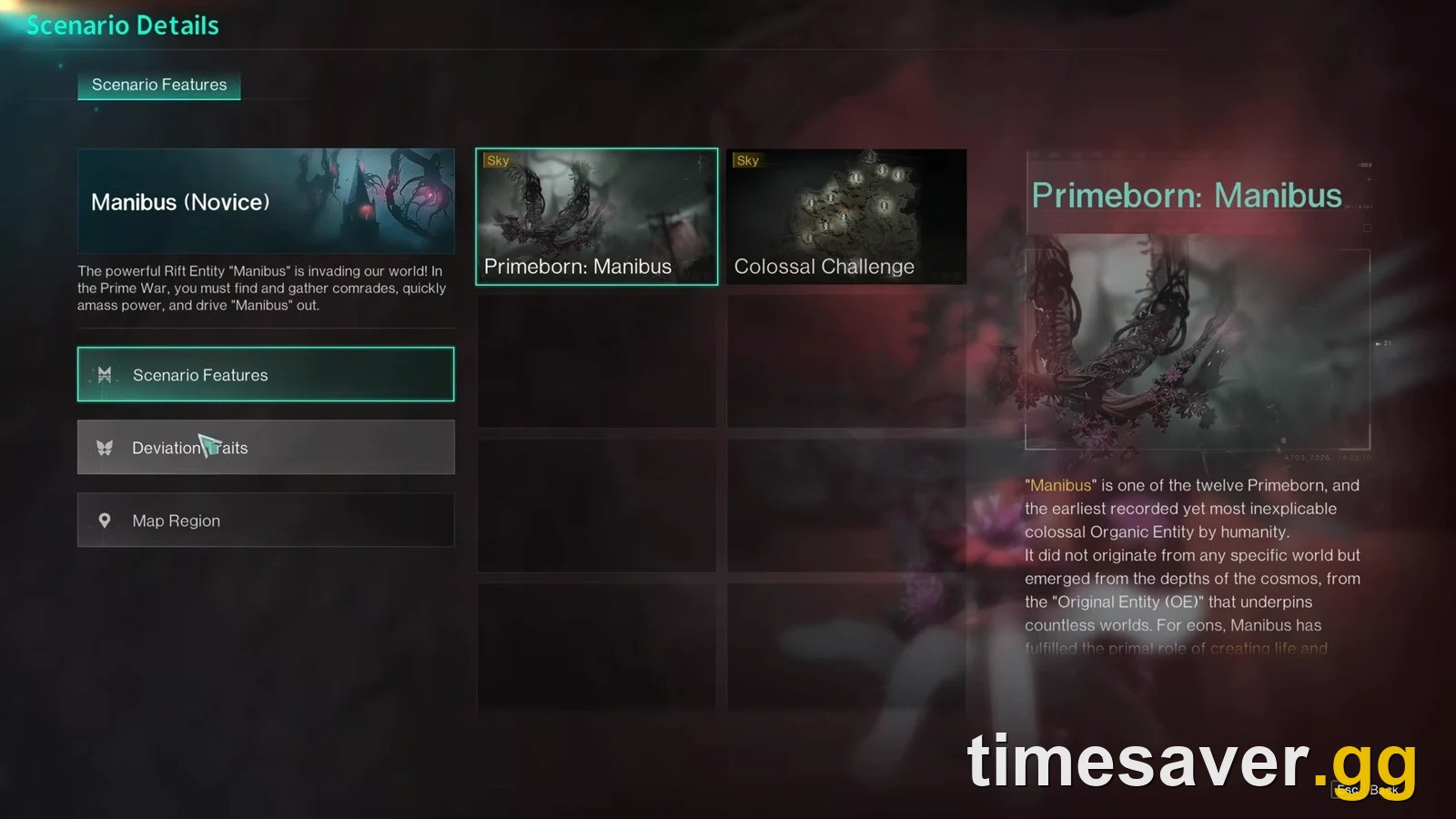
Once Human does not have one global character. When you create a character, it is permanently tied to the individual server you made it on — and servers are grouped by scenario (Manibus, The Way of Winter, Evolution's Call, and so on) and by region (NA, EU, SEA, etc.).
That single design fact causes the vast majority of "my character disappeared" reports:
- The game shows you a different server list than the one your character lives on. Your character is fine — you are just looking at the wrong shelf.
- You launched through Steam (on PC, or if you play across platforms) while Steam was in offline mode, which hides your online character data.
- A temporary server hiccup dropped your character slot from the menu for a few minutes.
None of these delete anything. Below are the fixes players actually used to get their character back, in the order you should try them.
Fix 1: Re-select your scenario and sign up again (the one that works most often)
This is the fix the community reaches for first, and it resolves the "empty character list" case on both console and PC. One player who lost their character after hours of play summed it up: "can confirm — if you can't see your character, go to the server thing and click sign up for season, then exit and your account should return."
Steps:
- From the main menu, open Scenario Selection (the season/scenario screen).
- Find the scenario your character was playing (e.g. Manibus Normal, The Way of Winter).
- Choose Sign Up for that scenario/season again.
- Back out of the menu and return to character select.
Your character should reappear in the slot. This works because re-signing-up forces the client to re-query the correct server for your saved character rather than showing you a stale or wrong list.
Fix 2: Make sure Steam is set to "Online" (PC and cross-platform players)
If you play Once Human through Steam anywhere in your setup, a Steam client stuck in offline mode will hide your character. This one is easy to miss because the game still opens.
The exact fix a player confirmed: "I realised I had 'go offline' clicked under Steam and had to click 'go online' for my character to show back up."
Steps:
- Open the Steam client.
- Click Steam in the top-left menu.
- Select Go Online (if it currently reads "Go Offline," you were offline).
- Relaunch Once Human.
Your character list should populate normally once Steam re-establishes the connection.
Fix 3: Confirm you are on the right server and region
Because a character is locked to one server, scrolling a server list where it does not live will always show no character. Players repeatedly report this: "scrolling through the server list, none of the servers — including the one I know I was on — have characters listed," only to find the character on the correct scenario after re-signing up.
Check these before assuming loss:
- You are in the same region you created the character in. Region is chosen at character creation and cannot be changed for an existing character — switching region means starting from scratch there.
- You are looking at the same scenario (Manibus vs Way of Winter vs Evolution's Call are separate worlds with separate characters).
- If your original server was a 【Console】-tagged console-exclusive server, look under Scenario Selection → More Servers → Console-Exclusive Server — an untagged cross-platform list will not show a character made on a 【Console】 server, and vice versa.
If you actually want to move to a different server on purpose (rather than recover a lost one), the mechanics are different — see our full guide to changing and switching servers on PS5 and Xbox. And if you are only staring at an empty list because you can't get in, that is usually the queue, not a lost character — the Server Is Full and queue fix covers it.
Fix 4: Wait a few minutes, then reload
If Fixes 1–3 do not immediately work, a short wait resolves the remaining cases — these are usually transient server-side hiccups during peak console-launch load. Multiple players described the character returning on its own: "waited a bit in game, looked around the servers, then suddenly my characters reappeared." Close the game fully, wait a few minutes, and relaunch before doing anything drastic.
Do not delete anything, reinstall, or create a replacement character out of panic — that is how you actually end up with two half-finished characters and real confusion.
The "Level 50 save" mystery — explained
The second big console-launch surprise: you open the game and there is a Level 50 character you are sure you never leveled. This is not a bug, a shared account, or someone else on your PlayStation. It is a feature you triggered by accident.
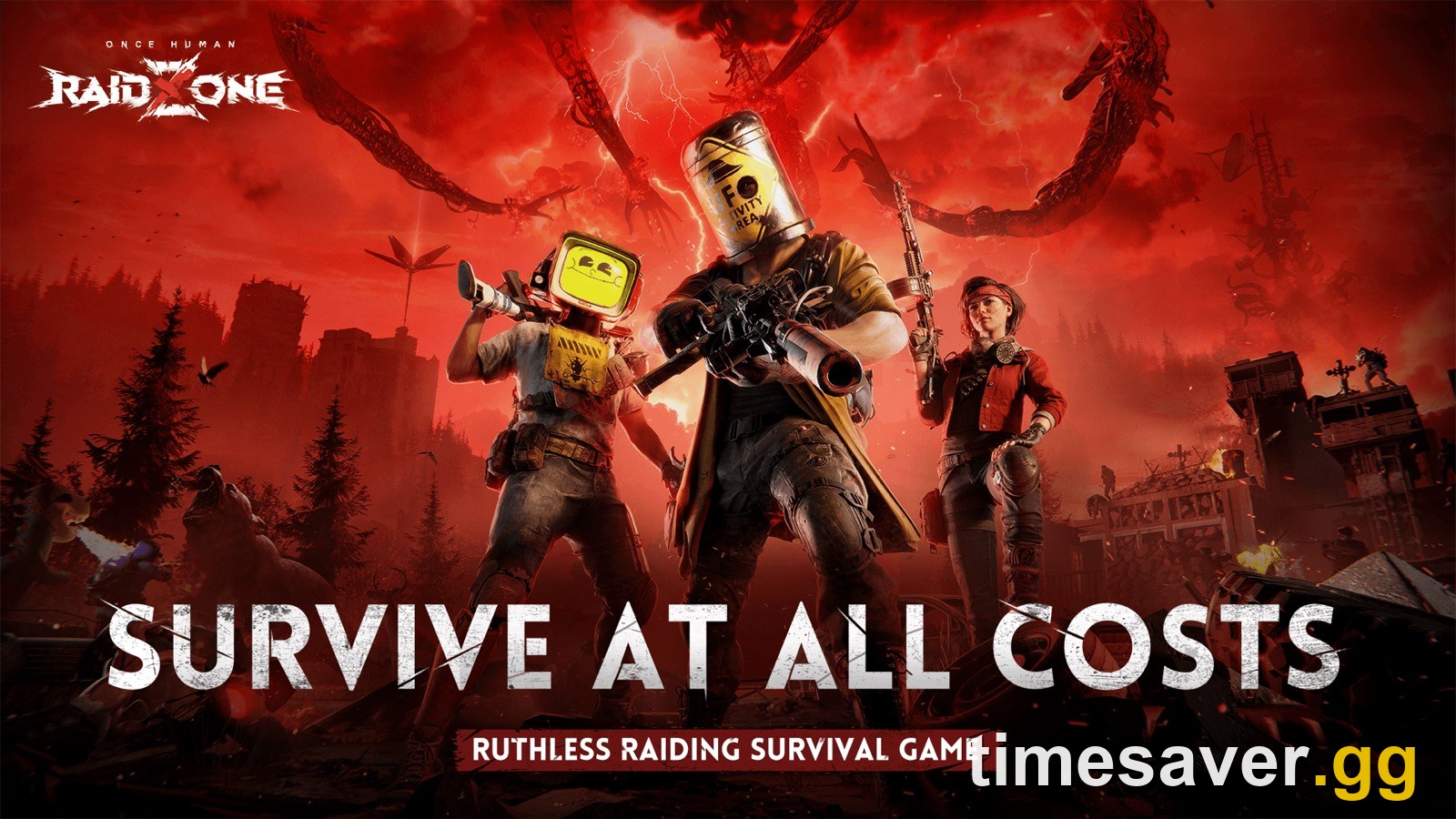
That character is in RaidZone — a standalone PvP scenario in Once Human where every player begins at Level 50 with no innate supplies, blueprints, or Mods. It is a fair-start, free-for-all mode: you cannot bring in gear, abilities, Deviations, or Meta Pass perks from the main game, and everyone is dropped in at the same level so the fight is about what you scavenge on the spot.
A player who hit exactly this confusion figured it out: "I started as a level 50 somehow when I accidentally clicked on Raid Zone when I created my first character. On my second character I went into what I actually wanted, as a level 1." In other words: on the scenario-selection screen you picked RaidZone instead of a PvE scenario like Manibus, and RaidZone handed you a pre-leveled combatant.
What to do about it:
- If you wanted the normal survival campaign, create a new character and choose a PvE scenario — Manibus (Novice for first-timers), The Way of Winter, or Endless Dream. That character starts at Level 1 and progresses the way you expected. New to the game entirely? The console beginner guide breaks down which scenario to pick first.
- Your RaidZone character can simply be left alone or used when you want quick PvP. It does not interfere with your main progress — the two are separate scenarios.
- You can hold up to 10 characters per region (one per server), so keeping both is fine.
Because RaidZone is walled off from everything else, that Level 50 character has no legendary schematics or hoarded materials attached — it is a clean, isolated PvP save, not your "real" progression being reset.
Account level vs character level — why a fresh account can show 50
One more layer trips up new console players: Once Human tracks an account-wide level separately from each character's in-scenario level. Since the 2024 "one character per account" limit was lifted, blueprint and Mod progression is shared across your account, and the game surfaces an account level that reflects your overall progress — not the level of the character you are about to play. Seeing an account figure that does not match a brand-new character is normal; your new character still starts at Level 1 in its scenario (unless that scenario is RaidZone).
"I linked my accounts and my character is gone" — the linking trap
If your character vanished right after you linked a console account to a PC or mobile account, this is the one case that is not a simple menu fix, and it is the most important warning in this guide.
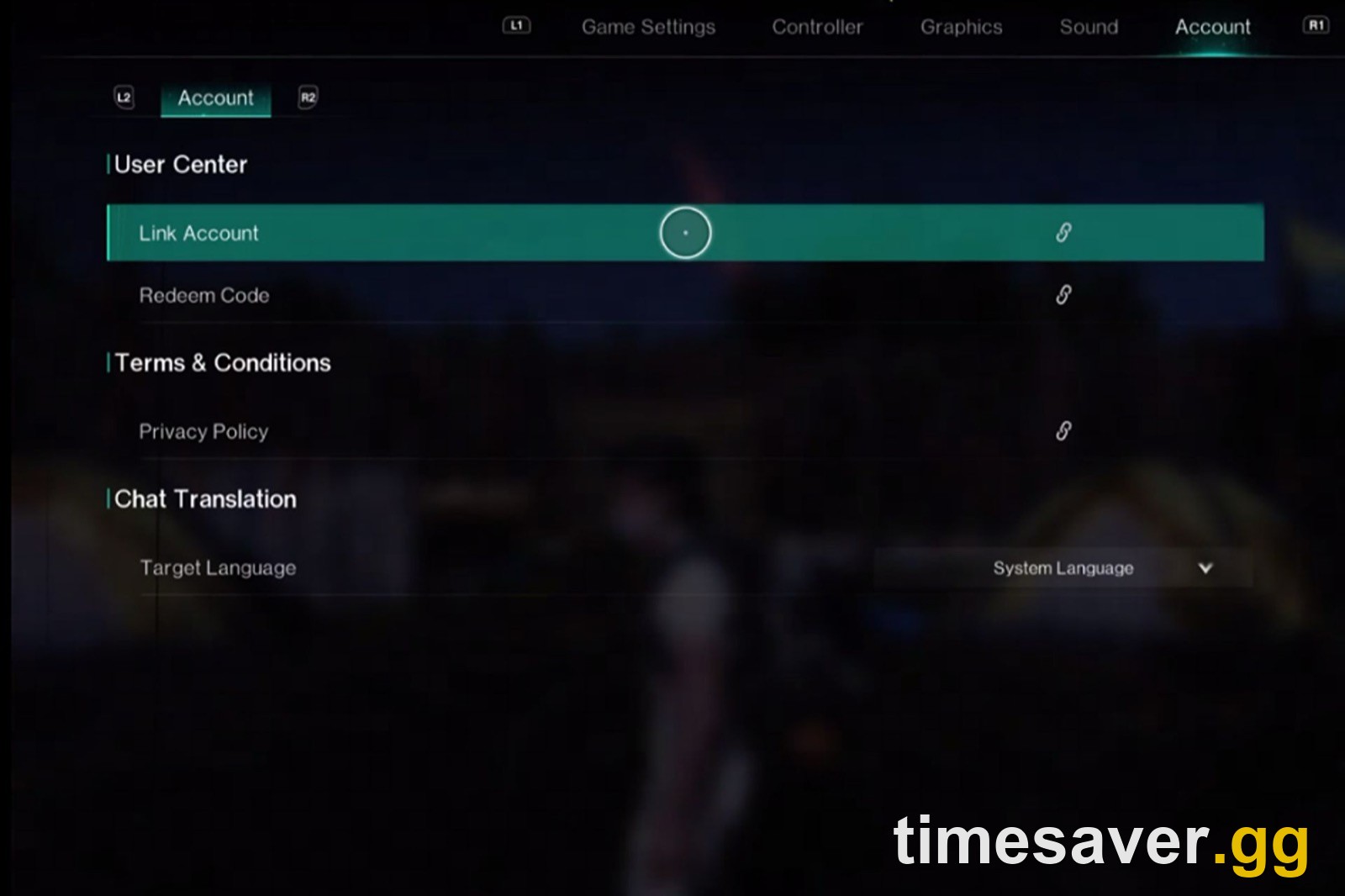
Account linking is not account merging. Cross-progression works by linking your console account to an existing NetEase (PC/mobile) account so one character set follows you across platforms. If you are still deciding whether to link at all, our crossplay and cross-progression explainer walks through exactly what does and does not carry between PS5, Xbox, PC and mobile. But if both accounts already had characters on them, the system cannot keep both rosters — you are asked to choose which account's data survives, and the other set is not recoverable through linking.
To avoid the trap:
- Link before you create a console character. Log in on console, link to your existing PC/mobile NetEase account first, and your existing characters carry over. If you play a fresh console character before linking, you risk having to pick one roster over the other.
- Start the link from the account that holds the characters you want to keep, and double-check the login method, server, and character name before confirming.
- If linking simply fails (a "linking failed" style error rather than lost data), it is usually an account already bound elsewhere, a mismatched login method, or a server-side timeout during launch traffic — retry from the Account menu, confirm you are using the correct login (the same one tied to your existing characters), and try again after a few minutes.
If you have not linked yet, read the full walkthrough first so you do it in the safe order.
How to prevent this happening again
- Note your character's home: remember the region + scenario + server name you play on. That one habit eliminates 90% of "missing character" scares.
- Link accounts before playing a new console character, never after.
- Read the scenario name before you confirm at character creation so you do not land in RaidZone by accident.
- Keep Steam online if any part of your setup runs through it.
- Don't panic-delete or reinstall. Every genuine "vanished character" case above came back with a menu re-select or a short wait.
FAQ
Is my Once Human character gone forever if it's not showing on console? Almost never. In the overwhelming majority of cases the character is bound to a server you are not currently viewing, or Steam is in offline mode. Re-select your scenario and choose Sign Up again, set Steam to Go Online, confirm your region and server, and the character reappears. Deletion is permanent and manual — the game does not silently delete characters.
Why does Once Human show me a Level 50 character I never made? You created a character inside the RaidZone scenario, which starts every player at Level 50 with no gear, blueprints, or Mods by design. It is a separate PvP mode, not your main save being reset. Make a new character and pick a PvE scenario like Manibus to start at Level 1.
Why is my account level 50 but my new character is level 1? Once Human tracks an account-wide level (overall progression, shared since the single-character limit was lifted) separately from each character's scenario level. A new character still begins at Level 1 in its scenario; the account figure just reflects your total progress.
My character disappeared right after linking my console and PC accounts — can I get it back? This is the linking trap. Linking does not merge two rosters — if both accounts had characters, you had to choose which set to keep, and the other is not recoverable through linking. Always link before creating a console character, starting from the account that holds the characters you want to keep.
Does "Repair Client" or reinstalling fix a missing character? Usually not, and reinstalling wastes the 60–100 GB download. Players report that verifying/repairing the client did nothing, while re-signing up for the scenario or going online in Steam brought the character straight back. Try the menu fixes before touching the install.
Can someone else's character show up on my console? No — a character you did not make appearing at Level 50 is a RaidZone save you created by accident, not another person on your console. If you are genuinely worried about account access, change your NetEase account password, but the Level 50 mystery is virtually always RaidZone.
How many characters can I have in Once Human? Up to 10 per region, one per server. That is why you can keep both a RaidZone character and a Manibus character without conflict — they live on different servers and progress independently.
Facts in this guide are verified against the official Once Human console-launch information and current in-game behaviour as of the September 16, 2026 (3.0.6) update. Once Human is free-to-play on PS5, PS5 Pro, Xbox Series X/S, PC and mobile with full crossplay and cross-progression.