If you just installed Once Human on PS5 or Xbox and hit a wall — a server that says "Server is full, please select another one," a 30-minute queue, or a server that loads you in and then asks for a code and kicks you back out — you are not doing anything wrong, and your console is not broken. This is the single most common problem new console players have run into since the August 25, 2026 launch (11:00 PT / August 26 in EU and Asia), and there is a real, official explanation plus a fix for each message. This guide covers every version of the error, the invite-code workaround that gets you onto a full server, the new console-exclusive vs cross-platform server split most guides never mention, and the connection fixes to try when the game genuinely won't connect. Everything below is checked against the official `oncehuman.game` server posts and is current as of update 3.0.5 (September 3, 2026).
Quick answer: why Once Human says the server is full, and what to do
Once Human caps each server at a fixed player limit (officially between 6,000 and 8,000 players), and when a server hits that cap it stops accepting new characters — so it shows "Server is full" or puts you in a queue. The console launch dropped a large new player base onto the same server pool, which is why full servers and queues spiked in late August 2026. Your options, in order:
- Just want to play? Pick a different, newer server — the least-populated ones are at the bottom of the recommended list, and they open constantly. This is the official recommendation and it works instantly.
- Need to join a specific friend on a full server? You need a Special Invitation Code from that friend — a full server can only be joined with a code. There is no other way in.
- Getting a queue instead of a "full" message? That server isn't full, it's busy — wait it out or switch to a quieter server. Queues have run anywhere from 3 minutes to 30+ minutes during the launch window.
- Can't connect to any server? That's a connection or outage problem, not a full-server one — jump to the connection-error section below.
The key thing to understand: "server is full" is working as designed, not a bug. The fix is picking the right server, not restarting your console ten times.
Why are Once Human servers full right now? (the console-launch influx)
Once Human limits how many players share one server on purpose. The developer, Starry Studio, explained the reasoning directly in its official server post:
"According to our previous test data, we discovered that the current scenarios could offer a better gaming experience if the number of players on each server was limited between 6,000 and 8,000. That's why we've set a limit. Once that limit is exceeded, players will have to wait in queue."
The reason is baked into the game's design: Once Human is an open-world survival builder with limited map resources and land for bases. Pack too many players onto one shard and there is nowhere to build a territory and late-game PvP content breaks — so the cap protects the experience rather than gating you out for profit.
What changed in late August 2026 is volume. The console version launched on August 25 and, in the studio's words, "the number of in-game players will further increase." Long-time players noticed it immediately — one veteran with 300 hours posted on the official subreddit:
"300 hours in this game and first time I've seen it. I had a 3 minute wait."
Another was less lucky: "3 minute wait is nice. I'm at 27 minutes and still counting." The community consensus on the cause was blunt and correct: "Influx of new players to the game from consoles is my guess right now." Starry Studio responded by adjusting the server-opening schedule from August 26, 2026 and opening fresh batches of servers per region so new console players have somewhere uncrowded to land.
The practical takeaway: full servers and queues during a launch are temporary and self-correcting as new servers open. You do not have to fight for a spot on a crowded server — you almost always have a newer, emptier one available in the same scenario and region.
"Server is full, please select another one" — the fastest fix
This is the message most new players see. It means the server you tapped has hit its player cap. You have two clean paths:
Path 1 — pick a newer server (recommended for solo players and new groups).
- Back out to Scenario Selection.
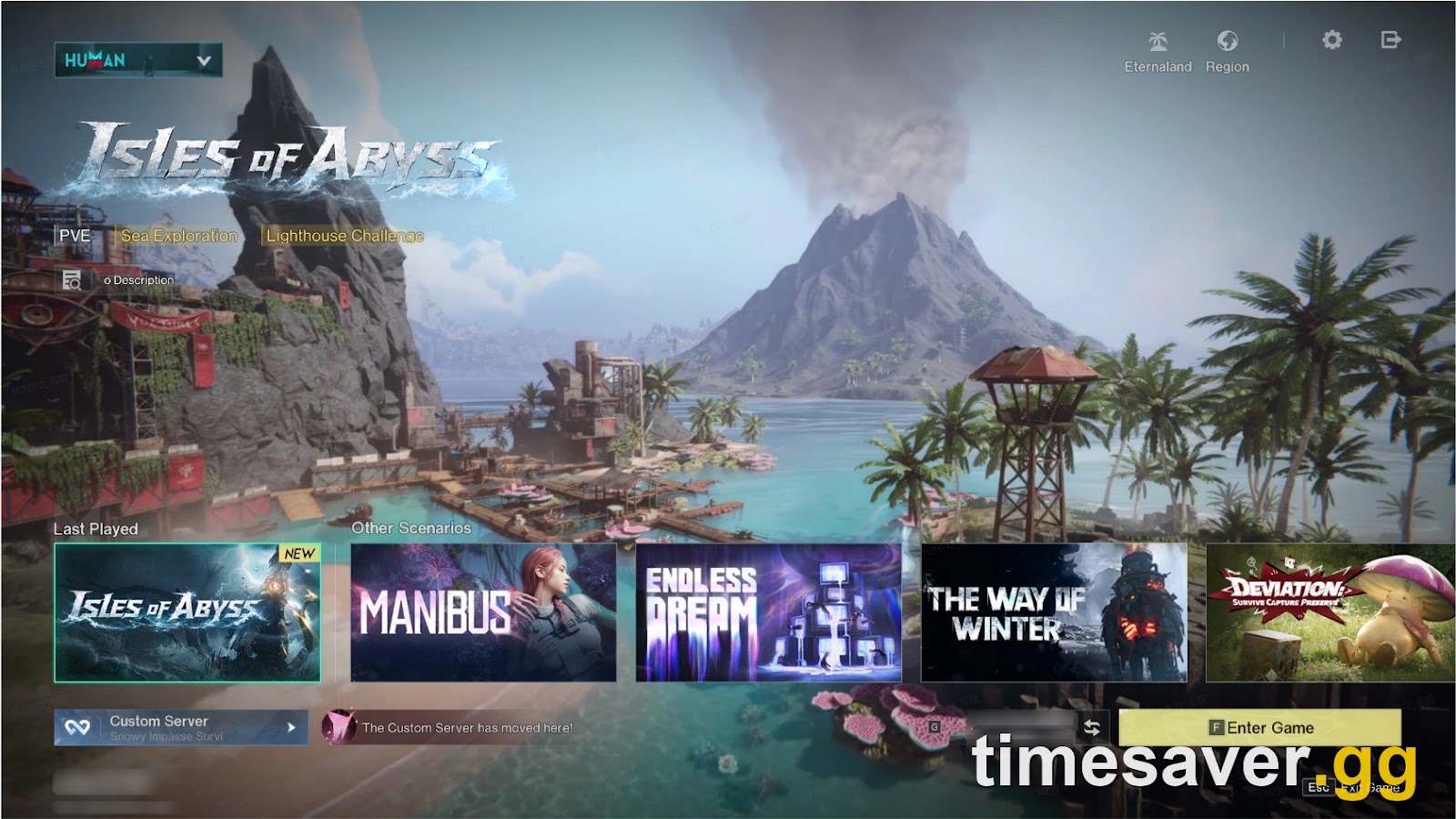
- Choose your scenario (for a brand-new player that's Manibus (Novice)).
- Open the full server list and scroll to the newest / least-populated servers — these are usually at the bottom and are the ones the game recommends to new players. The official post is explicit: "it is recommended that new players prioritize the latest servers in the recommended list."
- Join one of those. A fresh server means no queue, plenty of land for your base, and — importantly — you'll be progressing alongside other new players instead of arriving into a near-finished run.
Path 2 — you specifically need to join a friend already on that full server. A different server won't help you here; skip to the invite-code section.
One trap to avoid: don't burn an hour retrying the same full server. Long-time players warn against even starting on a maxed-out server if you plan to invite friends later — pick a server with headroom from the start.
How do I join a full Once Human server with an invite code?
If your friend is on a full server, the game will not let you in normally — it will recommend other servers instead. The only way onto a full server is a Special Invitation Code, a feature Once Human added specifically to solve exactly this. Here is the flow, and it works the same on PS5 and Xbox:
Step 1 — your friend (the one already on the full server) generates the code.
- They open their profile in-game.
- Select View Special Invitation Code (bottom-right of the profile screen).
- The game generates a code they can share with you.
Step 2 — you use the code to enter the full server.
- Go to Scenario Selection and pick the same region and the same server your friend is on.
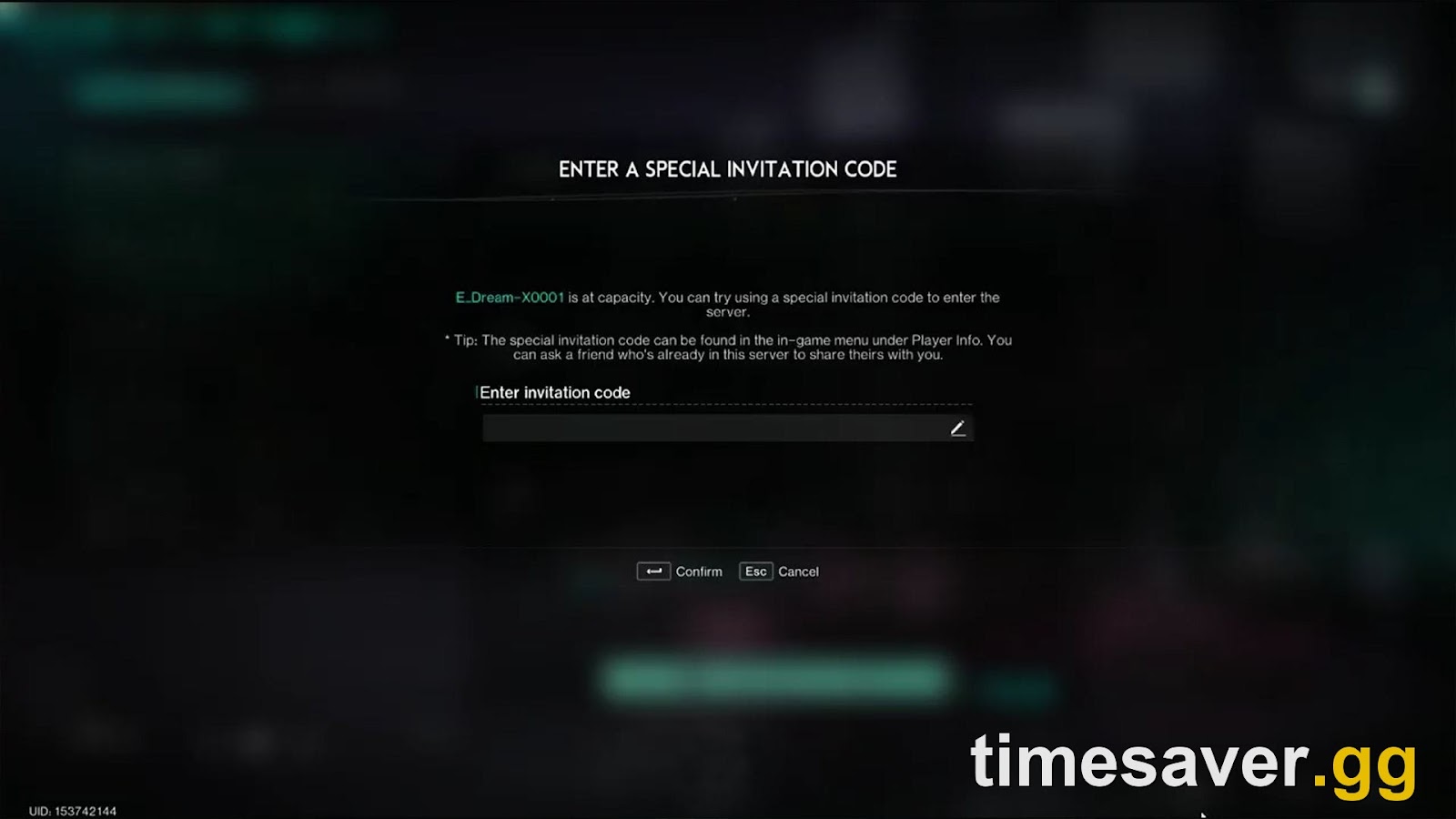
- The game will tell you the server is full and recommend other servers. Do not accept a different server.
- Press the prompt to enter an invitation code (on console this is the confirm/select button on the "server full" prompt), type in your friend's code, and you'll be placed onto their full server.
Two things players get wrong here, straight from this week's console threads:
- The code is server-specific and region-specific. You must select your friend's exact server in the correct region before the code will work.
- The code only works while the server is genuinely full. Players report that if space frees up, the "enter code" prompt disappears and you simply join normally: "I can't join the server because the server is full and can't use the code because there is space in the server." If that happens, it's good news — just join.
A blunt warning worth heeding: if a friend offers you a code, ask which phase their server is in. A player this week cautioned a newcomer they were about to invite: "I'm going to be in phase 4 here in 10 days so my scenario is almost over." Joining a near-finished seasonal run means you inherit a world that resets within days. If you want a long run, start on a fresh server together instead of code-joining a late one. (New to how runs and resets work? See our seasonal vs permanent servers explainer.) Check our how to play with friends in Once Human for more detail.
Console-exclusive vs cross-platform servers — the split nobody explains
This is new with the console launch and it directly affects which servers you can join, so it's worth 30 seconds. Since August 25, 2026, Once Human server names carry a type:
- Cross-Platform servers — no special tag in the name. These can be accessed from any device — PS5, Xbox, PC and mobile all share them. This is where crossplay actually happens.
- Console Exclusive servers — marked with a 【Console】 tag in the server name (e.g. `【Console】Manibus(Novice)-0001`). These can only be played on console devices.
You reach the console-only ones through Scenario Selection → More Servers → Console-Exclusive Server. Why it matters for the "full" problem: if a cross-platform server is jammed, the console-exclusive servers are a separate, often-quieter pool you can switch to — and vice-versa. If you want to play with PC friends, you must be on a cross-platform (untagged) server; a 【Console】 server will never see them. (For the full crossplay picture, see Once Human crossplay and cross-progression explained.)
Why does Once Human load me in, then ask for a code and kick me?
This exact sequence confused a lot of console players this week, and it's not a bug: "Some servers that are open let me join, load me in, then instantly ask for a code and kick me."
Here's what's happening. That server filled up between the moment you selected it and the moment you finished loading. During a launch the population moves fast, so a server that looked joinable was actually at its cap by the time you arrived — so the game does exactly what it does for any full server and asks for an invitation code. The fix is the same as any full server:
- Don't have a code? Back out and pick a newer server with headroom.
- Have a code for that server? Enter it at the prompt as described above.
It is annoying, but it's the full-server system doing its job on a fast-moving launch server — not a crash and not an account problem.
What if Once Human won't connect at all on PS5 or Xbox?
If the problem isn't "full" or a queue but a genuine failure to connect — a spinning load, a timeout, or a connection error before you even reach server selection — work through these in order. These are general console-connectivity fixes, because Starry Studio has not published Once-Human-specific console error codes; do not trust any "official error code" list that isn't on `oncehuman.game`.
- Check for an actual outage first. During launch windows the studio posts maintenance and known-issue notices on `oncehuman.game/news` and the official `@OnceHuman_` account. If the whole game is down, no local fix helps — wait for the all-clear.
- Restart the game fully, then the console. Close Once Human completely (don't just background it), relaunch; if it persists, power-cycle the PS5/Xbox.
- Test your connection at the console level. PS5: Settings → Network → Connection Status → Test Internet Connection. Xbox: Settings → General → Network settings → Test network connection. A failed console-level test is a home-network problem, not a game one.
- Prefer a wired connection if you can. Survival games with large shared worlds are sensitive to packet loss; Ethernet removes a common source of drop-outs.
- Restart your router if the console test fails — a simple power-cycle clears most transient ISP issues.
- Make sure the game is fully updated. The current build is 3.0.5 (September 3, 2026), a bug-fix update; an out-of-date client can fail to connect after a server-side patch.
- Re-check your region. Once Human servers are region-locked (NA / EU / SEA / SA / HK-MO-TW / JP-KR). If you're trying to reach a server outside your region you'll hit connection problems — join a server in your own region.
If none of that works and the rest of your console is online, it is almost certainly a temporary server-side issue on Once Human's end — check the official channels and try again shortly rather than reinstalling.
Do console pre-order bundle problems count as a server error?
No — and it's worth separating because a lot of launch-week frustration got lumped together. If your Starter Pack ($9.99) or Radiance Pack ($14.99) pre-order rewards aren't showing up, that's a claim/delivery issue, not a connection one. Starry Studio posted an official notice on August 29, 2026 acknowledging that players were unable to claim bundles, receiving them on the wrong character, or unsure how to use them, and stated that pre-order rewards are being distributed gradually. If your bundle is missing, the fix is patience plus checking your in-game mail — not restarting servers. Watch the official notices for the distribution status.
FAQ
What does "Once Human server is full, please select another one" mean? It means the server you chose has reached its player cap — officially between 6,000 and 8,000 players — and can't accept a new character. It's a designed limit, not a bug. Pick a newer, less-populated server from the recommended list, or use a Special Invitation Code if you specifically need to join a friend already on that full server.
How do I join a full server to play with a friend on PS5 or Xbox? Your friend opens their in-game profile and selects View Special Invitation Code, then shares the code. You go to Scenario Selection, pick the same server and region, and when the game says the server is full, choose to enter an invitation code and type theirs in. The code only works while that server is full and only for that exact server.
Why does Once Human have a queue instead of letting me straight in? Because that server is near its cap but not full, so it lines you up rather than turning you away. During the console launch, queues ranged from about 3 minutes to over 30 minutes. If you don't want to wait, back out and join a newer server in the same scenario and region.
Are Once Human's server problems fixed now? They're improving. The queues and full servers were driven by the console-launch influx from August 25, 2026, and Starry Studio responded by adjusting the server-opening schedule from August 26 and opening more servers per region. New servers open continuously, so an uncrowded option is almost always available even when older servers are full.
What's the difference between a 【Console】 server and a normal one? A server with the 【Console】 tag in its name is console-exclusive — only console players can join it. A server with no tag is cross-platform and shared by PS5, Xbox, PC and mobile. If you want to play with PC friends, you must both be on an untagged cross-platform server.
Do I need a better internet connection or a "booster" app to fix Once Human servers? No. A "server is full" message and most launch queues are about the server's population cap, not your connection — no VPN or paid "booster" fixes a full server, and unofficial network tools can risk your account. Fix connectivity at the console and router level, and for full servers just switch servers or use an invite code.
The bottom line
A "Server is full" message in Once Human on PS5 or Xbox is the game's population cap working as intended, spiked by the huge console-launch audience in late August 2026 — not a bug and not your hardware. If you're playing solo, join a newer server from the recommended list and you're in within seconds. If you're chasing a friend on a full server, get their Special Invitation Code, pick the same server and region, and enter it at the prompt. And if the game won't connect at all, work the console-and-router checklist above and check the official channels for an outage before you reinstall anything. New servers keep opening, so there is always a way in.
If you're brand-new to how scenarios, phases and resets work, start with our Once Human console beginner guide, and see whether Once Human is on your platform at all.
More Once Human console guides on timesaver.gg
- Once Human seasonal vs permanent servers explained — what actually resets, and which servers never wipe
- Once Human crossplay & cross-progression explained — the account-link mistake that can delete a character
- Once Human best controller settings on PS5 & Xbox — layout, sensitivity and performance mode
Facts in this guide are verified against official Once Human posts on oncehuman.game (the server player-limit notice and the August 2026 console server-opening announcement) and are current as of update 3.0.5 (September 3, 2026). Server details change as new servers open — check the official channels for the latest schedule.