Quick answer: Most Helldivers 2 crashing and freezing on patch 7.1.1 traces to three things — stale game data, an anti-cheat conflict on PC, or the hang-detection system doing its job. On PS5, fully power-cycle the console, rebuild the database in Safe Mode, and turn off crossplay. On PC, delete and regenerate the GameGuard folder, verify your files on Steam, and update the Visual C++ Redistributable. If the game locks up at the end-of-mission/extraction screen, wait at least 40 seconds before you force-quit — Arrowhead's hang detection needs that window to write a crash dump, and your rewards are banked server-side anyway.
Helldivers 2 just shipped Devoid of Liberty: 7.1.1 on September 24, 2026, and the entire hotfix was about crashes — Arrowhead's own note calls it a "Hotfix aimed at resolving some crashes for players when using terminals, or users with superwide windows." But if you're still staring at a frozen results screen or a hard lock mid-drop, you're not alone, and most of it is fixable in a few minutes. This guide walks every verified fix for both platforms, in the order that resolves the most reports first.
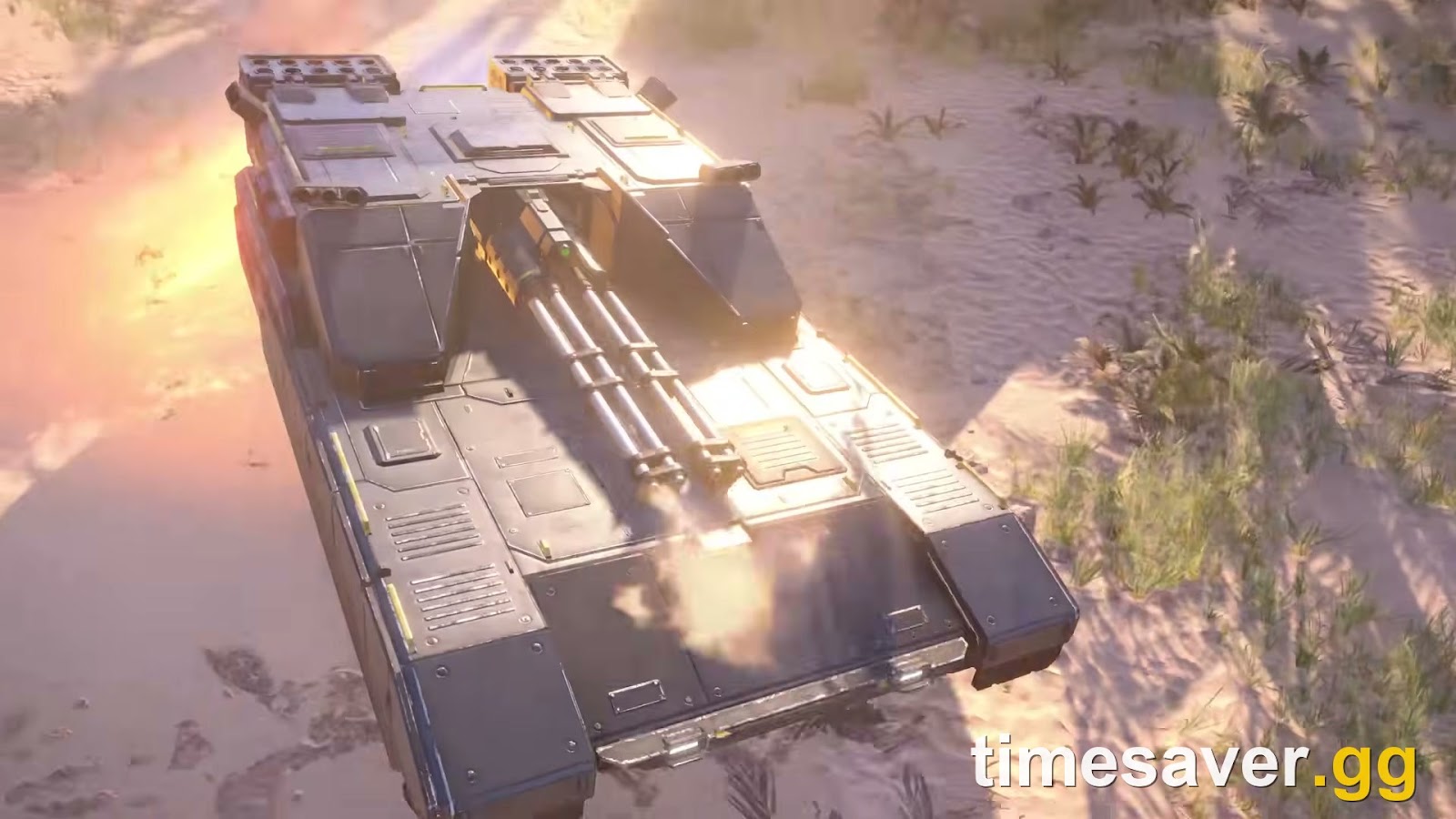
This is current for patch 7.1.1 (the content patch 7.1.0 from September 22 added the TD-110 Maelstrom tank; 7.1.1 is the crash-focused follow-up). Any guide that doesn't name a patch is guessing — crash fixes change with every build, so always check your version matches.

Short on time for the climb to 150? Timesaver offers Helldivers 2 power leveling plus sample and medal farming, all played by hand on your account.
Helldivers 2 - Missions Carry
Get any mission cleared on Super Helldive
Key takeaways
- The newest patch, 7.1.1 (Sept 24, 2026), is itself a crash hotfix — update first. It fixes a fullscreen terminal crash and a superwide-window crash.
- End-of-mission freezes are expected behavior, not a bug you can fix. Patch 7.1.0 added hang detection: if the game locks up for more than ~20 seconds it deliberately crashes itself to write a diagnostic crash dump. Wait ~40 seconds before force-quitting.
- PS5 first moves: install pending updates, power-cycle, rebuild the database in Safe Mode, disable crossplay, lower graphics.
- PC first moves: delete the GameGuard folder and relaunch as admin, verify files, update Visual C++, whitelist the exe in antivirus.
- Your rewards are safe. Super Credits, Requisition and Medals are banked server-side on pickup/completion — a freeze on the results screen does not wipe your run.
Is it a bug on your end or Arrowhead's?
Before you tear into settings, figure out which bucket you're in — it saves you from "fixing" something that was never broken.
- Server-side / known issue: everyone is crashing at the same moment, the official @helldivers2 account or the Helldivers Discord is posting about it, or you're freezing specifically at extraction / the results screen. Here the fix is a patch, not your PS5.
- Your end: you're the only one in your squad dropping, it happens on launch or at a consistent in-game trigger, or you just updated drivers/added mods. These are the ones below that you can actually fix.
Arrowhead has been candid that end-of-mission stalls are a recurring class of problem. Community manager Twinbeard previously acknowledged crashes "primarily surrounding extraction / end of mission" and told players to "hang in there or perhaps let the game rest for a while," adding that "it will be here waiting even if you let democracy lie for a few days." That's the honest answer for a server-side freeze: sometimes the fix is a hotfix you have to wait for.
How to fix Helldivers 2 crashing on PS5
Work top to bottom — the early steps resolve the majority of PS5 reports.
- Install every pending update. From the PS5 home screen, highlight Helldivers 2, press the Options button, and choose Check for Update. Then Settings → System → System Software → System Software Update to make sure the console itself is current. Patch 7.1.1 is the single most important "fix" on this list.
- Full power-cycle (not Rest Mode). Hold the power button until the console beeps twice and shuts fully off. Unplug it for 30 seconds, then restart. This clears memory state that Rest Mode keeps alive and resolves a surprising number of "crashes every game" reports.
- Disable crossplay. In-game, open Options → Gameplay → Crossplay and turn it off. Crossplay sessions are a common source of mid-mission disconnects and freezes; playing PS5-only is more stable while a wave is ongoing.
- Lower the graphics load. Set the display to Performance / Framerate mode rather than Resolution, and if your TV is forcing 120Hz or VRR, try capping it at 60Hz. Heavy particle moments (big bug breaches, orbital barrages) are where overloaded frames tip into a lock-up.
- Rebuild the PS5 database. Power off fully, then hold the power button until you hear the second beep to enter Safe Mode. Choose Clear Cache and Rebuild Database → Rebuild Database. This doesn't delete games or saves; it reorganizes the drive and clears corrupted cache that can crash a single title.
- Reinstall as a last resort. If one specific install is corrupted, delete Helldivers 2 and download it fresh. Your progress lives on Arrowhead's servers, so you lose nothing but the download time.
Note: there is no cross-save or cross-progression in Helldivers 2. Reinstalling on PS5 pulls your PS5 progress back down — it will not merge or wipe a PC or Xbox account, because those saves are permanently separate.

How to fix Helldivers 2 crashing on PC
The number-one PC culprit is the nProtect GameGuard anti-cheat, which false-positives against antivirus, overlays and fan-control apps. Start there.
- Reset GameGuard. Close the game, then delete the GameGuard folder inside `…\steamapps\common\Helldivers 2\bin`. Launch `helldivers2.exe` as administrator so it re-downloads a clean copy, then whitelist that folder and the exe in your antivirus. This is the canonical fix for launch crashes and random hard locks on PC.
- Verify the game files. In Steam, right-click Helldivers 2 → Properties → Installed Files → Verify integrity of game files. This repairs the corrupted-data crashes without a full reinstall.
- Update the Visual C++ Redistributable. A missing or broken redist (the `0xc000007b` family of launch errors) is a classic PC crash. Install the latest Microsoft Visual C++ Redistributable as admin, reboot, then launch the game as admin.
- Close conflicting background apps. Arrowhead's own troubleshooting flags that antivirus, fan-control software and streaming/video overlay apps give GameGuard the most trouble. Shut down Discord overlay, MSI Afterburner / RivaTuner, and any capture tools before you drop.
- Disable the Steam overlay and Steam Input. In the game's Steam Properties, untoggle the overlay, and under Controller set Disable Steam Input. Both have been tied to launch and mid-mission crashes.
- Drop a VPN, update your GPU driver. VPNs cause connection-timeout crashes; a stale or beta GPU driver causes rendering locks. Clean-install the latest stable driver from NVIDIA/AMD and play without a VPN.
- Windows 11 workaround: if the game crashes the instant it launches on Win11, right-click `helldivers2.exe` → Properties → Compatibility and run it in Windows 8 compatibility mode. It's a community-proven band-aid for a stubborn launch crash.
If you're also seeing it refuse to boot at all, our dedicated Helldivers 2 crashing on launch fix walks the boot-specific steps in more depth.
Helldivers 2 - Difficulty Unlock
Get Super Helldive unlocked
Why Helldivers 2 freezes at the end-of-mission screen
This is the one most people get wrong, so it's worth understanding rather than brute-forcing.
Patch 7.1.0 introduced hang detection. Arrowhead describes it plainly: if the game freezes for more than roughly 20 seconds, it will purposely crash itself, writing "a file called a 'crash dump' which contains important debugging information for our programmers to diagnose and fix the root cause of the hang." In other words, that freeze-then-crash at the results screen is partly the game trying to help Arrowhead fix the real problem.
What that means for you, practically:
- Don't instantly force-quit a frozen results screen. Give it ~40 seconds. If it was going to recover or write a dump, that's the window.
- Your mission rewards are already banked. Super Credits credit to every Helldiver on pickup, and mission completion registers server-side — so a freeze after the extraction shuttle leaves does not cost you the run's loot. (Samples are the exception: those only count if you physically extracted with them before the freeze.)
- Keep the client patched. Extraction-window freezes are exactly the class of bug Arrowhead has been hotfixing; 7.1.1 is a step in that line, and more are likely.
If your "freeze" is actually a connection drop that boots you to the login queue with a Servers at Capacity message, that's a different problem — see our Helldivers 2 servers at capacity fix, where the counter-intuitive correct move is to just leave the game sitting on the login screen to auto-retry.
Does crashing cost you progress, Super Credits or samples?
Short version: no, with one exception.
Helldivers 2 banks the two currencies you earn from the map — Super Credits and Requisition Slips — the instant you pick them up, and to every player in the mission. A crash or an Abandon Mission afterward keeps them. Medals and mission rewards register on completion, server-side. The only thing a crash can cost you is samples, because samples are the one pickup that must be physically extracted to count. If you crash before the Pelican leaves with you, the Common, Rare and Super Samples you were carrying are gone.
That asymmetry is also why Super Credit farmers deliberately abandon missions instead of waiting for extraction — the credits are already yours. If that's your grind, our Helldivers 2 Super Credit farming guide covers the current best method.
Where to check if it's Arrowhead's servers
Helldivers 2 has no first-party status page — anyone who links you one invented it. The two real sources are:
- @helldivers2 on X (Twitter) — where Arrowhead posts outage and hotfix notices first.
- The official Helldivers Discord (`discord.gg/helldivers2`) — community managers post live during incidents.
If both are quiet and your whole squad is up, the problem is local — run the platform steps above.
FAQ
Why does Helldivers 2 keep crashing on my PS5 after every game? The most common cause right now is a corrupted local cache combined with the new hang-detection system crashing the game at the results screen. Fully power-cycle the PS5, rebuild the database in Safe Mode, make sure you're on patch 7.1.1, and wait ~40 seconds before force-quitting a frozen end screen. Disabling crossplay also cuts down on mid-mission freezes.
Is the Helldivers 2 freezing at the end of a mission a bug? Partly by design. Patch 7.1.0 added hang detection that deliberately crashes the game after ~20 seconds of being locked up, so it can write a crash dump for Arrowhead. The underlying extraction-screen stall is a known issue Arrowhead has been hotfixing, so keep the client updated — but your mission rewards are banked server-side regardless.
Did patch 7.1.1 fix the crashes? It fixed two specific ones: a crash that could occur in fullscreen when opening terminals, and a crash with superwide windows. Arrowhead's note calls it a "Hotfix aimed at resolving some crashes." It did not claim to fix every crash, so if yours persists, work through the platform steps above.
How do I fix GameGuard crashes on PC? Delete the GameGuard folder in `…\Helldivers 2\bin`, relaunch `helldivers2.exe` as administrator to regenerate it, then whitelist both the folder and the exe in your antivirus and firewall. Close antivirus, fan-control and overlay apps first — those are the programs Arrowhead says conflict most with GameGuard.
Will I lose my Super Credits or Medals if the game crashes? No. Super Credits and Requisition Slips bank to every player the moment you pick them up, and Medals and mission rewards register server-side on completion. The only loss risk is samples, which must be extracted to count — crash before the Pelican leaves and those are gone.
Do I need to reinstall Helldivers 2 to fix crashing? Rarely. Try a power-cycle, a database rebuild (PS5) or a GameGuard reset and file verification (PC) first. Reinstall only if one specific install is corrupted — your progress is stored on Arrowhead's servers, so you won't lose anything but download time.