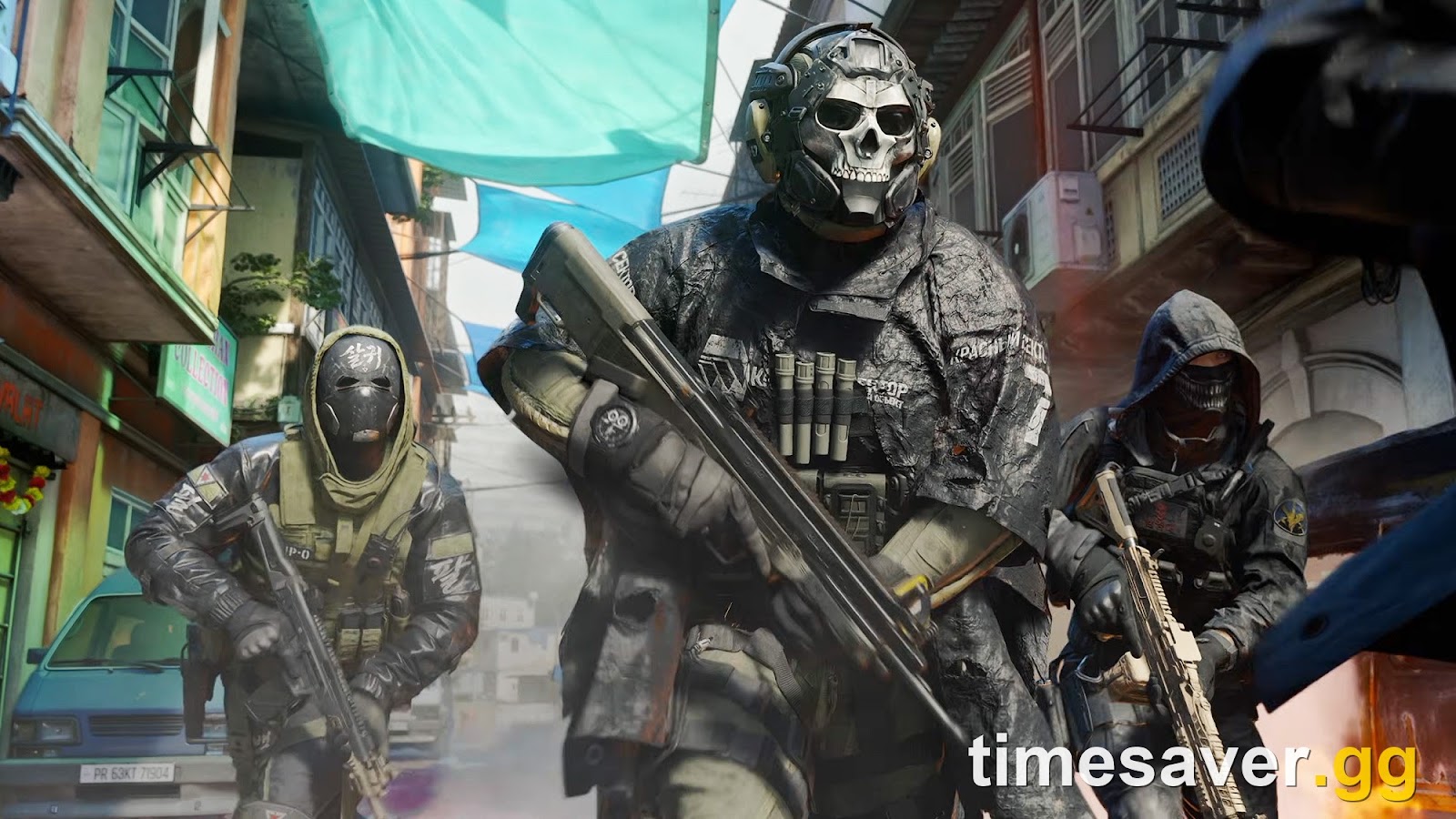
Updated September 2026: The MW4 Open Beta has closed (it ran August 21–September 1, 2026). The full Modern Warfare 4 launches October 23, 2026 — and every performance issue documented in the beta carries forward to launch. Beta players collectively identified the same wall: stutter. Not low FPS, exactly. Players with high-end rigs are posting the same complaint across the Call of Duty subreddits — the frame counter reads 120, 165, even 200, and the game still hitches in a gunfight. That gap between "my FPS is fine" and "the game feels awful" is frametime stutter, and it has a small number of very specific causes.
This guide separates what's confirmed by Activision (the official specs, the required drivers, the shader-preloading system) from what beta players have actually found fixes it — ranked by impact, for PC, PlayStation, and Xbox. Get it sorted now and you're ready for both Weekend 2 and the full October 23, 2026 launch.
Call of Duty: Modern Warfare 4 - Bot Lobbies
Get bot lobby in 10 minutes
Quick answer: how to fix MW4 stutter fast
TL;DR: MW4 stutter is almost never a raw-horsepower problem — it's shader compilation, texture streaming, and stale drivers. Fix it in this order: (1) Let shader preloading finish before you queue — the game does this on first launch and after updates to prevent in-match hitching. (2) Drop Texture Detail / texture streaming one step; the beta community's #1 finding is that the top texture setting causes 1% low frametime drops even on RTX 5080/5090 rigs. (3) Install the exact recommended GPU driver Activision lists (NVIDIA 610.47 for RTX cards, 581.80 for GTX 900/1000, AMD 26.7.1, Intel 32.0.101.8861). (4) Cap your frame rate a few frames under your monitor's refresh and play off an SSD (mandatory). On PS5/Xbox, clear the console cache, enable 120Hz/VRR, and avoid Rest Mode. MW4 also requires DirectX 12, an SSD, TPM 2.0 + Secure Boot, and an AVX-capable Intel/AMD CPU — miss any and you get stutter or no launch at all. Details below.
Why is Modern Warfare 4 stuttering when my FPS is high?
Because FPS and frametime are two different things. A high average FPS can still hide spikes — moments where a single frame takes 5–10x longer to render — and those spikes are what your eyes read as a "stutter" or "hitch." In the MW4 beta, the spikes trace back to four repeat offenders:
- Shader compilation. The first time your specific GPU sees a new visual effect, it has to compile the shader for it. If that happens mid-match, the game hitches. MW4 tries to do this up front with a shader-preloading pass (more on that below).
- Texture streaming. MW4 streams high-res textures in and out of VRAM as you move. Set too high for your card, this thrashes memory and produces exactly the "runs fine, then drops to 30 in a fight" pattern beta players describe — even on flagship GPUs.
- Stale or wrong drivers. Activision lists specific driver versions for MW4. Running an older one (or, for older GTX cards, a driver Nvidia no longer updates for gaming) is a classic stutter source.
- Storage and CPU floor. MW4 requires an SSD and an AVX-instruction-set CPU. On a slow drive or a marginal CPU, traversal and load hitches are baked in.
The encouraging part: beta players consistently report that performance improves after you've played a map a few times — the shader and texture data "breaks in" and caches locally. Stutter on your first two or three matches is expected; stutter that never smooths out means one of the fixes below isn't in place.
Are you actually above the MW4 spec bar?
Before you touch a setting, confirm your rig clears Activision's official requirements. These are the exact specs published on Activision Support for the MW4 beta:
| Spec | Minimum | Recommended (60 FPS) |
|---|---|---|
| OS | Windows 10 64-bit | Windows 11 64-bit |
| CPU | Ryzen 5 1600 / Core i5-8400 | Ryzen 5 3600 / Core i7-8700 |
| RAM | 12 GB | 16 GB |
| GPU | RX 470 / GTX 970 or 1060 / Arc A580 | RX 6700 XT / RTX 3060 Ti / Arc B580 |
| VRAM | 3 GB | 8 GB |
| Storage | SSD, 70 GB free | SSD, 70 GB free |
Three non-negotiables sit underneath that table and cause more "unfixable" stutter than any graphics slider:
- An SSD is mandatory. MW4 is not supported on a mechanical hard drive. Texture streaming off an HDD will stutter no matter how strong your GPU is.
- DirectX 12 and an AVX-capable CPU are required. Activision states only "Intel/AMD processors (with AVX instruction set) are supported." Very old CPUs without AVX won't run the game cleanly.
- Intel Arc GPUs need Resizable BAR enabled in BIOS — leave it off and Arc cards stutter badly.
Note the recommended tier is explicitly rated for "60 FPS in most situations" with 8 GB of VRAM — so if you're chasing 144+ FPS at high settings on a 3 GB card, the stutter is the spec gap talking. For the full breakdown and upgrade priorities, see our MW4 PC system requirements guide.
Fix #1 — Let shader preloading finish before you play
This is the single most effective fix, and it costs you nothing but a few minutes of patience. On first launch — and again after any update — MW4 runs a shader preloading pass that compiles the game's shaders ahead of time so they don't have to compile during a match. If you see the shader-preloading notification, let it complete before you queue. Guides at Dot Esports and Sportskeeda both flag the same step: shader preloading exists specifically to reduce shader-related stuttering, so skipping it or alt-tabbing away mid-compile defeats the purpose.
MW4's approach here is a genuine improvement over past Call of Duty titles. Eurogamer reported that the MW4 beta "may have eradicated the annoying 'Compiling Shaders' wait PC players loathe" by handling shader work more intelligently. If your game re-runs preloading after a driver update, that's normal — new driver, new shaders to compile.

Fix #2 — Turn down Texture Detail (the beta's #1 culprit)
If you fix only one setting, fix this one. Across the beta, the most consistent community finding is that Texture Detail / texture streaming is the primary driver of frametime stutter — and it hits regardless of how strong your GPU is. Beta testers on a 9800X3D + RTX 5080 and even RTX 5090 rigs reported clean average FPS but ugly 30 FPS 1% lows every few seconds at max textures, with the drops disappearing the moment they stepped Texture Detail down a notch. One recurring line from the threads: the game runs at 100+ FPS, but the frametime and input latency stay "garbage" until textures come down.
Why it works: MW4 streams textures into VRAM constantly. Set the texture cache higher than your card's VRAM comfortably holds (remember — the recommended tier assumes 8 GB), and the system spends its time swapping data instead of rendering frames. Lower Texture Detail one step, cap the texture streaming/cache to your VRAM, and re-test. It's the highest-impact, lowest-effort stutter fix in the game right now. For a full settings pass tuned for frames, use our best MW4 PC settings guide.
Fix #3 — Install the exact driver Activision recommends
Activision doesn't just say "update your drivers" — it lists specific versions for MW4, and these are the fastest fix for graphical stutter and artifacting. Per Activision Support: "If you're experiencing graphical issues, be sure to install the recommended video card driver version listed below."
| GPU vendor | Recommended MW4 driver |
|---|---|
| NVIDIA RTX | 610.47 |
| NVIDIA GTX 900 / 1000 series | 581.80 (Game Ready support has ended for these cards) |
| AMD Radeon | 26.7.1 |
| Intel Arc | 32.0.101.8861 |
Two things to know. First, if you own a GTX 970 / 1060-class card, Activision confirms Nvidia has ended Game Ready driver support for the GTX 900/1000 series — 581.80 is the last recommended version, so don't chase a newer one. Second, a clean driver install (using DDU to wipe the old driver first, then installing fresh) resolves stutter that a simple "update over the top" leaves behind. Do this before you start blaming the game.
Call of Duty: Modern Warfare 4 - Mastery Camo Bundle
Get mastery camos in 10 minutes
Fix #4 — Cap your frame rate, free your SSD, close the background load
A handful of smaller tweaks that stack:
- Cap your FPS a few frames under your refresh rate. An uncapped frame rate that constantly bounces off your CPU or GPU ceiling produces frametime chaos. Set a Custom frame limit at (or just below) your monitor's refresh — e.g. 141 on a 144 Hz panel — for a smoother, more consistent frametime than "unlimited."
- Keep 20–30 GB free on the game's SSD. MW4 needs headroom beyond the install for shader cache and temp files. A nearly full drive stutters. Beta guides recommend clearing 50 GB+ on the primary SSD to be safe.
- Match VRAM to your settings. If you're on a 3–6 GB card, keep textures and cache modest; VRAM overflow is the same stutter as Fix #2.
- Close background apps (browsers with dozens of tabs, Chrome-based overlays, capture software) that steal CPU time and cause hitches.
- Turn off unnecessary overlays. Discord/GeForce/third-party overlays are a known micro-stutter source in Call of Duty titles.
If your game won't launch at all rather than stuttering, that's a different problem — see our MW4 beta crash and won't-launch fixes and the specific Secure Boot / TPM 2.0 error fix, since MW4 requires TPM 2.0 and Secure Boot to even boot.
How do I fix MW4 stutter on PS5 and Xbox?
Console stutter is real too — the recurring beta complaint is frame drops in close-quarters fights on PS5. Consoles don't expose graphics sliders, so the fixes are system-level:
- Clear the console cache. Fully power down the console (not Rest Mode), unplug it for 60 seconds, then restart. This clears temp data that causes hitching and load stutter.
- Enable 120Hz + VRR. On a compatible TV/monitor, turning on 120Hz output and Variable Refresh Rate smooths out the frametime dips dramatically in fast fights. Check both your console's video output settings and the TV's game/VRR mode.
- Avoid Rest Mode for MW4. Suspending and resuming a live-service Call of Duty from Rest Mode is a known cause of stutter, audio bugs, and failed updates. Fully close and relaunch instead.
- Free up storage and reinstall if needed. A corrupted install or a near-full SSD stutters; deleting and reinstalling the beta resolves persistent cases.
- Wire your connection. Some "stutter" in fights is actually lag/rubber-banding from Wi-Fi — a wired Ethernet connection removes it.
Fix #5 — Enable DLSS (NVIDIA) or FSR (AMD/Intel) upscaling
This fix is missing from most guides written during beta Weekend 1, but it's the highest-leverage PC tweak left once you've handled shaders, textures, and drivers. MW4 ships with DLSS Super Resolution (NVIDIA RTX), FSR (AMD and Intel Arc), and XeSS (Intel Arc native). In Graphics settings, switch your upscaling mode on and set the quality preset to Quality or Balanced.
Why this stops stutter: upscaling renders the frame at a lower internal resolution and uses AI/temporal algorithms to reconstruct a full-res image — cutting raw GPU load by roughly 25–35%. That headroom stops the GPU from peaking and producing the frametime spikes you feel as stutter, especially in the texture-heavy close-quarters fights where stutters are worst. RTX users can also enable NVIDIA Reflex (set to Enabled + Boost) in the same menu — it slashes input latency by up to 30ms and removes latency-induced "input stutter" from the equation entirely.
Additionally, set VRAM Scale Target to ~80% in the Advanced Graphics panel. This prevents the game from filling VRAM to the brim and then thrashing it — the same root cause as Fix #2, controlled differently. On a 12 GB card targeting ~9.6 GB of VRAM headroom, the texture streaming spikes from Fix #2 are nearly eliminated without manually stepping down Texture Detail.
MW4 stutter fixes, ranked by impact
| Fix | Platform | Effort | Impact |
|---|---|---|---|
| Let shader preloading finish | PC | None | High |
| Lower Texture Detail / streaming | PC | Low | Highest |
| Install exact recommended driver (clean) | PC | Medium | High |
| Cap FPS below refresh rate | PC | Low | Medium |
| Play off SSD with 20–30 GB free | PC/Console | Low | Medium |
| Clear console cache + 120Hz/VRR | PS5/Xbox | Low | High |
| Enable DLSS/FSR upscaling + Reflex | PC | Low | High |
| Set VRAM Scale Target to 80% | PC | Low | Medium |
| Wired connection | All | Low | Medium |
Work top to bottom and re-test after each — most players clear their stutter by Fix #3.
Lock in your MW4 setup before launch
Sorting your performance is step one. The other pre-launch move is locking in the grind services so you're not fighting the servers and the camo grind on day one — MW4's bot lobbies, camo, and weapon-leveling services are live now:
Get launch-ready with timesaver.gg — everything below is ready day one:
- MW4 Bot Lobbies — easy lobbies to warm up, level weapons, and grind camos without the sweat.
- MW4 Weapon Leveling — max your guns fast so you're ready the moment the full game unlocks.
- MW4 Mastery Camo Unlock — skip the shared-track grind to the top mastery camos.
- MW4 Account Leveling — rank up your account and unlock progression rewards.
Not sure the beta's even worth downloading twice? Weekend 2 is free for everyone — here's how to play the Open Beta with no pre-order.
FAQ
Why does Modern Warfare 4 stutter even with high FPS? Because average FPS hides frametime spikes. The stutter comes from shader compilation, texture streaming overflowing your VRAM, or stale drivers — not from a low frame count. The fix is to let shader preloading finish, lower Texture Detail, and install MW4's exact recommended driver, which smooths the frametime rather than raising the average.
What setting causes the most stutter in MW4? Texture Detail / texture streaming. Beta testers on RTX 5080 and 5090 rigs reported 30 FPS 1% low drops at max textures that vanished once they lowered the setting one step. Set your texture cache to fit within your card's VRAM (the recommended tier assumes 8 GB).
Does MW4 stutter fix itself after a while? Partly. Players consistently report that performance improves after playing a map two or three times, as shaders and textures cache locally. First-match hitching is expected; if it never smooths out, a driver, texture, or SSD issue is still in play.
What driver should I use for MW4? Activision recommends NVIDIA 610.47 for RTX cards, 581.80 for GTX 900/1000 series (whose Game Ready support has ended), AMD 26.7.1, and Intel 32.0.101.8861. Do a clean install with DDU for the best result.
How do I stop MW4 stuttering on PS5? Clear the console cache (full power-down, unplug 60 seconds, restart), enable 120Hz output and VRR if your display supports them, avoid resuming from Rest Mode, and use a wired connection. These remove the close-quarters frame drops PS5 players report most.
Do I need an SSD to run MW4 without stutter? Yes — an SSD is mandatory, not optional. MW4 is not supported on a mechanical hard drive, and texture streaming off an HDD will stutter regardless of your GPU. Keep 20–30 GB free beyond the install for shader cache.
Does enabling DLSS or FSR fix MW4 stutter? Yes — significantly. Upscaling (DLSS on NVIDIA, FSR on AMD/Intel) reduces GPU load by roughly 25–35%, eliminating the frametime spikes caused when the GPU maxes out during close-quarters fights. Set the upscaling quality to Quality or Balanced, enable NVIDIA Reflex on RTX cards, and set VRAM Scale Target to ~80%. These three changes address the same texture-memory ceiling as Fix #2 but from the GPU side rather than the settings menu.
What did Activision fix for MW4 stutter in the beta patches? The Weekend 2 patch (deployed August 28–September 1, 2026) addressed a temporal dithering bug — ensuring temporal dithering always stays enabled, which smooths how adjacent colors and brightness levels blend across frames and eliminates a visual micro-stutter some players saw even at high FPS. Infinity Ward also confirmed TTK, spawn logic, aim assist, and Nintendo Switch 2 performance will continue to be tuned before the October 23 full launch.