If you came to Once Human on PS5 or Xbox after the August 2026 console launch and you're an ex-PC survivor, the first question is almost always the same: can you ditch the controller and plug in your mouse and keyboard? The short answer is yes — and it's officially supported, not a hack. But there's a real console bug that bites people on day one, and a few console-specific limits worth knowing before you commit to KB&M on the couch.
This is the 2026-accurate version, checked against Starry Studio's own Console Launch FAQ — no guesswork, no PC-only assumptions carried over from a 2024 guide.

Quick answer: can you use mouse and keyboard in Once Human on console?
| **Yes. Once Human supports both keyboard-and-mouse and controller on PS5, PS5 Pro and Xbox Series X | S, and the game lets you switch between them freely and even customize your key bindings.** Plug a USB or compatible wireless keyboard and mouse into your console, launch the game, and it will detect the input automatically — there's no toggle you have to flip first. The one thing to watch for is a known PS5 bug where only your mouse or your keyboard registers at a time; the fix is below. Controller remains the default, with full DualSense haptics and adaptive-trigger support on PS5, and controller customization was expanded in the 3.0.4 update. |
|---|
Is keyboard and mouse officially supported on console?
Yes, and this isn't a community workaround — it's in the studio's own documentation. The official Console Launch FAQ addresses input support directly, confirming that console players can use keyboard-and-mouse as well as a controller, and that key bindings can be customized:
"Once Human supports both controller and keyboard-and-mouse input on console, and players can customize their key bindings." — Once Human Console Launch FAQ, oncehuman.game
That matters for two reasons. First, keyboard-and-mouse support on a console shooter is never guaranteed — plenty of big titles lock console players to a controller, so it's worth confirming rather than assuming. Second, because it's officially supported, your KB&M inputs are handled by the game itself, not emulated by an adapter that the anti-cheat might flag. You're playing the game the way the developers intended on console.
Three facts to anchor on:
| - Supported platforms: PS5, PS5 Pro and Xbox Series X | S only. There is no PS4, Xbox One or Nintendo Switch version, so KB&M support is a non-question on those — the game doesn't run there at all. |
|---|
- Both input methods coexist. You don't pick one at install. The game reads whichever device you're using and switches the on-screen prompts to match.
- Key bindings are customizable. The FAQ explicitly confirms you can remap your keys, so you're not stuck with a fixed layout.

How to set up mouse and keyboard on PS5 and Xbox
The setup is deliberately simple because the game auto-detects your input. Here's the clean path:
- Connect your keyboard and mouse to the console. A wired USB keyboard and mouse into the console's USB ports is the most reliable. Many 2.4GHz wireless sets with a single USB dongle also work; Bluetooth-only peripherals are the least reliable, so prefer USB if you have the choice.
- Launch Once Human and get in-game. You don't need to change a setting first — start moving with the mouse or press a movement key, and the game flips to KB&M prompts.
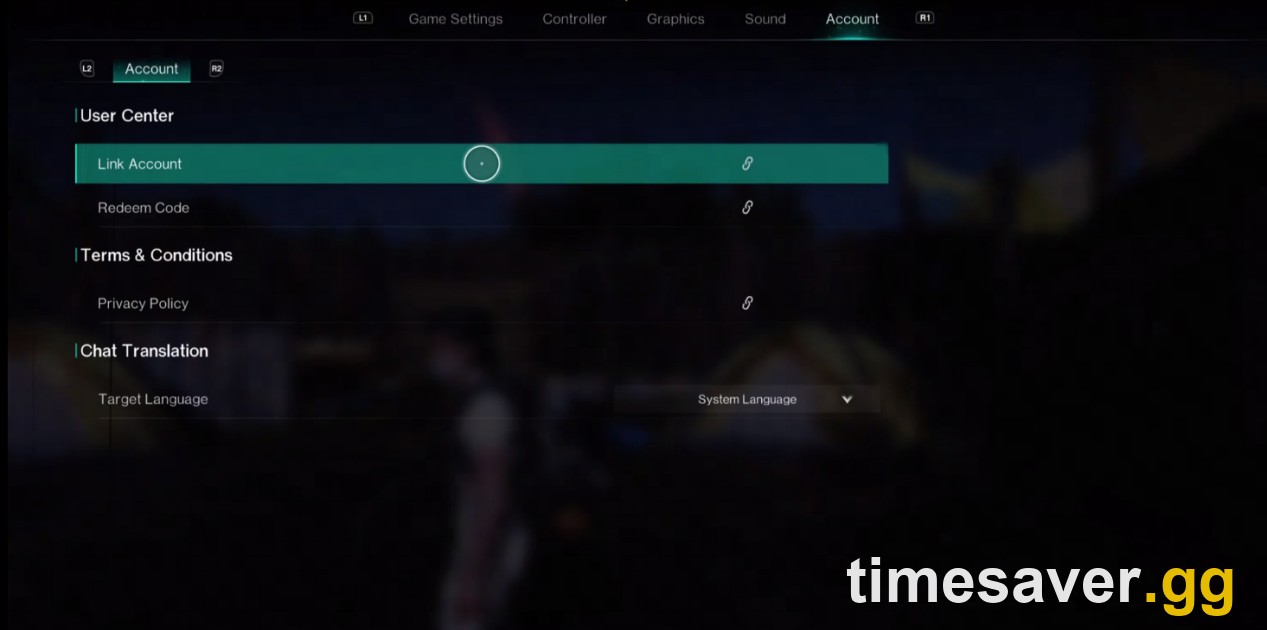
- Open Settings → Controller / Key Bindings to remap. This is where you customize your layout. On the settings screen you'll see tabs for Game Settings, Controller, Graphics, Sound and Account — your input and binding options live here.
- Set your mouse sensitivity. KB&M aiming feels completely different from a stick, so set sensitivity to taste in the control settings rather than living with the default.
To go back to the controller, just pick it up and press a button — the game switches input schemes on the fly, no menu trip required. This is the big advantage of Once Human's console input handling: mouse-and-keyboard for menus, inventory and precise aiming, controller when you're lying back, all in the same session.
The mouse-and-keyboard bug every console player should know
Here's the one that trips people up on launch day, especially on PS5: you connect a keyboard and mouse and only one of them works at a time. You can move with the keyboard but the mouse does nothing, or the mouse aims but WASD is dead. It looks like the game "doesn't support" KB&M — but it does; the input is just failing to register both devices together.
What actually works, reported repeatedly by console players hitting this:
- Use a single-dongle wireless set, or a wired USB keyboard-and-mouse combo, rather than two separate wireless dongles. Two independent receivers are the most common trigger for the one-device-only behavior.
- Fully close the game and relaunch after both devices are already connected — plug in first, then boot Once Human, instead of hot-plugging mid-session.
- Reconnect the devices from the console's own Bluetooth/USB settings before launching, so the console registers them cleanly first.
- Try different USB ports (front vs. rear on PS5) if a wired set only half-registers.
If none of that gets both devices live, it's worth checking the broader console error and crash guide, because a few launch-window input problems overlapped with the same account-link and startup issues that hit console players at launch.
Should you use mouse and keyboard, or stick with the controller?
This is a survival-crafting shooter, not a competitive arena, so the honest answer is: use what's comfortable, because Once Human doesn't punish controller players the way a hardcore FPS would.
A few practical trade-offs:
- Mouse and keyboard wins on precision and inventory management. Aiming at weak spots, managing a crafting-heavy inventory, and placing base pieces are all faster with a mouse.
- Controller wins on comfort and DualSense feel. On PS5 you get haptic feedback and adaptive-trigger resistance that genuinely add to the gunplay, plus you can play reclined. Controller is the default for a reason.
- There's no ranked ladder forcing your hand. Because Once Human isn't built around tight competitive PvP, you're not surrendering a meaningful edge by choosing comfort. Pick the input that keeps you playing longer.
- You can mix both. Plenty of console players mouse-and-keyboard for the fiddly menus and base-building, then grab the controller for exploration and chill farming runs.
If you lean controller, it's worth dialing in a proper layout and sensitivity rather than running the defaults — the controller settings guide covers that. If you lean KB&M, set your sensitivity and remap before your first real combat run.

Does input choice affect crossplay or matchmaking?
No. Once Human runs full crossplay and cross-progression across PS5, Xbox, PC, iOS and Android, and your input device doesn't change that. A console player on mouse-and-keyboard plays in the same world as PC and controller players — there's no separate input-based matchmaking pool to opt into, and switching between controller and KB&M mid-session doesn't move you anywhere.
One thing to be careful about is the account linking itself, not the input. Linking accounts across platforms is not the same as merging them — if two accounts both already have characters, you can lose one set. That's a separate trap worth understanding before you link, covered in the crossplay and cross-progression guide; your choice of keyboard, mouse or controller has nothing to do with it.
FAQ
| Can you use a mouse and keyboard in Once Human on PS5 and Xbox? Yes. Keyboard-and-mouse is officially supported on PS5, PS5 Pro and Xbox Series X | S, alongside controller, and the game auto-detects whichever you're using. The official Console Launch FAQ also confirms you can customize your key bindings. |
|---|
Do I need to turn on keyboard and mouse support in a setting first? No. Once Human detects your input automatically — just connect the keyboard and mouse to your console, launch the game, and start using them. You only visit the settings menu if you want to remap keys or adjust mouse sensitivity.
Why does only my keyboard or only my mouse work on PS5? This is a known console input bug where both devices don't register together. Use a single-dongle wireless set or a wired USB keyboard-and-mouse combo instead of two separate receivers, connect both devices before launching the game, and relaunch once they're connected. That resolves it for most players.
Can I remap the controls on console? Yes. The Console Launch FAQ confirms you can customize your key bindings, and controller customization was expanded in the 3.0.4 update. Open the settings menu and use the Controller / key-binding tabs to change your layout.
Is keyboard and mouse an unfair advantage in Once Human? Not in a way that matters. Once Human is a survival-crafting shooter, not a competitive PvP ladder, so KB&M precision doesn't give you a meaningful edge over controller players. Play with whatever is comfortable.
Does using mouse and keyboard change crossplay or matchmaking? No. Crossplay and cross-progression work across PS5, Xbox, PC, iOS and Android regardless of your input device, and there's no separate input-based matchmaking pool.
| What consoles can even run Once Human? PS5, PS5 Pro and Xbox Series X | S only. There is no PS4, Xbox One or Nintendo Switch version, so keyboard-and-mouse questions don't apply to those platforms — the game isn't available on them. |
|---|
| *Facts verified against Starry Studio's official Console Launch FAQ on oncehuman.game, including confirmation of keyboard-and-mouse support and customizable key bindings on console. Once Human launched on PS5, PS5 Pro and Xbox Series X | S on August 25, 2026 (PT). Controller customization was expanded in update 3.0.4. Console input details current as of October 2026.* |
|---|
Getting set up on PS5 or Xbox? More Once Human console guides: