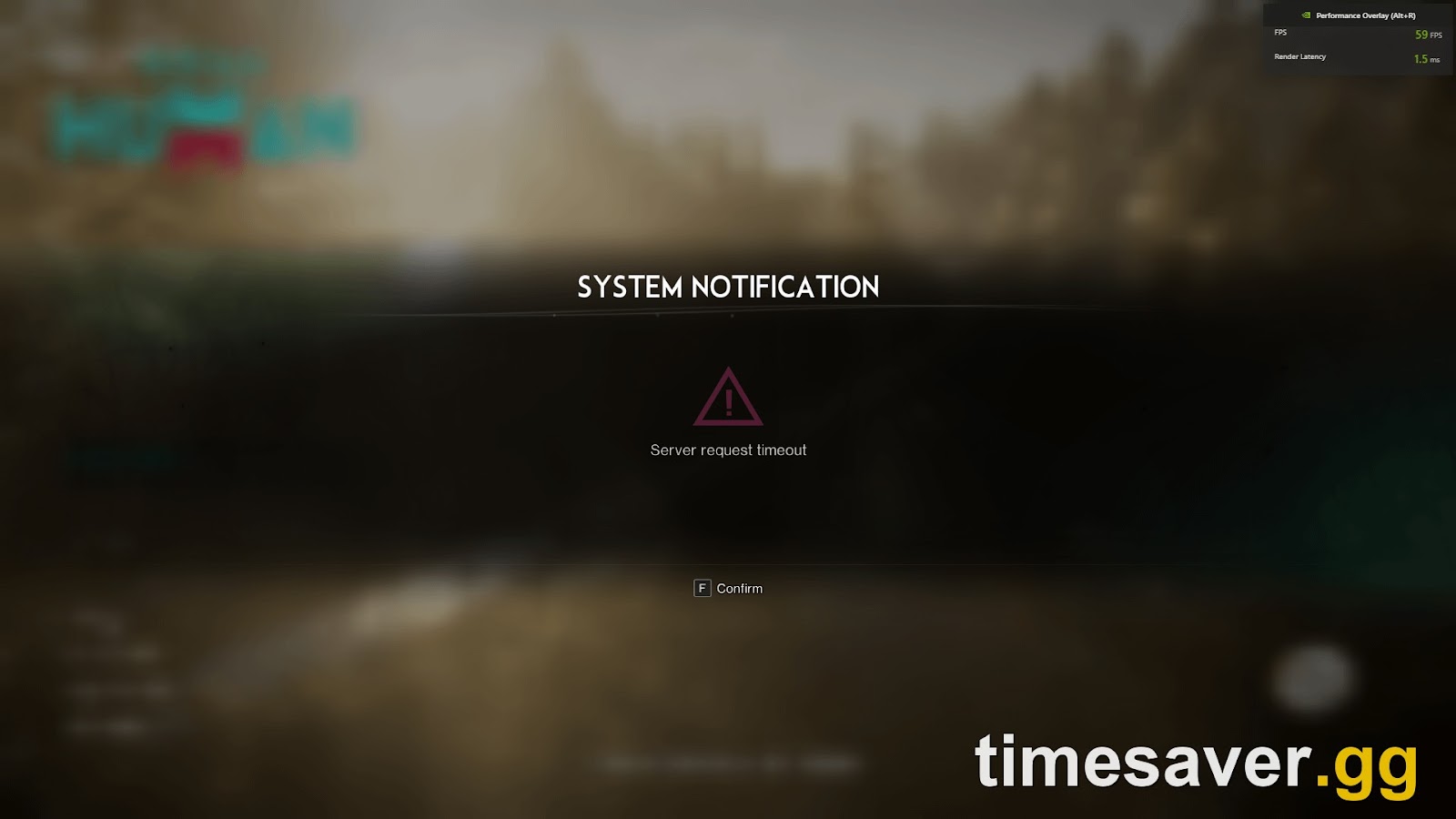
Quick answer: A "Server Request Timeout" in Once Human almost always means the servers — not your PS5 or Xbox — are busy or offline, most commonly during a scheduled update or maintenance window. Your fastest fix is to wait out the maintenance (check the official X and Discord), then close the game fully, restart your console's network, and relog. If maintenance is over and you still time out, the cause is on your side: a bad route to your region's server, a stale game cache, or a platform-service (PSN / Xbox Live) hiccup. This matters right now because the Isles of Abyss expansion lands on October 22, 2026, and launch-day maintenance is the single biggest trigger for this error.
Once Human is free-to-play on PS5, PS5 Pro and Xbox Series X/S with full crossplay, and "Server Request Timeout" is the error console players hit most at login. The good news: it is rarely your hardware, and the steps below are ordered from "most likely to fix it in 30 seconds" to "last resort." Work down the list.
What "Server Request Timeout" actually means
The message appears when the game client sends a request to a Once Human server and doesn't get a reply in time. That gap is almost always one of four things:
- The servers are down for maintenance or a patch — by far the most common cause, and the one you cannot "fix," only wait out.
- The server you're trying to join is overloaded or full, so your join request stalls instead of being refused outright.
- The route between your console and your region's server is unstable — a networking problem between you and the data centre, not inside your house.
- The platform's online service (PSN or Xbox Live) is degraded, so the game can't authenticate you.
Here's the tell that it's maintenance and not you: players repeatedly report the error appearing right after an update downloads, with a stable internet connection. As one player put it on the official subreddit during a past patch:
"I just tried to log back in after the update but it keeps saying 'Server Request Timeout' — are the servers not back up yet?"
In that same thread, the answer was yes: the studio had posted that the content patch was still being pushed and reviewed before servers came back. That is the pattern to expect on October 22.
First: is it maintenance? (check this before anything else)
Ninety percent of the time you can skip every troubleshooting step by spending ten seconds confirming the servers are simply offline. Once Human has no in-client server-status page, so check the official channels — in this order:
- Official X / Twitter — @OnceHuman_. Maintenance and emergency downtime are posted here first, with estimated return times.
- The official Discord. Live announcements and a pinned maintenance notice; community members also report the second servers come back.
- The Steam news page for the game (works even if you play on console — it's the same patch schedule across platforms).
If any of those says maintenance is in progress, stop troubleshooting. Nothing on your console will let you in early. A veteran player's advice from a past patch day holds up: "I usually go to sleep once a patch starts, then just play again in the morning." Expect the Isles of Abyss launch on October 22, 2026 to bring exactly this kind of extended, all-platform maintenance window.
A quick self-test if you're unsure: keep trying to log in once every few minutes. If you can't get in, the servers are down; the moment you can, maintenance is over. You don't need an app for that.
The 60-second console fixes (do these first)
If there's no maintenance notice and you're still timing out, start here. These clear the overwhelming majority of "it's actually my side" cases on PS5 and Xbox.
1. Fully close and relaunch the game. A background-suspended app keeps a stale connection.
- PS5: highlight Once Human on the home screen → press Options → Close Game. Don't just go to the dashboard.
- Xbox Series X/S: highlight the tile → press Menu (☰) → Quit. Rest Mode / Quick Resume can hold a dead session, so quit fully.
2. Restart your console's network connection. Toggle it off and on, or restart the console outright.
- Settings → Network → disable, wait 15 seconds, re-enable; or power-cycle the console. This forces a fresh handshake with your region's server.
3. Power-cycle your router. Unplug it for 30–60 seconds, plug it back in, let it fully come up. One player's blunt fix for a stubborn timeout was to let the hardware "sit for at least 10 minutes" before reconnecting — the principle is the same: clear the stale connection state.
4. Re-pick the correct server and region. On the server list, make sure you're selecting a server in your own region (NA, EU, SEA, SA, HK-MO-TW or JP-KR). Picking a distant region multiplies latency and makes the join request time out. If you only play with console friends, you can also try a 【Console】-tagged server from Scenario Selection → More Servers → Console-Exclusive Server; a different, less-loaded server often connects when a busy cross-platform one won't.

The timeout almost always fires at the "Choose a Server → Enter Server to Play" step above — that's the moment your console actually requests a connection. Changing which server you pick is often the whole fix.
If it's not maintenance and not a quick fix
Still stuck after the steps above? Now work the deeper causes.
Check PSN / Xbox Live status
Once Human authenticates through your platform account. If PlayStation Network or Xbox Live is having an outage, the game can't complete the request and you'll see a timeout even though the game servers are fine. Check your platform's official status page; if the platform is down, there is nothing to do in-game but wait.
Clear the game's stored data / cache
A corrupted local cache (common right after a large patch like a map pre-load) makes the client hang on connect.
- Xbox Series X/S: go to My games & apps → Once Human → Manage game → Saved data, or clear the console's persistent storage, then relaunch. Your character lives on the server, so clearing local data does not delete your progress.
- PS5: rebuild is less granular — a full restart (not Rest Mode) plus a database rebuild in Safe Mode clears stale cache. Only use Safe Mode's Rebuild Database option; never the options that erase data.
Test your connection path
Run your console's built-in connection test (PS5: Settings → Network → Connection Status → Test Internet Connection; Xbox: Settings → General → Network settings → Test network connection). If your NAT type is Strict/Type 3 or packet loss is high, that unstable path is your timeout. A wired Ethernet connection instead of Wi-Fi is the single most reliable fix for route-related timeouts on console.
Make sure the game is fully updated
A client/server version mismatch after a staged patch (Once Human has been pre-loading Isles of Abyss map data in stages through 2026) can present as a timeout. Confirm the game shows no pending update on your console's game page before you try again.
"Server Request Timeout" vs "Server Is Full" — know the difference
These look similar but need different actions:
- Server Request Timeout = the server didn't answer in time (maintenance, overload, route, or platform). Fixes above apply.
- "This server is full" / queue = the server answered and told you it's at its player cap (each server holds roughly 6,000–8,000 players). That's not a timeout — you either wait in queue, pick another server, or ask a friend on that server for a Special Invitation Code (their profile → View Special Invitation Code), which only works while the server is genuinely full.
If you're specifically being blocked by a full launch-day server rather than a timeout, that invitation-code route is the one to use.
Why this is about to spike: Isles of Abyss, October 22
Once Human's ocean expansion, Isles of Abyss, launches October 22, 2026 across PS5, PS5 Pro, Xbox Series X/S (including Game Pass) and PC, free, with full cross-play. The publisher bills it as the game's largest content update to date. Two things about a launch like that make "Server Request Timeout" far more likely for a few days:
- Extended launch maintenance. Servers come down to deploy the update and don't return on a precise schedule — sometimes the push itself gets held up on a storefront's side, exactly as happened on a past Steam patch day.
- A concurrency surge. Returning players and new console arrivals all log in at once, overloading popular region servers so join requests stall into timeouts.
The playbook for the 22nd: don't fight it in the first hour. Confirm the maintenance status on official X / Discord, let the servers stabilise, pick a server in your region (a freshly opened one will be less crowded than a flagship), and relog. The error clears itself the moment the servers settle.
FAQ
Is "Server Request Timeout" a problem with my PS5 or Xbox? Almost never. It means a Once Human server didn't respond to your join request in time — usually because the servers are in maintenance or overloaded, not because of your console. Confirm the server status first; your hardware is the last thing to suspect.
How do I know if Once Human is down for maintenance? Once Human has no in-game server-status screen. Check the official @OnceHuman_ account on X, the official Discord, and the game's Steam news page — maintenance and estimated return times are posted there first. If maintenance is live, waiting is the only real "fix."
I have a stable internet connection but still get the timeout. Why? A stable home connection doesn't guarantee a clean route to your region's game server, and it doesn't help if the servers themselves are down or if PSN / Xbox Live is having an outage. Fully close the game, power-cycle your router, switch to a wired connection if you can, and confirm your platform's online service is healthy.
Does closing or reinstalling Once Human delete my character? No. Your character and all progress are stored on the server, not your console. Closing the game, clearing local cache, or even reinstalling is safe — you'll log back into the same character once the connection succeeds.
Should I expect this error when Isles of Abyss launches? Yes, briefly. The October 22, 2026 launch brings extended all-platform maintenance plus a login surge, which is the exact recipe for timeouts. Don't troubleshoot your console in the first hour — confirm the official maintenance status, wait for servers to stabilise, then relog.
Why do I time out only when picking a specific server? That server is likely overloaded or full, so your join request stalls instead of connecting. Pick a different server in your region, or a freshly opened one; on console you can also try a 【Console】-tagged server via Scenario Selection → More Servers → Console-Exclusive Server.
The short version
"Server Request Timeout" is a server-side message far more often than a you-side one. Check official maintenance status first, run the 60-second console fixes (full game close, network restart, router power-cycle, correct region/server), then — only if maintenance is over and you're still stuck — work the deeper causes: PSN/Xbox Live status, local cache, your connection path, and a pending update. With Isles of Abyss arriving on October 22, 2026, the single most useful habit is to treat a timeout on a patch day as a signal to wait, not to troubleshoot.
New to Once Human on console or coming back for Isles of Abyss? These guides cover the rest of the launch-day friction:
- Once Human "Server Is Full" & Queue Fix on PS5 & Xbox — invite codes, console servers and connection errors
- Once Human Console Errors & Crashes on PS5 and Xbox — every fix that actually works
- Coming Back to Once Human for Isles of Abyss? What Changed and What to Do First
- How to Join and Play Once Human Isles of Abyss on PS5 and Xbox