Quick answer (TLDR): "Networking Failed to Start: HUENEME – NEGEV" is a connection error, not a crash — Call of Duty can't establish a clean route to Activision's online services, so it refuses to sign you in. It's almost never your hardware. The two fixes clearing it for the most players right now are a full router/modem power cycle (unplug 60 seconds) and the mobile-hotspot re-auth trick (launch the game on your phone's hotspot until you're in a lobby, then switch back to your home Wi-Fi). Before touching your setup, check the Activision server status page — if it's a server-side blip, no fix on your end will work. If those don't land, change your DNS to Cloudflare (1.1.1.1) or Google (8.8.8.8), flush your DNS, enable UPnP on your router, and turn off any VPN. It hits Black Ops 7, Warzone and Black Ops 6 identically because they share the same online backend. Work the checklist below in order.
Updated September 18, 2026 (Black Ops 7 / Warzone Season 5). The checklist below is checked against current r/CODWarzone and r/blackops7 reports and Activision's support documentation. Console-specific steps for PS5 and Xbox are in the section below.
If Call of Duty stops you at the sign-in screen with `Networking Failed to Start` / `Reason: HUENEME – NEGEV`, you're not alone and you didn't break anything. The error is back in force this week — fresh reports are stacking up across r/CODWarzone, r/blackops7 and r/blackops6, with players hitting it on Black Ops 7 and Warzone at the same time, on Steam, Battle.net and console alike. The common thread: every other online game works fine, but Call of Duty won't connect.
One long-running r/CODWarzone report captured it perfectly:
"I've tried restarting my laptop, reinstalling the game, switching launcher from Steam to Battle.net and even switching platforms to PS5 which is literally connected via LAN cable… Other games work perfectly fine, it's only Warzone where this happens."
That's the tell. HUENEME – NEGEV is a networking handshake failure between your machine and Activision's game services — so the fix is almost always about the route your connection takes to their servers, not your PC's power. Below is the exact order to clear it, fact-checked against Activision's Connectivity Troubleshooting guidance and the fixes players are confirming right now in Season 5.

Call of Duty - Bot Lobby
Get bot lobby in 10 minutes
What does HUENEME – NEGEV mean in Call of Duty?
Activision names its error codes with a [Naval base] – [weapon] convention — "Hueneme" refers to Naval Base Ventura County (Port Hueneme, California) and "Negev" is the Israeli-made light machine gun. The pairing is just an internal label; it carries no diagnostic detail beyond the category, which is networking. When you see it attached to "Networking Failed to Start," it means the game's online layer couldn't initialise a connection to Activision's servers during startup or sign-in.
Three things trip it the overwhelming majority of the time:
- A stale or unstable route to Activision's servers — the classic cause. Your ISP's path to the CoD data centres is congested, dropping packets, or your router is holding a bad session. This is why a simple power cycle fixes it so often.
- A DNS or NAT problem on your network — a slow/failing DNS server, a Strict/Moderate NAT type, or blocked ports stop the handshake from completing.
- A VPN, or an Activision-side outage — a VPN can route you into a bad path (or a region that's rate-limited), and sometimes the servers themselves are simply down.
Because Black Ops 7, Warzone and Black Ops 6 all authenticate through the same Activision online services, the error usually appears on all of them on the same machine at once — and clears on all of them once you fix the connection. It's not new to BO7 either: the same HUENEME – NEGEV string dates back to the Modern Warfare III era, which is why old fixes still apply.
Fix 1: Check the Activision server status first (30 seconds)
Do this before anything else — if the servers are down, no home fix will help and you'll waste an hour on your router for nothing.
- Open Activision's Online Services / Server Status page and confirm Call of Duty: Black Ops 7 and Warzone show green ("Online").
- Cross-check downdetector.com and the @CallofDutySupport and @CODUpdates accounts on X for a spike in reports.
- Also confirm your platform network is up — PlayStation Network and Xbox Live status pages.
If anything is red or reporting a spike, the issue is on Activision's end: wait it out. Server-side networking errors typically clear within 30–90 minutes once the platform recovers.
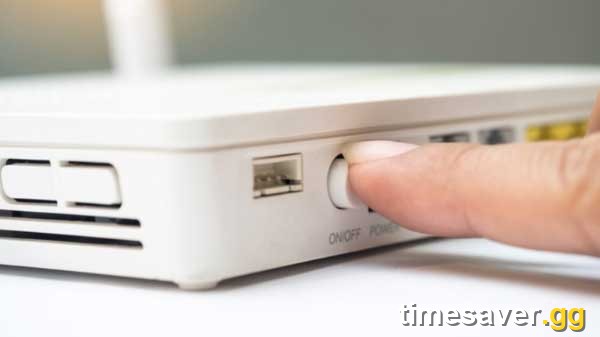
Fix 2: Power-cycle your router and modem (the #1 home fix)
A full power cycle clears the bad session your router is holding and forces a fresh route to Activision's servers. Guides across GamesRadar, esports.gg and Unboxed Reviews all lead with this because it's the single highest-hit-rate fix.
- Fully close Call of Duty and your launcher (Steam/Battle.net) or console.
- Unplug your router and modem from the wall (not just power button — pull the plug).
- Wait at least 60 seconds so the connection fully drops and your ISP hands you a clean session.
- Plug the modem back in first, let it fully sync (all lights steady), then the router.
- Relaunch Call of Duty.
If you're on a combined modem/router unit, unplug the single box. Give it a full two minutes to reconnect before testing.
Fix 3: The mobile-hotspot re-auth trick
This is the fix players keep confirming when the power cycle isn't enough — and it works because it forces the game to complete a clean CoD new key failed to be generated secure attestation fix handshake over a different route, then hands the live session back to your normal connection.
- Turn on your phone's mobile hotspot and connect your PC or console to it.
- Launch Call of Duty and let it fully sign in — get all the way into the lobby/menu.
- Once you're connected, turn the hotspot off (or switch your device back to home Wi-Fi/Ethernet).
- The game re-establishes on your default connection without re-throwing the error.
As one Reddit fix put it: "Turned on my phone's data, connected the console, launched Black Ops 7 until I was in a lobby, then switched back to home network mid-match. It forces a clean re-auth with the servers." It sounds janky, but it's a reliable workaround when your ISP's route is the problem.
Fix 4: Restart the game and the platform completely
A stuck sign-in token can cause HUENEME – NEGEV even when your network is fine. Don't just relaunch the game — restart the whole client:
- Steam: fully quit Steam (right-click tray icon → Exit), reopen, then launch CoD.
- Battle.net: quit the app entirely, reopen, and log back in.
- Console: fully close the game (don't just leave it suspended), and restart the console if it persists.
- Sign out and back into your Activision account if the option appears.
Fix 5: Change your DNS to Cloudflare or Google
A slow or failing ISP DNS server is a common HUENEME – NEGEV trigger — switching to a fast public DNS often clears it instantly.
On Windows (PC):
- Open Settings → Network & Internet → your connection → Edit DNS settings.
- Set it to Manual, turn IPv4 on, and enter:
- Preferred: `1.1.1.1` (Cloudflare) or `8.8.8.8` (Google)
- Alternate: `1.0.0.1` (Cloudflare) or `8.8.4.4` (Google)
- Save and restart the game.
On console: in your network settings, choose Manual/Custom DNS and enter the same primary/secondary values.
While you're on PC, flush the old records: open Command Prompt as admin and run `ipconfig /flushdns`, then `ipconfig /release` and `ipconfig /renew`.
Fix 6: Enable UPnP / open your NAT type
A Strict or Moderate NAT type blocks the ports CoD needs to complete the handshake. The quickest fix is to enable UPnP in your router's admin panel (usually under Advanced → NAT Forwarding → UPnP), then reboot the router. That lets Call of Duty open the ports it needs automatically and pushes most players to an Open NAT.
If you'd rather forward ports manually, Activision publishes the exact TCP/UDP ranges Call of Duty uses on its connectivity page — but for the vast majority, UPnP alone resolves it.

Call of Duty - Ranked Boost
Get ranked boost in 10 minutes
Fix 7: Turn off your VPN (or switch to a wired connection)
- VPN: disable it entirely and test. A VPN can route you into a congested or region-locked path to Activision's servers — the exact condition that throws HUENEME – NEGEV. (Note: a minority of players on a genuinely broken ISP route report the opposite — that a clean VPN path fixes it. Test both ways, but default to off first.)
- Wired: if you're on Wi-Fi, plug in over Ethernet. Wi-Fi packet loss and interference are a frequent cause of intermittent networking failures, and a cable removes that variable.
Fix 8: Scan and Repair, then contact support
If you've worked the whole list and it persists, rule out corrupted files, then escalate:
- Battle.net: click the game → gear icon → Scan and Repair.
- Steam: right-click Call of Duty → Properties → Installed Files → Verify integrity of game files.
- Still stuck across multiple connections (like the player above who tested home Wi-Fi and a mobile hotspot)? That points to an account- or server-side issue. Open a ticket at Activision Support with your platform, connection type, and the exact error — they can flag account-level connection problems you can't fix at home.
Console-specific fixes (PS5 and Xbox)
If you're on console, two platform-level steps clear HUENEME – NEGEV more reliably than the router cycle alone — because the console itself holds a stale network token that the game can't discard on its own.
PS5:
- Rebuild the database — fully power off the PS5 (hold power button until it beeps twice). Hold the power button again until you hear two beeps; this boots into Safe Mode. Select option 5 — Rebuild Database. It takes 2–20 minutes depending on drive size and doesn't delete saves or games. After rebuild, start CoD and sign in before launching a match.
- Delete game data (not saves) — go to Settings → Storage → Console Storage → Games and Apps → Call of Duty → Delete. This removes the CoD local cache only; your progress is stored on Activision's servers and cloud saves. Reinstall, sign in fresh.
- Check PSN server status separately — go to status.playstation.com before assuming it's a CoD server issue. A PSN gaming/account outage blocks the HUENEME handshake even if Activision's own servers are fine.
Xbox:
- Hard reset (not just restart) — hold the Xbox power button for 10 seconds until it turns off. Unplug the power cable for 30 seconds. Plug back in and restart. This clears the network cache that a standard restart preserves.
- Clear Alternate MAC Address — Settings → General → Network settings → Advanced settings → Alternate MAC address → Clear → Restart. This forces your router to issue a fresh DHCP lease and sometimes resolves a blocked authentication handshake.
- Check Xbox Live status — visit Xbox Live status before troubleshooting. An Xbox Live sign-in or multiplayer outage blocks CoD's network layer independently of Activision.
After either console fix, run the mobile-hotspot re-auth trick (Fix 3 above) to force a fresh authentication token before switching back to your home Wi-Fi.
Fastest fixes at a glance
| # | Fix | When to use it | Effort |
|---|---|---|---|
| 1 | Check server status | Always do this first | 30 sec |
| 2 | Power-cycle router + modem | Highest hit-rate home fix | 2 min |
| 3 | Mobile-hotspot re-auth trick | Power cycle didn't help | 3 min |
| 4 | Restart game + platform | Stuck sign-in token | 2 min |
| 5 | Change DNS + flush | Slow/failing ISP DNS | 3 min |
| 6 | Enable UPnP / open NAT | Strict/Moderate NAT | 3 min |
| 7 | Disable VPN / go wired | VPN or Wi-Fi instability | 2 min |
| 8 | Scan & Repair / support | Nothing else worked | 10 min+ |
Skip the connection roulette
If you just want to get back to leveling weapons, grinding camos or climbing Ranked without spending your session fighting your router, our pro players can handle the grind for you on a stable, verified setup — so a flaky connection at home never costs you progress again.
Get back in the game faster with Timesaver.gg:
- CoD Account & Weapon Leveling — skip the grind, done by pro players
- CoD Bot Lobbies — easy lobbies, level fast
- CoD Camo Unlocks (BO7) — mastery camos, fast and secure
If your crash isn't a networking one, we've got dedicated fixes for the other big Season 5 errors too: the DirectX Unrecoverable Error, "All Graphics Adapters Failed to Initialize", a black screen on launch, lag, stutter and rubberbanding, and the Failed Attestation Status fix.
FAQ
What does "Networking Failed to Start: HUENEME – NEGEV" mean in Black Ops 7? It's a connection error, not a crash. Call of Duty couldn't establish a working route to Activision's online services during sign-in, so it stops you at the menu. Activision labels its error codes with a naval-base-and-weapon naming scheme (Hueneme–Negev), which just tags it as a networking category — the real cause is your connection's route to the servers, a DNS/NAT problem, a VPN, or an Activision-side outage.
Why do I get HUENEME – NEGEV on both Black Ops 7 and Warzone? Because both games — plus Black Ops 6 — authenticate through the same Activision online backend. When the connection to that backend fails, every current Call of Duty title on your machine throws the same error at once. Fix the connection (usually a router power cycle or DNS change) and all of them reconnect.
Is HUENEME – NEGEV a ban or account problem? No. It's a connectivity error that affects your whole network, not a ban. If it persists across completely different connections — for example your home Wi-Fi and a mobile hotspot — it can point to an account- or server-side issue, which is when you should open an Activision Support ticket. A ban shows a different, explicit message.
The mobile-hotspot trick worked but the error came back — why? The hotspot trick forces a clean re-authentication, but it doesn't fix the underlying route your ISP takes to Activision's servers. If it keeps returning, make the fix permanent: change your DNS to Cloudflare (1.1.1.1) or Google (8.8.8.8), enable UPnP on your router, and switch to a wired Ethernet connection.
Why do I get HUENEME – NEGEV every time Black Ops 7 updates? Game updates force a new sign-in handshake, and if your router is holding a stale session token from before the update, the handshake fails. Power-cycling your router immediately after a game update clears the cached route and is the most consistent fix for update-day errors. If your ISP assigns you a dynamic IP, the power cycle also gives you a fresh address that Activision's servers haven't flagged as problematic from a prior connection.
HUENEME – NEGEV on PS5 or Xbox: is it different from the PC fix? The root cause is the same — a failed networking handshake — but the fastest console-specific steps are different. On PS5, Rebuild Database in Safe Mode clears the network token stack more reliably than just restarting. On Xbox, clearing the Alternate MAC Address forces a fresh DHCP lease that unsticks authentication. Both platforms also need their own network status pages checked (PSN Status / Xbox Live Status) separately from the Activision Status page — a platform-level outage blocks CoD even if Activision's servers are clean. See the console-specific section above.
Does a VPN fix or cause HUENEME – NEGEV? Usually it causes it — a VPN can route you into a congested or region-limited path to the servers, so disabling it is the default fix. A small number of players on a genuinely broken ISP route find that a clean VPN path fixes it instead. Test with it off first; only try a VPN if turning it off doesn't help.