Quick answer (updated 29 October 2026): To turn on Fortnite 2FA, sign in to your Epic Games account in a web browser, open Password & Security (epicgames.com/account/password), and click Set up next to one of the four methods under Two-Factor Authentication. Enter the code Epic sends you and you're done. The whole thing takes about five minutes. Epic says 2FA is required to send gifts in Fortnite and to enter Fortnite competitive events. As a thank-you you get the Boogie Down emote in Battle Royale, plus 50 Armory Slots, 10 Backpack Slots and a Legendary Troll Stash Llama if you own Save the World. The fortnite.com/2fa link people share takes you to Epic's 2FA info page. The setting itself lives in your account's Password & Security page, which works the same way for PC, PS5, Xbox, Switch and mobile players.
Key takeaways
- Where: Password & Security in your Epic account, in any browser. There's no 2FA toggle inside the Fortnite game menu.
- Four methods: Epic Authenticator (number-match in the Epic Games app), a third-party authenticator app, email codes, or SMS codes.
- Best method: an authenticator app. Epic calls it the option that "provides the strongest protection."
- Why you need it: gifting and competitive events won't work without it, and some free Epic Games Store games need it too.
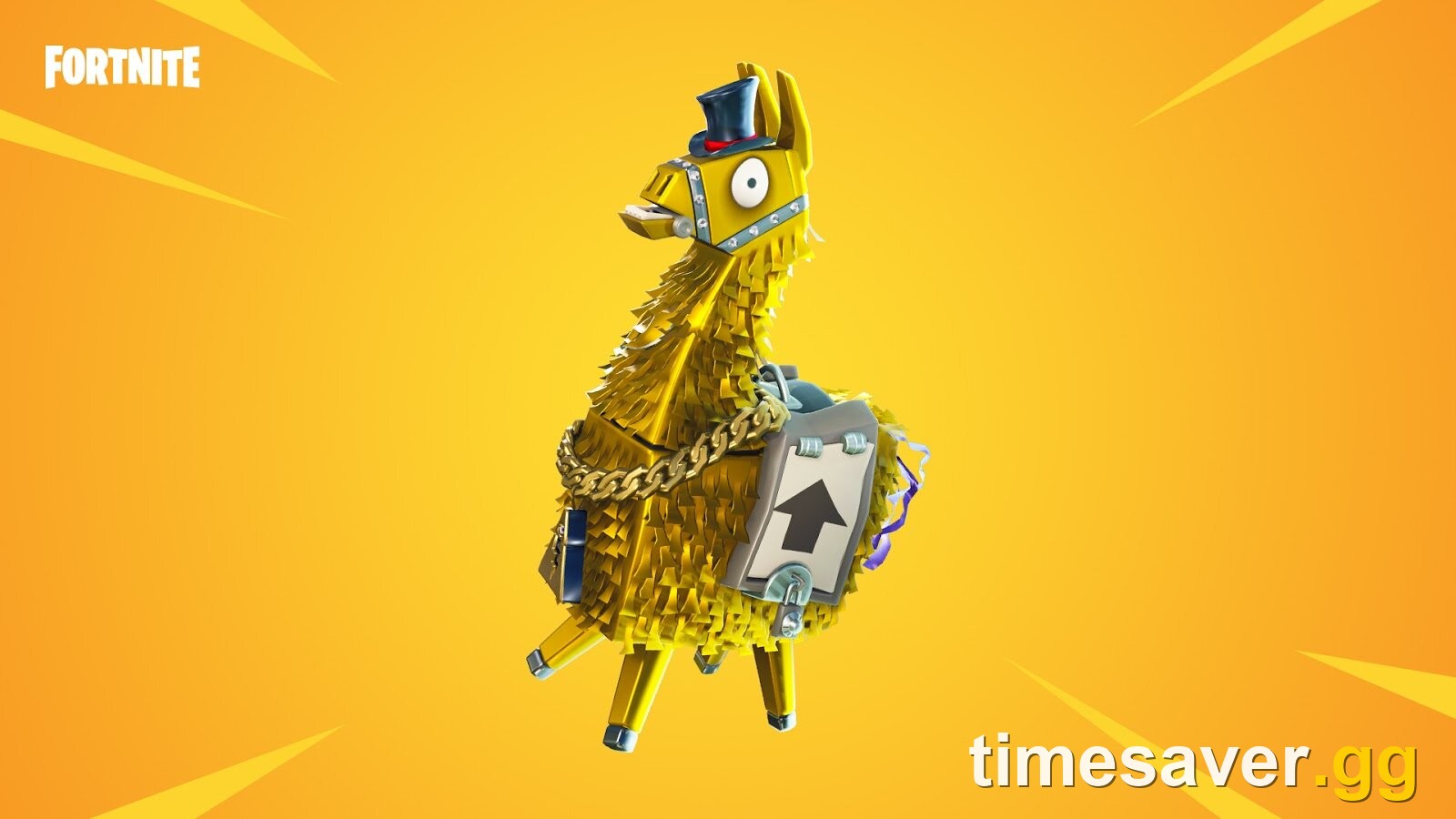
- Rewards: the Boogie Down emote (Battle Royale). Save the World owners also get 50 Armory Slots, 10 Backpack Slots and 1 Legendary Troll Stash Llama.
- Timing: the Treasure Hunters season starts 1 November 2026. If you want to gift friends anything from the new Item Shop, turn 2FA on now. Gifting also needs you to have been friends for at least 2 days.
What is Fortnite 2FA and why do you need it?
Two-factor authentication (2FA) adds a second step when you sign in to your Epic Games account. After your password, Epic asks for a one-time code from your email, phone or authenticator app, or it asks you to approve the sign-in in the Epic Games app. Epic's own support page sums it up: 2FA means "even if someone learns your password, they still can't get into your account."
Fortnite 2FA isn't a separate Fortnite setting. It's set on your Epic Games account, and that same account is what your PlayStation, Xbox, Nintendo, mobile or PC login connects to. Turn it on once and it covers every platform.
According to Epic Player Support, 2FA is required to:
| Feature | Needs 2FA? | Notes |
|---|---|---|
| Sending gifts in Fortnite | Yes | You also need to have been friends for at least 2 days, and you can send up to 5 gifts in any rolling 24 hours |
| Fortnite competitive events (tournaments, cups) | Yes | Required to take part |
| Claiming some free Epic Games Store games | Yes | Not every free game, but some |
| Playing Battle Royale, Reload, LEGO, creative islands | No | 2FA is optional for normal play |
| Getting the Boogie Down emote | Yes | It's the reward for turning 2FA on |
The gifting rule is the one most players run into. It usually comes up when someone tries to gift a friend a skin or bundle from the Item Shop, and with a new season and a fresh Item Shop landing on 1 November, that's going to happen a lot this week.
How do you enable 2FA on Fortnite? (step by step)
These steps come straight from Epic's support article Two-factor authentication (2FA) and how to enable it. They're the same on every platform because you do them in a web browser, not in the game.
- Open a browser on your phone, PC or tablet and sign in to the Epic Games account you play Fortnite with.
- Go to Password & Security: epicgames.com/account/password.
- Find the Two-Factor Authentication section and click Set up next to the method you want (see the method table below).
- Enter the code. Depending on the method, it comes by email or SMS, or from your authenticator app.
- Confirm. Your account shows the method as active and Epic sends a confirmation email.
- Optional: if you add more than one method, click the three dots (…) next to the one you want and pick Make my primary 2FA method.

Each active method appears as a card in Password & Security. The three-dot menu (…) on each card is where you set a method as primary or remove it.
Using an authenticator app? When you set it up, Epic shows a QR code to scan, and then you type in the 6-digit code the app generates. Epic also gives you a list of backup codes at this point. Save them somewhere other than your phone, because they're your way back in if you ever lose the phone (more on that below).
Which 2FA method should you choose?
Epic supports four methods (Epic Player Support: available 2FA methods):
| Method | How sign-in works | Pros | Cons |
|---|---|---|---|
| Epic Authenticator | A number-match prompt in the Epic Games app or Epic Games Store app | Fast, no codes to type | Needs the Epic app on your phone |
| Authenticator app (Google, Microsoft, LastPass, Authy) | 6-digit code that changes every 30 seconds | The strongest protection, according to Epic; works offline | Lose the phone without backup codes and recovery gets harder |
| Code sent to your account email | Easiest, nothing to install | Only as safe as your email; codes can be delayed or land in spam | |
| SMS | Code sent by text message | Simple | Some regions aren't supported; changing your number can lock you out |
Our pick: use an authenticator app or Epic Authenticator, and add email as a backup method. Epic's Securing your Epic Games account page says it plainly: "Using an authenticator app provides the strongest protection." For a child's account, email is usually the least hassle, because codes go somewhere a parent can see.
If you try SMS and see "SMS to this region is not supported", your number's region isn't eligible. Epic's advice is to use a different number or switch to an authenticator app.
How do you get the Boogie Down emote?

You get Boogie Down automatically once 2FA is active. There's nothing to claim in the Item Shop. Epic's 2FA rewards page says, word for word:
"As a reward for securing your Epic Games account with two-factor authentication (2FA), you'll unlock the Boogie Down emote in Fortnite: Battle Royale."
Fortnite's cosmetic data lists Boogie Down as introduced in Chapter 1, Season 4, so this offer has run for years and still works in Chapter 7. If you own Save the World, the same page lists three extras:
- 50 Armory Slots
- 10 Backpack Slots
- 1 Legendary Troll Stash Llama
Turned on 2FA but no emote? Epic lists three checks:
- Restart Fortnite. Rewards don't always show up right away.
- Check you used the right account. If you have more than one Epic account, 2FA has to be on the account you actually play on.
- Console players: make sure your PlayStation, Xbox or Nintendo account is connected to that Epic account. If it isn't, the reward lands on an Epic account your console never loads.
How do you set up Fortnite 2FA on PS5, Xbox, Switch and mobile?
You can't switch 2FA on from inside Fortnite on a console. Here's what to do on each platform:
- PS5 / PS4: on your phone or PC, sign in at epicgames.com with the Epic account linked to your PlayStation account, then follow the steps above. If you don't know which Epic account that is, check epicgames.com/account/connections after signing in. That page shows which console accounts are linked.
- Xbox Series X and Series S / Xbox One: same as PlayStation. Sign in on a browser with the Epic account linked to your Xbox profile.
- Nintendo Switch / Switch 2: same again. Use the Epic account linked to your Nintendo account.
- iOS and Android: you can do it all on the phone. Open Password & Security in your mobile browser, or install the Epic Games app and use Epic Authenticator.
One more step Epic recommends: turn on 2FA for your PlayStation, Xbox, Nintendo, Google or Facebook account as well. Any of those can be used to sign in to your Epic account, so an unprotected console login is a way around your Epic 2FA.
Fortnite 2FA not working? Every fix
The email code never arrives
Epic's article I don't receive two-factor authentication codes in my email lists three causes:
- Your primary method isn't email. If your primary method is the authenticator app or SMS, that's where the code goes. Check your phone first.
- The email is delayed. Give it a few minutes, search your inbox, and check spam. Make sure you haven't blocked or spam-marked @support.epicgames.com, @accts.epicgames.com or @acct-auth.epicgames.com.
- You can't get into that email any more. You'll need Epic's account recovery process instead.
The SMS code never arrives
The number may have a problem, or SMS 2FA may not be available in your region. Switch to an authenticator app or email. You can only do that while signed in, so if you're locked out, use the recovery steps below first.
"An error occurred in our internal service. Please try again in a few minutes."
This error usually shows up during setup. Epic's fixes for it (source):
- Check status.epicgames.com for an outage.
- Try an incognito window, or a different browser or device.
- Turn off any VPN or hosting service.
- Try a different 2FA method (for example, email instead of SMS).
- Make sure the country on your Epic account matches the country you live in.
Locked out after losing your phone or changing your number
Epic's lockout article (source) gives two ways back in:
- Email: on the 2FA prompt, click Try another way, then Email Verification, and enter the code from your inbox.
- Backup codes: click Try another way, then Enter your Two-Factor verification backup codes, and type any one of your 8-digit backup codes. You got these when you first set up an authenticator app.
Once you're in, go to Password & Security, remove the old method (three dots, then Remove Method), and set it up again. For a new phone number, click Set Up for SMS again, enter the new number, and confirm with the code. Epic "strongly recommend[s]" turning 2FA straight back on once you're in.
2FA is on but gifting still fails
2FA is only one of the gifting rules. Gifting also fails if:
- you haven't been friends with the recipient for at least 2 days
- you've already sent 5 gifts in the last 24 hours (a rolling window)
- the item can't be gifted at all. V-Bucks themselves can't be gifted.
Our Fortnite Item Shop reset time, refunds and gifting guide covers all the gifting rules.
Is Fortnite 2FA safe, and should kids use it?
Yes. 2FA is the single biggest step you can take against account theft, which mostly happens through reused passwords and phishing. Epic's account security page also says it will never ask for your password by email, message or on a third-party site. Ignore any "free V-Bucks" offer that asks you to sign in. Epic has never issued free-V-Bucks codes, and those pages are built to steal accounts, 2FA or not. Our Fortnite codes explainer covers which codes are real.
For younger players: Epic says a child whose parent hasn't helped set up the account may have a Cabined Account, which has different features. If 2FA options or rewards look different on a child's account, that's probably why. A parent can find more on Epic's Cabined Accounts page.
Should you turn on 2FA before the new season?
Yes, and preferably before 1 November 2026. Chapter 7 Season 4 "Override" ends on 1 November with the v43.00 update, and the Treasure Hunters season starts with a new Item Shop and a new Battle Pass. Three reasons to do it now:
- Gifting: you can't gift without 2FA, and friend-list timing adds another 2-day wait on top.
- Competitive events: you can't enter any of the new season's cups without 2FA.
- Launch-day problems: if Epic's services are having an outage on 1 November, 2FA setup can fail with the "internal service" error. Setting it up beforehand avoids that risk.
If you're planning the rest of your season switch, see when the Fortnite season ends, the v43.00 update release time and patch notes, and what's in the next Fortnite Battle Pass.
FAQ
What is fortnite.com/2fa? It's a short link to Epic's 2FA information page. The setting itself is in the Password & Security section of your Epic account at epicgames.com/account/password. Sign in there with the account you play Fortnite on.
Can I enable Fortnite 2FA on PS5 or Xbox without a phone? Yes, as long as you can get to a browser on a PC or tablet. Pick the email method and the codes go to your inbox. You can't turn 2FA on from the console's Fortnite menu.
How long does it take to get the Boogie Down emote after enabling 2FA? It's normally granted straight away, but Epic says rewards may not appear immediately. Restart Fortnite. If it's still missing, check that 2FA is on the account linked to your console.
Do I need 2FA to play Fortnite? No. Normal matches work without it. You need it to send gifts, to enter Fortnite competitive events, and to claim some free games on the Epic Games Store.
Why am I not getting my Fortnite 2FA code? The code goes to your primary method. If that's an authenticator app or SMS, check your phone, not your email. Email codes can be delayed or filtered to spam. Some regions don't support SMS. Epic's lockout steps (Try another way, then email or a backup code) get you in if your phone is gone.
Can I turn Fortnite 2FA off? Yes. In Password & Security, open the three-dot menu on the method and choose Remove Method. Epic recommends keeping it on, and turning it off blocks gifting and competitive events again.
More Fortnite guides
Getting your account ready for Treasure Hunters? These are the guides players are using this week.
- Fortnite Item Shop reset time, refunds and gifting rules
- Fortnite Ranked explained: every rank, division and reward
- Fortnite not working? Crashing, launch and EAC fixes
- Fortnite servers down? Live status and downtime
- All timesaver.gg services
This guide applies to Epic Games accounts as of Fortnite Chapter 7 Season 4 "Override" (v42.40), ahead of the Treasure Hunters season and v43.00 on 1 November 2026. Last verified 29 October 2026 against Epic Player Support: Two-factor authentication and how to enable it, available 2FA methods, 2FA rewards, email code troubleshooting, SMS code troubleshooting, locked out by 2FA, setup error and Securing your Epic Games account. The gifting limits come from Epic's gifting support article, and the Boogie Down introduction season from Fortnite's cosmetic data.