Quick answer (updated 27 October 2026, Chapter 7 Season 4 "Override"): Epic's official Fortnite Recap for Override went live on 26 October 2026 at fortnite.com/recap. Open the page and press Sign In to See Your Recap, then log in with the Epic account you actually play on. Scroll down to see your season: victories out of matches played, eliminations, XP earned, K/D, headshots, average placement, storm circles survived, quests completed, distance travelled, Sprites extracted and a play-style label. At the bottom you can flip through 4 share cards, tick Hide username, and Share Recap or Save Recap. The stats are a snapshot: the cards we checked read "Updated October 25, 2026", so matches from the season's final week (including the Final Spritemare) aren't in it yet. It's free, it's run by Epic, and only you can see your own recap.
Key takeaways
- Where: fortnite.com/recap. It's a website, not an in-game menu, so use a phone or PC browser.
- When: live since 26 October 2026, six days before Override ends. Epic's Battle Pass page lists the end as 1 November 2026 (ET); some trackers say 31 October.
- What's new vs last season: the Chapter 7 Season 3 recap had no wins stat, and players noticed. The Override recap adds victories, K/D, headshots and average placement.
- Data cut-off: the recap cards we checked say "Updated October 25, 2026." Epic hasn't said whether it will refresh them before the season ends.
- Not the same as "Fortnite Wrapped": Wrapped is a third-party yearly page on fortnite.gg. The Recap is Epic's own per-season page.
- No rewards attached: the recap is just stats. Any site claiming your recap "unlocks" free V-Bucks or skins is phishing.
What is the Fortnite Recap?
The Fortnite Recap is Epic's personal season summary, the Fortnite version of a "year in review" page. It's built for one season at a time. The current one covers Chapter 7 Season 4 "Override", which started on 20 August 2026 with update v42.00.
Epic's landing page puts it in one line:
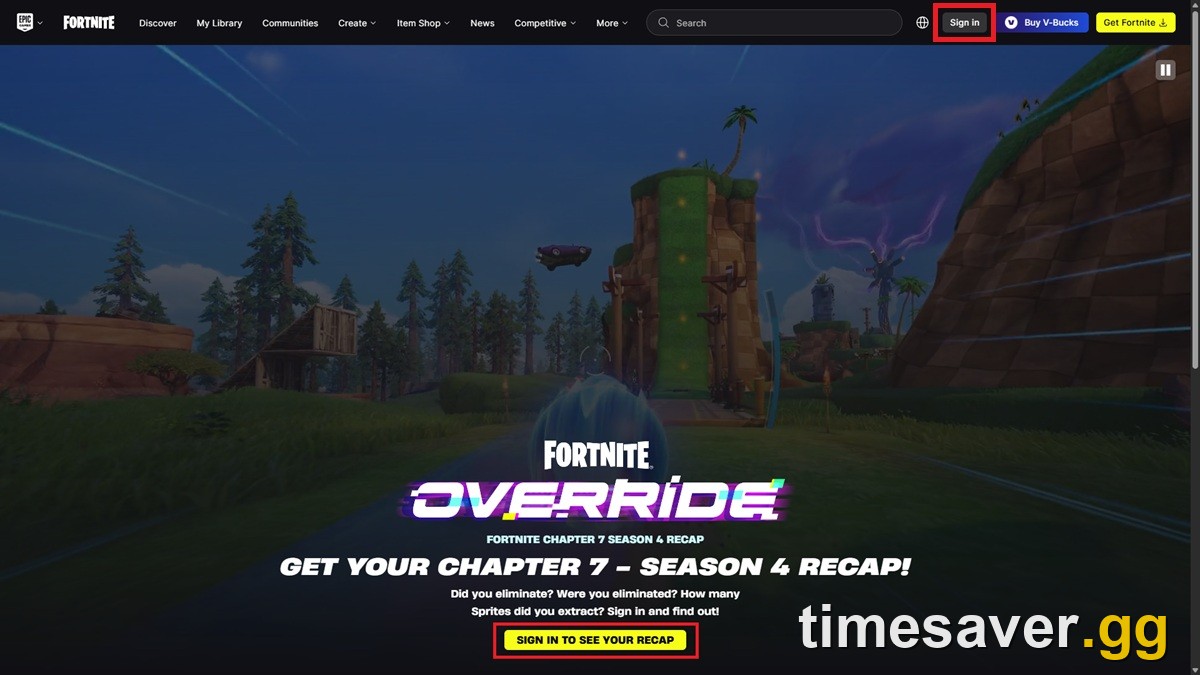
"Did you eliminate? Were you eliminated? How many Sprites did you extract? Sign in and find out!" (Epic Games, fortnite.com/recap)
This is the second time Epic has done it this chapter. The first recap covered Chapter 7 Season 3 "Runners". Epic's community team announced it on r/FortniteBR around the August 2026 season change with: "See Sprites collected, matches survived, and everything in between. Relive your Season's biggest moments, one highlight at a time!" Players liked it, but the most common reaction was that it skipped the numbers people actually care about. One commenter pointed out there was no stat related to wins, and another said they expected win rate or K/D.
The Override version answers that. When it went live on 26 October, the leaker HYPEX summed it up on X as the recap being "out now, with more stats than last season." Wins, K/D and placement are all there this time.
How do I see my Fortnite Recap? (step by step)
It takes about a minute:
- Go to fortnite.com/recap in any browser.
- Click Sign In to See Your Recap in the middle of the page, or Sign in at the top right.
- Log in with the Epic account your Fortnite progress is on. Epic's sign-in page also accepts linked logins (console, Google, Apple, Steam and similar). That only works if the login is linked to the same Epic account you play on.
- After signing in you're sent back to the recap. Scroll down to work through each section.
- At the bottom, use the arrows to flip through the share cards (the first is "Overview · 1 of 4").
- Tick Hide username if you want to post the card publicly, then press Share Recap or Save Recap to download the image.
Your recap only appears after you sign in. Beebom's guide also notes that other players can't look up your recap the way they can on third-party stat sites.
What stats does the Fortnite Override recap show?
Here's everything on the Override recap, checked against screenshots of the live page. The example values come from a sample account shown in Beebom's screenshots, not ours. They're only there to show the format.

| Section | Stat | Example value |
|---|---|---|
| Your Stats | Victories / matches played | 5 / 57 |
| Your Stats | Eliminations | 178 |
| Your Stats | XP points earned | 7.5M |
| Combat | K/D ratio | 3.4 |
| Combat | Headshots | 25 |
| Combat | Most elims in a match | 14 |
| Survival | Avg BR placement | 27.3 |
| Survival | Storm circles survived | 224 |
| Survival | Quests completed | 356 |
| Distance | On foot / in vehicles / total | 125.5 km / 2.1 km / 127.6 km |
| Play Style | Archetype + Lethality and Survival bars | "The Brawler: Always in the fight." |
| Sprites | Sprites extracted, most extracted, rarest, top drop-in | 81 extracted |
According to Beebom's write-up, the recap also shows your favourite drop zone, your favourite modes and your top starting Sprites. Fortnite news accounts described it the same way when it launched ("favorite drop spots, Sprites, and playstyle"). If you barely touched a mode or never extracted a Sprite, expect thinner sections. Epic hasn't documented exactly what shows when data is missing.
A note on XP. If your number looks huge, that's normal. The community-measured figure is about 80,000 XP per Battle Pass level, roughly 8 million XP for level 100. Epic has never published this number officially, but by that maths the sample's 7.5M works out to about 90+ levels' worth of XP. If you're still short of the rewards you want, our guide on how to level up and master Sprites fast in Chapter 7 Season 4 lists the quickest XP sources left this week.
What does my Fortnite recap play style mean?
The Play Style panel gives you one archetype with a short tagline. The example above is "The Brawler: Always in the fight." Under it are two bars:
- Lethality is shown with your K/D, total eliminations and most eliminations in a match.
- Survival is shown with your average placement and storm circles survived.
In the sample, three full Lethality bars and two of three Survival bars produced "The Brawler": lots of kills, middling placement. Epic hasn't published the full list of archetypes or the exact thresholds. We've only confirmed The Brawler on a live recap, so we won't list others until we've seen them on real recaps.
How are Sprites shown in the recap?
Sprites were the core mechanic of both Runners and Override, so they get their own section:

- Sprites extracted: the total number you pulled out with extractors this season (81 in the sample).
- Most extracted: the Sprite you extracted most often (a Jonesy Sprite, 19 times, in the sample).
- Rarest: your rarest extraction. In the sample it's a Loot Hacker One Wish Willow Sprite (3 extractions). That makes sense: One Wish Willow arrived as a Mythic in v42.40 on 15 October, and Loot Hacker is one of the season's special finishes.
- Top drop-in: the Sprite you most often started matches with.
- Top extracted Sprites: a row of your most-extracted Sprites with counts (Jonesy, Adventure and 8-Bit in the sample).
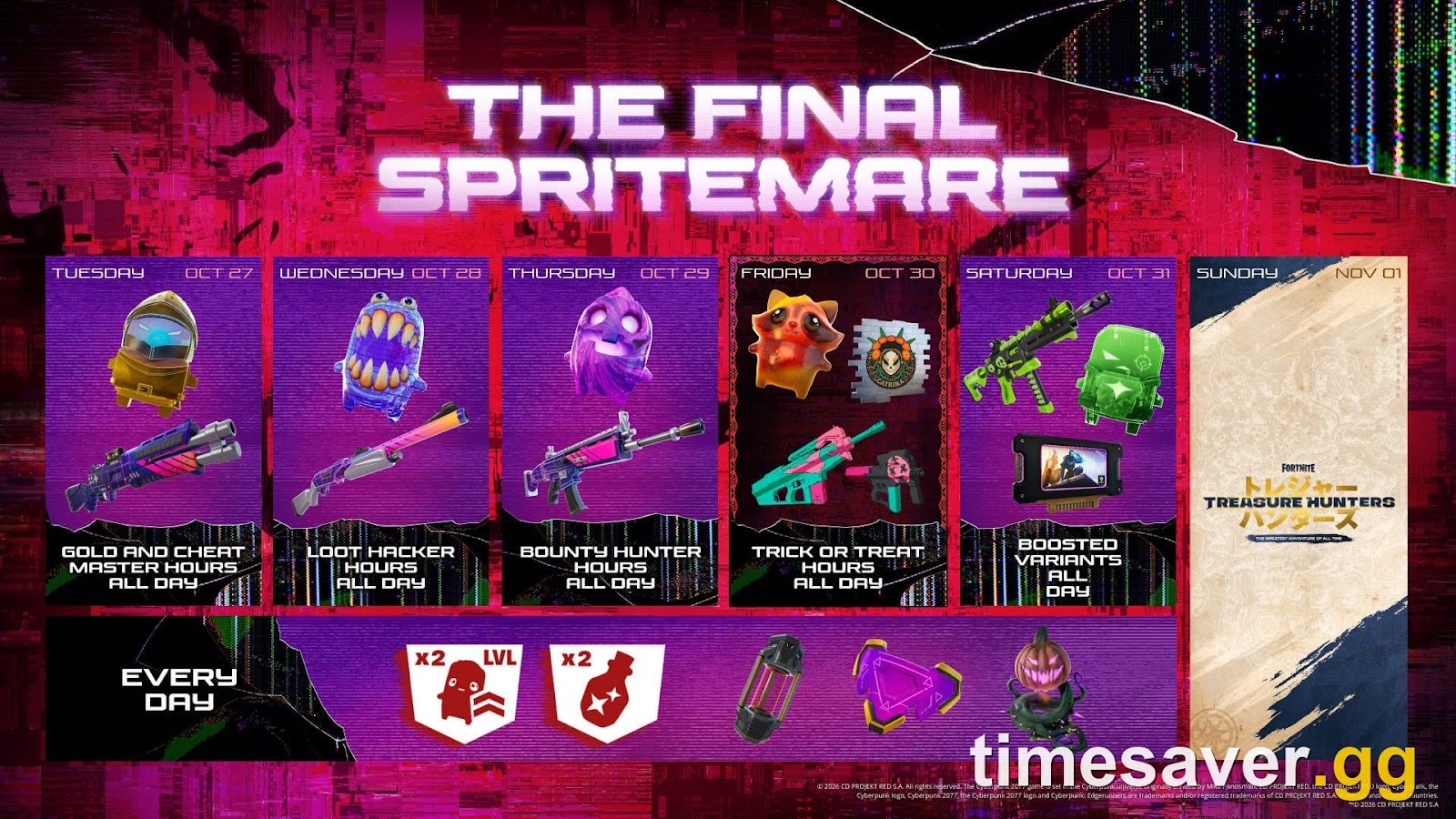
If your rarest Sprite is a plain variant, you still have time this week. The Final Spritemare runs 27–31 October 2026 with 2x Sprite XP and 2x Sprite Dust every day. Our Final Spritemare schedule covers which special Sprites show up each day. Remember that the recap we checked was snapshotted on 25 October, so those extractions may not appear unless Epic refreshes it. For background on every Sprite family, see Fortnite Sprites explained. If you're worried about losing your collection when the season ends, read are Sprites leaving Fortnite?.
How do I share or save my Fortnite recap?

At the bottom of the page is a carousel of 4 cards. The first is Overview, which shows your play style, the three headline stats and three Sprites. Then:
- Use the arrows to choose the card you want.
- Tick Hide username before sharing anywhere public. This is especially worth doing if your Epic name is the same one you use elsewhere.
- Share Recap shares the selected card.
- Save Recap downloads the card as an image so you still have it after the season ends.
Each card ends with "Check out your Recap at Fortnite.com/recap". The cards are in a tall, phone-style portrait layout.
Save it now. Epic hasn't said how long the Override recap stays up. The page currently shows Override only, which suggests each new season's recap replaces the last one rather than being archived. If you want a permanent copy, use Save Recap before 1 November.
Why is my Fortnite recap empty or not working?
These are the usual suspects when a recap won't load or looks wrong:
| Symptom | Likely cause | Fix |
|---|---|---|
| Recap shows zeros or "no data" | You signed in with the wrong Epic account, often one auto-created by a console or Google login | Sign out, then sign in with the account whose display name matches your in-game name |
| Stats look lower than expected | The recap is a snapshot ("Updated October 25, 2026") | Matches played after the snapshot aren't counted yet. Check back after Epic refreshes it, if it does |
| Wins or placement look off | Placement is shown as "Avg BR placement", a Battle Royale figure | Time you spent in Creative islands or other modes won't move BR placement |
| Page keeps loading or bounces back to sign-in | Browser privacy settings or an extension interfering with the Epic login redirect | General fix: try a different browser or a private window with extensions off, then sign in again |
| You played very little this season | Little data before the 25 October snapshot | Nothing to fix. Matches after the snapshot only count if Epic refreshes it |
| Site down completely | Epic web or account services having problems | Check status.epicgames.com or our Fortnite server status page |
The wrong account is the first thing to check. Many players who started on PlayStation, Xbox or Switch have more than one Epic account and don't realise it. If your recap is empty, sign out of fortnite.com before you assume Epic lost your stats.
Fortnite Recap vs Fortnite Wrapped: what's the difference?
These two get mixed up all the time, and a lot of search traffic for "Fortnite Wrapped" is really looking for Epic's Recap.
| Fortnite Recap | Fortnite Wrapped | |
|---|---|---|
| Made by | Epic Games (official) | fortnite.gg (third-party fan site) |
| Covers | One season (currently Chapter 7 Season 4) | A full year or chapter (Wrapped 2025 covered all of Chapter 6) |
| How you access it | Sign in with your Epic account | Search your Epic, PlayStation or Xbox username |
| Timing | Near the end of each season | Once a year (Vice reports the page updates every November) |
| Private? | Yes, only you see yours | No, anyone can look up a public username |
You can use both. If you want this season's Sprite numbers and your play style, use the Recap. If you want a whole-year view of your most-played seasons, use Wrapped once fortnite.gg updates it for 2026. Epic hasn't said when or whether it will make a full-chapter recap of its own.
What happens to the recap when Override ends?
Override's last day is 1 November 2026 (ET) according to Epic's Battle Pass page. Some trackers and the Fortnite Wiki list 31 October, and Epic hasn't confirmed the exact hour of the changeover. Next comes Treasure Hunters, a mini-season that Epic dated with "11.1" and that launches with update v43.00. Its headline collab is One Piece, which Epic confirmed on 24 October. See our Treasure Hunters guide for what's confirmed so far.
For the recap itself:
- Expect it to be replaced, not archived. fortnite.com/recap now shows only Override, and we found no page for the Runners recap. Take that as the pattern and save your cards before downtime.
- Your Battle Pass rewards are safe. Rewards you've earned but haven't claimed are granted automatically the next time you log in after the season ends, according to Epic Player Support. You only lose rewards you never earned.
- Ranked is separate. None of the recap sections we've seen show your ranked rank. For how ranks carry over between seasons, see our Fortnite ranked explained guide.
- Plan around downtime. Season changes usually take Fortnite offline for several hours. Our Chapter 7 Season 4 end time page tracks the changeover as details come in.
More Fortnite help? Every season-change guide, fix and quest walkthrough we publish is on the timesaver.gg blog.
FAQ
Where is the Fortnite Recap? On Epic's website at fortnite.com/recap. It isn't in the game client. Open it in a browser and sign in with your Epic account.
Is the Fortnite Recap free and safe? Yes. It's run by Epic on fortnite.com and costs nothing. Only sign in on fortnite.com or epicgames.com. A "recap" or "stats" site that asks for your Epic password, or promises free V-Bucks or skins for your stats, is a phishing scam. The recap itself gives no rewards.
Does the Fortnite recap show wins and K/D? This season, yes. The Override recap shows victories out of matches played, K/D ratio, headshots, most eliminations in a match and average Battle Royale placement. Last season's Runners recap didn't show wins, which is why players asked for them.
Why does my Fortnite recap say "Updated October 25"? The recap is a snapshot of your stats up to that date, not a live counter. Matches after 25 October 2026, including the Final Spritemare week, aren't counted unless Epic refreshes the data before the season ends.
Can other people see my Fortnite recap? No. You have to sign in to see your own recap, and nobody can look up someone else's. Only the cards you choose to share are public. Tick Hide username first if you don't want your Epic name on them.
Can I still see my Chapter 7 Season 3 recap? Not as far as we can find. fortnite.com/recap now shows only the Override recap, and Epic hasn't offered an archive. If you didn't save your Runners cards, they appear to be gone.
Is Fortnite Wrapped the same thing as the Fortnite Recap? No. Fortnite Wrapped is a yearly summary made by the fan site fortnite.gg that works from your public username. The Fortnite Recap is Epic's own per-season page, with Sprite stats and a play-style label for the current season.
Sources: Epic Games, fortnite.com/recap landing page and live recap screenshots (26–27 October 2026); Epic's r/FortniteBR "See Your Season in Review" post (August 2026); Epic Battle Pass page (Override end date); Epic Player Support (auto-granted pass rewards); Beebom, "How to Get Your Fortnite Chapter 7 Season 4 Override Recap" (27 October 2026); HYPEX and Fortnite news accounts on X (26 October 2026); Vice on fortnite.gg Wrapped 2025. Checked 27 October 2026 against Chapter 7 Season 4 "Override", v42.40.