Quick answer (updated November 10, 2026): Your Ultimate Edition content isn't missing, and there's nothing to download. The GTA VI: Ultimate Edition Upgrade and the Vintage Vice City Pack are licences that unlock items inside the game, not separate installs. Xbox says it on screen: "Add-on | Doesn't need to be installed." PS5 files them under "Add-ons (in-game licences)" in Manage Game Content, marked Usable. Rockstar says the 16 Ultimate items are "threaded across all aspects of Jason and Lucia's story", so you'll find them as you play from November 19 at midnight local time, not on the preload screen. The Extra2 to Extra5 packages (about 1.38 MB each) and the "Shared with Grand Theft Auto V" label are PS5 store plumbing that Rockstar hasn't explained. Don't delete them. The only download that matters is the main game, up to 212 GB.
The preload opened on November 10, and within hours r/GTA6 filled up with the same worry. People who paid $99.99 for the Ultimate Edition opened their download queue, saw only the base game, and assumed the extra $20 of content had failed. One PS5 player's tip, to open Manage Game Content once the install finishes, picked up 84 upvotes in a few hours. Others posted screenshots of add-ons named "Extra2" and a licence called "GTAV Story Mode" and asked what they'd actually bought.
Here's what each screen means, what Rockstar has confirmed, and the short list of things worth fixing in the 9 days before launch.
Why aren't my GTA 6 Ultimate Edition add-ons downloading?
Because they don't download. Rockstar's own description of the Ultimate Edition is a game plus an upgrade licence. Its Platforms, Editions, and Versions page lists the Ultimate Edition as two things: "Grand Theft Auto VI" and "GTAVI: Ultimate Edition Upgrade". The upgrade isn't a mission pack sitting in a separate file. It's a key that tells the game you own the extra items.
The consoles agree. On Xbox, a player's storage screen for the Ultimate Edition lists the upgrade and the pre-order pack under Add-ons with the same line on both: "Doesn't need to be installed." On PS5, another player's Manage Game Content screen shows them in a section titled "Add-ons (in-game licences)", each one marked Usable.

A player's PS5 capture from r/GTA6, November 10. The Ultimate upgrade and the Vintage Vice City Pack sit under "Add-ons (in-game licences)", both Usable.
So if your download queue shows one item, the base game, that's normal. A licence has no progress bar.
Where do I check that my Ultimate Edition is actually there?
Check the licence, not the queue. It takes under a minute on either console.
| Console | Where to look | What "working" looks like |
|---|---|---|
| PS5 | GTA VI tile on the home screen, then … (Options), then Manage Game Content | "Grand Theft Auto VI: Ultimate Edition Upgrade" and "Vintage Vice City Pack" under Add-ons (in-game licences), marked Usable |
| Xbox Series X/S | My games & apps, highlight GTA VI, press Menu, then Manage game and add-ons | Both add-ons listed with "Doesn't need to be installed" |
| Either | Your store's purchase history | One order for the Ultimate Edition, or the Standard Edition plus a separate Ultimate Edition Upgrade |
On PS5, one player reports the add-ons only show up in Manage Game Content once the main download has fully finished. If you check at 30% and see nothing, wait for the install to complete and look again.

A player's Xbox photo, posted to r/GTA6 on November 10. Both add-ons: "Doesn't need to be installed."
If the upgrade isn't in your purchase history at all, that's a real problem, and it's a store problem, not a download problem. Rockstar's pre-order support FAQ sends PlayStation and Xbox store purchases to PlayStation Support and Xbox Support, and retail purchases to the retailer.
What are Extra2, Extra3, Extra4 and Extra5 in GTA 6?
They're small packages that came down with the preload. One player's PS5 delete-content screen shows Extra2, Extra3, Extra4 and Extra5, each 1.38 MB. On the Manage Game Content screen they carry a "Playable date" of 19/11/2026, and the licence list also includes entries simply called "Extra" and "Story".

A player's PS5, photographed for r/GTA6 on November 10. Four "Extra" packages, 1.38 MB each.
What's confirmed and what isn't:
- Confirmed by the screens: the names, the 1.38 MB size, the November 19 playable date, and the Usable status.
- Not confirmed: what's inside them. Rockstar hasn't commented, and 1.38 MB is far too small to hold vehicles, missions or a map region. The likeliest reading is that they're entitlement stubs, small files that switch content on, but that's our inference, not Rockstar's.
Either way, don't delete them. Together they come to about 5.5 MB of a roughly 212 GB install, so deleting them frees nothing useful. It risks the console flagging the game as incomplete on launch night, when every download server on Earth will be busy.
Why does GTA 6 say "Shared with Grand Theft Auto V" or "GTAV Story Mode"?
This is the screen causing the most confusion, and the honest answer is that Rockstar hasn't explained it.
On PS5, those Extra packages show the line "Shared with Grand Theft Auto V". A separate PS5 capture lists a licence called "GTAV Story Mode", marked Usable, between "Extra" and the Ultimate Edition Upgrade. A third r/GTA6 thread on the same subject was titled "This is interesting. What does GTA V mean?"
What we can say for certain:
- Rockstar's official edition list contains no GTA V content. The Standard Edition "includes the game". The Ultimate Edition adds the upgrade with 16 named items. The digital pre-order bonus is the Vintage Vice City Pack plus one month of GTA+. None of that mentions GTA V (Rockstar Support).
- It doesn't mean GTA 6 is a GTA V expansion, and it doesn't mean you've been sold GTA V. Both store pages sell GTA VI as its own game.
- The label hasn't been seen on every console. Every screenshot we've found showing it is from a PS5. The Xbox screen above shows only the two real add-ons.
The likeliest explanation is internal naming. Consoles group add-on files by product IDs that publishers set up months before launch, and a label like this can be a leftover from that setup. Treat any post that claims GTA V is "secretly included" in GTA 6 as a rumor until Rockstar says otherwise. And the one link between the two games that does exist is GTA+, which is a GTA Online membership. We cover how GTA Online relates to GTA 6 in our GTA Online carry-over guide.
What's actually in the GTA 6 Ultimate Edition?
Here's the full list from Rockstar Support, so you know what to look for once you're playing:
| # | Ultimate Edition item | Type |
|---|---|---|
| 1 | '95 Grotti Cheetah | Vehicle |
| 2 | Hawk & Little Morgan Revolvers | Weapons |
| 3 | Personalized Weapon Variants | Weapons |
| 4 | Vice City Styles | Clothing |
| 5 | Jason's Safehouse Vehicles | Vehicles |
| 6 | Ganado Retro Build | Vehicle |
| 7 | Rideout Customs Mod Shop | Location |
| 8 | Sara's Unisex Salon | Location |
| 9 | Shitzu Squalo | Boat |
| 10 | Stock 305 Clothing Store | Location |
| 11 | '67 Vapid Dominator Buggy and Garage | Vehicle + property |
| 12 | Electric Fang Tattoo Parlor | Location |
| 13 | One-Eyed Willie's Mod Shop | Location |
| 14 | Goodtime Gear | Clothing |
| 15 | PTT Youngin$ Compound | Location |
| 16 | Classic Car Collection | Vehicles |
The line that explains why none of it shows up today is Rockstar's own:
"Ultimate Edition bonuses are threaded across all aspects of Jason and Lucia's story, with new items uncovered behind each chapter." — Rockstar Games Support

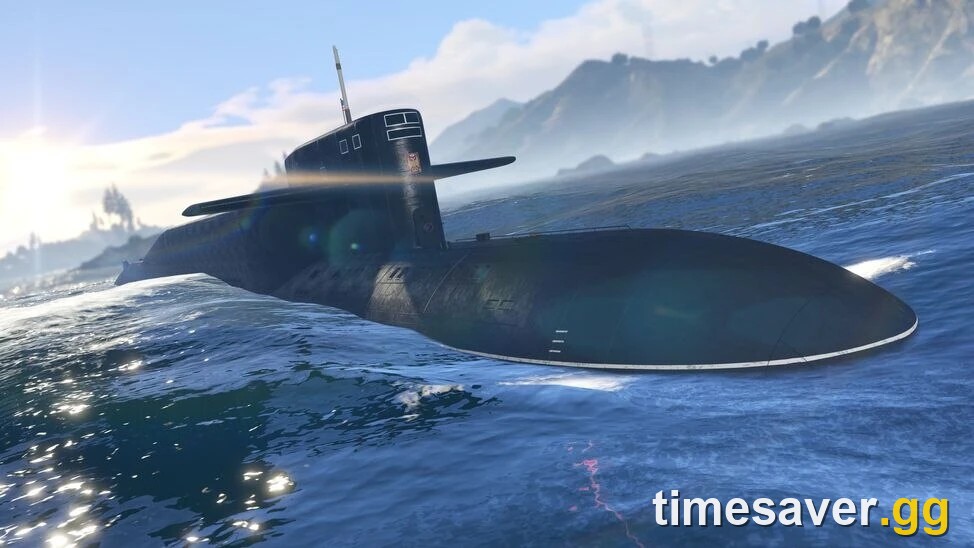
The Shitzu Squalo, item 9 on Rockstar's list. Official art from Rockstar's Ultimate Edition Benefits pack.
So the items aren't all handed to you on day one. Some arrive as the story moves forward, chapter by chapter. Rockstar hasn't published which item unlocks in which chapter. And on early access: there isn't any. Both editions unlock at the same moment, which we cover in our GTA 6 early access explainer.
Where's my Vintage Vice City Pack?
Same answer, one licence. The pack is the pre-order bonus for both editions, and it contains three things: the '55 Vapid Stanier Sedan and Garage, outfits and hairstyles, and an exclusive weapon pattern. It doesn't download separately either, and on Xbox it carries the same "Doesn't need to be installed" line.
Two rules decide whether you have it:
- Digital: pre-orders and purchases of either edition made before November 20, 2026 get the pack and one month of GTA+.
- Physical: the box holds one code for the game and the Vintage Vice City Pack. There's no disc, and the GTA+ month is digital-only.
Our pre-order bonus guide covers the deadline wording on each store.
I bought the physical copy. How do I get the Ultimate Edition?
You can't buy a boxed Ultimate Edition. Rockstar says so plainly: "A physical version of the Grand Theft Auto VI: Ultimate Edition is not available." What you can do is redeem your box code, then buy the Ultimate Edition Upgrade from the PlayStation Store or Microsoft Store as a digital add-on. Rockstar says Standard Edition owners can buy it "at any point" after the code is redeemed.
Boxes go on sale from November 12, and the code works for the preload as soon as you have it. One warning for PS5 players: codes are region-locked to your PlayStation account's region, in 10 region groups. Xbox codes aren't. More in our physical copy guide.
Is my GTA 6 preload actually broken? The real fixes
If the add-ons are fine but the game itself isn't downloading, that's a different problem. These are the fixes from Rockstar's Pre-Load FAQ and the console makers' own help pages, in the order to try them:
- Check the start time. PS5 preload opens at midnight local time on November 10. Xbox opened globally at 12am GMT on November 10. Our preload guide has the times by region.
- Check your free space. Rockstar asks for up to 212 GB "depending on your device". Microsoft's store data puts the Xbox package at 225.34 GB in decimal units, which the console shows as about 210 GB. Our file size guide has the per-console numbers.
- Turn on automatic downloads. Rockstar: PS5 needs auto-downloads enabled with the console on or in Rest Mode; Xbox needs automatic updates on with the console on or in Sleep.
- Pause and resume. Sony's download troubleshooting page says to go to Downloads/Uploads, select the download, then "Pause and Resume to restart".
- Cancel and re-queue. If that fails, Sony's next step is "Cancel and Delete" from the download list, then start it again from your Game Library.
- Check the network status pages. If PlayStation Network or Xbox Live shows an alert, wait. With millions of people pulling more than 200 GB each, slow speeds today are expected.
- Rebuild the database (PS5, last resort). Start the console in Safe Mode and choose Clear Cache and Rebuild Database.
One more thing on PS5: if you're still deciding whether to cancel, Sony's refund rules change once the download starts, and with auto-download on, it may already have. Our pre-order cancellation guide explains both stores' rules.
Should I worry about my data cap?
If you're on a capped plan, yes. The biggest thread on r/GTA6 today, at over 3,300 upvotes, is a joke that the download won't finish before GTA 7. Another player posted a Verizon notification that arrived when the download was only at 16%. At up to 212 GB, the preload alone can eat a large share of a monthly allowance. Day-one patches would come on top of that, and Rockstar hasn't said whether there'll be one or how big it'd be.
You have 9 days. Starting the preload now, overnight, beats starting it at 11pm on November 18. Our unlock time guide has the exact launch hour for your region.
Got 9 days to kill? Set up GTA Online while you wait
GTA 6 launches as a single-player game, and Rockstar hasn't dated a GTA 6 Online. GTA Online is still where your crew is, and Take-Two CEO Strauss Zelnick told IGN on November 9: "We intend to keep supporting GTA Online." If you'd rather spend the countdown in properties and fast cars than in a grind:
Waiting for GTA 6 to unlock? Skip the GTA Online grind in the meantime:
- GTA 5 Money (fast & safe): top up your GTA$ for cars, businesses and properties
- GTA 5 Account Boost: levels, RP and unlocks
- GTA 5 Modded Cars: rare rides delivered
- All GTA services
Not sure what to buy first? Our GTA Online buy order ranks the purchases worth making before November 19.
FAQ
Why didn't my GTA 6 Ultimate Edition add-ons download? They don't download. The Ultimate Edition Upgrade and the Vintage Vice City Pack are licences. Xbox labels them "Doesn't need to be installed", and PS5 lists them under "Add-ons (in-game licences)" as Usable.
How do I check I have the GTA 6 Ultimate Edition? On PS5, open the GTA VI tile's options menu and choose Manage Game Content. On Xbox, open Manage game and add-ons. The Ultimate Edition Upgrade should be listed. One PS5 player reports the list fills in after the main install finishes.
What is "Shared with Grand Theft Auto V" on GTA 6? It's a label on four small PS5 packages named Extra2 to Extra5, about 1.38 MB each. Rockstar hasn't explained it, and its official edition list includes no GTA V content. Don't delete the packages.
When do the GTA 6 Ultimate Edition items unlock? From launch, at midnight local time on November 19, 2026. Rockstar says the 16 items are "threaded across all aspects of Jason and Lucia's story", with new ones found in each chapter.
Can I get the Ultimate Edition with a physical copy of GTA 6? Not in the box. Redeem the Standard Edition code, then buy the Ultimate Edition Upgrade from the PlayStation Store or Microsoft Store.
Does the physical GTA 6 include the Vintage Vice City Pack? Yes. The box code covers the game and the Vintage Vice City Pack. The one month of GTA+ is only for digital purchases made before November 20, 2026.
Sources: edition contents, physical and region rules from Rockstar Support: Platforms, Editions, and Versions; preload times, storage and auto-download rules from Rockstar's Pre-Load FAQ (updated November 3, 2026); download fixes from PlayStation Support; console screens from r/GTA6 player posts, November 10, 2026. Checked November 10, 2026.