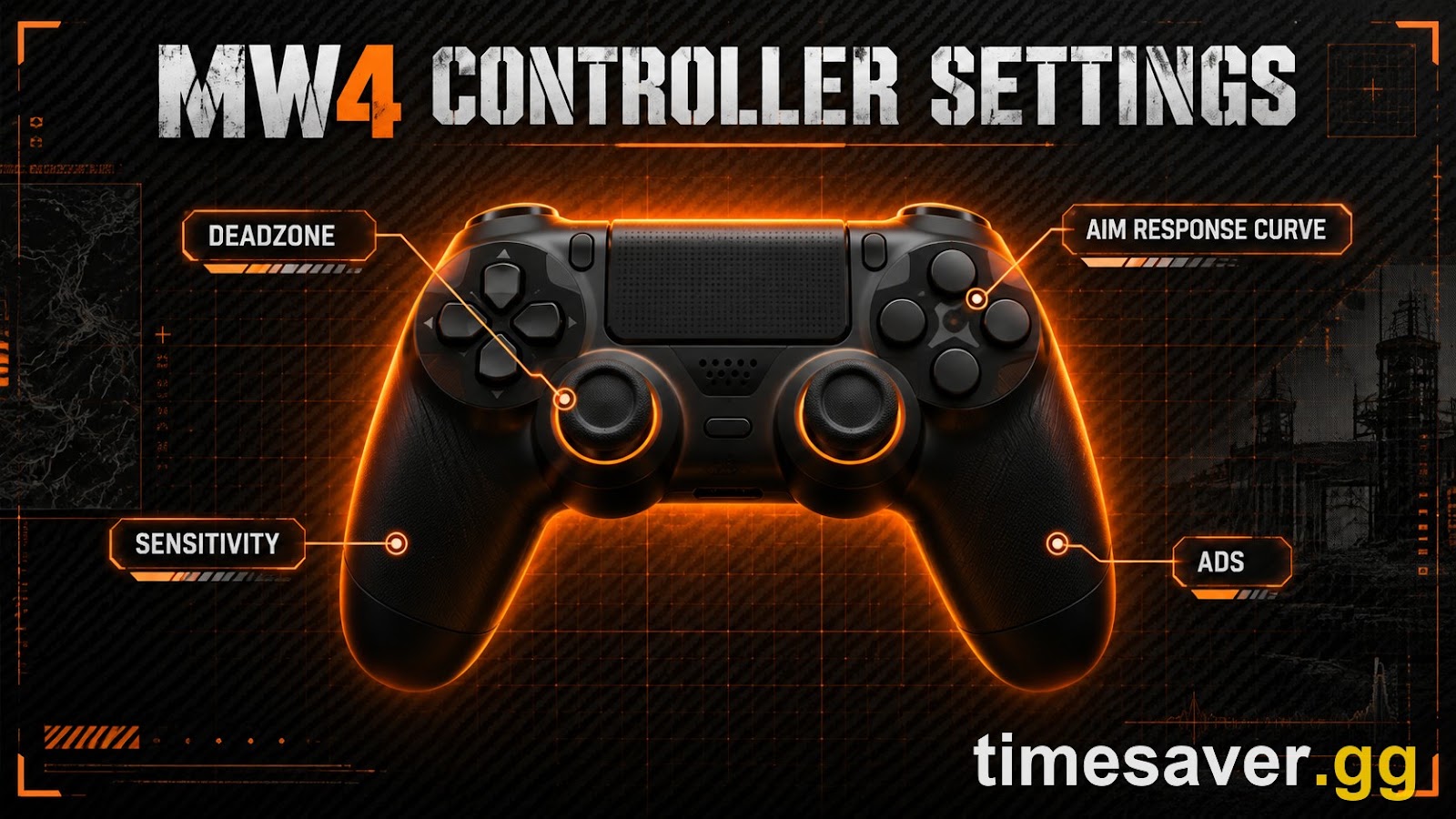
Call of Duty: Modern Warfare 4 launches on October 23, 2026, and the single fastest way to give yourself an edge before the servers go live is one most players skip: dialing in your controller before you ever load a match. The MW4 beta exposed the full settings menu, and the defaults are not what you want to be running when SBMM starts stacking your lobbies. This guide walks through every setting that actually matters — deadzones, aim response curve, sensitivity, and the aim/movement toggles — with confirmed MW4 menu labels kept strictly separate from personal-preference ranges.
Lock in your MW4 setup before launch — bot lobbies, camo + weapon leveling ready day one. New settings only click when you can rep them without getting stomped by SBMM. Practice your controller config in a relaxed lobby, then hit the grind fresh.
>
- MW4 Bot Lobbies — the fastest way to test new settings and warm up your aim without a sweat lobby
- MW4 Weapon Leveling — unlock attachments and Apex Attachments while you focus on gameplay
- MW4 Mastery Camo Unlock — skip the camo grind once your settings feel dialed
- MW4 Account Leveling — rank up fast to open every setting-relevant unlock
Call of Duty: Modern Warfare 4 - Bot Lobbies
Get bot lobby in 10 minutes
Quick answer: the best MW4 controller settings
- Aim Response Curve Type: Dynamic. This is the modern Call of Duty standard and the one most beta guides and pros settled on — it keeps small stick inputs precise while ramping to fast turns as you push the stick further.
- Sensitivity: 1.5–1.9 horizontal and vertical (a common middle ground is 1.75). High enough to turn on someone behind you, low enough to track cleanly.
- Deadzones: set them as low as your sticks allow without drift. In the beta menu that means Left/Right Stick Min around 0–10 (raise only until the input stops reading movement while at rest) and Max around 90–99.
- Target Aim Assist: On. MW4 uses the rotational + slowdown-style assist Call of Duty has run for years, and it only works on a controller. (Infinity Ward tuned aim-assist strength down during the beta and said it would keep dialing it in ahead of launch, so expect the exact feel to shift — but leaving it On is not in question.)
- Vibration and Trigger Effect: Off. Both add input latency and mask small stick movements — turn them off for competitive play.
- ADS Sensitivity Transition Timing: Instant, with a slightly lower ADS Sens Multiplier (Low Zoom) around 0.80–0.90 for steadier close-range tracking.
Everything below is sourced from the MW4 Open Beta settings menu and reputable outlets. MW4 is not out yet — the game releases October 23, 2026 (digital pre-orders get campaign early access from October 16) — so treat the exact ranges as launch-ready starting points that the community will refine once the full game ships.
Why controller settings matter more in Modern Warfare 4
Infinity Ward rebuilt MW4's gunplay on a new weapon-first system it calls Ballistic Authority, and the headline change is that the studio removed weapon bloom from hipfire — its stated goal is "no bloom, no guesswork, and no doubt" (Insider Gaming). When bullets go exactly where you point instead of into a random spread cone, your raw aim carries more of the fight than it has in years. That makes your stick response — deadzone, sensitivity curve, ADS multiplier — a bigger performance lever in MW4 than in the RNG-heavier CoDs that came before it.
Translation: two players with identical guns and skill will land different shots based purely on how their controller reads the stick. Getting these settings right before launch is free performance. (If you play on PC, pair this with our best MW4 PC settings for high FPS — frame rate and input latency compound with your controller config.)
What deadzone should you use in MW4?
Deadzone is the amount of stick movement the game ignores before it registers input. Set it too high and your aim feels sluggish and unresponsive; set it too low and stick drift makes your reticle wander on its own.
MW4's beta exposed granular Deadzone Inputs with separate minimum and maximum values for each stick:
- Left Stick Min / Right Stick Min: 0–10. Start at 0 and raise it one point at a time only until the on-screen input value zeroes out while you're not touching the stick. Most controllers land around 5; a worn controller with drift may need a touch higher.
- Left Stick Max / Right Stick Max: 90–99. A high maximum means you reach full turn/movement speed slightly before the stick hits its physical edge — useful for hitting max rotation without jamming the stick.
The one-line rule: your deadzone minimum should be the lowest number that stops drift, and nothing higher. Every extra point above that is dead input you're throwing away.
What is the best aim response curve type in MW4?
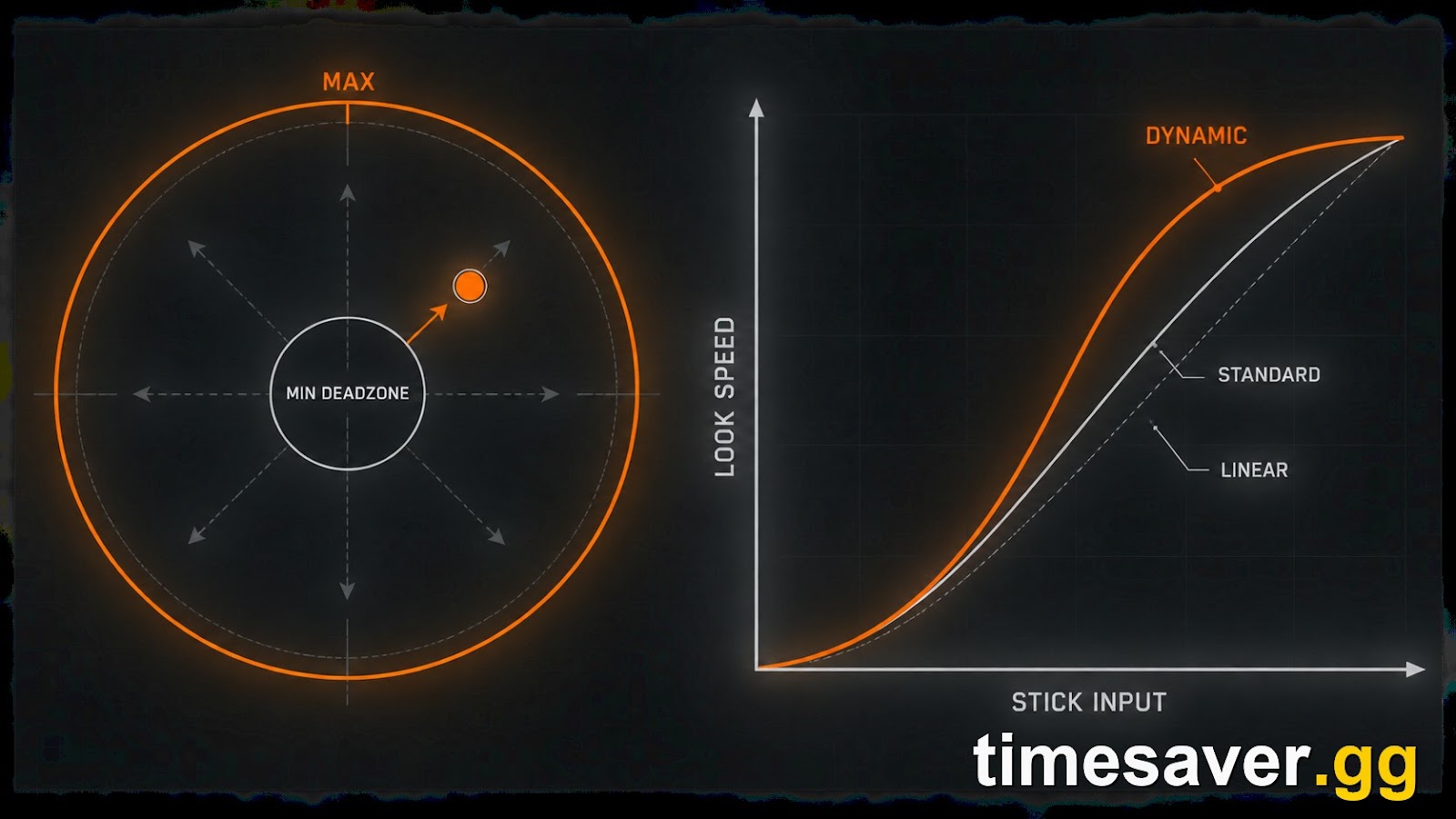
The Aim Response Curve Type controls how your look speed scales as you push the stick. MW4 carries the three curves Call of Duty has used for years:
- Standard — a simple curve with a small ramp; predictable but slower to reach top-end turn speed.
- Linear — a 1:1 map of stick position to look speed. Some players prefer it for the raw consistency, but it makes micro-adjustments harder.
- Dynamic — smooths small inputs for precise tracking near center, then ramps aggressively as you push the stick further. This is the pick for most players, and the value IGN's beta guide and multiple pro-focused setups landed on (IGN).
If you're coming from an older CoD on Standard, the switch to Dynamic feels strange for a session, then noticeably tighter on tracking. Give it a full warm-up before you judge it — ideally somewhere the stakes are low.
Call of Duty: Modern Warfare 4 - Mastery Camo Bundle
Get mastery camos in 10 minutes
What sensitivity and ADS settings should you run?
Sensitivity is the most personal setting here, but the community consensus band is narrow. Most MW4 beta players kept horizontal and vertical stick sensitivity between 1.5 and 1.9, with 1.75 as the balanced middle — fast enough for a quick 180 to catch someone flanking, slow enough to track a strafing target without over-flicking (dotesports, IGN).
For aiming down sights:
- ADS Sensitivity Transition Timing: Instant. No delay between hipfire and ADS sensitivity — your aim responds the moment you scope.
- Custom Sensitivity Per Zoom: On, then set ADS Sens Multiplier (Low Zoom) to 0.80–0.90. A slightly slower ADS speed at close range steadies your tracking in the gunfights that decide most 6v6 matches, while leaving high-zoom optics near 1.00 so sniping doesn't feel glued.
Keep both axes matched (same horizontal and vertical) unless you have a specific reason not to — mismatched axes make muscle memory harder to build.
Which aim and movement toggles should you change?
Beyond the numbers, a handful of on/off toggles quietly cost you performance on default:
- Controller Vibration: Off — rumble masks small stick movements and adds nothing competitively.
- Trigger Effect: Off — adaptive trigger resistance slows your ADS and fire inputs.
- Target Aim Assist: On — MW4's aim assist is controller-only and requires stick movement for the rotational component to kick in; leave it on. (For which assist profile to run and why, see our full MW4 aim assist explained breakdown.)
- Slide/Dive Behavior: Tap to Slide — separates slide and dive so you don't accidentally dive off cover.
- Sprint/Tactical Sprint Behavior: Toggle, with Tactical Sprint Activation: Single Tap Sprint — cleaner movement without double-tapping the stick.
- Interact/Reload Behavior: Prioritize Reload — so you reload in a firefight instead of interacting with a nearby door or plate.
- Corner Slice: On — a small automatic lean around cover that helps you peek without over-exposing.
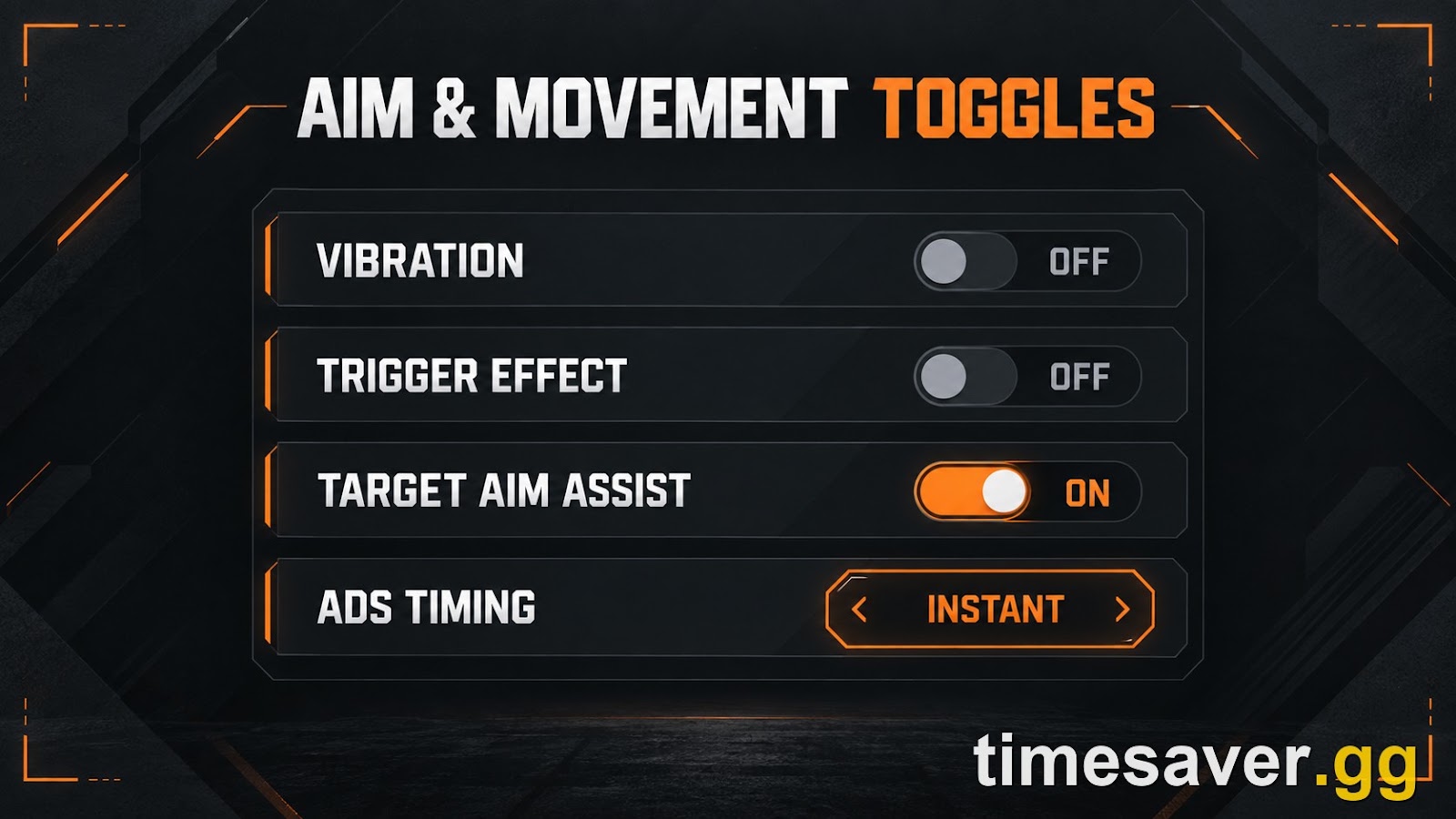
These are the toggles that separate a "default" controller feel from one built for MW4's faster, no-bloom gunplay.
Test your settings the smart way
New settings only pay off once they're muscle memory, and the beta taught players the hard lesson that launch lobbies are not the place to experiment — MW4 uses skill-based matchmaking, so a rough session while you adjust means sweatier opponents, not easier ones. The efficient approach is to lock your config, warm up somewhere relaxed until the aim curve and sensitivity feel automatic, then jump into ranked play or the camo grind. (Once your aim feels right, our guide on how to rank up fast in MW4 at launch covers the best XP methods to open every unlock.) If you want a controlled environment to dial in your setup without a sweat fest, MW4 bot lobbies are the fastest way to rep new settings before launch.
FAQ
What is the best aim response curve for MW4? Dynamic is the best pick for most players. It keeps small stick movements precise for tracking while ramping to fast look speed as you push the stick further, which suits MW4's no-bloom gunplay where raw aim matters more. Linear is a valid alternative if you prefer a pure 1:1 feel, and Standard is the most beginner-friendly but slowest to top-end turn speed.
What deadzone should I use in Modern Warfare 4? Set your stick minimums as low as possible without drift — start at 0 and raise one point at a time until the input reads zero while the stick is at rest, which is usually around 5. Keep stick maximums high (90–99) so you reach full turn speed just before the stick's physical edge.
What sensitivity do MW4 pros use? Most competitive and pro-adjacent setups in the beta ran horizontal and vertical stick sensitivity between 1.5 and 1.9, with 1.75 as a common balanced value. Sensitivity is personal, but staying inside that band keeps you fast enough to turn and steady enough to track.
Should I turn off controller vibration in MW4? Yes. Vibration and the adaptive Trigger Effect both mask small stick inputs and add input latency, so turning them off gives you cleaner aim and faster ADS. This is standard practice across competitive Call of Duty.
Does aim assist work on PC in Modern Warfare 4? Yes — aim assist is controller-only, not platform-only. If you plug a controller into a PC you get full aim assist, including in cross-play against mouse-and-keyboard players. Mouse users get none by design.
| When can I actually change these settings? MW4 launches October 23, 2026 on PS5, Xbox Series X | S, PC, and Nintendo Switch 2. Digital pre-orders can play the campaign early from October 16, and the multiplayer settings menu shown here matches what was available in the Open Beta. |
|---|