If you rushed through Once Human's character creator on day one — or you started on PS5 or Xbox in the console launch and now regret the face you clicked past — the good news is you are not stuck with it. You can reshape your character's face and body, restyle their hair, and even change their gender long after creation. And as of the September 28, 2026 update, most of that is now completely free.
This guide covers exactly how to change your appearance in Once Human after creation, what the September 28 update changed, the one customization that still costs currency, and how to save and share your look with a preset code. It applies across PS5, PS5 Pro, Xbox Series X/S, PC and mobile — the customization system is shared. If you are brand new, pair it with our Once Human console beginner guide.
Key takeaways
- Reshaping your face and body is now free. Since the September 28, 2026 update, editing facial features and body shape no longer costs any item.
- Changing hair color is now free too. Color-palette hair dye no longer consumes Butterfly Dye.
- You do this at a Floor Mirror in your territory — build it, interact with it, and the full character-editor reopens. It does not need to be unlocked.
- Changing gender still costs money. The Metamorphosis Token was kept, but the price was cut from 880 to 300 Crystgin.
- Your progress is safe. Editing appearance changes nothing about your level, gear, blueprints or server — it is purely cosmetic.
- You can save and import looks with a face/preset code, so you can rebuild or share a character without redoing every slider.
What changed on September 28, 2026
For most of Once Human's life, changing your look after creation was a chore. Reshaping your face or body cost a Chrysalis Token, and changing hair color cost Butterfly Dye — items you had to learn about, buy in the shop, then carry back to a mirror before you could touch a single slider. As Starry Studio put it in the official dev blog, "casually changing your hair color becomes something troublesome."
That is over. In the official "Character Customization and Hair Dye Are Now Free" dev blog (published on oncehuman.game), the studio wrote:
"We've decided to simplify this process from the root—removing functional items and making reshaping and hair dye completely free."
Here is exactly what the update did, live since the September 28 (PT) version 3.0.7 update:
- Facial-feature and body-shape reshaping no longer consumes any item. No Chrysalis Token required.
- Color-palette hair dye no longer consumes any item. No Butterfly Dye required.
- Chrysalis Tokens and Butterfly Dye were withdrawn from all sales channels — the Shop, Wish Bazaar, recruit shops and Currency Quick Redeem.
- Any tokens or dye you already own are not taken away. Their description now reads that the item has expired, and using it converts it into Colorful Badges — a Chrysalis Token becomes 60 Colorful Badges, a Butterfly Dye becomes 30. Colorful Badges unlock dyed closet versions, save fashion-dye presets, and buy dye items and Radiance Shop cosmetics.
- Recent purchases are refunded. The studio said it will automatically refund related purchases made in the three months before the September 28 update — Chrysalis Tokens and Butterfly Dye refunded in full (in the currency you paid), and the Metamorphosis Token price cut refunded proportionally. Exact amounts vary by what you bought, so check your in-game mail rather than trusting a fixed figure.
The takeaway for a returning or new console player: ignore every 2024–2025 guide that tells you to farm or buy a Chrysalis Token first. You do not need one anymore.
How to change your appearance after creation (Floor Mirror)
Once you are in the world with a created character, appearance edits happen at a Floor Mirror in your territory. It does not need to be researched or unlocked through Memetics — you can build it early.
- Open your building menu and place a Floor Mirror anywhere in your territory (it is a standard furniture item).
- Walk up to it and interact with it.
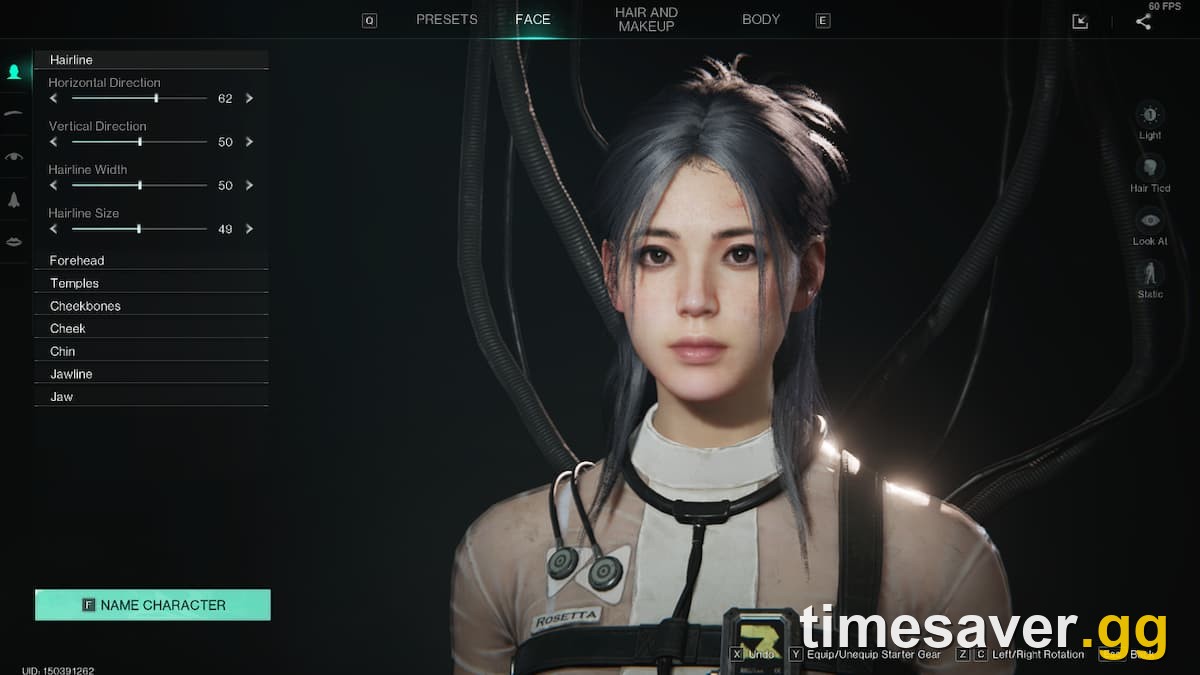
- The full character editor reopens — the same screen you saw at creation.
- Adjust whatever you want, then confirm. That's it — no item is consumed for face, body or hair-color changes.
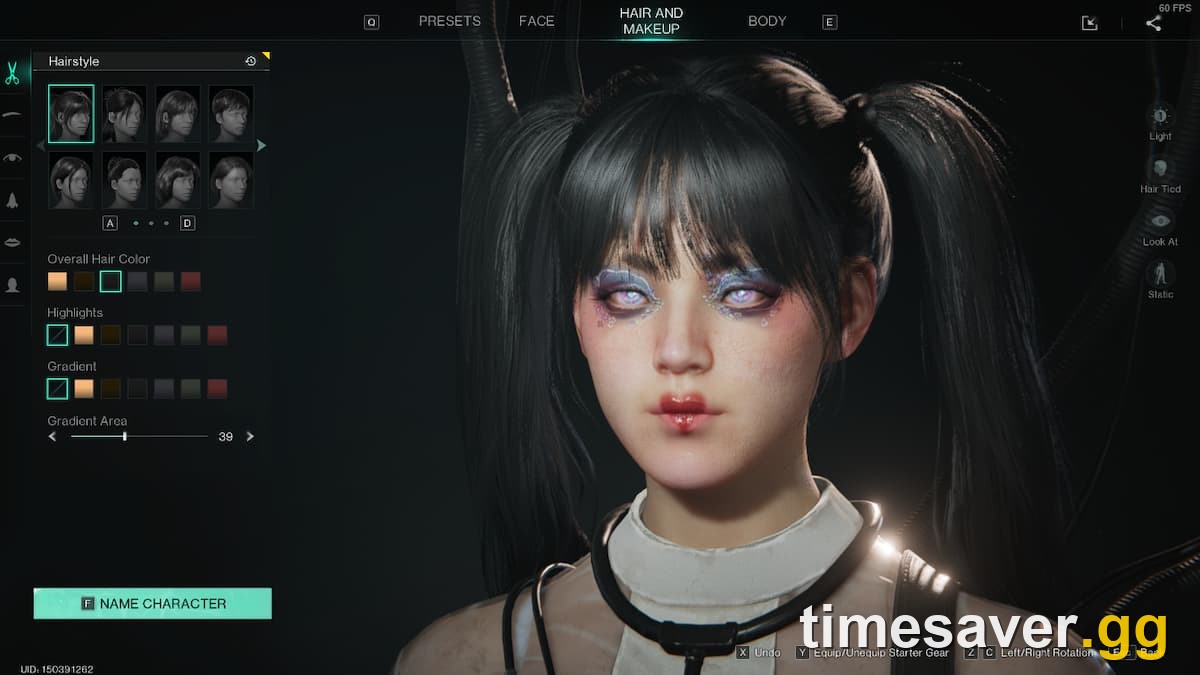
Inside the editor you get the same deep toolset the creator has. The customization is organized into tabs:
- Face — the most detailed tab: face shape, eyebrows, eye shape, nose and mouth shape, each with fine sliders.
- Hair & Makeup — hairstyle, facial hair, eye makeup, contour, lipstick and skin.
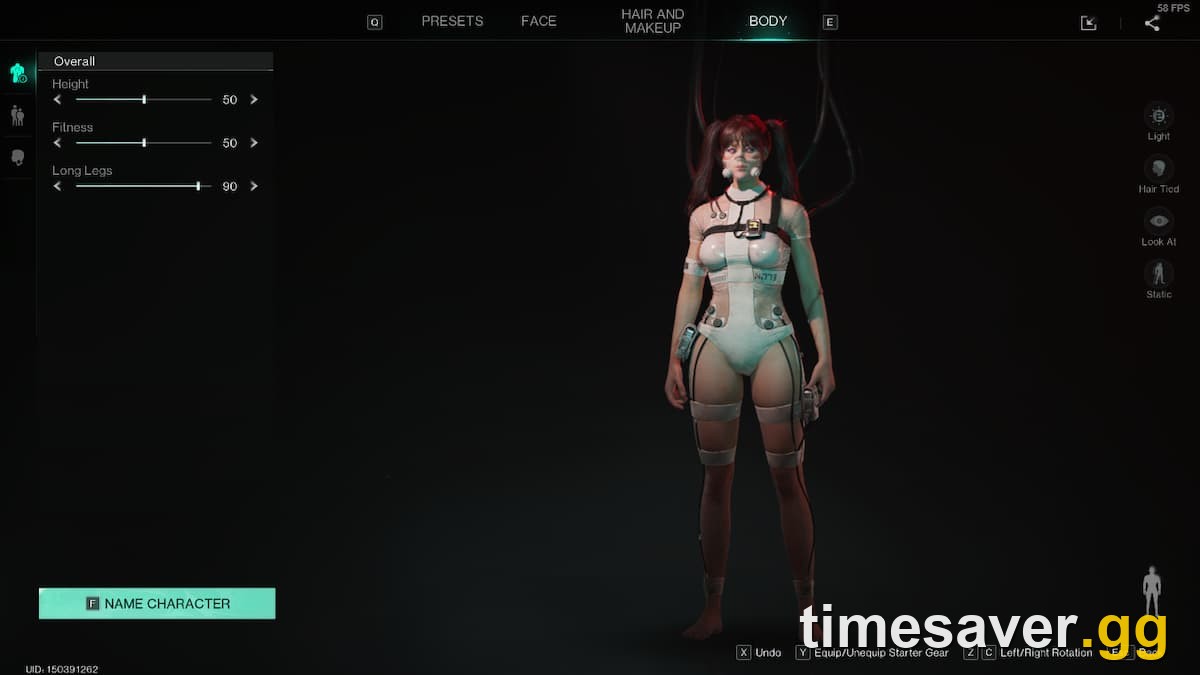
- Body — height and body-shape sliders. Note that body settings can nudge a couple of minor stats, but the effect is small and not something to agonize over.
- Body Paint / tattoos — up to three tattoo slots, each with intensity, and for some designs color, size, location and orientation.
Because reshaping is now free, the smart move is to treat the mirror as a sandbox: tweak, back out, look in third-person, and come back as often as you like. That was the whole point of the September 28 change — the studio said "the cost of trial and error makes it hard for players to freely explore," and removed it.
Can you change your gender in Once Human?
Yes — but this is the one customization that still costs currency. Gender change uses a Metamorphosis Token, and the studio deliberately kept it behind a price so the choice stays a considered one. In its words, "we want Metas to remain cautious when choosing their character's gender."
What did change on September 28 is the price: the Metamorphosis Token was reduced from 880 Crystgin to 300 Crystgin. Crystgin is the premium currency you top up with real money at the official Top-up Center, so a gender swap is a real-money purchase — but a much cheaper one than before. If you bought a Metamorphosis Token in the three months before the update, the studio said it will refund a portion of the price difference in Crystgin automatically.
So the accurate 2026 answer to "can I change my gender in Once Human?" is: yes, any time, but it is the single paid customization — everything else about your look is now free.
Does changing your appearance reset anything?
No. This is the fear that stops people from touching the mirror, and it is unfounded. Editing your face, body, hair or even gender is purely cosmetic. It does not touch your level, gear, weapon and armor blueprints, Mods, Deviations, currencies, story progress or server. You are the same character on the same server with the same everything — you just look different.
The thing that does reset your character is a scenario ending, which is an entirely separate mechanic and has nothing to do with the mirror. If you are unsure what a scenario reset keeps and wipes, that is worth understanding on its own — see our guide on what carries over and what resets when a scenario ends. And if you want to know whether your server ever wipes at all, read do Once Human servers wipe: seasonal vs permanent servers.
Saving and sharing a look: preset / face codes
One of the most common follow-up questions is whether you can save a character look and switch between them — one player on r/OnceHumanOfficial asked, "is there any way I can save this current character, be able to switch back and forth between presets?"
The character editor supports preset codes. When you like a look, you can export it as a shareable code (players often screenshot it as a QR image), and later import that code on the character-creation / editor screen to instantly copy the whole configuration — sliders, hair, makeup and all — without redoing it by hand. This is how the big community "character library" sites work: creators publish their preset codes, and you paste them in.
Two practical notes:
- The code copies appearance settings only — it does not carry over your account, level or gear. It is a styling shortcut, not a character transfer.
- Not every uploaded preset is complete for every body type, so if an imported look comes out odd, jump into the individual tabs and fine-tune. Since reshaping is free now, that costs you nothing.
What this change does not do
To keep expectations accurate:
- It does not make gender change free. That remains a paid Metamorphosis Token, now 300 Crystgin.
- It does not touch fashion (outfit) dye. This update is about hair color via the color palette and about reshaping your face/body. Fashion-item dyeing is a separate system (which had its own cost-reduction overhaul in an earlier patch). Colorful Badges from converted items feed that fashion-dye system.
- It is not a name change. Appearance and name are handled separately; the mirror reopens the look editor, not your account name.
FAQ
Is changing your appearance in Once Human free now? Yes. Since the September 28, 2026 update, reshaping your facial features and body shape and changing your hair color with the color palette no longer cost any item. You just build and use a Floor Mirror in your territory.
How do you change your appearance after character creation? Place a Floor Mirror in your territory, interact with it, and the full character editor reopens. It does not need to be unlocked. Adjust face, hair, makeup or body and confirm — nothing is consumed for those changes.
Can you change your gender in Once Human? Yes, using a Metamorphosis Token. It is the one customization that still costs currency, but as of September 28, 2026 the price was cut from 880 Crystgin to 300 Crystgin. Everything else about your appearance is now free.
Do I still need a Chrysalis Token or Butterfly Dye? No. Both were withdrawn from sale on September 28, 2026. If you already own some, using them converts them into Colorful Badges (60 per Chrysalis Token, 30 per Butterfly Dye), which are used for fashion dye and Radiance Shop cosmetics. Ignore older guides that tell you to buy them first.
Will changing my look reset my progress? No. Appearance changes — including gender — are purely cosmetic. Your level, gear, blueprints, Mods, Deviations, currencies and server are untouched. The only thing that resets a character is a scenario ending, which is a separate mechanic.
Can I save my character look and reuse it? Yes. The editor supports preset / face codes you can export (often shared as a QR image) and import on the creation screen to copy an entire look. The code copies appearance settings only, not your account or gear.
Does this apply on PS5 and Xbox? Yes. Character customization is shared across PS5, PS5 Pro, Xbox Series X/S, PC and mobile, and the September 28 update applied game-wide. Console players who linked into an existing account keep whichever character set they chose at linking — see our crossplay and cross-progression guide for that.
Bottom line
Once Human just removed the friction from one of its best features. Reshaping your face and body and recoloring your hair are free at any Floor Mirror, your progress never moves when you do it, and the only thing left behind a paywall — gender change — got substantially cheaper. If you have been holding a face you don't love because you thought it would cost you, that excuse is gone as of September 28, 2026. Build a mirror and go experiment.
Facts verified against the official Once Human dev blog "Character Customization and Hair Dye Are Now Free" (oncehuman.game, September 2026) and the official character-customization systems. Prices in Crystgin are the studio's published figures for the September 28, 2026 update.