Quick answer: The Star Citizen "30k" error (Error Code 20000/30000) is a general connection timeout — the game lost its link to the server, usually because a server crashed or your session timed out, not because your PC is broken. The fastest fix in Alpha 4.9 is to fully close the game client, wait a moment, then relaunch and reconnect. If that fails, log out of the RSI Launcher for a few minutes before trying again, and check status.robertsspaceindustries.com to see whether the servers are down on CIG's side. This guide covers the 30k and every other connection code you'll hit — `<=BAD TOKEN=>`, infinite loading, 15008/16008, Loadout Services, and Easy Anti-Cheat — with the current, verified fix for each.
Key takeaways
- The 30k is a server-side timeout, not a PC fault. Error Code 20000/30000 fires when the game server drops or your session times out — a wave of them across shards is CIG's problem, not yours.
- Fully close the client for a 30k. Backing out to the menu often isn't enough; kill `StarCitizen.exe`, relaunch, and reconnect. If it repeats, log out of the RSI Launcher for a few minutes first.
- Check the status page before troubleshooting your PC. status.robertsspaceindustries.com answers the only question that matters first: is it down for everyone?
- Skip the "character reset" advice. That tool is defunct and its replacement, Character Repair, is not functional — use the region-switch and USER-folder steps for infinite loading instead.
- This is an alpha. Alpha 4.9.0 is live; 4.10 is still in PTU. Connection errors spike during events and patch rollouts, and aUEC can be wiped at any patch with no compensation.
Star Citizen is a live Alpha — the current build is Alpha 4.9.0 "Frontier Tensions" (build `4.9.0-LIVE.12232306`, published 2026-07-15), with Alpha 4.10 in PTU testing (open to all backers since July 31, 2026; a mid-August live date is a community estimate, not a CIG-confirmed date). Alpha means the servers are being actively rebuilt underneath you, so connection errors are part of the deal — especially during high-traffic windows like the current Foundation Festival Free Fly and the 4.10 test rollout, when server population surges. The good news: almost every error has a known, repeatable fix, and most are on CIG's side rather than yours. Here's the full playbook. For a full summary of what Alpha 4.10 changes, see our Star Citizen Alpha 4.10 patch notes.
What does the 30k error mean in Star Citizen?
The 30k — shown as Error Code 20000 or 30000 — is a general timeout message. Per CIG's own Knowledge Base, it "appears when the player loses connection to the game server (such as a server crash) or times out connecting but remains connected to the hub server" (RSI Support: Error Code 20000/30000).
That definition matters, because the most common misconception — repeated constantly on Reddit and Discord — is that a 30k means your connection or PC is at fault. One player summed up the folk wisdom as "these errors point to a problem on your end more often than not." That's usually wrong. A 30k is most often the server dying or a server-meshing hiccup, and there is frequently nothing wrong with your setup. Because Star Citizen is in alpha and runs on server meshing that CIG is still stabilising, whole shards drop players with a 30k when a node fails.
The painful part in Alpha 4.9 is the cost. When a 30k drops you mid-mission, you can lose the mission and any cargo you were hauling — and community reports on the 4.9 build indicate that both failing and abandoning a contract now take a reputation hit, so a server crash can cost you standing you spent hours earning. That's a big reason "how to fix the 30k" is one of the most-searched Star Citizen problems: the error is annoying, but the lost progress is what stings.
How do you fix the 30k error (Code 20000/30000)?
Work through these in order — the first step clears the majority of 30ks:
- Reconnect. Back out to the main menu and rejoin the Persistent Universe. A single 30k is often a one-off server drop and a plain reconnect works.
- Fully close the game client, then relaunch. With a 30k specifically, CIG's guidance is that "you may need to close the client before reconnecting" — not just back out to the menu. Kill the `StarCitizen.exe` process entirely (Task Manager if needed) and start fresh.
- Log out of the RSI Launcher for a few minutes. Some users have to log out of the launcher itself, wait, and log back in before the servers will let them reconnect cleanly.
- Check server status. If you're getting hit with repeated 30ks across multiple shards, it's almost certainly server-side. Head to status.robertsspaceindustries.com — if the platform is degraded, no client-side step will help and the only fix is to wait.
If a 30k throws you into a `<=BAD TOKEN=>` on your way back in, see the next section — that's a known follow-on, not a new problem.
Why do I get a `<=BAD TOKEN=>` error after a 30k?
The `<=BAD TOKEN=>` message at Location Selection "usually happens after a 30k error, and prevents you from getting back into the game temporarily." The fix is simple: restart the game client. Don't just retry the location select — close Star Citizen fully and relaunch, and the stale session token clears. If it persists, pair it with the 30k steps above (log out of the launcher, wait, relaunch).
How do you fix the Star Citizen infinite loading screen?
The infinite loading screen is the other classic — you sit at the loading/quantum screen forever and never spawn. It has several causes, so try these workarounds, which have the best success rate:
- Switch your regional server. It defaults to "BEST." Manually pick a different region — this may take several attempts.
- Bounce through Arena Commander. Join an Arena Commander multiplayer match, get destroyed, immediately exit to the main menu, then try the PU again. This clears a stuck session surprisingly often.
- Do the full reset — all at once, in this order: exit the game and log out of the launcher → delete your `USER` folder at `Program Files\Roberts Space Industries\Star Citizen\LIVE\USER` → run the launcher as Administrator, log back in, and rejoin the Stanton system.
- Use the console QUIT trick. While stuck on the loading screen, press the key below `Esc` (the `~` tilde on US layouts) to open the console, type `QUIT`, press Enter, then rejoin Stanton.
Do not rely on the old "just do a character reset" advice. Per the Star Citizen Wiki's troubleshooting guide, "Character Reset is now defunct and Character Repair — its replacement — is not functional at the time of writing." Most of the web still tells you to reset your character; that tool has been removed and its replacement isn't working, so skip it and use the steps above instead.
Deleting the `USER` folder resets your keybinds and settings, so back up your custom control mappings first if you've tuned them.
What do Star Citizen error codes 15008 and 16008 mean?
The 1500x / 1600x codes mean the game "cannot connect to the authentication servers for your region" (RSI Support: Error Code 15008/16008). Causes and fixes:
- Regional outage. The auth servers for your region are down or network-blocked. These rarely last more than 12 hours — check status.robertsspaceindustries.com and wait it out if it's on CIG's end.
- Firewall / VPN / DNS. Something on your side is blocking the auth servers. Disable your VPN, or add `StarCitizen.exe` and `RSILauncher.exe` as exceptions in your firewall/antivirus.
- The Epic Games Launcher conflict. This one catches a lot of people: if the Epic Games Launcher is installed on the same drive as Star Citizen, Epic's Easy Anti-Cheat can conflict with Star Citizen's. Either uninstall the Epic Launcher or move Star Citizen to a different SSD.
- Corrupted account data. If nothing else works, your account data may be corrupted — you'll need to contact CIG customer support to fix it.
How do you fix "Error Connecting to Loadout Services"?
This one is usually server-side. It typically appears "when the servers are having problems or undergoing maintenance," so your first move is status.robertsspaceindustries.com. If the servers are healthy, the cause is security software blocking the connection — set `StarCitizen.exe` and `RSILauncher.exe` as exceptions in your firewall or antivirus and relaunch.
Why is my Select System menu empty?
If you try to enter the PU and the Select System menu is empty, the most common reason is that you don't have a Game Package on your account. That can happen if a purchase hasn't fully processed yet, or if you accidentally melted your package for store credit. Confirm you actually have a Game Package in your RSI hangar on the website. If you do, the game is likely down for maintenance — check the status page. And if you just switched between PTU and LIVE (or back), close the client, log out of the launcher, wait about two minutes, and log back in.
How do you fix Easy Anti-Cheat and "Untrusted System File" errors?
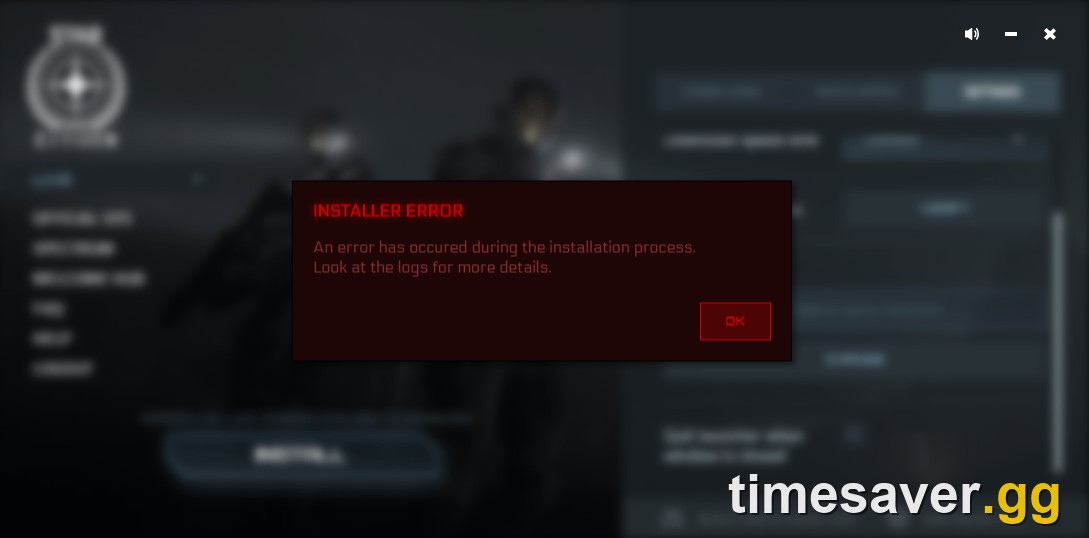
Star Citizen has used Easy Anti-Cheat (EAC) since Alpha 3.15.1, and EAC throws its own launch errors. For an "Untrusted System File" error (a program is injecting into the game, or a Windows file is corrupted/out of date):
- Update everything — Windows, the game, the launcher, and your GPU drivers.
- Run the System File Checker (`sfc /scannow`) to repair corrupted Windows files.
- Close software known to conflict with EAC. The wiki's named list: Devreorder, localization tools, Linux/Wine/DXVK/Sandboxie Plus, LED utilities (LEDKeeper2, ASRock RGB), EVGA Precision X1, VorpX, Windbg, Lasso, Overwolf, the Epic Launcher, Sonic Studio, and any software that draws an overlay in-game.
For Anticheat CODE: 0, delete the `easyanticheat` folder in your game install directory, then verify files in the launcher settings.
Is it the servers or me? How to check Star Citizen server status
Before you spend an hour deleting folders, answer the one question that saves the most time: is it down for everyone? The single source of truth is status.robertsspaceindustries.com. If the platform shows degraded or maintenance, stop troubleshooting your PC — it's CIG's side and the fix is to wait. CIG also posts an "Alpha 4.9 Known Issues" list on support.robertsspaceindustries.com, and the official Spectrum helpdesk and the /r/StarCitizen Discord are where the community tracks live outages in real time.
Does a 30k cost me my cargo, and how do I recover the grind?
Yes — a 30k can wipe out mission progress and any cargo you were carrying, and in Alpha 4.9 it can dent your reputation too. There's no way to make the servers perfect in alpha, but you can limit the damage: don't stack ten contracts you can't afford to lose, avoid hauling maximum-value cargo during known-unstable windows (event weekends, the first days after a patch), and cash in valuable runs before logging for the night. Because the real bottleneck in Star Citizen is the aUEC grind — and losing a haul to a server crash sets you back hours — a lot of players want to know the fastest, lowest-risk earning loops. If that's you, our Alpha 4.9 guide to making aUEC fast breaks down the current money loops and how to protect your earnings against exactly this kind of crash. One honest caveat worth repeating: aUEC is test currency and can be wiped at any patch with no reimbursement (Alpha 4.8 was a full wipe on 2026-05-14), so treat your balance as temporary, not a savings account.
Star Citizen error codes at a glance (Alpha 4.9)
| Error | What it means | First fix |
|---|---|---|
| 30k (Code 20000/30000) | General timeout — lost connection to the game server (often a server crash) | Fully close the client, relaunch, reconnect; log out of launcher if it repeats |
| `<=BAD TOKEN=>` | Stale session token, usually right after a 30k | Restart the game client |
| Infinite loading screen | Stuck session / region issue | Switch region, bounce via Arena Commander, or full USER-folder reset |
| 15008 / 16008 | Can't reach regional authentication servers | Check status page; disable VPN; firewall exceptions; move off shared drive with Epic Launcher |
| Error Connecting to Loadout Services | Server maintenance or blocked connection | Check status page; add firewall/AV exceptions |
| Empty Select System menu | No Game Package, or maintenance, or PTU↔LIVE switch | Verify Game Package in hangar; relaunch after switching environments |
| Untrusted System File / EAC CODE 0 | Anti-cheat conflict or corrupted files | Update + SFC; close conflicting software; delete `easyanticheat` folder and verify files |
Frequently Asked Questions
What is a 30k error in Star Citizen? A 30k (Error Code 20000/30000) is a general connection timeout: your client lost its link to the game server, usually because the server crashed or your session timed out. It is CIG's most common disconnection error and, in an alpha with active server meshing, it's frequently a server-side problem rather than anything wrong with your PC.
Is the 30k error my fault or the servers'? Most of the time it's the servers'. The 30k is defined by CIG as a general timeout that fires when the game server drops or a session times out. Your setup can contribute (a flaky connection, security software), but a wave of 30ks across shards is almost always a server-side issue — confirm it at status.robertsspaceindustries.com before troubleshooting your own machine.
How do I fix an infinite loading screen in Star Citizen? Try, in order: switch your regional server off "BEST," join an Arena Commander match and die then retry the PU, use the console `QUIT` trick, or do a full reset (log out of the launcher, delete the `LIVE\USER` folder, run the launcher as admin, rejoin Stanton). Do not use "character reset" — that tool is defunct and its replacement, Character Repair, is not functional.
Does a 30k error make me lose my cargo or reputation? It can. A 30k that drops you mid-mission can cost you the mission and any cargo aboard, and in Alpha 4.9 players report that both failing and abandoning contracts hit your reputation. Cash in valuable runs before logging off and avoid hauling max-value cargo during unstable event or post-patch windows.
What does error 15008 or 16008 mean? Both mean the game can't reach the authentication servers for your region. Causes include a regional outage (rarely over 12 hours), a firewall/VPN/DNS block on your end, corrupted account data (needs CIG support), or the Epic Games Launcher installed on the same drive causing an anti-cheat conflict.
Which Star Citizen patch is live right now? Alpha 4.9.0 "Frontier Tensions" (published 2026-07-15) is the current live build. Alpha 4.10 is in PTU testing and expected to go live in mid-August 2026, but that date is a community estimate — CIG has not confirmed a hard date, and Star Citizen remains in alpha with no released 1.0.
Looking for more Star Citizen help? See our Alpha 4.9 aUEC money-making guide for the fastest ways to rebuild your balance after a crash.