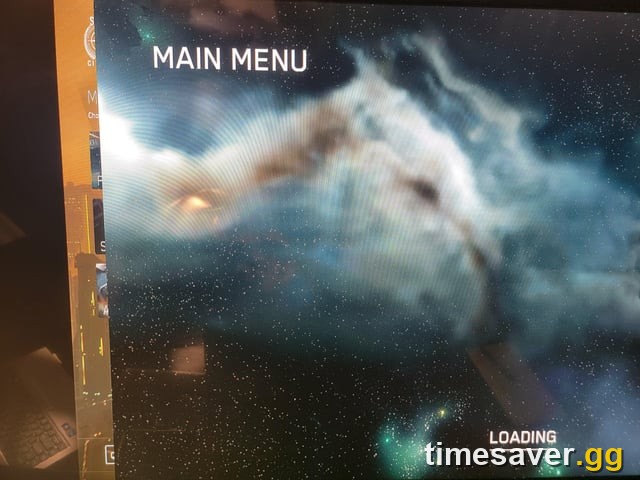
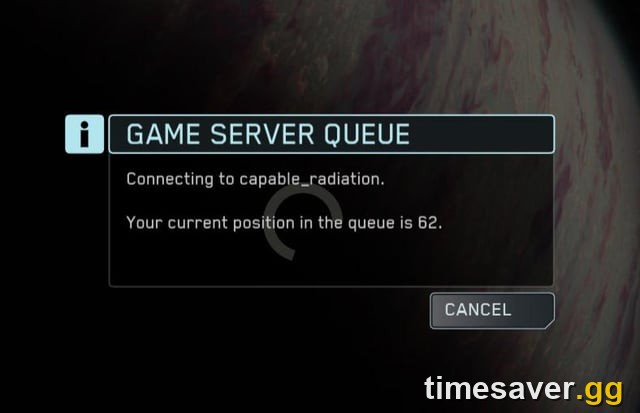
The fastest fix for an infinite loading screen in Star Citizen Alpha 4.10.1 is to back out to the main menu and select a different regional server (it defaults to "BEST"), then retry — this alone clears most stuck loads. If that fails, the reliable escalation is to die in an Arena Commander match, then immediately re-enter the Persistent Universe. Only if both fail do you touch your USER folder. Critically: do not "just do a Character Reset" — that feature is defunct, and its replacement (Character Repair) is not functional, so most of the loading-fix advice on the web is years out of date.
Key takeaways (Alpha 4.10.1)
- Try first: change your regional server from "BEST" to a specific one and retry — fixes the majority of infinite loads.
- If that fails: join an Arena Commander match, get destroyed, exit to menu, re-enter the PU.
- Nuclear option: fully close the client, delete the `LIVE\USER` folder, run the launcher as admin, rejoin Stanton.
- Do NOT reset your character. Character Reset is defunct and Character Repair is non-functional per the wiki — resetting is not the loading-screen fix the old guides claim.
- It's often not your PC. Many "infinite loads" are a server crash or a bad shard, not a hardware problem — the fix is changing shard/region, not reinstalling.
Star Citizen is still in Alpha — these builds are test environments, and an infinite loading screen is one of the most common friction points new players hit on their first night. The good news: in almost every case the game and your character are fine; you're stuck on a bad server instance or a stale local cache, and a 60-second workaround gets you back in. This guide gives you the fixes in the order that actually works, verified against Cloud Imperium Games' Knowledge Base and the Star Citizen Wiki's official troubleshooting guide for the live 4.10.1 build.
Why does Star Citizen get stuck on an infinite loading screen?
An infinite loading screen in Star Citizen almost never means your install is broken. The wiki's own troubleshooting guide states plainly that it "is a common issue that can happen for a variety of reasons," and the overwhelming majority trace back to one of three things:
- A bad server instance or server crash. Star Citizen runs on meshed server shards. If the shard you're being placed on is overloaded or crashing, your client sits on the loading screen waiting for a handshake that never completes. This is server-side — nothing on your PC caused it, and nothing on your PC "fixes" it except asking to be placed somewhere else.
- A stuck character or entity state. If your character logged out inside a broken vehicle, a destroyed bed, or a bugged interior, the server can't finish streaming you in. This is why forcing a fresh spawn location (via the console `QUIT` trick) often works.
- A stale local cache. After a patch touches the renderer, old shader and user data can collide with the new build and hang the load. Clearing your USER folder resets that.
Knowing which bucket you're in tells you which fix to reach for — and stops you from wasting an evening reinstalling a game that was never broken.
One thing to do the moment you see the load stall: if you were already in the game and got dropped to a loading screen after a disconnect, wait a bit before force-quitting. Veteran players warn that instantly killing the client on a server hiccup can leave your character trapped in the broken instance, which turns a 2-minute hiccup into a genuinely stuck session. Give it a minute first.
Fix 1 — Change your regional server (try this first)
This is the single highest-hit-rate fix and it takes ten seconds.
Back out to the main menu, open the server/region selector, and change it from "BEST" to a specific region (for example, pick EU or US manually instead of letting the launcher auto-route). Then re-enter the Persistent Universe. Per the official troubleshooting guide, this "may require several attempts" — if the first manual region still hangs, try another one.
Why it works: "BEST" sends you to whatever shard the matchmaker thinks is closest, which can be a shard that's currently crashing or full. Forcing a specific region moves you to a different pool of instances and sidesteps the bad one entirely. If you can get in on any region, your account and character are proven fine — the problem was the shard, not you.
Fix 2 — The Arena Commander "die and retry" trick
If changing regions doesn't clear it, use the community's most reliable reset: load into an Arena Commander multiplayer match, get destroyed, immediately exit to the main menu, and try the PU again.
This is in CIG's own documented workaround list, not folklore. Cycling through an Arena Commander match forces the client to tear down and rebuild its session state; dropping back to the menu from a "dead" state gives you a clean handshake when you re-enter Stanton. It feels silly, but it resolves a large share of infinite loads that survived a region change.
Fix 3 — The console QUIT command (while stuck on the loading screen)
You can sometimes break a hung load without closing the game at all. While sitting on the infinite loading screen:
- Press the key below ESC (on US keyboard layouts that's the tilde `~` key) to open the in-game console.
- Type `QUIT` and press Enter.
- Rejoin the Stanton system.
This drops you out of the stuck streaming attempt and back to a fresh join without a full relaunch, and the wiki notes "it may be fixed" on the next attempt. It's the fastest escalation after the region swap because you skip the launcher cycle entirely.
Fix 4 — Delete your USER folder (the nuclear option)
If the quick fixes fail, reset your local client data. The official guide is explicit that you must do these steps in order and all together, not separately:
- Exit the game and log out of the launcher completely.
- Delete your USER folder. The path is:
`Program Files\Roberts Space Industries\Star Citizen\LIVE\USER` (This is safe. The USER folder holds local settings and cache — keybindings and graphics options reset, but nothing account-side is touched.)
- Run the launcher as Administrator, log back in, and rejoin the Stanton system.
Deleting the USER folder clears the stale local state — shader cache, client config, and the local user data that can collide with a freshly patched build. Because 4.10.1 is a point release on top of 4.10, some players carried over stale cache from the 4.10.0 install, and this clears it. Note you'll re-set your graphics and control bindings afterward, so jot down any custom keybinds first if you've heavily customized them.
Fix 5 — Rule out a server outage before you troubleshoot
Before you delete anything, spend five seconds confirming the servers are actually up. If Star Citizen's backend is mid-crash or in maintenance, no local fix will work — you just have to wait.
Check status.robertsspaceindustries.com, the official server-status page. If it shows degraded services or an outage, stop troubleshooting: the infinite load is on CIG's end and will clear when the shard recovers. This is the step that saves you from reinstalling a perfectly healthy game at 2 a.m. during a known server wobble.
Fix 6 — Clear the shader cache after a patch or GPU driver update
A specific flavor of "it hangs on load after an update" is a stale shader cache. When a patch touches the renderer — or you update your GPU driver — cached shaders go stale and can cause hangs, flickering, missing textures, or crashes on first launch.
Community guides point to these locations for cached shader/user data: `%localappdata%\Star Citizen`, `%APPDATA%\rsilauncher\shaders`, and `StarCitizen\LIVE\user\client\0\shaders`. Clear them only after major patches and GPU driver updates — not as routine maintenance — and expect the first launch afterward to be slow while shaders rebuild.
One honest caveat: the exact shader-cache paths above circulate in community guides and CIG does not publish a single canonical list, so treat them as the community's best-known locations rather than an official instruction. The USER-folder delete in Fix 4 already clears the most impactful cache, so start there.
What NOT to do: the Character Reset trap
This is the most important accuracy point in this guide, because most of the web is wrong about it.
Older Star Citizen loading-screen guides end with "if nothing else works, do a Character Reset." That advice is dead. Per the Star Citizen Wiki's current troubleshooting guide: "a Character Reset would be the recommended fix. Unfortunately, Character Reset is now defunct and Character Repair — its replacement — is not functional at the time of writing."
In plain terms: the old self-service Character Reset button is gone, and the tool meant to replace it isn't working. So if you've worked through the fixes above and you're still stuck, your next move is not to hunt for a reset button — it's to check status.robertsspaceindustries.com for an outage and, if the servers are healthy, open a ticket with CIG support or ask on the official Spectrum helpdesk. Do not follow a guide that tells you to reset your character to fix a loading screen in the current build.
Infinite loading vs 30k vs BAD TOKEN: which one do you actually have?
These get lumped together but they're different problems:
- Infinite loading screen — the game hangs on the load without an error code. Use the fixes above (region swap → AC trick → console QUIT → USER folder).
- Error Code 20000 / 30000 ("30k") — a general timeout; you lost connection to the game server (often a server crash), not a PC fault. Reconnect; with a 30k you may need to fully close the client before rejoining.
- `<=BAD TOKEN=>` at Location Selection — usually follows a 30k and temporarily blocks re-entry. Fix: restart the game client.
- Empty Select System menu — almost always means no Game Package on the account (transaction not processed, or the package was melted to store credit), or active maintenance. If you just switched PTU ↔ LIVE, close the client, log out of the launcher, wait ~2 minutes, and log back in.
Matching the symptom to the right bucket saves you from applying a 30k fix to a loading hang (or vice versa).
A note on Alpha 4.10.1 and the current build
As of October 2, 2026, the live build is Star Citizen Alpha 4.10.1 (LIVE since September 16, 2026), a point release on top of 4.10 "Siege of Orison" that shipped the Orison Relief Support event plus bug fixes. The next point release, Alpha 4.10.2, is not live yet — it's estimated for mid-to-late October 2026 and is still in testing, so if you're on the live client you're on 4.10.1. Loading-screen behavior can shift build to build; these workarounds are the ones documented for the current live environment.
Once you're actually in the game, the next wall most new players hit is money — the grind for aUEC is the real bottleneck, not the loading screen. If that's you, start with our guide to the fastest aUEC loops in Alpha 4.10.1 and, if you haven't committed to a ship yet, our best starter ship breakdown.
FAQ
Why is my Star Citizen stuck on an infinite loading screen? In most cases you've been placed on a crashing or overloaded server shard, or your character logged out in a bugged state — not a broken install. Changing your regional server from "BEST" to a specific region and retrying clears the majority of these. Confirm the servers are up at status.robertsspaceindustries.com before assuming it's your PC.
How do I fix an infinite loading screen in Alpha 4.10.1? Work through it in order: (1) back out and pick a specific regional server instead of "BEST"; (2) load into an Arena Commander match, die, exit to menu, re-enter the PU; (3) while stuck, press the key below ESC to open the console, type `QUIT`, and rejoin Stanton; (4) if all else fails, close the client, log out of the launcher, delete the `LIVE\USER` folder, run the launcher as admin, and rejoin.
Should I do a Character Reset to fix the loading screen? No. Per the Star Citizen Wiki, Character Reset is now defunct and its replacement, Character Repair, is not functional at the time of writing. The old "just reset your character" advice no longer applies to the current build — check for a server outage and contact CIG support or the Spectrum helpdesk instead.
Is deleting my USER folder safe? Yes. The USER folder (`Program Files\Roberts Space Industries\Star Citizen\LIVE\USER`) holds local settings and cache only — your account, ships, and aUEC live server-side and are untouched. You will have to re-set your graphics options and keybindings afterward, so note any custom binds first.
Is the infinite loading screen my internet or my PC? Usually neither. It's most often a server-side shard problem. A firewall or VPN can contribute to connection errors (and you should allowlist `StarCitizen.exe` and `RSILauncher.exe`), but a true infinite loading hang is typically fixed by switching shard/region, not by changing hardware or reinstalling.
Will this get fixed in Alpha 4.10.2? Alpha 4.10.2 is not live yet — it's estimated for mid-to-late October 2026 and is still in testing, and CIG has not promised it eliminates infinite loads. On the live client you're on 4.10.1, where the workarounds above apply.