Updated November 14, 2026. Applies to Valheim 1.0, patch 1.0.21. The commands below were checked against Iron Gate's patch notes on the Steam news feed, from the 2021 Early Access patches through patch 1.0.21 (October 28, 2026), and against the official Valheim 1.0 FAQ. Command tables are cross-checked with the community Valheim Wiki developer console page. Patch 1.0.21 itself doesn't change any console command.
Valheim has a full developer console. Builders use it to fly a camera around a finished base, server admins use it to kick players and change world settings, and modders use it to test things. Since 1.0 it also has a catch that didn't exist in Early Access: most cheat commands now flag the character and the world, which blocks achievements by default. Hotfix 1.0.12 added a devcommand that lets you opt back in. A recent r/valheim thread about the tod devcommand not working globally, shows the other common problem, which is commands that behave differently on a server than in single-player. This guide covers how to turn the console on, the commands worth knowing, which ones an admin can run on a dedicated server, and what each choice costs you in achievements.
Quick answer: Turn on the developer console in the gameplay settings (or add -console to your Steam launch options), then press F5 in game. Plain commands like help, fov, ping and save work right away. Type devcommands to unlock cheat commands such as fly, god, spawn, tod and debugmode. Since 1.0, using most cheat commands flags that character and world and blocks achievements; freefly is a named exception, and since hotfix 1.0.12 you can opt back in with the devcommand yesiuseddevcommandsbutiwantmyachievementsanyway. On a dedicated server, only players on the admin list can run admin commands like kick, ban, save and setworldmodifier.
How do you open the console in Valheim?
On PC the console has been off by default since patch 0.148.6 (March 23, 2021): "Ingame console disabled by default (add launch argument "-console" to enable)". The "Call to Arms" update, patch 0.221.4 (September 9, 2025), added a menu switch for it: "Added the option in the settings menu to enable the developer console. The command line argument "-console" overrides the setting." The same patch made the console disabled by default on Xbox too.
That gives you two ways to turn it on:
- In game: open Settings, go to the Gameplay tab, and switch on the developer console option.
- Steam launch option: right-click Valheim in your Steam library, choose Properties, and type -console in the Launch Options field.
Then press F5 in game to open it. Press F5 again to close it.
The Valheim Wiki lists a few other platforms:
- PC Game Pass: make a shortcut to Valheim.exe in the install folder (usually C:\XboxGames\Valheim\Content) and add -console to the end of the shortcut's Target field.
- Xbox: hold LB + RB + Menu in game, then press A to bring up the keyboard.
- Mac App Store: launch the game with the -console argument through a small shell script.
We couldn't find an official console method for PlayStation 5 or Nintendo Switch 2, so we won't guess at one.
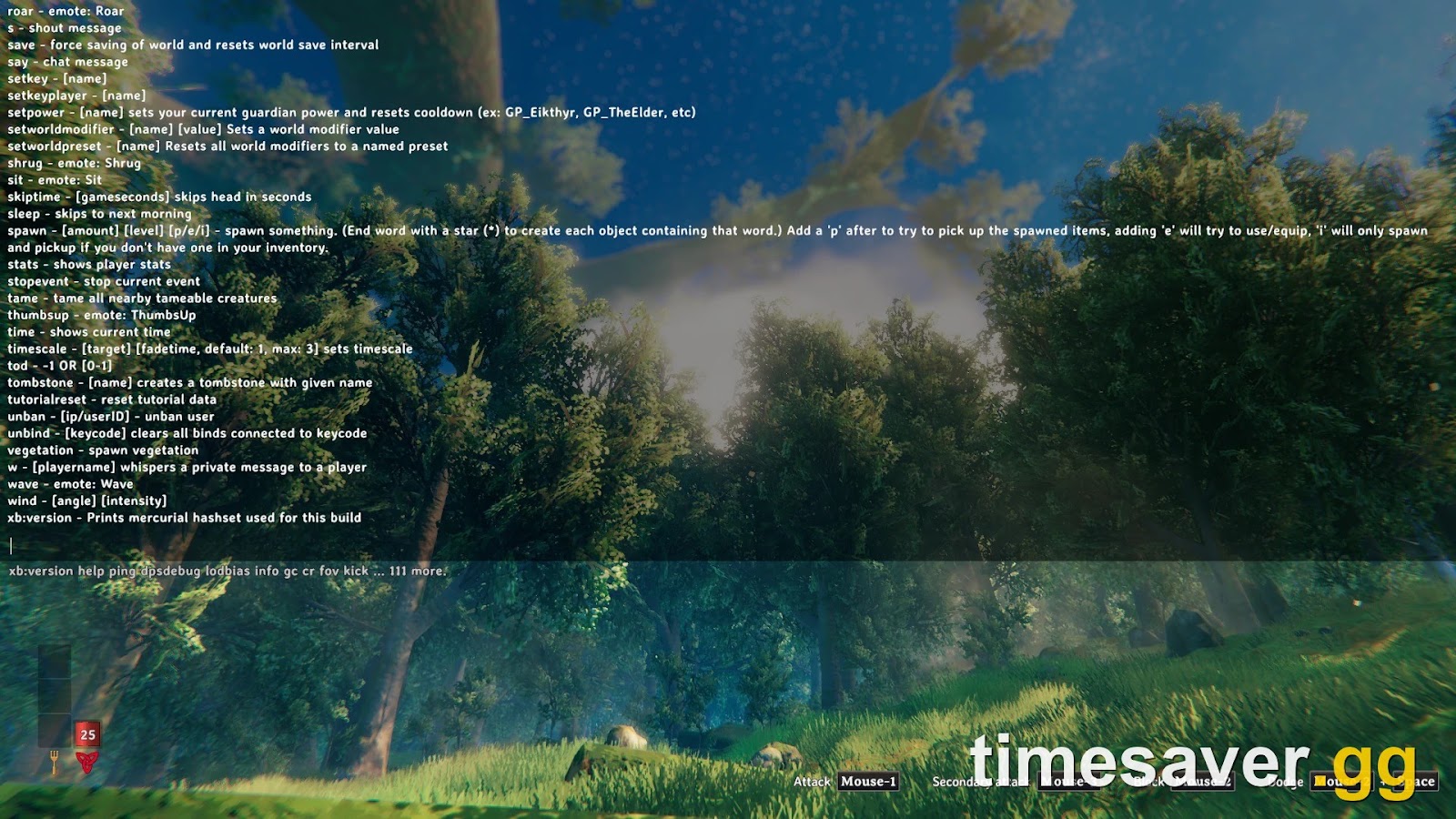
Inside the console, type help to print every command your build knows. The help text pages, so help 2 4 shows the second quarter of the list. Press Tab to autocomplete a command name.
What is the difference between console commands and devcommands?
Valheim splits its commands into three groups, and mixing them up causes most of the "this command doesn't work" posts.
| Group | How to unlock | Who can use it | Locks achievements? |
|---|---|---|---|
| Player commands | Console on | Anyone | No, they aren't cheats |
| Admin commands | Console on + your ID on the server admin list | Server admins | Some world settings can |
| Cheat commands (devcommands) | Type devcommands | Single-player or the host of a self-hosted world | Yes, most of them |
devcommands is the switch for the third group. Type it once to turn cheats on, and type it again to turn them off. It used to be called something else. Patch 0.148.6 (March 23, 2021) says: "The console command for enabling developer/debug commands has been changed to "devcommands" from "imacheater" and a warning message has been added." Old guides that still tell you to type imacheater are more than five years out of date.
Which player commands work without devcommands?
These are housekeeping commands. They don't count as cheats, and most of them also work from the chat window if you start with a slash.
| Command | What it does |
|---|---|
| help | Lists every command |
| fov [number] | Changes field of view |
| maxfps [number] | Sets an FPS cap |
| lodbias [1 to 7] | Sets draw distance |
| ping | Measures your latency to the server |
| info | Prints system information |
| save | Forces a save of the world (and your character on a server) |
| cr | Unloads unused assets right away, which can help with stutter |
| exclusivefullscreen | Switches between exclusive fullscreen and borderless |
| bind [key] [command] | Binds a command or emote to a key |
| printbinds / resetbinds / unbind [key] | Lists, clears or removes key binds |
| achievements | Shows your achievement info (new in 1.0) |
| clearpopups | Clears unlock pop-ups on screen (new in 1.0) |
| resetknownitems | Resets your known items and recipes |
| tutorialreset | Shows the Hugin tutorial messages again |
| restartparty | Restarts the crossplay network connection |
restartparty is the one crossplay groups should remember. Patch 0.212.7 describes it as resetting the PlayFab network "when on crossplay, can be used by both host and client", so it's worth a try before you restart the whole game over a dropped connection. Our failed to connect fix guide covers the rest of that problem.
What are the admin commands for a Valheim dedicated server?
On a dedicated server, admin commands only work for players whose SteamID64 or crossplay player ID is in the server's admin list. Our dedicated server guide shows where the adminlist.txt file lives and how to set the server up.
The core moderation set:
| Command | What it does |
|---|---|
| kick [name/IP/ID] | Kicks a player |
| ban [name/IP/ID] | Bans a player |
| unban [IP/ID] | Lifts a ban |
| banned | Lists banned players |
| save | Forces a server save |
Patch 0.217.22 (October 5, 2023) opened up the world-settings commands to admins: "Several more console commands are now available for admins: setworldpreset, resetworldkeys, setworldmodifier, players, setkey, removekey, resetkeys, listkeys (displays list on dedicated server), sleep, skiptime, restartparty and genloc (takes time - may cause disconnects)."
The ones admins actually use:
- setworldpreset [name] resets every world modifier to a named preset.
- setworldmodifier [name] [value] changes one modifier, such as combat or resource rate.
- resetworldkeys puts all world modifiers back to default. It does not touch boss progression.
- sleep skips to the next morning, and skiptime [seconds] jumps time forward.
- players [number] sets the difficulty scaling as if that many players were online. Enter 0 to reset it.
- randomevent and stopevent start or end a raid. Patch 0.217.11 says they "can now be called by all admins, not just the host".
That's also the answer to the tod thread above. Players there report that tod doesn't change the time for everyone on a server. If you want to move the whole server to morning, use the admin commands sleep or skiptime, which Iron Gate added to the server admin list in patch 0.217.22.
If you'd rather change settings from the menu than type them, our world modifiers guide explains what every slider does.
What are the devcommands for building and testing?
Most of these need devcommands first (the wiki lists freefly and ffsmooth as player commands too). The wiki notes that cheat commands work in single-player or a world you host yourself, not on a dedicated server. Treat this list as a creative-mode and testing toolkit, for a showcase build, a screenshot, or checking a mod. Iron Gate says most devcommands flag your character and world and block achievements, and names freefly as an exception, so assume anything else here can cost you achievements (see the next section).
Camera and building
| Command | What it does |
|---|---|
| freefly | Detached photo camera. Iron Gate names it as an achievement-safe exception |
| ffsmooth [0 or 1] | Smooths freefly camera movement |
| debugmode | Turns on debug keys: B for no-cost building without a workbench, Z to fly, K to kill nearby enemies, L to remove item drops |
| fly | Toggles flying |
| nocost | Building and crafting without materials |
| tod [0 to 1] | Sets the time of day; 0.5 is noon, -1 returns to normal |
| env [name] | Forces a weather environment, for example Clear or SnowStorm |
| resetenv | Clears the forced weather |
| wind [angle] [intensity] | Sets the wind; resetwind clears it |
| snow [amount] | Adds or removes snow build-up on nearby pieces (new in 1.0) |
| updatecover | Forces a refresh of cover for nearby pieces (new in 1.0) |
Testing and navigation
| Command | What it does |
|---|---|
| god | You take damage but your health can't drop to zero |
| addstatus [name] / clearstatus | Adds a status effect, such as Rested or Wet, or clears all of them |
| timescale [speed] | Speeds up, slows down or pauses game time; 0 pauses |
| forcedelete [radius] [name] | Removes objects around you, up to 50 meters; never players, tombstones or dungeons |
| ghost | Enemies ignore you |
| heal | Refills health, stamina and eitr |
| pos | Prints your coordinates |
| goto [x] [z] | Teleports you to coordinates |
| find [text] | Pings matching objects on the map |
| findtp [text] | Teleports you to the nearest match (added in patch 0.218.15) |
| findbiome / findbiometp | Marks or teleports to a biome (new in 1.0) |
| biomeinfo / altbiomes | Shows biome sector info and biome variants (new in 1.0) |
| exploremap / resetmap | Reveals or hides the whole map |
| spawn [name] [amount] [level] | Spawns an item or creature by its ID |
| itemset [name] | Gives a premade gear set for a biome, for test fights |
| raiseskill [skill] [amount] | Changes a skill level; resetskill all sets every skill to 0 |
| killenemies | Kills nearby enemies. It replaced the old killall in patch 0.212.7 |
| tame | Tames nearby tameable creatures |
| repairall | Repairs all your equipment (new in 1.0) |
| inventorysize [rows] | Changes inventory size (new in 1.0) |
Two warnings from the wiki that save worlds. location and nextseed permanently disable saving unless you add SAVE to location. And skiptime doesn't update object timestamps, so if time goes backwards afterwards, spawners, crops, Fermenters and Smelters can stall until time catches up again.
Do console commands disable achievements in Valheim 1.0?
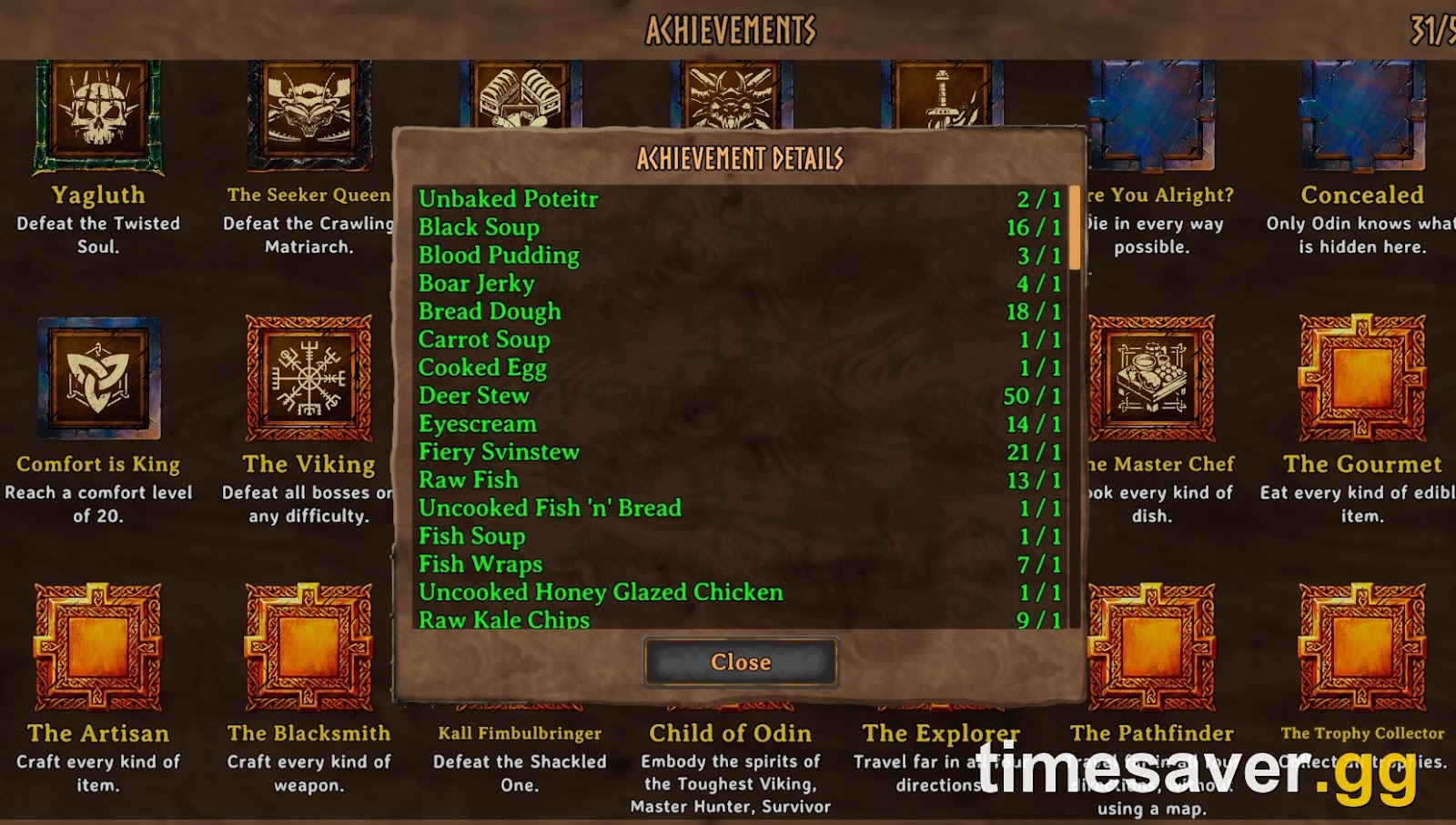
Yes, most of them, by default. Achievements arrived with 1.0, and Iron Gate's 1.0 FAQ spells out the rule:
"There is a system in place to prevent achievements from being unlocked if you have cheats enabled. Some devcommands, such as "freefly" will be exceptions, but using most commands (such as "spawn") will place a flag on your current character and world save, informing you that it is permanently locked from getting any achievements."
The same FAQ answer adds four details players miss:
- Old cheats count. "Characters that have used cheats before 1.0 will also be marked in this way."
- There's a confirmation step. The game asks you to confirm before it marks you as cheated, so you can't lock a character by accident. The 1.0 patch notes list a new confirmcheats command alongside it.
- Spawned items carry the flag. If a clean character picks up a spawned item, it enters a temporary cheat state and becomes eligible again once all cheated items are out of its inventory. Since 1.0, these items show as a "cheated item" in your inventory.
- Some world modifiers count too. "Hammer-mode counts as a temporary cheat."
Post-launch patches changed this system three times:
- Hotfix 1.0.10 / 1.0.12 (September 11, 2026) added an opt-out from the lock: "Achievements can be now be opted into even if you have used devcommands or mods by the new devcommand 'yesiuseddevcommandsbutiwantmyachievementsanyway'". Iron Gate's comment on it: "We will leave it to your own judgement whether or not to activate this function – Oden will surely know if you use it dishonourably." The same hotfix added a pop-up that tells you when achievements are enabled again.
- Patch 1.0.14 (September 17, 2026) stopped cheated stacks from mixing with clean ones: "Cheated stackable items no longer stack with regular items." It also moved pevents, the Deep North persistent-event command, behind devcommands, because it was available without them by mistake.
- Patch 1.0.20 (October 15, 2026) fixed a launch bug that wrongly flagged real loot. It "Reset the cheated flag on all items and build pieces from previous versions".
The practical rule: keep a separate test character and a separate test world for console experiments, and never run devcommands on the character you're playing for achievements. Our achievements guide lists every achievement and its unlock.
What new console commands did Valheim 1.0 add?
The 1.0 launch notes (September 9, 2026) list 19 new commands and say their "descriptions [are] found in console 'help' command":
confirmcheats, achievements, getstat, haslocation, snow, updatecover, cinematic, cinematicsleep, inventorysize, inventoryclean, clearpopups, height, pevents, repairall, resetbuildui, biomeinfo, altbiomes, findbiome, findbiometp
The useful ones for most players are achievements, clearpopups, inventoryclean (throws out items stuck in invalid inventory slots) and resetbuildui. The biome commands (biomeinfo, altbiomes, findbiome, findbiometp) show biome info and find a biome, or a biome variant, on your map. The rest are testing tools. If you want to see what 1.0 changed elsewhere, our Valheim patch notes page tracks every update since launch.
Can you use console commands on a server or in multiplayer?
It depends on who's hosting.
- Your own world, single-player: everything works once devcommands is on.
- A world you host from the game menu: the wiki lists hosted worlds alongside single-player as places where cheat commands work.
- A dedicated server: cheat commands don't run there. Admins on the admin list get the admin commands from the section above, and that's it.
- Mods: server-side admin mods add more commands, but they're unofficial. Iron Gate's FAQ says "Since we don't have any official mod support, we cannot guarantee that any mods will be functional". Our best mods guide covers what currently works on 1.0.21.
If you run a server and want to check whether someone used cheats, the cheated-item marker from 1.0 is your best tool. Items spawned with commands show as cheated in the inventory, and that flag stays on the item.
FAQ
How do I enable console commands in Valheim? Switch on the developer console in Settings under Gameplay, or add -console to Valheim's launch options in Steam. Press F5 in game to open it, then type devcommands to unlock cheat commands.
What replaced imacheater in Valheim? devcommands. Patch 0.148.6 renamed the command in March 2021, so imacheater does nothing on the current game.
Does using devcommands disable achievements? Yes, by default. Since 1.0, most devcommands flag your character and world as cheated. freefly is an exception. Patch 1.0.12 added the opt-in command yesiuseddevcommandsbutiwantmyachievementsanyway if you want them back.
Why doesn't tod change the time on my server? Players report that tod only changes the time for you. On a dedicated server, an admin can use sleep to skip to morning or skiptime to jump forward for everyone.
What is the fly command in Valheim? Type fly after devcommands, or turn on debugmode and press Z. Use space to go up and Ctrl to go down. For screenshots, use freefly, which doesn't lock achievements.
Do console commands work on Xbox, PS5 or Switch 2? The Valheim Wiki says Xbox players can open the console by holding LB + RB + Menu. We found no official method for PS5 or Switch 2.
For more Valheim server and world setup help, browse our other Valheim guides, starting with hosting your own dedicated server.