Quick answer (updated 15 November 2026): If your Fortnite account was hacked, secure your email first, then use Trouble signing in? on the Epic sign-in page to reset your password. If that fails, try signing in through a linked PlayStation, Xbox, Switch, Google or Facebook account. If the hacker changed the email to one you don't control, submit Epic's account recovery request form. Epic says "We can only process account recovery requests submitted through this form," so no email address, Discord server or "recovery service" can do it for you. After Epic approves the request you reset your password, turn 2FA back on and relink your consoles. Your Fortnite locker is stored on your Epic account, so an approved recovery gets you back to your locker. Everything below follows Epic's own Player Support articles, checked on 15 November 2026 during the Treasure Hunters season (v43.10).
Fortnite - Cheap Fortnite Account
Get Cheap Fortnite Account
Key takeaways
- Email first. Epic calls your account email "the key to your Epic Games account." If the hacker is also in your inbox, any password reset goes to them.
- Five official steps: secure email, reset password, try linked accounts, file a recovery request, re-secure the account.
- Email changed by the hacker? Signing in through a linked console "is not enough to keep your account," Epic says. Go straight to the recovery request.
- The form has 9 steps. Account ID or Invoice ID finds your account most reliably.
- Unauthorized purchases must be less than 90 days old for Epic to help. Console purchases go to Sony, Microsoft or Nintendo.
- Don't file a bank chargeback first. Epic removes the charged items, and after two or more chargebacks the account can lose purchasing for up to one year.
How do you know your Fortnite account was hacked?
Most players notice one of these things first:
- Your password suddenly stops working, or Epic says "Account not found" for an email you've used for years.
- You get a "your email was changed" or "new sign-in" message from Epic that you didn't trigger.
- V-Bucks are gone, or the Item Shop history shows skins, gifts or bundles you never bought.
- Your display name changed, or your friends say "you" were playing at 3 AM.
- Your PlayStation or Xbox profile no longer shows your Fortnite progress because the hacker unlinked it.
This is a live problem right now. On the morning of 15 November 2026, r/FortniteBR's newest posts included both "My fortnite acc got stolen" and "I think I got scammed...", and both are the kind of thread this guide is written for. (We couldn't read the comments on those threads, so the player phrasing in this guide comes from the thread titles, not from replies.)
If you can still sign in, you're in the easy case. Skip to the "What if you can still sign in?" section further down. If you're locked out, start at step 1 below.
What are Epic's official steps to recover a hacked Fortnite account?
Epic's Player Support article "My Epic account was compromised and I cannot access it" sets out five steps in this order. Follow them in order: each one depends on the step before it.
| Step | What to do | When it applies |
|---|---|---|
| 1 | Secure your email account (new password + 2FA, or recover it from your email provider) | Always, before anything else |
| 2 | Reset your Epic password through Trouble signing in? | You still control the email on the account |
| 3 | Sign in through a linked console or social account | You linked PlayStation, Xbox, Nintendo, Google, Facebook and so on |
| 4 | Submit an account recovery request | Steps 2–3 failed, or the email was changed to one you don't control |
| 5 | Reset password, turn 2FA back on, relink accounts | After Epic approves your recovery |
Step 1: Why do you have to secure your email first?
Epic is blunt about it: "Your account email and access to it are the key to your Epic Games account." A password reset sends a security code to that inbox. If the hacker can read your email, they'll catch the code and lock you out again within minutes.
- Still have access to the email: change its password and turn on two-factor authentication at your email provider.
- Lost the email too: Epic tells you to contact your email provider to recover it first, then secure it with a unique password and 2FA.
Step 2: How do you reset your password with "Trouble signing in?"
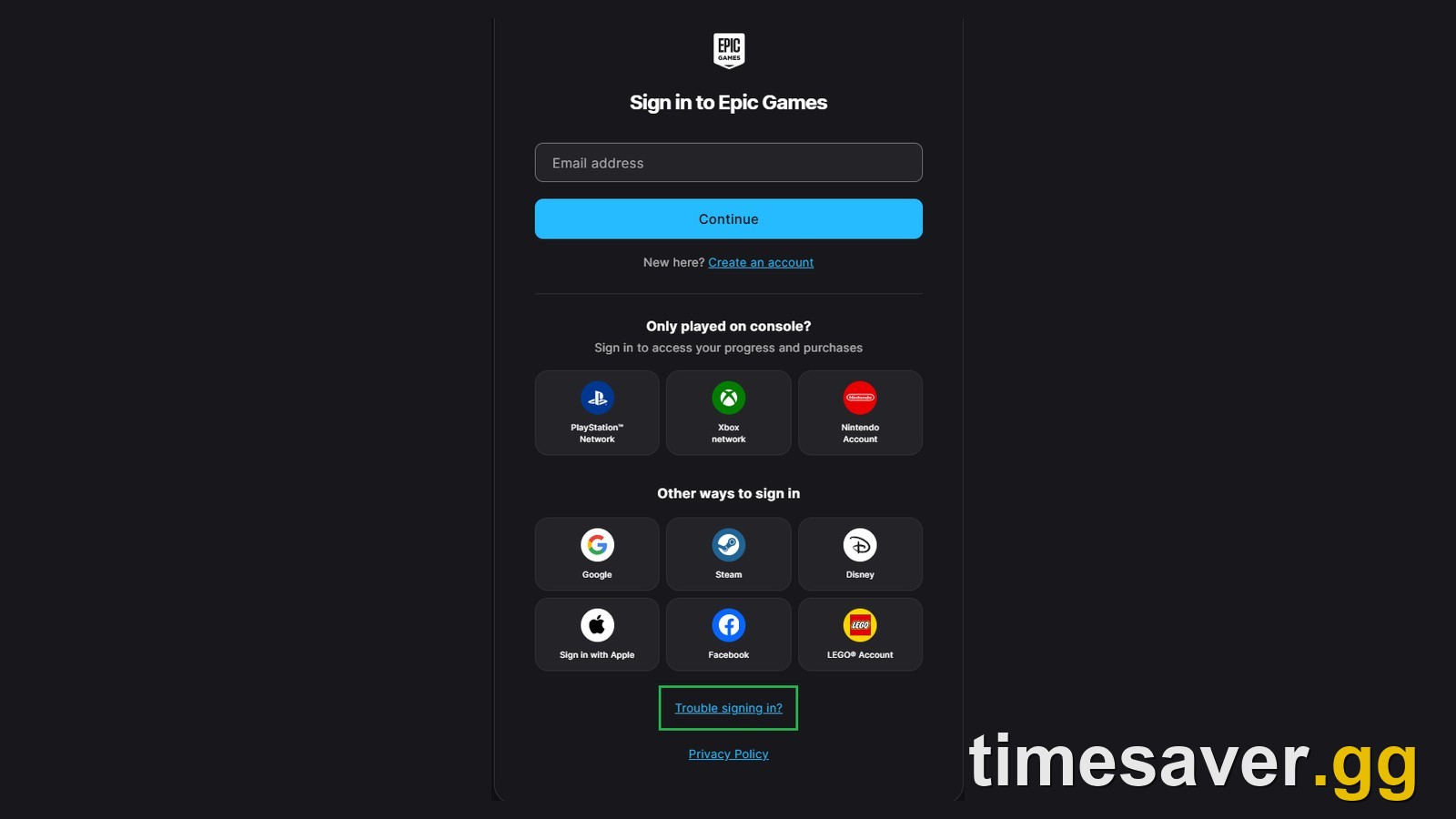
- Open the Epic sign-in page and scroll to Trouble signing in? under the console and social buttons.
- Enter the email address on your Epic account and click Continue.
- Epic then tries to verify you. If you set up both an authenticator app and SMS as 2FA methods, it asks for two separate codes. Otherwise it emails a security code you paste in before choosing a new password.
- If Epic can't find your account from that email, you'll see an Account not found error with a Recover account link. Click it and Epic will try other ways to find you.

Epic's note on this step matters: it "works only if you still have access to the email address on your account." If the hacker swapped the email, the code goes to them. Go to step 4.
Step 3: Can you get back in through PlayStation, Xbox or Switch?
Often, yes. If the hacker hasn't removed your console or social links, they still sign you in. Try signing in with PlayStation Network, Xbox network, Nintendo Account, Google, Steam, Apple or Facebook from the sign-in page.
- You get in and the email is still yours: change your Epic password from account settings right away.
- You get in but the email is the hacker's: Epic says signing in this way "is not enough to keep your account." The hacker can still reset the password from their email. Submit a recovery request (step 4) while you're still logged in on console. Being signed in there helps you collect the details the form asks for.
Step 4: How do you submit an Epic account recovery request?
Start it from Trouble signing in? (or the Lost access to this email address? link). Epic's form has nine steps:
- Update email address. Enter the email you want on the account from now on and confirm it with the code Epic sends. This becomes your login and the address Epic replies to.
- Find your account. Pick one search option: Account ID, Invoice ID, any email ever used on the account, your display name, a linked account name or ID, or the 16-digit code of a Fortnite gift card / V-Bucks card you redeemed on it. Epic says Account ID or Invoice ID "will help us locate your account more accurately."
- Account email addresses. List every email you've used on the account, newest first.
- Display names. Current, original and any others.
- Name and location. Your first and last name, and the country you created the account in.
- Phone number. If you used SMS 2FA, enter that number and verify the 6-digit code. Not sure? Choose No or not sure.
- Linked accounts. Platform, gamer tag or ID, roughly when you linked it, and whether it's still linked.
- Payment information. The card or PayPal you used for Epic purchases.
- Submit. Use the free-text box at the bottom for anything else that proves the account is yours. "Once you select Submit, it will no longer be possible to submit additional information."
You can skip fields you genuinely don't know, but the more you fill in, the stronger your claim. Epic: "The more accurate account information you provide, the easier it will be for us to recover it." If the form throws an error, wait and retry later. Epic rate-limits some steps "to protect your account."
Step 5: What do you do after Epic approves the recovery?
Epic emails the result to the new address you gave. Then:
- Reset your password through the forgot-password page, using the email confirmed in your request.
- Turn on 2FA under the Two-Factor Authentication tab. Our Fortnite 2FA guide walks through every method and the free Boogie Down emote.
- Relink your accounts under Linked Accounts. If you see a linked account you don't recognise, or settings you can't change, Epic asks you to open a support ticket.
Where do you find your Account ID or Invoice ID?
These two are the strongest search keys on the recovery form, so dig them up before you start.
Epic Account ID (it never changes and other players can't see it):
- In Fortnite: profile picture (top right) → gear icon → SETTINGS → ACCOUNT AND PRIVACY → hover Epic Games account ID. This works if any device is still signed in.
- Epic Games Launcher: Friends icon → your profile → Show Account ID.
- Windows launcher files: the file names in C:\Users\[you]\AppData\Local\EpicGamesLauncher\Saved\Data are the account IDs of every account that ever signed in on that PC. On the newer Epic Games Launcher Preview, Epic points to %LOCALAPPDATA%\com.epicgames.eglv2\cache\prod\account instead. Epic documents both, and it's the trick that saves players who have no other proof.
- Mac: /Library → Application Support → Epic → EpicGamesLauncher → Saved → Data. The file names are the IDs here too.
Invoice ID: search your email for "Your Epic Games Receipt". Each receipt has an Invoice ID and an Order ID.

Two catches from Epic's own article: only one-time Epic Games Store purchases count, so V-Bucks bought on PlayStation, Xbox or a Crew subscription receipt won't work. But a free game claimed on the Epic Games Store does work. Those Invoice IDs start with an F followed by 8 or 9 digits, and a lot of Fortnite players have one from a weekly freebie without realising it.
How do you check your Epic account recovery status?
After you submit, Epic sends an email with the subject "Your Epic account recovery request." It has a Check your account recovery status link and your recovery ID near the top.
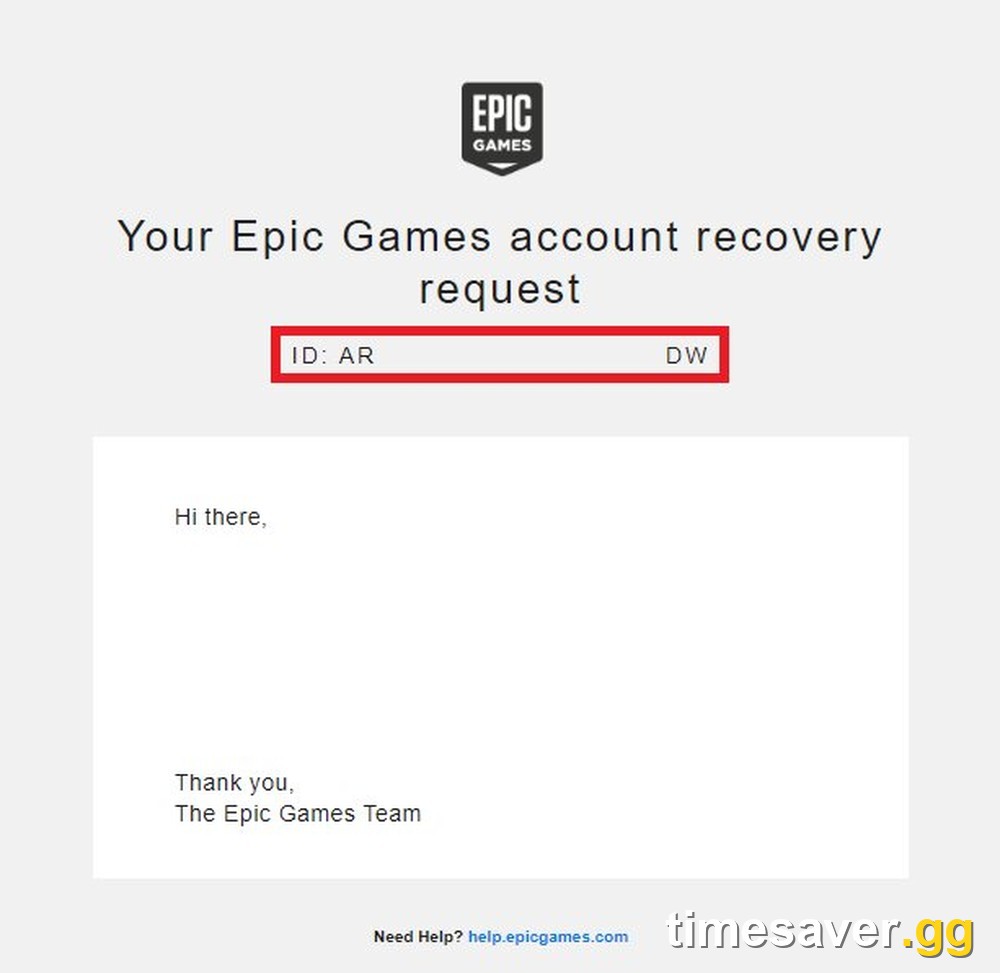
- Lost the email but have the ID: enter it on Epic's recovery-status-check page.
- No email, no ID: you have to start a new recovery request.
- If Player Support asks for your Account Recovery ID, look in the inbox you entered in step 1 of the form, not your old address.
Epic doesn't publish a review time. It only says "We'll notify you of the outcome once our review is complete." Check spam: replies go to the new address, and new addresses often filter Epic mail. One more rule from Epic's no-response article: "Do not submit a new recovery request or a support ticket asking for a status update. Neither will speed up the process."
What if you can still sign in?
Count yourself lucky and move fast, before the hacker changes the email:
- Change your email provider's password and turn on 2FA there.
- Reset your Epic password to one you use nowhere else.
- Turn on 2FA with an authenticator app. Epic says it "provides the strongest protection" of the methods it supports (authenticator app, SMS, email).
- Open Linked Accounts and remove anything you don't recognise.
- Turn on 2FA on your linked PlayStation, Xbox, Nintendo, Google and Facebook accounts too. Epic warns these "can be used to access your account."
- Review your purchase history for anything you didn't buy (next section).
Fortnite - OG Fortnite Account
Get OG Fortnite Account
Can you get V-Bucks and skins back after a hack?
Recovering the account gives you back the account and the locker stored on it. Fortnite has no option to gift cosmetics you already own, so a hacker can't hand your existing skins to someone else. What they can do is spend your V-Bucks, including on gifts for other players, or refund items. That's a separate problem, and Epic's billing article sets the rules:
- Purchases with your payment method that you didn't make: submit a support ticket. Epic will "do our best to assist you", but purchases must be less than 90 days old.
- Bought on console or mobile, not the Epic Games Store: Epic says "We are unable to directly refund purchases made on Sony PlayStation, Microsoft Xbox, or Nintendo Switch." Contact that platform's support.
- Skins bought with V-Bucks you already had: these are in-game purchases, not card charges. Ask about them in the same support ticket. Epic's normal self-service return rules are covered in our Item Shop refunds and gifting guide.
Should you do a chargeback with your bank?
Talk to Epic first. Fortnite's chargeback policy says that once a chargeback is filed, Epic removes the purchased items tied to it, and that card can't be used again on Epic. After two or more chargebacks, "the account from which the unauthorized purchase was made will be blocked from making purchases across Epic products for up to one year." A chargeback can protect your bank balance and still leave your recovered account unable to buy in-game. The same policy says you can still purchase and redeem V-Bucks gift cards bought outside the Item Shop.
How do hackers steal Fortnite accounts, and how do you stop it?
Epic's advice points at two weak spots: reused passwords and fake login pages. Its "Securing your Epic Games account" page lists the main defences:
- Unique password. Don't reuse your Epic password anywhere else. When another site leaks, attackers try the same email and password on Epic.
- Only sign in on Epic's own pages. Epic: "Epic Games will only ask for your password on official Epic Games login pages. We will never ask for your password via email, messages, or third-party websites."
- Ignore free V-Bucks offers. Epic tells players not to trust "offers for free V-Bucks, games, or other items from unofficial sources." Free V-Bucks codes from unofficial sources are a common way accounts get stolen. Our Fortnite codes explainer shows which codes are real.
- No gifting or trading with strangers for cash. Epic says to "not exchange money for in-game gifts through third parties."
- Don't buy, sell or share accounts. It's against Epic's Terms of Service. Epic says "You are responsible for all activity on your account", including penalties caused by someone you shared it with.
- Log out on shared PCs at school, a library or a friend's house.
Is it safe to pay an account recovery service?
No. Search results for "fortnite account hacked" include paid "recovery" sites and people in DMs who promise to get your account back. Epic's recovery article states: "We can only process account recovery requests submitted through this form." Only Epic's own recovery request can return your account, so anyone charging you to recover it is either filling in that free form for you or running a second scam. They'll often ask for your email password too, which hands them your account again.
FAQ
How long does Epic account recovery take? Epic's help pages don't give a time frame. Epic emails the outcome to the new address you provided once its review is complete. Track progress with the status link or your recovery ID, and don't file a second request or a status ticket. Epic says neither speeds things up.
My Fortnite account got hacked and the email was changed. Can I still get it back? You can request it. That's what the account recovery request is for, and approval depends on Epic verifying you own the account. Enter a new email you control in step 1 of the form, then find your account with your Account ID, Invoice ID, an old email, a display name, a linked console account or a redeemed V-Bucks card code.
Will I lose my skins if my Fortnite account is recovered? An approved recovery gives you back the Epic account your locker is stored on, so your skins come back with it. Epic says Fortnite has no option to gift cosmetics from your locker, so the hacker can't give your existing skins away. Watch for V-Bucks they spent (including on gifts for others), items they refunded, and items tied to a chargeback, which Epic removes. Raise the first two in a support ticket.
Can I recover my Fortnite account without the email? You can apply. Use Lost access to this email address? during recovery and answer the form with other proof: Account ID, Invoice ID, linked accounts, display names, payment details and your country.
Can I get my V-Bucks refunded after being hacked? For Epic Games Store purchases made with your payment method, open a support ticket within 90 days. For V-Bucks bought on PlayStation, Xbox or Switch, contact that platform. Epic can't refund those directly.
Does 2FA stop Fortnite accounts from being hacked? It blocks the most common attack, someone signing in with a leaked password. Use an authenticator app, which Epic rates as the strongest method, and turn on 2FA for your email and linked console accounts too.
More Fortnite guides
Locking your account down during Treasure Hunters? These are the guides players are using this week.
- Fortnite 2FA: how to enable it and get Boogie Down
- Fortnite Item Shop reset time, refunds and gifting rules
- Fortnite codes explained: redeem codes, Creator Codes, and why free V-Bucks codes don't exist
- How to cancel Fortnite Crew
- Fortnite Pirate Shop: how it works and Epic's official odds
- All timesaver.gg services
Sources: Epic Games Player Support: "My Epic account was compromised and I cannot access it", "How can I recover access to my Epic Games account?", "How do I submit an account recovery request?", "How do I check the status of my account recovery?", "Where can I find the recovery ID…", "What do I do after my Epic Games account has been recovered?", "Securing your Epic Games account", "What is an Epic Games Account ID…", "Where can I find an Invoice ID…", "I have a charge from Epic Games I'm not familiar with"; fortnite.com/chargebacks. All checked 15 November 2026.