Most of the NBA 2K27 settings menu can stay on defaults — but the handful of options you do change decide whether you shoot 40% or 55%, whether your defender helps you or fights you, and whether your MyNBA franchise plays like the real NBA or like a 130-point arcade blowout. This guide gives you two complete, ready-to-apply setups verified against current 2K27 builds: a competitive controller/HUD setup for Park, Rec, Pro-Am and MyCAREER, and a realistic MyNBA slider set for franchise players who want believable simulation.
Everything here applies to NBA 2K27 on PS5, Xbox Series X and S, PC (Steam) and Nintendo Switch 2, current as of the Update 1.5 era (late September 2026). Slider numbers shift when 2K patches shooting, so we date every recommendation — re-check after a major gameplay patch.
Key Takeaways
- The single most important setting is your shot meter — turn it off. Meter off gives the tightest green window and is the competitive standard for Park, Rec, Pro-Am and MyCAREER.
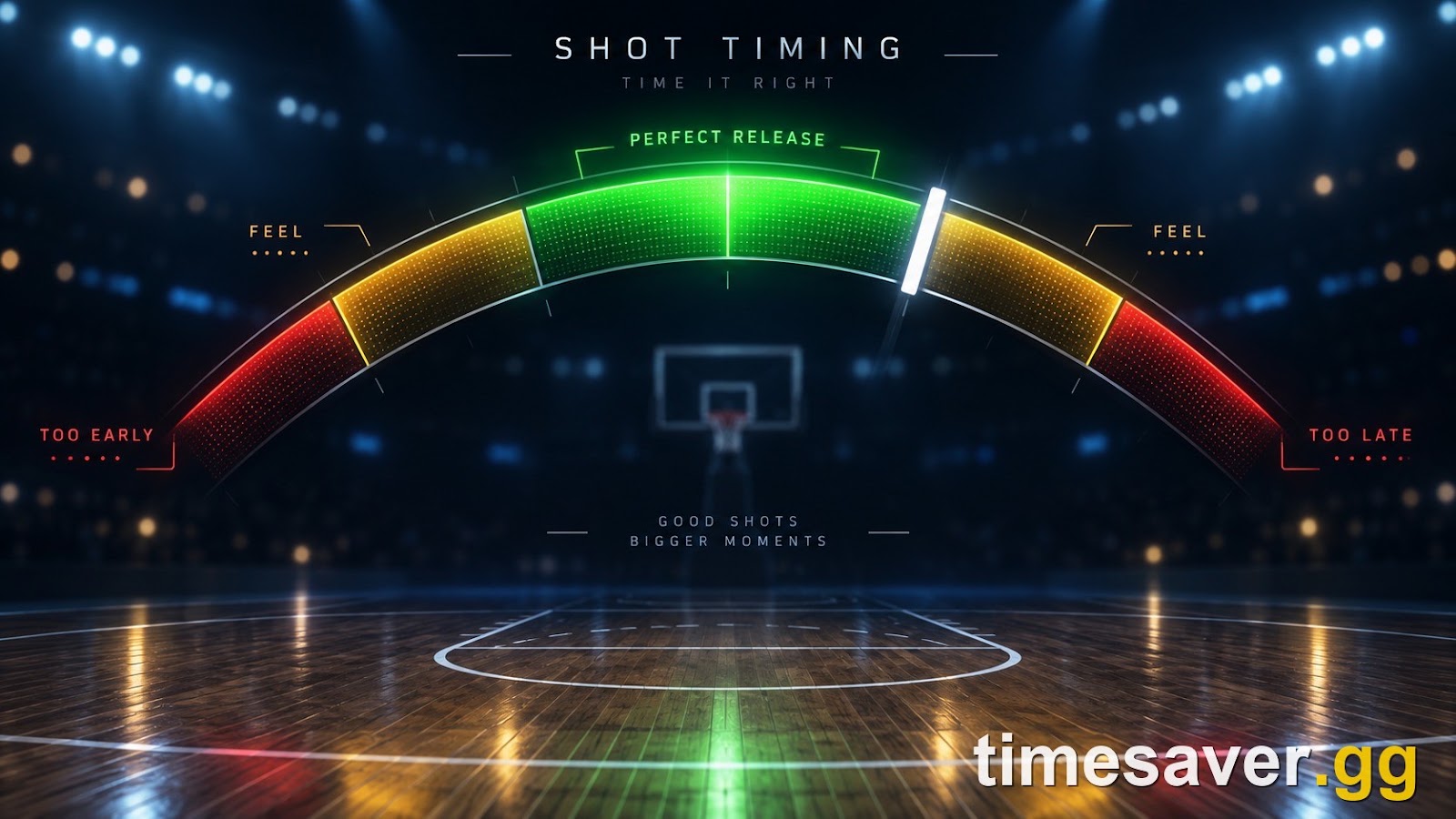
- Set Shot Timing Visual Cue to "Push" or "Release" for the most reaction time, and use Shot Timing: Real Player % only if you cannot time shots manually.
- Six controller settings are worth changing; the rest stay default. The high-impact ones: Passive Dribble Hand Switches → Disabled, Auto Lob to Moving Receiver → Disabled, Boxout Assist Strength → 0, Defensive Assist Strength → 15.
- For realistic MyNBA sim, start every gameplay slider at 50, then pull Three-Point Success and Free Throw Ability down to the 45–50 band so end-of-season stats land near real NBA averages.
- Settings are personal — dial these in against your own results, and re-verify slider numbers after each gameplay patch.
NBA 2K27 best settings, quick answer
For online play (Park, Rec, Pro-Am, MyCAREER), the competitive consensus is: Shot Meter OFF, Shot Timing Visual Cue on Push or Release, Shot Feedback on All Shots while you learn, then the six controller tweaks below. For MyNBA franchise, set all gameplay sliders to 50 as a baseline and tune shooting-success sliders into the 45–52 range for realistic scoring. The rest of this guide explains exactly why, with the specific values.
What are the best controller settings in NBA 2K27?
NBA 2K27 buries the settings that actually change your game inside the Controller Settings and Options menus. According to competitive-play breakdowns from NBA2KLab (nba2klab.com/nba2k-best-settings, read September 2026), most of the menu should stay on defaults — only seven settings are worth changing, and most players only touch these:
| Setting | Recommended value | Why it matters |
|---|---|---|
| Shot Meter | Off | Tightest green window; the #1 competitive setting |
| Passive Dribble Hand Switches | Disabled | Stops your player auto-switching dribble hands when you release the left stick |
| Auto Lob to Moving Receiver | Disabled | Prevents unwanted contextual lob passes when you press pass |
| Boxout Assist Strength | 0 | Full manual control of rebounding position |
| Defensive Assist Strength | 15 | A small help nudge without the CPU steering your defender |
| Camera Angle | 2K Cam | The angle most players — and most pros — use |
| Right Stick Dribble Orientation | Absolute | Dribble input relative to the screen, not your player's facing |
Why turn the shot meter off? NBA2KLab is blunt about it: "Your shot meter, by a long way. Turning it off is still the move in NBA 2K27." With the meter off, your green window is more forgiving and you shoot on feel and rhythm instead of chasing a bar. It takes practice, but it is the highest-ceiling shooting setup in the game.
The two "assist strength" values are the sleeper picks here. Boxout Assist Strength at 0 means the game stops auto-positioning you for rebounds — you box out and grab boards on your own inputs, which matters in the Rec and Pro-Am where CPU assist can pull you out of position. Defensive Assist Strength at 15 keeps a light stickiness so your on-ball defender doesn't feel like it's on ice, without the CPU yanking you toward ball-handlers and blowing your contest timing.
What are the best shooting settings in NBA 2K27?
Shooting is the setting players ask about most, so it gets its own breakdown. The competitive consensus setup across current 2K27 shooting guides (NBA2KLab, howtovideogame.com, mmoexp.com, all read September 2026) is:
- Shot Meter: Off — as above, the tightest green window.
- Shot Timing Visual Cue: Push or Release. These give you the most reaction time. Jump and Set Point require an earlier, harder-to-read reaction; Push and Release extend the window you have to recognize the right moment.
- Shot Timing: Real Player % vs. User Timing. If you can time a jumper by feel, use User Timing / Absolute for the higher ceiling. If your timing is inconsistent, Real Player % hands the outcome to your build's ratings so a high-rated shooter still hits open looks.
- Shot Feedback: On (All Shots) while you are learning a new jumper — it tells you early / late / slightly early so you can adjust — then turn it off once your timing is grooved.
- Meters per shot type. 2K27 lets you set separate meters for jump shots, dunks/layups, and free throws (Customize HUD, reachable from the main menu). You do not have to disable every meter at once — plenty of players kill the jump-shot meter but keep the free-throw meter while they learn the FT timing.
One 2K27-specific detail worth knowing: the shot meter now carries a real-time tick mark that tracks your Pro Stick movement, showing your tempo as you shoot rather than only grading it afterward. If you are learning a new jumper, leave the meter on for a few sessions to feel the rhythm, then switch it off once you are consistent.
For the full jumper-building breakdown — bases, release speeds and green windows — see our NBA 2K27 shooting guide and the best jumpshot guide. If free throws are your leak specifically, the free throw guide covers the animation and timing.
What are the best realistic MyNBA sliders in NBA 2K27?

If you play MyNBA franchise, the default sliders often produce unrealistic stat lines, lopsided trades and 120-point blowouts. The fix, per the NBA 2K27 sliders breakdown (nba-2k27-wiki.wiki/mynba/mynba-sliders-best, read September 2026): start from a neutral baseline and adjust in small steps.
The reliable starting point: set all CPU and User gameplay sliders to 50, then set trade importance to 50 and salary tolerance to 48. From that neutral base, tune the categories that most distort a season:
| Slider | Default | Realistic range | Effect |
|---|---|---|---|
| Three-Point Success | 50 | 45–50 | Keeps league 3PT% near the real ~32–38% band instead of a lights-out AI |
| Mid-Range Success | 50 | 45–52 | Holds mid-range FG% around 38–50% |
| Free Throw Ability | 50 | 42–50 | Pulls FT% toward a real 68–78% and cuts manufactured free points |
| Shot Clock Efficiency | 50 | 45–52 | Lower = more rushed shots and slightly lower points-per-possession |
| Stamina Drain | 50 | 48–55 | Higher = faster fatigue and realistic 4th-quarter drop-off for heavy-minute stars |
Keep CPU and User sliders close. Setting both sides to similar values between 48 and 52 across categories creates a neutral game where the result depends on matchups and strategy, not artificial difficulty. The default gap between how the CPU plays and how you play is what makes higher difficulties feel either trivially easy or unbeatable — closing that gap fixes it.
Lower the free-point sliders first. Pulling Free Throw Ability and Shot Clock Efficiency down toward 45 reduces the manufactured free points that inflate individual scoring and distort your franchise records over multiple seasons. If your simulated box scores show a role player dropping 35 a night, that is usually the first knob to turn.
Trade and contract sliders control your market. If the AI keeps making head-scratching deals, tune trade acceptance and let contract salary, remaining years and positional need carry more weight — the wiki guide recommends adjusting these relationships separately for granular control rather than swinging one master slider.
The golden rule of sliders: change one category, sim or play a few games, then check whether league-wide FG%, 3PT% and FT% moved toward real NBA averages. Do not overhaul the whole board at once — you will not know which change did what.
Do settings and sliders carry over between game modes?
No — and this trips people up. Controller settings (shot meter, camera, assist strengths) are yours across modes, but gameplay sliders are a MyNBA/offline concept. You cannot apply custom sliders to Park, Rec, Pro-Am or ranked online play — those use 2K's fixed competitive ruleset. Sliders only shape MyNBA, MyLEAGUE-style franchise and Play Now / offline games. So the "realistic sliders" set above is a franchise tool; the "shot meter off + controller tweaks" set is what carries into your online career.
FAQ
What is the most important setting in NBA 2K27? Your shot meter, by a wide margin. Turning it off gives the tightest, most forgiving green window and is the competitive standard for Park, Rec, Pro-Am and MyCAREER. It takes practice to shoot on feel, but it is the highest-ceiling shooting setup in the game.
Should I turn the shot meter off in NBA 2K27? For online and MyCAREER, yes — meter off is the move. If you are still learning a new jumper, leave the meter on for a few sessions to feel the rhythm (the 2K27 meter now shows a live tick mark tracking your Pro Stick tempo), then switch it off once your timing is consistent. You can also turn off only the jump-shot meter while keeping the free-throw meter via Customize HUD.
What is the best shot timing setting in NBA 2K27? Set the Shot Timing Visual Cue to Push or Release — both give you more reaction time than Jump or Set Point. Use User Timing / Absolute if you can time shots by feel for the higher ceiling, or Real Player % if your timing is inconsistent so your build's ratings decide open shots.
What are the best realistic sliders for MyNBA in NBA 2K27? Start with every gameplay slider at 50, set trade importance to 50 and salary tolerance to 48, then pull Three-Point Success (45–50), Free Throw Ability (42–50) and Shot Clock Efficiency (45–52) down so end-of-season shooting percentages land near real NBA averages. Keep CPU and User sliders within the 48–52 band so difficulty feels fair.
Why is the CPU too easy or too hard in my franchise? It is almost always the gap between your CPU and User sliders, not the difficulty level. Set both sides to similar values (48–52) across categories so outcomes depend on matchups and strategy instead of artificial adjustments.
Do custom sliders work in Park, Rec or Pro-Am? No. Custom sliders only apply to MyNBA, franchise and offline/Play Now games. Park, Rec, Pro-Am and ranked online play use 2K's fixed competitive ruleset — your controller settings carry over, but your sliders do not.
Settings and sliders are personal — treat these as a tested starting point, not gospel, and dial them in against your own results. NBA 2K27 slider behavior changes when 2K patches shooting and gameplay, so re-verify the numbers after any major update. Values current as of the Update 1.5 era, late September 2026.
More NBA 2K27 guides