Quick answer
Signature Blueprints are NBA 2K27's new pre-made MyPLAYER templates — 40 at launch, with more added every Season. Each Blueprint is shaped by three athlete comparisons across the NBA and WNBA, blending their attributes and animations into a ready-to-play build. They replace the old Pro-Tuned/NBA templates and are the fastest way into a competitive MyPLAYER. Pick a Blueprint when you want a proven starting point; switch to Create Your Own when you want full control over every attribute cap, badge discipline, and Takeover. Either path feeds the same systems underneath: 20 badge slots across 6 disciplines, 16 Synergy slots, and 19 Takeover Abilities.
NBA 2K27 launched on September 4, 2026 (after early access from August 26), so nearly three weeks in the number-one question in The City is still the same: do I trust a Blueprint, or do I build from scratch? This guide breaks down exactly what a Signature Blueprint is, what it locks in, what it doesn't, and the specific moment it's smarter to go Create Your Own.
What is a Signature Blueprint in NBA 2K27?
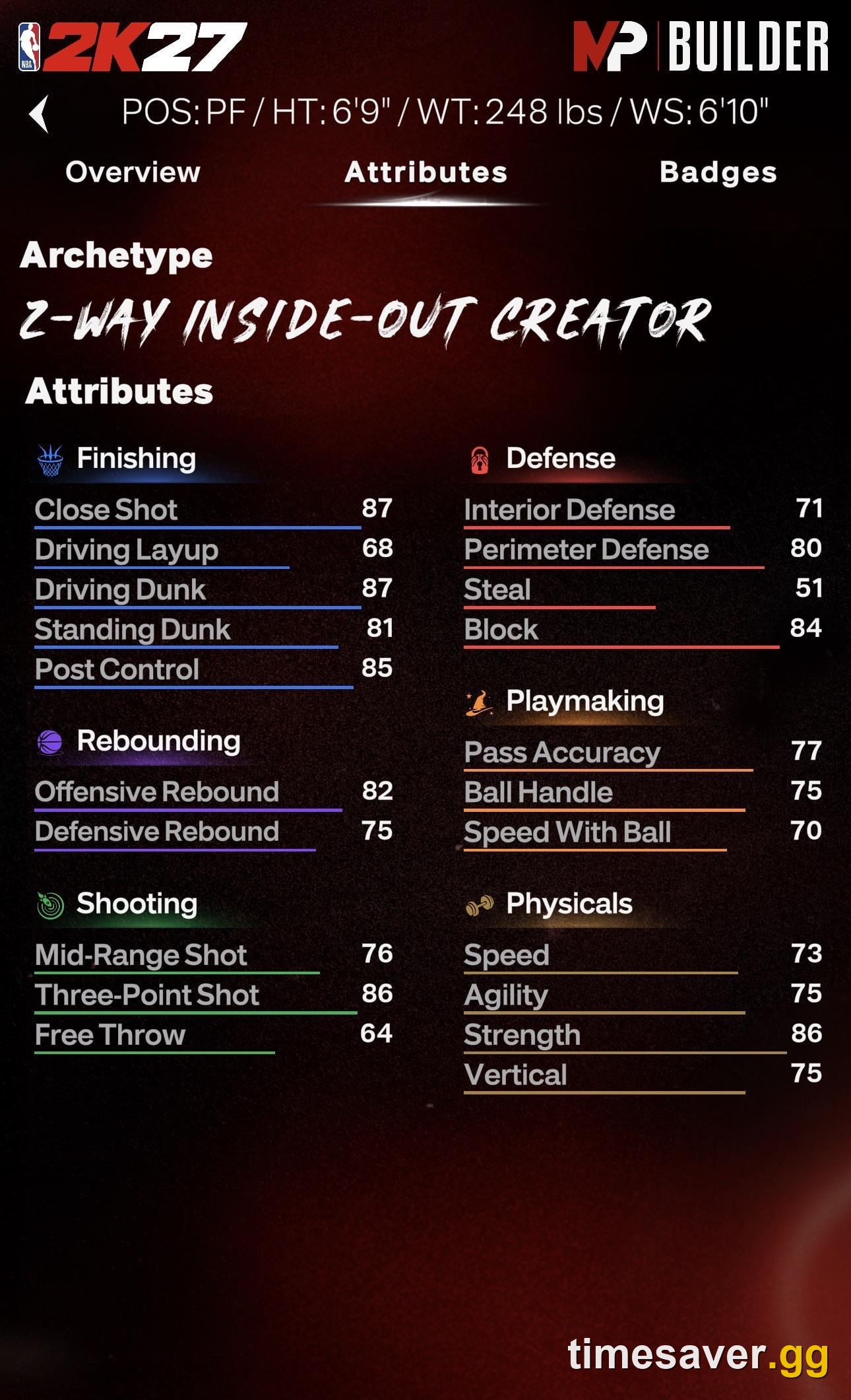
A Signature Blueprint is a curated MyPLAYER template inside the 2K27 MyPLAYER Builder. Instead of setting height, weight, wingspan and every attribute slider yourself, you pick a Blueprint that has already been tuned around real players.
Straight from 2K's MyPLAYER Builder reveal: "Signature Blueprints are a new streamlined path of pre-made templates each shaped by three athlete comparisons across the NBA and WNBA, seamlessly blending their attributes and animations." There are 40 templates available at launch, with more added each Season.
The "three athlete comparisons" part is the important bit. A Blueprint isn't a clone of one star — it's a blend of three. So a slashing wing Blueprint might fuse the drive package of one player, the finishing touch of a second, and the defensive frame of a third. You get their animation feel and an attribute spread that's already balanced to be playable on day one, rather than a min-maxed spreadsheet you have to reverse-engineer yourself.
Blueprints are the replacement for the Pro-Tuned/NBA templates from previous 2Ks. If you jumped in from 2K26 expecting to scroll a list of single-player archetypes, that's the menu that's now called Signature Blueprints — restructured around the tri-athlete blend.
Signature Blueprint vs Create Your Own: what's the difference?
The Builder gives you two doors, and both lead to the same underlying systems.
- Signature Blueprint — a pre-shaped build. Height, weight, wingspan and the base attribute spread are set by the template's three-athlete blend. You still customize badges, Takeover and cosmetics on top. Fastest path to a coherent, competitive build.
- Create Your Own — the full builder. You set every physical and attribute value from scratch inside the position's caps. Maximum control, maximum room to make a mistake.
Here's the part players miss: a Blueprint is a starting point, not a cage. You are not giving up your badges, your Synergy setup or your Takeover by choosing one — those layers are identical no matter which door you walked through. What the Blueprint locks in is the physical profile and the base attribute distribution. Everything downstream is still yours to shape.
| Signature Blueprint | Create Your Own | |
|---|---|---|
| Height / weight / wingspan | Set by the template | You choose |
| Base attribute spread | Pre-tuned (3-athlete blend) | Fully manual |
| Badge slots | 20 across 6 disciplines | 20 across 6 disciplines |
| Synergy slots | 16 | 16 |
| Takeover Abilities | 19 available, 5 slots | 19 available, 5 slots |
| Best for | Fast, proven, day-one competitive | Total control, niche builds |
What does a Blueprint actually lock in — and what stays open?
This is where you should spend your attention, because it decides whether a Blueprint fits you.

Locked by the Blueprint: the physical frame (height/weight/wingspan) and the base attribute layout. That frame is what most affects your position eligibility, your speed-with-ball, and how tall you play defensively — the things that are painful to fake later.
Still fully open on top of any Blueprint:
- Badges. Every build starts with 20 Badge slots across the six disciplines — Shooting, Finishing, Playmaking, Defense, Rebounding and Physicals. All 20 are available immediately but require earned Badge Tokens to fill, and tokens are reassignable at any time. Your Blueprint doesn't spend those for you. (Full breakdown in our NBA 2K27 MyPLAYER Builder & Badge Tokens guide.)
- Synergy. You have 16 Synergy slots built from Fuse and Reaction Badges — a Fuse Badge gets a permanent +1 or +2 boost for the whole game, even up to Legend tier, and a paired Reaction Badge fires automatically once you've triggered the Fuse enough times. That layer is set by you, not the template. (See our Synergy System: Fuse & Reaction Badges guide.)
- Takeover. There are 19 unlockable Takeover Abilities across five disciplines and five Takeover slots to fill. A Blueprint doesn't assign these. (Details in Takeover Abilities explained.)
- Build Specialization & Cap Breakers. Each of the six discipline tracks has 10 objective-based quests yielding cosmetics, Cap Breakers, and — at Level 10 — a permanent Synergy slot upgrade. That progression is identical on a Blueprint or a Create Your Own build. (See Build Specialization and Cap Breakers.)
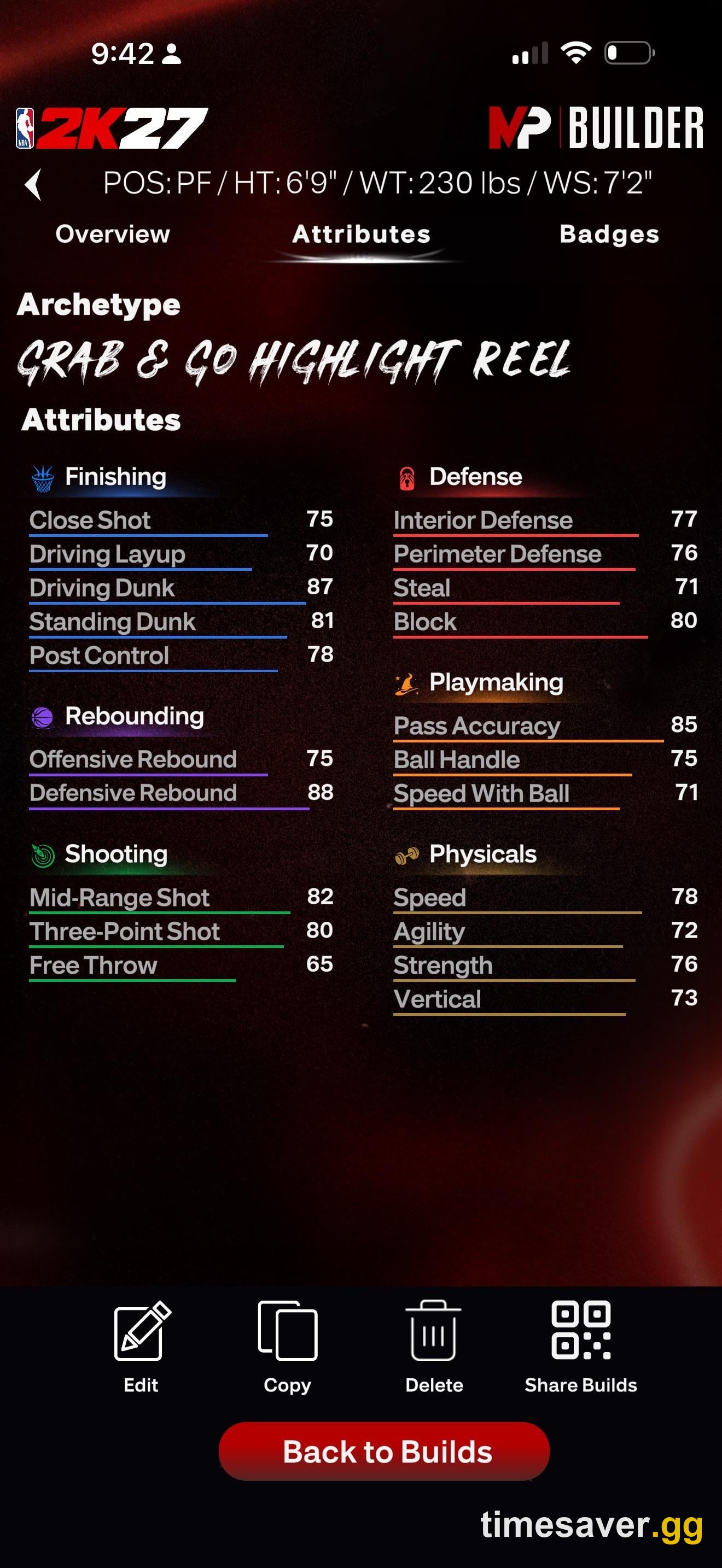
In other words: a Blueprint decides what body you play in. You decide how it plays.
When should you pick a Signature Blueprint?
Choose a Blueprint if any of these are true:
- You want to be competitive today, not after three respec cycles. The three-athlete blend is already balanced, so you avoid the classic first-timer trap of dumping everything into shooting and finding out you can't get a shot off.
- You're new to this position. If you don't yet know the ideal height/wingspan trade-offs for, say, a point guard, a Blueprint makes those calls for you with a spread that actually works.
- You're chasing a specific playstyle feel. Because Blueprints blend real animations, picking one that fuses players you like gives you a movement and finishing feel you already understand.
- You want a clean foundation for the badge/Synergy meta. Since badges, Synergy and Takeover sit on top untouched, a solid Blueprint frame is a great base to layer your real strategy onto.
For a position-by-position starting point once you've chosen your door, our build guides go deeper — for example the best point guard build and the best center build.
When is Create Your Own the smarter call?
Go Create Your Own when a Blueprint's fixed frame fights the build you actually want:
- You have an exact physical profile in mind — a specific height/wingspan combo for a lockdown wing or a stretch big that no Blueprint matches.
- You're optimizing a niche archetype the templates don't cover, like a pass-first playmaking big or an undersized rim-protector.
- You already know the caps you need for your badge and Synergy plan and want to allocate attributes to exactly hit them — no wasted points from a pre-set spread.
- You're building your second or third MyPLAYER and understand the systems well enough that the Blueprint's guardrails cost you more than they save.
The honest rule: your first 2K27 build should almost always be a Blueprint; your min-maxed build should be Create Your Own. The systems on top are the same either way, so you lose nothing by starting safe and rebuilding later once you know your role.
Common mistakes when choosing a Blueprint
Even with a pre-tuned template, players cost themselves games in the first week. The recurring ones:
- Treating the Blueprint like the finished build. The template only sets your body and base spread. If you never fill your 20 badge slots with earned Badge Tokens or set up your 16 Synergy slots, you're playing a half-finished MyPLAYER no matter how good the Blueprint looked. The template is step one of about five.
- Picking a Blueprint for its name, not its frame. A Blueprint blends three athletes, but what matters for your role is the height, wingspan and attribute spread it produces — not which stars it's named after. Read the frame, not the marketing.
- Ignoring position fit. A Blueprint tuned as a combo guard won't magically play center. Match the template's physical profile to the position and role you actually queue up in The REC and Park.
- Forgetting Build Specialization. Each discipline track's 10 quests hand out Cap Breakers and, at Level 10, a permanent Synergy slot. Players who skip that grind leave a permanent upgrade on the table regardless of which door they chose.
If you find your Blueprint's frame genuinely doesn't fit after a few games, that's your signal to spin up a Create Your Own build with the exact height and caps you now know you need — the systems transfer straight over.
How Blueprints fit the wider Builder strategy
The MyPLAYER Builder's whole 2K27 pitch is layered strategy, and that's exactly why the Blueprint-vs-custom choice matters less than players fear. As Visual Concepts gameplay producer Bryant Colon put it: "From Badge Tokens, to Loadouts, and the new Synergy system, 2K27 gives players a whole new layer of strategy that runs from the Builder all the way through tip-off. You define your playstyle, then keep sharpening it every time you step on the court."
That "sharpening" is the point. Your Blueprint gets you a body; Badge Tokens, Synergy, Takeover, Build Specialization and Cap Breakers are the levers you pull for the rest of the year. A Blueprint that's 90% right plus a badge/Synergy plan that's 100% right beats a hand-built body you can't badge out.
And because 2K adds more Blueprints every Season, the template list you see today isn't the final one — the fast path keeps getting new options as the meta shifts.
FAQ
What are Signature Blueprints in NBA 2K27? They're pre-made MyPLAYER templates in the 2K27 Builder — 40 at launch, more each Season — each shaped by three athlete comparisons across the NBA and WNBA that blend those players' attributes and animations into a ready-to-play build. They replace the old Pro-Tuned/NBA templates.
How many Signature Blueprints are there? There are 40 templates available at launch, according to 2K, with additional Blueprints added every Season. So the number grows over the game's life.
Do I lose my badges or Synergy if I use a Blueprint instead of Create Your Own? No. A Blueprint only sets your physical frame and base attribute spread. Badges (20 slots across 6 disciplines), Synergy (16 slots), Takeover (19 abilities, 5 slots) and Build Specialization are identical on both paths — you customize all of them on top of whichever door you chose.
Is a Signature Blueprint or Create Your Own better? Neither is strictly better. A Blueprint is faster and safer and is the right call for your first build or a new position. Create Your Own is better when you want an exact height/wingspan profile or a niche archetype the templates don't cover. Most players should start on a Blueprint and go custom later once they know their role.
Can I change my build after picking a Blueprint? You can't retune the Blueprint's fixed physical frame on the same MyPLAYER, but everything layered on top is adjustable — Badge Tokens are reassignable at any time, and you can change your Synergy and Takeover setups. For a different frame, you create a new MyPLAYER.
Are Signature Blueprints available for both NBA and WNBA players? Yes — the three-athlete comparisons that shape each Blueprint are drawn from both the NBA and the WNBA, and the 2K27 Builder added female MyPLAYERs, so the templates span both.
Want more? Browse our NBA 2K27 guides for the full Builder, badge, Synergy and MyCAREER breakdowns.