Quick answer: If Warzone or Black Ops 7 keeps reverting your custom loadouts to default — you build a class, back out, and the game acts like you never touched it — it's a cloud-sync bug, not a wiped account. Your builds still exist server-side; the client just isn't reading or writing them cleanly after the Season 5 update. Fastest fixes, in order: save each weapon as a Blueprint and edit the loadout after you join a match (the single most reliable workaround), back out to the Main Menu — not just the lobby — to force a cloud save, fully restart the game (not rest/quick-resume), delete the bugged class and rebuild it from scratch, and check you're editing the class in the right shared BO7↔Warzone armory tab. Do the first two and most players are back to their real loadouts in under 10 minutes.
This guide is for loadouts that won't save, keep resetting, or revert to default — the custom-class problem. If your issue is a weapon or attachment you unlocked not showing up, jump to the armory-tab section — that's a different, faster fix. And if the game is crashing, black-screening, or stuttering instead, use the sibling guides linked at the bottom.

Call of Duty - Bot Lobby
Get bot lobby in 10 minutes
Why won't Warzone save my loadouts after the Season 5 update?
A loadout that refuses to save almost always means the game can't sync your changes with Activision's servers. Your loadouts don't live on your console or PC — they live in your cloud profile, and the client pulls them down each session. When a big patch lands, that handshake breaks in a few predictable ways:
- Stale local profile after the patch. Your local save was written for the old build. When the new Season 5 client reads it, the loadout data can fail to merge — so every edit you make gets thrown out and the defaults snap back.
- The known "revert-to-default" bug. This exact issue has resurfaced in Call of Duty across multiple titles (it hit Modern Warfare 2 at Season 1 Reloaded and Warzone/Black Ops 6 at Season 3). The game simply refuses to recognize a class you built yourself and loads the default instead.
- Editing at the wrong moment. Changing a loadout mid-match, in a lobby countdown, or while a Loadout Drop is active often doesn't commit. The Season 05 patch notes specifically list fixes for "Loadout Drops" and contract interactions affecting loadout functionality — proof the timing matters.
- Shared BO7 ↔ Warzone armory confusion. Black Ops 7 and Warzone now share one armory and progression. If you build a class in one title's menu but it doesn't appear in the other, you're usually looking at the wrong tab, not a lost loadout.
The good news, in Activision's own words from the community-tracked bug reports: the studio "has acknowledged the issue with the loadouts," and the workarounds below are the same ones that have restored builds every previous time it happened.
Is it a server problem? (30-second check first)
Because loadouts are cloud-synced, a server outage can block every save you make. Rule that out before changing anything:
- Open the Activision online-services status page and check Warzone / Black Ops 7 on your platform.
- If services are down or degraded, your saves won't stick no matter what — wait it out, then try again.
- If everything's green, it's a client-side sync issue. Start at Fix 1.
The fixes, in the order that actually works
Work top to bottom and stop the moment your custom loadout sticks. They're ordered most-reliable-first, and none of them touch your unlocks or progress.
Fix 1 — Save each weapon as a Blueprint, then edit the loadout in-match
This is the workaround that has beaten the revert-to-default bug in every version of it, and it's still the most reliable move today.
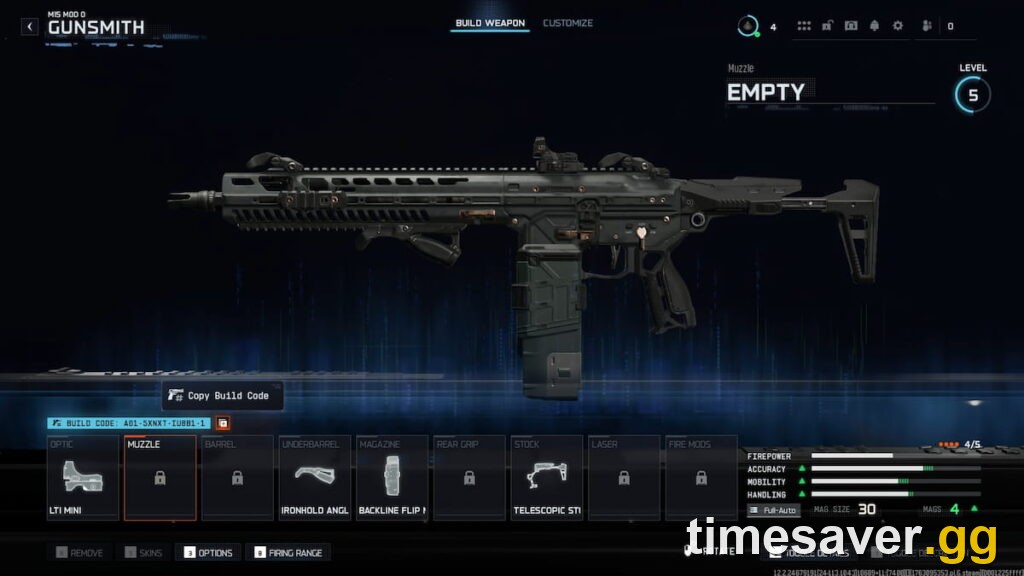
- Build the weapon exactly how you want it in the Gunsmith, then choose Save as Blueprint and give it a name.
- Equip that Blueprint in your loadout slot instead of a from-scratch custom build. Blueprints save to your profile differently and survive the sync bug far more often than a raw custom class.
- If a class still won't hold, join a match first, then open the loadout and customize it after you're in — building the loadout after entering a match sidesteps the pre-match save that's failing.
- In Warzone, once you've got a working setup, equip it through the Loadout Drop in-match to confirm it carries.
Fix 2 — Force a cloud sync: back out to the Main Menu, then hard-restart
Loadouts commit to the cloud when you leave certain screens — not continuously. If you only ever back out to the lobby, your edits may never write.
- After editing, back all the way out to the Main Menu (not just to the pre-game lobby). Wait a few seconds on the menu so the profile can sync, then close the game.
- Fully restart the game — not Rest Mode, Quick Resume, or Alt-Tab. Close it completely and relaunch so it re-pulls a clean profile.
- On console, this is also the moment a fresh session re-reads your cloud loadouts correctly. Reopen your classes and check they held.
Fix 3 — Delete the broken class and rebuild it from scratch
If one specific loadout is corrupted, it can keep failing while the rest save fine.
- Open the misbehaving class, delete it entirely, then create a brand-new class in an empty slot and rebuild it.
- Rebuilding from a clean slot re-registers the loadout in your profile and clears the bad entry. Do this per-class rather than resetting everything.
Fix 4 — Check the shared BO7 ↔ Warzone armory tab
If a loadout or a gun you built "disappears," it's often just in the other title's view.
- Remember that Black Ops 7 and Warzone share one armory. A class you made in Warzone shows in Warzone's loadout menu; a Multiplayer class shows in BO7 — confirm you're in the right game's Create-a-Class screen.
- Weapons are grouped by class category, and integration weapons don't always sit where you expect. Players hunting a "missing" gun on r/CODWarzone this week were looking in the wrong place — the Kar98k, for example, lives under the Marksman Rifle tab, not Sniper. Check every category tab before assuming a loadout was lost.
Fix 5 — Verify game files (PC) or clear the cache (console)
A patch that downloaded incompletely leaves the loadout system half-updated.
- PC (Battle.net): open the game's dropdown → Scan and Repair. On Steam: right-click the game → Properties → Installed Files → Verify integrity of game files.
- PlayStation / Xbox: fully power down the console (hold the power button until it's off, not standby), unplug for ~30 seconds, and restart to clear the system cache. Then relaunch and test a loadout.
Fix 6 — Relink your Activision account, then reinstall as a last resort
If nothing above holds, the profile link itself may be the block.
- Confirm your platform is correctly linked at your Activision account page, and that you're signed into the same account you play on.
- Only if the bug persists across restarts and file checks should you reinstall — it forces a clean pull of every profile file. This is rarely necessary for a loadout bug, so treat it as the final step.

Call of Duty - Ranked Boost
Get ranked boost in 10 minutes
How long until Activision patches it for good?
Because this is a known, acknowledged bug, a server-side or client fix usually follows within a patch cycle. Season 5 has been live since July 23, 2026, and the next scheduled content drop — Season 5 Reloaded on August 20, 2026 — is the most likely window for a bundled loadout fix, on top of the hotfixes Activision pushes between updates. Until then, the Blueprint + edit-in-match method (Fix 1) is your dependable daily workaround.
While your loadouts are unreliable, the smart move is to keep your account, weapon levels, and camo grind moving so you're not stuck re-doing setups on half-leveled guns. Low-pressure lobbies are the easiest place to test a rebuilt class and rack up weapon XP without sweating a full match.
Keep grinding while the bug gets patched — Timesaver.gg:
- Warzone Bot Lobbies — test rebuilt loadouts and farm weapon XP in relaxed, low-pressure lobbies.
- BO7 & Warzone Account / Weapon Leveling — max your guns and account level so your loadouts are ready the moment the fix lands.
How do I stop my loadouts from resetting again?
Once your builds are sticking, a few habits keep the sync bug from biting again — especially in the days around the Season 5 Reloaded update, when patches are landing:
- Live off Blueprints. Keep a saved Blueprint for every gun you run. Even if a raw custom class breaks, equipping a Blueprint restores your exact build in seconds.
- Always exit through the Main Menu. Make it a habit to back out to the Main Menu and pause a beat before closing the game, so your profile writes to the cloud every session.
- Don't edit loadouts mid-match. Set your classes from the pre-lobby menu, not while a match or a Loadout Drop is live — mid-match edits are the ones most likely to vanish.
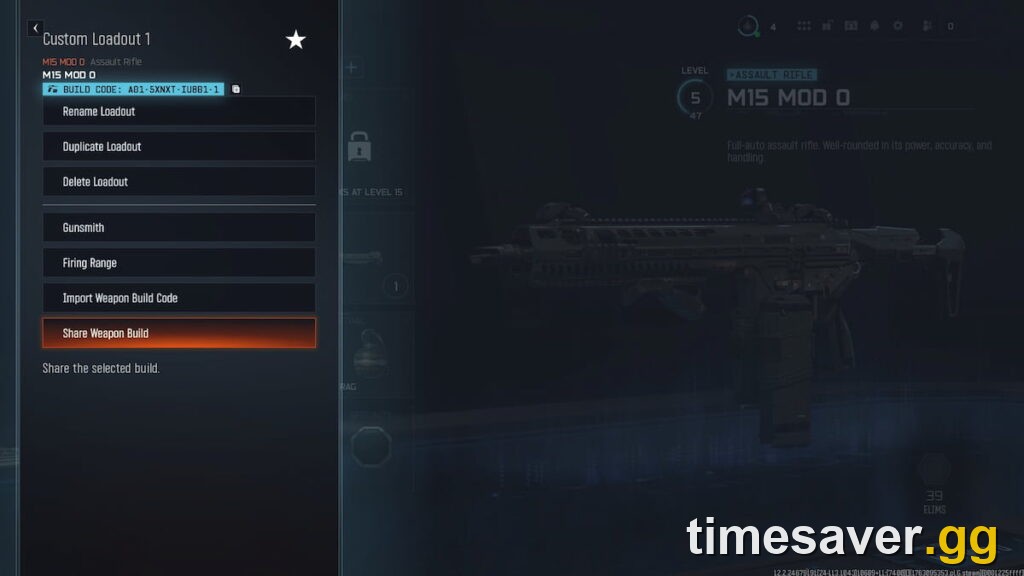
- Note your build codes. In the Gunsmith, use Copy Build Code (or Share Weapon Build) to save each gun's code somewhere. If a loadout ever wipes, Import Weapon Build Code rebuilds it instantly without hunting for attachments.
- Patch on Wi-Fi that won't drop. A download that stalls mid-update is what leaves the loadout system half-patched in the first place. Let big updates finish cleanly before you launch.
Do those five and the revert-to-default bug becomes a 10-second fix instead of a lost evening.
Frequently Asked Questions
Why do my Warzone loadouts keep resetting to default? It's a cloud-sync bug, not a lost account. After a big update your local profile and Activision's servers fall out of step, so the game loads the default class instead of the one you built. Your loadouts still exist server-side — saving each weapon as a Blueprint and backing out to the Main Menu to force a sync gets them to stick.
Did the Season 5 update delete my loadouts? No. Loadouts are stored in your cloud profile, so an update can't erase them — it can only fail to display or save them temporarily. Once the client re-syncs (a full restart usually does it), your custom classes come back.
What's the fastest workaround if nothing saves? Save the weapon as a Blueprint and equip that, or join a match first and build the loadout after you're in. Both bypass the pre-match save that's failing and have reliably beaten this bug in past seasons.
I unlocked a weapon but it's not in my loadout — same bug? Usually no. Black Ops 7 and Warzone share one armory, and guns are sorted by category. Check every class tab — the Kar98k, for instance, is under Marksman Rifles, not Snipers — before assuming the unlock or loadout was lost.
Do I need to reinstall the game to fix loadouts not saving? Almost never. Reinstalling is the last resort. Verifying game files (PC) or power-cycling your console (not standby) fixes the vast majority of cases without a full reinstall.
Will this bug wipe my camos or attachments? No. Camo progress and attachment unlocks are tied to your account, not your loadout slots. A loadout that reverts to default just isn't loading your saved class — your unlocks are safe and reappear once the sync recovers.
Fixes verified 2026-08-13 against support.activision.com and the Call of Duty Season 05 patch notes. Black Ops 7 Season 5 live since July 23, 2026; Season 5 Reloaded arrives August 20, 2026.