Quick answer (updated 30 October 2026, Chapter 7 Season 4 "Override", v42.40): A Fortnite matchmaking error usually means a server problem or a connection problem, and Epic says exactly that. Check status.epicgames.com first. If Matchmaking shows anything other than Operational, stop troubleshooting and wait. If it's all green, restart Fortnite, then restart your router, then check your device clock and set your region to Auto. Error #2 can also mean you don't qualify for a tournament, and Error #3 means the Battle Buses are full, which usually clears in a few minutes.

Fortnite - Fortnite Crew
Get Fortnite Crew
Key takeaways
- Check status first. It's step one on Epic's own support page, and it saves you from resetting a router during an outage.
- The number narrows it down. #1 is a failed match connection, #2 is a content service or permission issue, #3 is full buses, and #5 and #7 are a failed match connection.
- Status was clean at last check. All Fortnite services showed Operational on 30 October 2026 at 09:20 UTC, with no incidents reported that day.
- Expect errors around 1 November. Treasure Hunters lands with v43.00, and a new season is when queues are busiest.
- "Switch to NA-East" is outdated advice. Epic merged the NA regions in v42.20, so use Auto.
What does each Fortnite matchmaking error mean?
Epic documents these messages on two support pages: errors #1, #2 and #3 and errors #5 and #7. Match your on-screen text to this table:
| Error | Epic's message | What it means | Do this first |
|---|---|---|---|
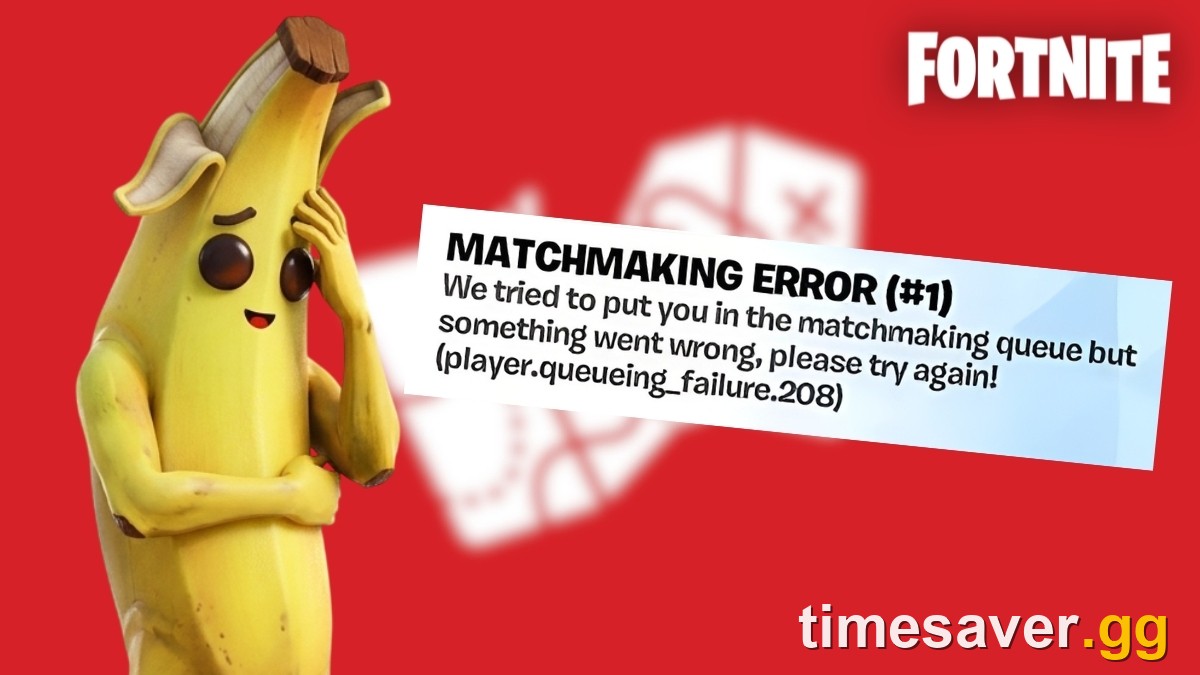
| #1 | "Weird. We couldn't connect to the match." | Failed connection to a match | Check status, then restart Fortnite |
| #1 [1.1.14] | "The Battle Bus has already departed for this Tournament." | The session may have closed, or it may be a bug | Check the event window, then run the fix order |
| #1 [1.1.1C-3.4.7FFFFFFF] | "Unknown error. Maybe try again?" | Unspecified failure | Retry, then run the fix order below |
| #1 [1.1.2] | Listed by Epic as a known issue | Epic-side bug | Update the game when a fix ships |
| #2 | "We had trouble connecting to content beacon service." | Content service connection failed | Check status, retry |
| #2 | "You don't have permission to play this content." | Competitive requirements not met | Check tournament eligibility |
| #3 | "Looks like all the Battle Buses headed out are full." | Matches are full | Wait a few minutes, retry |
| #5 / #7 | "Unable to connect you to a match" (Epic's description) | Server or network problem | Check status, restart Fortnite |
Epic's summary covers Battle Royale, Creative and Tournaments: "The errors below are mainly caused by a server maintenance or a network connection issue."
You may also see a second code in brackets. It varies from player to player, and Epic documents only the codes shown above. If yours isn't listed, go by the number.

One separate message: on Xbox, "Error Connecting to Epic Services Queue" isn't an Epic fix at all. Epic's connection guide tells Xbox players to contact Microsoft Support.
How do I fix a Fortnite matchmaking error?
Work through these in order and test after each one. The first three cover most cases and take a few minutes.
1. Check whether it's Epic's side
Open status.epicgames.com and look at Fortnite > Matchmaking, then check @FortniteStatus on X. Epic says that if systems are down, you should "keep an eye on status changes and try again later." Nothing on your side will fix a server outage. Our Fortnite server status guide explains what each status label means.
2. Restart Fortnite, then your whole device
Fully quit the game. Don't just return to the lobby. For #5 and #7, this is Epic's second step. If it fails, power your device off and back on, and install any pending game or system update.
3. Try another mode, then switch back
This one comes from players, not Epic. During the matchmaking trouble in early September 2026, players on r/FortniteBR reported that loading Reload or another mode and then returning to Battle Royale cleared the error. One PS5 and Switch player said they didn't even need to play a round, just select the other mode and switch back. It's free and takes 30 seconds, so try it before anything technical.
4. Restart your modem and router
Epic's router steps: turn off your PC or console, unplug the modem and router, leave them unplugged for at least a minute, plug them back in, wait for the lights, then turn your device on.
On a phone or tablet, fully close Fortnite, then switch between Wi-Fi and mobile data to see whether one connection works. If mobile data gets you in, the problem is your home network.
5. Sync your device clock
This fix is easy to overlook. Epic says "The clock on your PC or console must be accurate in order for Epic Games to connect to servers." Set the date and time to automatic on your platform. Epic's clock guide links the steps for Windows, PlayStation, Xbox, Switch, Android and iOS.
6. Set your region to Auto
Go to Settings > Game > Language and Region and set Subregion Preference to Auto, plus Matchmaking Region to Auto if your menu shows it. It applies right away, with no restart.
A lot of older guides still tell you to swap to NA-East or NA-West. That advice is out of date for normal play. The v42.20 notes say "NA-West, NA-Central and NA-East have merged into a single NA region with multiple subregions you can choose from." Epic's in-game text adds that picking a subregion "may increase queue times and reduce match fairness." If you forced one for lower ping, that's the first setting to undo. We cover the trade-off in our Fortnite lag and high ping guide.
7. Clear your cache
Epic lists a cache reset for each platform:
| Platform | Where to do it |
|---|---|
| PC | Clear the Epic Games Launcher cache |
| PS5 / PS4 | PlayStation Safe Mode |
| Xbox Series X/S | Epic's Xbox cache guide |
| Switch | Nintendo's cache reset steps |
| Android | Clear cache in Android settings |
Epic's cache page has no iPhone or iPad entry, so skip this step on iOS.
8. Switch to a public DNS
Epic calls this "a step worth trying if other connectivity troubleshooting has failed." Its DNS guide gives Google DNS as the example: 8.8.8.8 primary and 8.8.4.4 secondary, set under Manual DNS in your console's network settings. Epic also says wired is "highly recommended" on PlayStation.
9. PC only: verify files and trim background apps
In the Epic Games Launcher, go to Library, click the three dots on Fortnite, choose Manage, then press Verify next to Verify Files.

Epic's matchmaking page also links its guides on disabling background applications and setting your primary video card. Turn off any VPN too, and note that Epic's connection checklist says to identify and disable any proxy servers.
10. Report it
If nothing works and status is green, send Epic a report. In-game: open the menu, select the hamburger icon, then Report > Submit a report > A bug. Do it while the error is on screen, since the report attaches a screenshot.
None of Epic's steps involve paid software. Treat any "matchmaking fix" download with suspicion, because a third-party tool can't repair an Epic server fault. Epic's connection guide has the full 12-step list if you want to go further, including flushing DNS and resetting your Windows Hosts file.
Why do I get a matchmaking error in tournaments?
Competitive errors are usually about eligibility, not your connection. Epic's tournament page gives these causes:
- A Lock icon means you're not eligible or the event hasn't started. Click it to see which requirements you're missing.
- Most cash-prize tournaments require "at least 14 distinct Epic tournaments within the last 180 days." Without that, the poster can show "Qualifying Round Required."
- Age limits vary by event. Check the Rules Library.
- Error #1 [1.1.14] can appear when the session has closed, but don't assume that. Epic has a dedicated page treating it as an issue under investigation and pointing players to its matchmaking troubleshooting. If the event window is still open, run the fix order above.
- 2FA is required for competitive events. See our Fortnite 2FA guide if you haven't set it up.
- "Boot validation failed: PCR mismatch" is a Secure Boot problem with its own Epic article, not a matchmaking fault.
If you play competitively, note that subregions don't apply here in the same way. Ranked uses subregions, while tournament matchmaking still uses the NA-West or NA-Central choice. Our Ranked explainer covers the rest of the ladder.
Fortnite - Cheap Fortnite Account
Get Cheap Fortnite Account
Will Fortnite matchmaking errors spike on 1 November?
Plan for it. Treasure Hunters launches with v43.00 on 1 November 2026, after the Override season ends.
Downtime comes first. Beebom's early patch notes expect it at 2 AM ET (07:00 UTC). Epic hadn't confirmed that when we checked on 30 October, and the status page didn't list the update yet. Matchmaking normally shuts off shortly before downtime, as Epic's own @FortniteStatus notice for v42.20 said: "Downtime for v42.20 starts at 4 AM ET with matchmaking ending shortly beforehand." An error in that window is the shutdown, not a fault. Follow our v43.00 update page for the confirmed time.
Matchmaking trouble often lands near an update. Between April and September 2026, posts on r/FortniteBR flagged it at least four times, and three of those fell on or just after an update day on Epic's maintenance history:
| Date | Notice or report |
|---|---|
| 17 April 2026, day after v40.20 | "We're aware that players may be experiencing matchmaking errors" |
| 14 May 2026, v40.40 update day | "We're actively working on fixing the matchmaking and login errors" |
| 2 June 2026 | "We're investigating matchmaking errors requiring you to queue up more than once to find a match" |
| 4 September 2026 | Players report the same queue-twice failure, the day after v42.10 |
That June wording matters: if you fail once, queue again before you troubleshoot. On launch day, also make sure the full update has installed on both you and your squad, and try queueing solo. If solo works and the party fails, the problem is likely someone else's connection or game version.
Live events behave differently. If you hit an error joining a live event, Epic's live event page says high demand can cause temporary issues, so retry after a few minutes and have each party member join individually. If you get kicked mid-event you still count as attending, and rewards arrive within 72 hours of the event ending. See our live event page for timing.
One more date for the diary: Epic has scheduled Epic Online Services maintenance on 10 November 2026, 06:00–07:30 UTC. Its notice says session creation, invites, searching and matchmaking "will also be temporarily unavailable," though it doesn't name Fortnite. If you see errors in that window, wait it out.
FAQ
What is matchmaking error #1 in Fortnite? It means Fortnite couldn't connect you to a match. Epic's message reads "Weird. We couldn't connect to the match." Check the status page, restart the game, then work through your connection.
Why does Fortnite say all the Battle Buses are full? That's matchmaking error #3. Epic's advice is to try again in a few minutes and check the status page if it keeps happening. It usually points to server load, not your setup.
How do I fix matchmaking error #2? Read the message first. If it mentions the content beacon service, check status and retry. If it says you don't have permission, you probably don't meet that tournament's requirements.
How do I fix a Fortnite matchmaking error on PS5 or Switch? The order is the same: check status, fully close the game, restart the console, restart your router, sync the clock, then clear the cache. Players have also reported that switching to another mode and back can clear it.
Does a matchmaking error mean I'm banned? Not by itself. Epic's support pages describe these errors as server, network or eligibility problems. None of them list a ban as a cause.
Will reinstalling Fortnite fix matchmaking errors? Try it last. Reinstalling isn't one of the steps on Epic's matchmaking pages, and it's a long download. On PC, verify your files first.
More Fortnite guides
Still can't get into a match? These guides cover the problems that usually come with it.
- Fortnite servers down? Live status and downtime
- Fortnite not working? Crashing, launch and EAC fixes
- Fortnite lag and high ping fixes
- Fortnite update v43.00: release time and patch notes
This guide applies to Fortnite Chapter 7 Season 4 "Override" (v42.40), ahead of Treasure Hunters and v43.00 on 1 November 2026. Last verified 30 October 2026 against Epic Player Support and the Epic Games Public Status page. Player workarounds are labelled as player reports and aren't Epic guidance.