Trading on Roblox changed a lot in 2026. Premium can no longer be bought, Roblox Plus replaced it, every trader now has to pass an age check, and US players got a limited-time allowance of free trades without any subscription. Plenty of "how to trade on Roblox" guides and videos still tell you that you need Premium. That stopped being true on April 30, 2026.
This guide walks through the current rules as of October 2026: who can trade, which items count, how to send your first offer on desktop or mobile, how the 30% Robux fee and the 50% cap work, and the scams that catch new traders in their first week.
Quick answer: To trade on Roblox in October 2026, both players need to complete Roblox's age check, have Roblox Plus ($4.99/month) or a legacy Premium subscription, turn on trading and inventory visibility in Account Settings, and live in a supported region (trading is not available in South Korea). US players can make 2 free trades per month without a subscription for a limited time. You can only trade Roblox-created Limited and Limited U items plus Robux. Robux added to a trade is charged a 30% fee, and it can't be worth more than 50% of the items you're offering. To trade, open the other player's profile, select the ⋯ menu, then Trade Items.
The core trading rules below come from Roblox's own Help Center: the Trading on Roblox article (last updated Oct 19, 2026), the Roblox Plus article (updated Oct 17, 2026) and How to avoid trading scams (updated Oct 13, 2026).
Not keen on the grind? Timesaver runs a Blox Fruits boosting service that covers fruits, awakenings and race progress on your own account.
Roblox - Rbx
Get up to 50,000 Rbx in 10 minutes
What can you trade on Roblox?
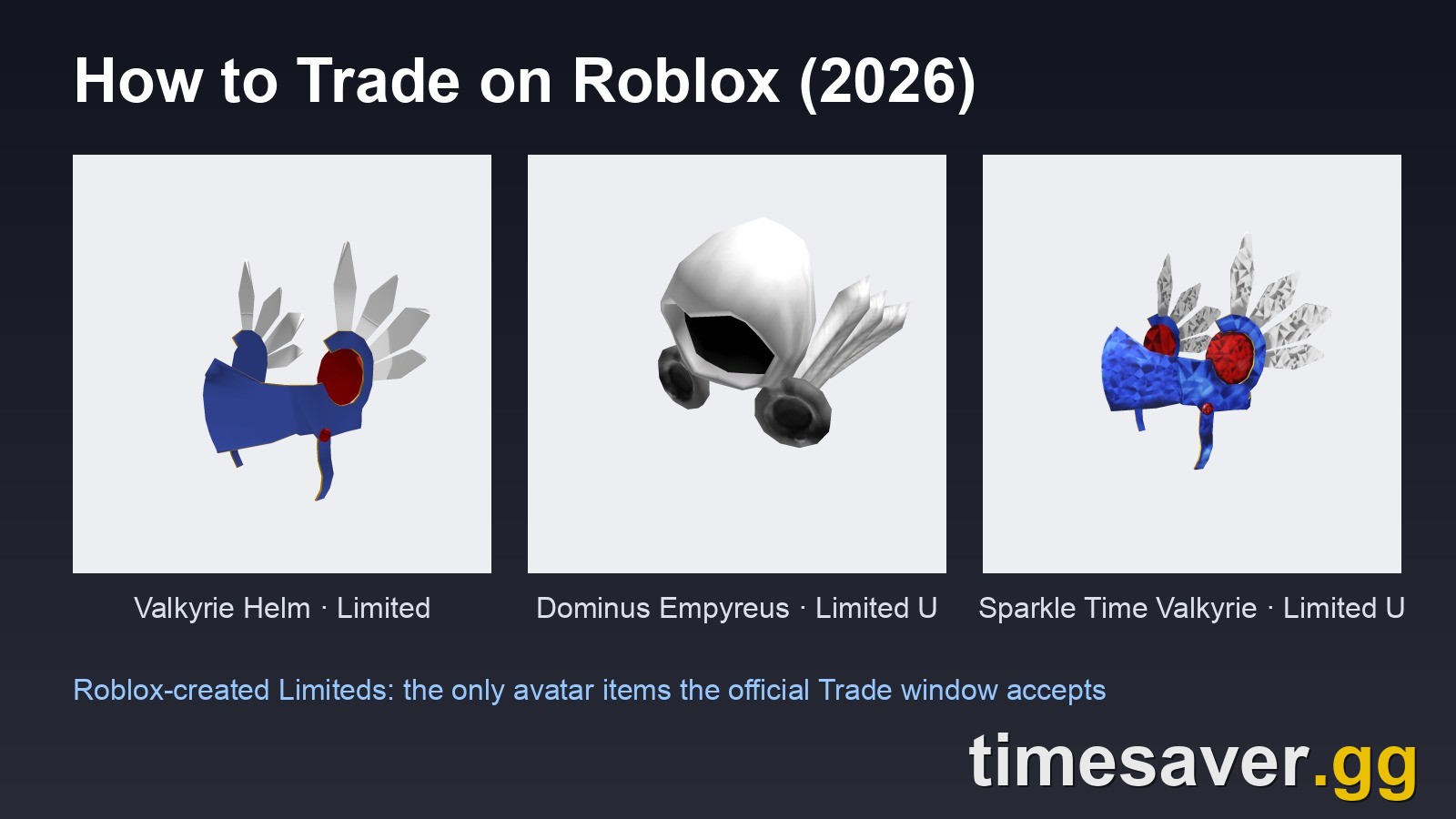
The platform's built-in Trade feature handles exactly two things: Limited avatar items made by Roblox, and Robux added to balance an offer. Nothing else goes through it.

A Limited is a collectible avatar item that was sold normally and then went off-sale. Once that happens, the only way to get one is to buy it from another player or trade for it. Roblox splits them into two kinds:
| Type | How it was sold | What makes it different |
|---|---|---|
| Limited | Normal sale, no strict copy limit | Becomes collectible once it goes off-sale |
| Limited U (Limited Unique) | A fixed number of copies | Every copy has a serial number, e.g. #45 of 100 |
The tag sits under the item picture on the Marketplace and on the item's details page. To be certain, open the details page and check the Tradable field. "Yes" means it can go in a trade window.
The UGC catch most new traders miss. Roblox's trading article lists tradable items as "Limited and Limited U items that were created by Roblox." UGC Limiteds made by community creators are not on that list. You can resell them on the Marketplace for Robux (the Roblox Plus page lists "Resell Limited items you have bought from Roblox or other creators" as a perk), but you can't put them in a trade window. UGC Limiteds come up often on r/RobloxTrading for that reason. One trader in a recent thread said some sell for 20k Robux each despite an original price of 95 Robux. Their value comes from resale, not trading.
In-game items are a separate system. Blox Fruits fruits, MM2 Godlys and Adopt Me pets trade inside their own experiences, under each developer's rules. They don't use the platform Trade feature or need Roblox Plus. If that's what you came for, see our Blox Fruits trading guide, MM2 Godly value list or Adopt Me value list.
What do you need before you can trade on Roblox?
Roblox's Help Center says both players must meet all four requirements before they can send or receive a trade:
- Complete an age check. It's required for everyone, with or without Roblox Plus, and it applies to sending, accepting and countering a trade. This is the requirement most likely to block you, because most older guides never mention it.
- Have Roblox Plus or a legacy Premium subscription. Plus launched globally on April 30, 2026 at $4.99/month and replaced Premium, which can no longer be bought. If you still have an old Premium subscription, it counts. (US exception below.)
- Turn on trading and inventory visibility. Go to Account Settings → Privacy & content restrictions → Trading & inventory and switch both on. If your inventory is hidden, nobody can see what to ask you for.
- Be in a supported region. Roblox says trading is currently not available in South Korea.
Can you trade on Roblox without Premium or Plus?
Only in the US, and only for now. Roblox is running a limited-time promotion that lets US users make 2 free trades each month without Roblox Plus. Those free trades reset at the start of each month. Once you've used them, you either subscribe to Plus for unlimited trades or wait for the reset. Outside the US, you need Plus or a legacy Premium subscription to trade at all.
Roblox calls this a limited-time offer and hasn't announced an end date, so check the Trading article before you plan around it.
Roblox Plus vs legacy Premium for trading
| Trading feature | Roblox Plus | Legacy Premium | No subscription |
|---|---|---|---|
| Trade Limiteds | ✅ Unlimited | ✅ Unlimited | ❌ (US: 2 free trades/month, limited time) |
| Resell Limiteds for Robux | ✅ | ✅ | ❌ |
| Send Robux to other players (fee-free) | ✅ Plus-only (18+ age-verified, or parent-approved for under-18s) | ❌ | ❌ |
| Monthly Robux stipend | ❌ (only with the Plus 500 / 1000 / 2000 bundles) | ✅ (existing subscribers keep it) | ❌ |
| Sign up today | ✅ | ❌ No longer sold | — |
Source: Roblox Plus Help Center comparison table. For the whole subscription, including the 10% → 20% discount and why there's no 10% Robux bonus any more, read our Roblox Plus explainer.
How do you trade on Roblox, step by step?
Trading runs through the other player's profile page. These are the steps from Roblox's Help Center. On a phone, if you can't find Trade Items in the app, try roblox.com in your mobile browser.

- Open the other player's profile. Search their username, or open it from your friends list or a trading Discord link.
- Select the More button (the three dots ⋯) in the top-right corner of their profile box.
- Select Trade Items. If the option is missing, a requirement from the section above usually isn't met. The common causes are the age check or trading being turned off in privacy settings.
- Build your offer. Under Your Offer, tick the item(s) you're giving (the window has four slots per side). Under Your Request, tick what you want back. The window shows a Total Value for each side so you can compare them.
- Optionally add Robux in the "Plus Robux amount" box (fee and cap rules below).
- Select Make Offer. The other player gets a message and can accept, decline or counter.
How do you check, accept or counter trades?
Select Trade in the left menu on any Roblox page, then use the Trade Type dropdown:
- Received: offers people sent you
- Sent: offers you sent
- Completed: trades that went through
- Closed: offers that expired or were declined
When you open a received offer you can Accept it as it is, Decline it, or Counter. Countering lets you change the items and send your version back with Make Offer.
How do the Roblox trade fee and the Robux cap work?
Item-for-item trades have no fee. Robux is different. Two rules apply whenever Robux is in an offer:
- 30% fee. Roblox takes 30% of any Robux in a trade once the offer is accepted.
- 50% cap. The Robux you add can't be worth more than 50% of the value of the items you're offering, measured after the fee.
Roblox's own example: if your item is worth 300 Robux, you can add up to 150 Robux (after the fee).
The fee comes off the Robux itself, so whatever you add, the other player receives 70% of it:
| Robux added to the trade | Fee (30%) | Robux the other player receives |
|---|---|---|
| 100 | 30 | 70 |
| 1,000 | 300 | 700 |
| 5,000 | 1,500 | 3,500 |
That 30% is why experienced traders balance offers with a small extra item instead of Robux wherever they can. A Limited keeps its full value in the trade, while every Robux loses almost a third of its value on the way.
Trades can't be undone. Roblox's Help Center is blunt about it: "Trades are final. Once a trade is complete, it cannot be reversed, refunded, or disputed." Roblox won't return your items or Robux "for any reason." Read both sides of the window before you press Accept.
Roblox - Blox Fruits Boost
Get any fruit, awakened and ready
How do you know if a Roblox trade is fair?
Roblox doesn't publish official item values. The Total Value in the trade window gives you a rough starting point, but serious traders check two more things:
- Community value trackers. Rolimon's (rolimons.com) is the community-standard source for Limited values, projected items and rare status. It covers platform Limiteds only, not in-game items. Its values are community estimates, not official prices.
- Demand, not just value. An item with a high number but no buyers is hard to trade on. New traders on r/RobloxTrading get this wrong constantly. In one recent "W or L?" thread, a newcomer was offered about 100 value for an item the replies put at 800–1.1k, and the advice was to decline.
Some practical rules from the trading community:
- Start with a bigger inventory if you can. One experienced r/RobloxTrading member suggested starting with at least 10k value, ideally 30k–50k, because a varied inventory gives you more ways to balance offers.
- Upgrade and downgrade on purpose. Trading one expensive item for several cheaper ones (a downgrade) can improve liquidity. Several cheap items for one big one (an upgrade) usually costs you a little overpay. Know which one you're doing.
- Use the trade quality filter (next section) so you aren't buried in lowball offers.
How do you avoid Roblox trading scams?
Roblox says only two features are safe for swapping value: the Trade feature (for Limiteds) and the Sell features (clothing, game passes, developer products). In its own words, you should "treat every other method as unsafe." If you make a deal outside those features and the other person breaks it, Roblox can't return anything.
Turn on the trade quality filter
Go to Account Settings → Privacy & content restrictions → Trading & inventory and set a Trade quality filter: None, Low, Medium or High. Offers below your chosen level are hidden automatically. Roblox describes it as a filter that flags offers "that look unfair or one-sided." It's the easiest protection for new traders, though Roblox notes that no filter catches every bad deal.
The scams to know by name
- "Split the trade" / you-go-first. The scammer asks you to send half now and promises the rest in a second trade, which never comes. A new trader on r/RobloxTrading recently described exactly this approach. Roblox's rule covers it: never agree to a deal where one person has to go first and trust the other.
- Lending items or accounts. "Let me borrow it for a video" or "I'll trade it for you" ends with the item gone. Roblox lists lending and middleman-style handoffs as deals to avoid.
- Paying for accounts, groups or real money through trades. Roblox's scam guide says not to use trades or sales to pay for accounts, real-world money or groups. Its Terms of Use go further: buying, selling or trading Robux or virtual items outside the Roblox platform is prohibited, those deals are void, and the account can be suspended.
- Fake trade-helper extensions and "value checker" logins. If a browser extension or site asks for your Roblox login or cookie, it's after your account. Use only the official Trade page.
Seen a scammer? Use the Report Abuse buttons across the site. Roblox says reporting is the best way to stop it happening again.
Really after in-game items, not avatar Limiteds? Blox Fruits fruits and MM2 weapons trade inside their own experiences, not through the platform Trade window, so the Trade-window rules above (Roblox Plus, the age check, the 30% Robux fee and the 50% cap) don't apply to them.
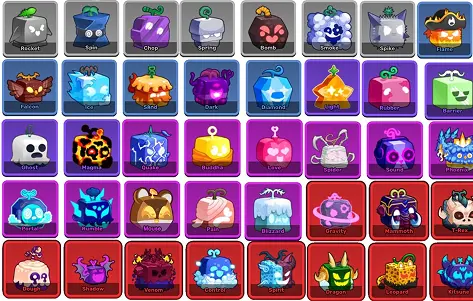
- Blox Fruits items: 10 fruits, normal or permanent
- Murder Mystery 2 items: Godlys, Chromas, Ancients
Is Roblox trading worth getting into in 2026?
It depends on your budget and patience. The fee structure rewards item-for-item traders and punishes anyone who leans on Robux. The age check and Plus requirement filter out a lot of casual traders. In the US, the 2-free-trades promotion makes it cheap to try before you subscribe.
- Worth it if you already own a few Roblox-created Limiteds, enjoy the value-research side, and trade item-for-item.
- Probably not worth it if you're hoping to flip small amounts of Robux. The 30% fee eats most margins, and UGC Limiteds aren't on Roblox's tradable list. You can only resell them.
If you're new to the Robux side, our Robux to USD guide explains what Robux is actually worth in dollars.
FAQ
Do you need Premium to trade on Roblox in 2026? No. Roblox Premium can no longer be bought. Trading now needs Roblox Plus or an existing legacy Premium subscription, plus a completed age check. US players can make 2 free trades a month without a subscription for a limited time.
How do you trade on Roblox mobile? Open the other player's profile, tap the ⋯ button, then Trade Items. If you can't find the option in the app, try roblox.com in your phone's browser. Also check that you've finished the age check and turned on trading in Settings → Privacy & content restrictions → Trading & inventory.
Why can't I trade on Roblox? The usual causes are: you haven't completed the age check, you don't have Roblox Plus or legacy Premium (or you've used your 2 US free trades this month), trading or inventory visibility is turned off, the item isn't tradable (check its Tradable field), or you're in South Korea, where trading isn't available.
Can you trade UGC Limiteds on Roblox? No. Roblox's trading article lists only Limited and Limited U items created by Roblox as tradable. You can resell UGC Limiteds on the Marketplace for Robux, but you can't put them in a trade.
How much does Roblox take from trades? Nothing on item-for-item trades. If Robux is included, Roblox takes 30% of it, and the Robux can't exceed 50% of the value of the items you're offering, measured after the fee.
Can a Roblox trade be reversed? No. Roblox says completed trades are final and "cannot be reversed, refunded, or disputed." Check everything before you accept, and never trade outside the official Trade feature.