Updated November 20, 2026, for NBA 2K27 update 3.0 (live on PS5 and Xbox Series X and S since November 18; 2K says PC gets it shortly before Season 3 starts on November 27, with Switch 2 also due before then). Applies to Season 2.
Quick answer: Yes, NBA 2K27 has rhythm shooting. You shoot with the Pro Stick instead of the button, and every shot gets two grades. Timing is when you release, and it must be green or the shot misses. Tempo is how fast you move the stick, and matching the jumper's ideal Tempo makes your Timing window wider. In 2K's words: "if you rush or drag the flick of the Pro Stick, the green window shrinks." Update 3.0 on November 18 didn't change rhythm shooting. It nerfed very deep threes and made heavily contested shots harder to hit, and that is most of why it suddenly feels off.
Within a day of update 3.0, one of the busiest shooting threads on r/NBA2k was titled "Rhythm shooting is completely off again" (31 comments by November 19). The replies split two ways. Some players said their make rate hadn't moved. Others said they'd retuned their jumper again. One player summed up the second camp: "I adjust every single time and shoot really well after tweaking jumpshot but im tired of constantly having to do that every season."
This guide explains how 2K27's rhythm shooting actually works, what each Shot Feedback grade means, whether you should use it over the button, and what to check when it stops working. Everything about the system comes from 2K's gameplay page and patch notes. Anything players or testers reported is labelled that way.
What is rhythm shooting in NBA 2K27?
Rhythm shooting is the Pro Stick (right stick) way to shoot a jumper. Instead of holding and releasing the shoot button, you move the stick through the shot like a real shooting motion. 2K describes it this way:
"Rhythm Shooting returns as the most authentic way to mimic a traditional shooting motion using the Pro Stick, and it received some highly anticipated upgrades for 2K27."
There are three 2K27 upgrades, and all three are on 2K's gameplay page:
| 2K27 change | What 2K says | What it means for you |
|---|---|---|
| Tempo tick mark | "The Shot Meter now features a real-time visual tick mark that moves in direct sync with your physical Pro Stick movement." | With the meter on, you can see your stick speed live |
| Green Timing required | "successfully hitting a shot with Rhythm Shooting now strictly requires greening the Timing" | A late or early release misses, whatever your Tempo was |
| Free throws | "Rhythm Shooting has officially expanded to the free-throw line" | You can use the same input at the line |
2K says the green-Timing rule came "based on community feedback". The practical result is simple: on the Pro Stick, a shot is green or it's a miss.
How do you rhythm shoot in NBA 2K27?
2K describes the system but doesn't print a step-by-step control diagram. The standard motion, as laid out by the tips site FilmRoomGG, is:
- Start the shot. Hold the Pro Stick in one direction, usually down, to begin the jumper.
- Move through the release. As your player starts the release, move the stick in the opposite direction, down to up.
- Match the speed to the animation. How fast you move the stick through that motion is your Tempo.
- Read both grades. After the shot, Shot Feedback shows your Timing and your Tempo separately.
The most common mistake is letting go. FilmRoomGG puts it plainly: "Letting the stick spring back to the center is not the same as moving it through the release." If you flick and let the stick snap back, you give up control of the Tempo.
Every jumper has its own rhythm. A slow, high release wants a slower stick than a quick set shot. When you change jumpers, you're also changing the Tempo you have to learn.
What's the difference between Timing and Tempo?
This is the part most players get wrong, and it's why some rhythm shots feel like they should have gone in. They're two separate grades, and they do different jobs:
| Grade | What it measures | Feedback you'll see | Effect on the shot |
|---|---|---|---|
| Timing | When you finish the motion | Early / late | Must be green or the shot misses |
| Tempo | How fast you move the stick | Too fast / too slow | Good Tempo widens the Timing window; bad Tempo shrinks it |
2K's own description of how they interact:
"The closer you match that perfect Tempo, the wider your Timing green window becomes, making it easier to knock down Excellent releases. But stay disciplined—if you rush or drag the flick of the Pro Stick, the green window shrinks, demanding absolute pinpoint precision to hit the shot."
Tempo is the bonus, and Timing decides whether the shot goes in. A perfect Tempo won't save a late release. A sloppy Tempo can still go in, but only if you hit a narrower Timing window. 2K adds that the reworked Shot Feedback overlays tell you "if your Timing was early or late, and if your Tempo was too fast or slow".
So when people search for a "rhythm shooting boost", this is the boost: the wider window you get from a well-matched Tempo. 2K hasn't announced a separate item or setting that boosts rhythm shooting.
Is rhythm shooting or button shooting better in NBA 2K27?
Neither one is better for everyone. 2K hasn't published a number comparing the two windows, so ignore anyone who claims a fixed percentage. Here's the trade-off:
| Button shooting | Rhythm shooting | |
|---|---|---|
| Input | Hold and release the shoot button | Pro Stick down, then up through the release |
| Skill checks | One: release timing | Two: Timing (must be green) and Tempo |
| Upside | Most repeatable; less to go wrong under pressure | A well-matched Tempo widens your Timing window |
| Downside | No Tempo bonus to earn | A rushed or dragged stick shrinks your window |
| Free throws | Yes | Yes, new in 2K27 |
A simple way to decide:
- Your thumb is steady and you play a lot: try rhythm shooting for a week in MyCOURT. If your Tempo grades are consistently good, you're earning a wider window on every shot.
- You play in short sessions or switch builds often: use the button. Every new jumper means relearning a Tempo, and that's the complaint in the thread above.
- You keep swapping between the two: stop. Switching between inputs every few games resets the muscle memory you're trying to build.
Why does rhythm shooting feel off after update 3.0?
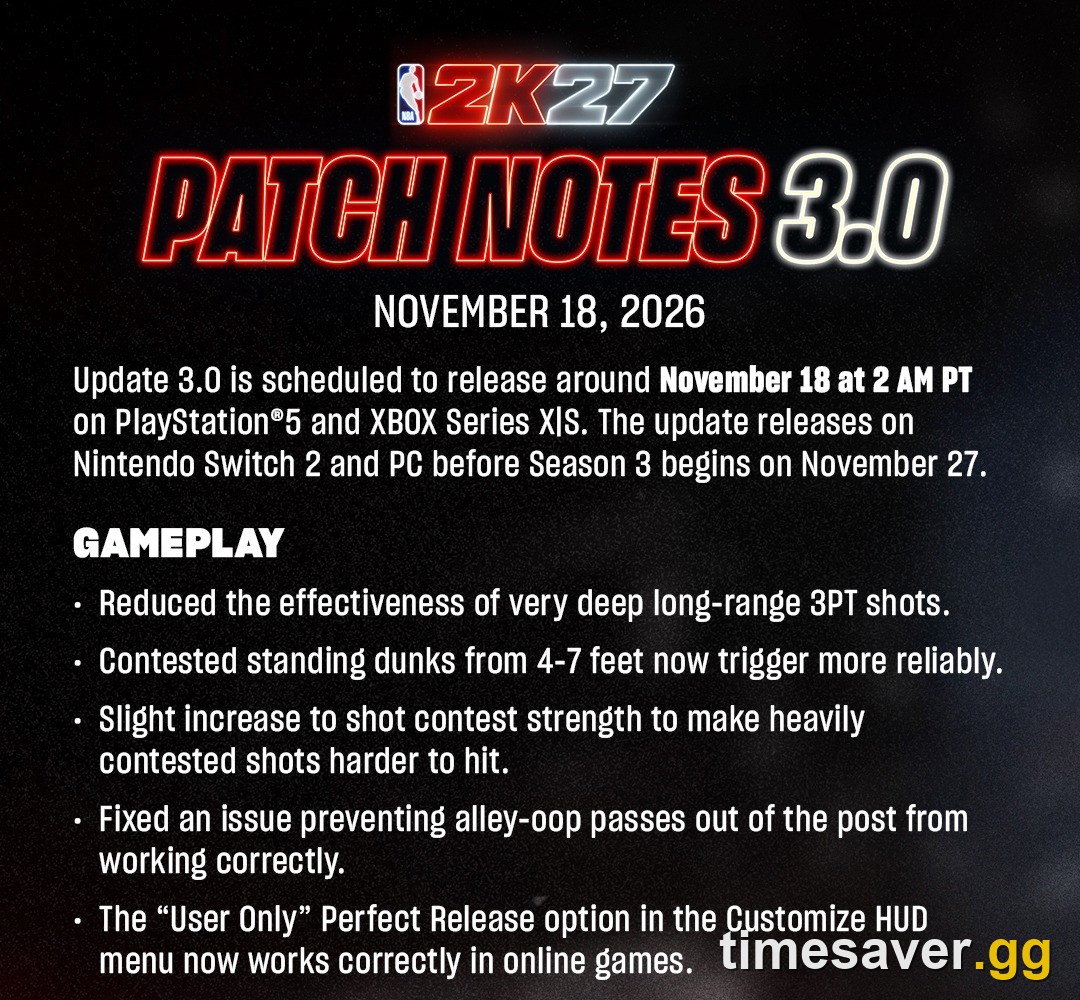
2K's Patch Notes 3.0, released November 18, don't mention rhythm shooting, the Pro Stick, Tempo or the shot meter. Three of the gameplay lines touch shooting:
"Reduced the effectiveness of very deep long-range 3PT shots."
"Slight increase to shot contest strength to make heavily contested shots harder to hit."
"The 'User Only' Perfect Release option in the Customize HUD menu now works correctly in online games."
Those changes hit button and rhythm shooters equally. If rhythm shooting suddenly feels off, check these first:
- Stronger contests. This is the one most players notice. In the "Patch 3.0 Shooting" thread (89 comments), one player wrote: "Yeah you got to be wide open like absolutely wide cause a hand near you will jack the shot." 2K says the change is to heavily contested shots. Our shot contests guide explains how 2K27 decides whether a defender counts as contesting.
- Deeper shots than you think. 2K didn't define "very deep". If your misses are all from well behind the line, that's the nerf working as written.
- Your shot speed changed, not your stick. 2K gameplay director Mike Wang, quoted by NBA2KLab: "There's no RNG factor that will make you randomly miss shots. If you release your shot perfectly every time, you will make every shot. Your shot speed can vary based on a number of different factors (stamina, defensive pressure, the catch, pulling up off dribble vs. triple threat, sig shot grades, etc.)" A rhythm shooter feels this twice: the Timing moves, and so does the ideal Tempo.
- Adrenaline. Asked whether losing adrenaline shrinks the window, Wang said "dropping your shot ratings and shrinking the green window go hand in hand." See our adrenaline bar guide.
- Connection. One player in the patch thread admitted: "I shot really bad last night but then I realised that was because of my WiFi rather than me." Online, latency moves your release, so test offline in MyCOURT before you change your jumper.
- Different platforms are on different versions. On PC and Switch 2, update 3.0 hasn't landed yet. 2K says PC gets it "shortly before the start of Season 3 on November 27." If you're on PC and shooting feels different this week, the patch isn't the cause yet.
Players have also reported things 2K hasn't confirmed. One player said that, with the Push visual cue, "50% of 3s I shot would say slightly late but the meter wouldn't even reach the green," and suspected a hotfix the next morning. Another said "ghost contests are back somewhat". 2K said update 2.0 on October 8 fixed ghost contests, and 3.0's notes only make real contests stronger. Treat both reports as unconfirmed until 2K says otherwise. The full update 3.0 patch notes breakdown covers every non-shooting change.
What are the best settings for rhythm shooting in NBA 2K27?
These settings make rhythm shooting easier to learn. None of them is a cheat code:

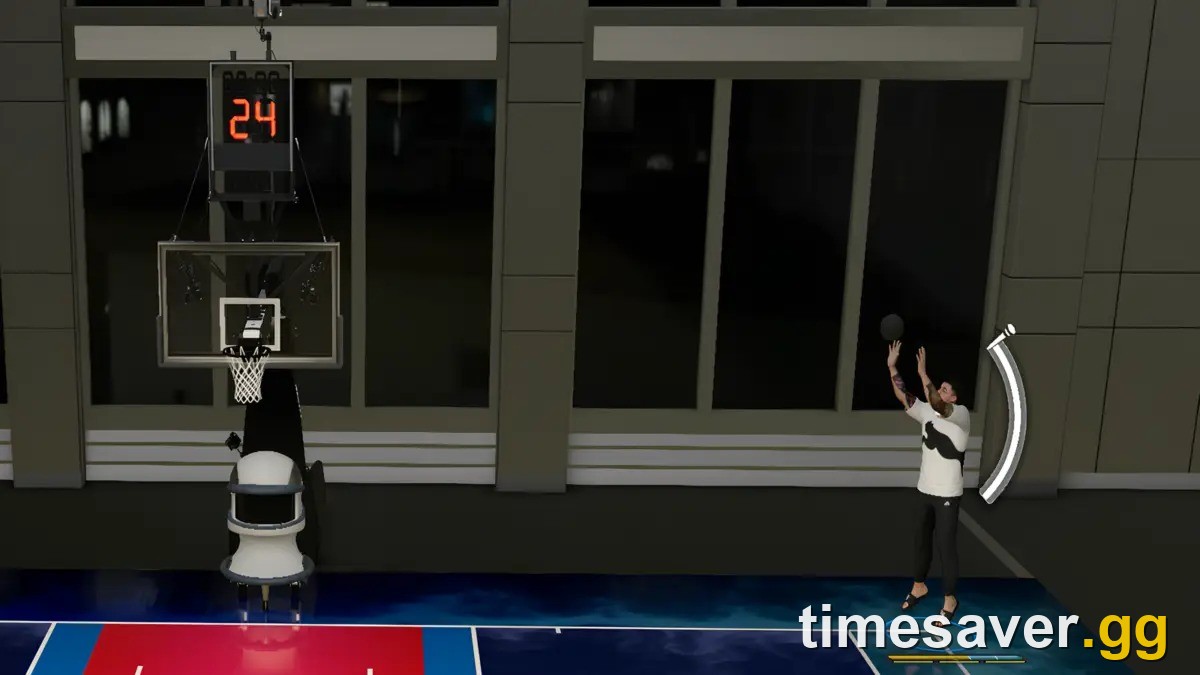
- Shot meter on while you learn. The meter is the only place the live Tempo tick mark shows. Once your Tempo grades are consistent, you can turn the jump-shot meter off under Customize HUD. Meters are set separately for jump shots, layups and dunks, and free throws.
- Shot Feedback on all shots. You need both the Timing and Tempo grades on every rep, not only the misses.
- Visual Cue: pick one and keep it. The Jump Shot Creator lists Jump, Set Point, Push and Release. Many players prefer Push or Release because they come later in the motion and give you more time to react. What matters for rhythm shooting is that the cue matches the moment your stick goes up.
- Release speed: don't chase Very Quick. Wang's own figures, via NBA2KLab, put Very Quick at −10% to the window and Quick at −5%, with Normal neutral. A rhythm shooter is already giving up width on every badly matched Tempo, so don't add a second penalty.
- User Only Perfect Release. It's a Customize HUD option that 3.0 fixed for online games. It changes what you see when you shoot, not the size of your window.
Our best settings guide covers every controller and HUD option.
How do you practise rhythm shooting?
The two grades make practice easy to diagnose. In MyCOURT or the Gatorade facility, with the meter and Shot Feedback on:
- One jumper, one spot. Take 50 catch-and-shoot attempts from the top of the key. Count greens and note the Tempo grade on each.
- Fix Tempo first. If the feedback says too fast, slow the up-stroke. If it says too slow, quicken it. Don't touch your release point until Tempo is consistent, because good Tempo is what widens the window.
- Then fix Timing. If you're mostly early, finish the motion a hair later. If you're mostly late, finish it earlier. Change one thing at a time.
- Add pull-ups and off-screen shots. Wang lists pulling up off the dribble as a different shot speed, so it needs its own reps.
- Practise free throws on the stick too. It's the same input now, and a free throw is the cleanest rep you'll get.
- Turn the meter off last. Repeat steps 1 to 4 by feel.
In games, after 3.0, the best rhythm-shooting tip isn't a mechanical one: take open shots. With stronger contests, a well-timed jumper into a hand in your face is a worse shot than it was a week ago. If you still can't find a release you like, the best jumpshot guide walks through the Jump Shot Creator. The free throw guide covers the line.
FAQ
Does NBA 2K27 have rhythm shooting? Yes. 2K says "Rhythm Shooting returns" in 2K27 with three upgrades: a live Tempo tick mark on the Shot Meter, a rule that the Timing must be green for the shot to go in, and support at the free-throw line.
Did update 3.0 nerf rhythm shooting? Not directly. The November 18 patch notes don't mention rhythm shooting, the Pro Stick or Tempo. They reduced "the effectiveness of very deep long-range 3PT shots" and made "heavily contested shots harder to hit", which affects button and stick shooters the same way.
What does "Tempo too fast" mean in NBA 2K27? You moved the Pro Stick through the release quicker than the jumper's ideal rhythm. That shrinks your Timing green window. "Too slow" means you dragged it. Neither one misses by itself, but both make the green window harder to hit.
Is rhythm shooting better than button shooting in 2K27? Not automatically. A well-matched Tempo widens your window, but a rushed or dragged stick shrinks it, and Timing must still be green. 2K hasn't published a comparison number. Use rhythm shooting if your stick motion is consistent. Otherwise the button is the safer choice.
Can you rhythm shoot free throws in NBA 2K27? Yes. 2K's gameplay page says "Rhythm Shooting has officially expanded to the free-throw line," which is new in 2K27.
Is there a rhythm shooting boost in NBA 2K27? The only rhythm-specific bonus 2K describes is the Tempo bonus: "The closer you match that perfect Tempo, the wider your Timing green window becomes." 2K hasn't announced a separate boost item or setting for rhythm shooting.
More NBA 2K27 guides
Keep working on your shot: these guides cover the rest of 2K27's shooting system.