Quick answer: WoW Forever's servers are up as of 21:15 UTC on Nov 5. These crashes are on the game client, on players' own PCs and Macs. Across the forum threads we reviewed, the fixes players and forum volunteers confirm most often: (1) check your GPU against the minimum spec. Intel Iris Xe laptops (12th gen) and M1 Macs are below it, and a Blizzard forum Tech MVP says betas "can be a bit more lenient with the requirements". (2) On Windows, switch to DirectX 11 and set Secondary Lighting to Fair (some also drop Compute Effects to Low). This is the most-repeated fix for black screens and lighting crashes. (3) Update your GPU driver. NVIDIA shipped a WoW Forever Game Ready driver on launch day. If the game crashes right after, run Scan and Repair. (4) Skip the quest "Vorsha the Lasher" in Ashenvale. Blizzard disabled it because of a crash bug. The 0xC00000E5 (EXCEPTION_INTERNAL_ERROR) crash has no confirmed fix yet. It hits even high-end PCs 5 to 30 minutes after loading in. Blizzard has posted no ETA as of 21:15 UTC on Nov 5.
Last verified: Nov 5, 2026, 21:15 UTC (00:15 MSK Nov 6). Every entry below is either a Blizzard source or labeled as a player report. For server outages, queues and login errors, see the live status hub: Is WoW Forever down?
All WoW Forever prices · How delivery works in WoW ForeverWoW Forever Power LevelingWoW Forever GoldWoW Forever PvP Rank & HonorWoW Forever Raids, Dungeons & Pre-Raid GearWoW Forever ProfessionsWoW Forever Reputation, Riding & Class QuestsWoW Forever account safety
WoW Forever prices today
- Gold: from $34.20 (5 gold), within 30 minutes; $6.84 per gold, No account access, US, EU
- Power Leveling: from $436.99 (1–60), within 12 days; from $0.95 per level, Piloted / Self-play Remote, US, EU
- PvP Rank & Honor: from $37.02 (rank 1–2), within 7 days; from $37.02 per rank, Piloted / Self-play Remote, US, EU

WoW Forever - Gold
Get Gold
Update log
- Updated Nov 5, 21:15 UTC: page published. Covers the crash reports on Blizzard's US forums since launch at 23:00 UTC on Nov 4: 0xC00000E5, loading-screen and "not enough memory" crashes, Mac crashes in Tirisfal Glades, Goldshire, Brill and the Barrens, Intel Iris Xe, black screens on DX12, 0xc0000409 when alt-tabbing, and OBS capture crashes. Blizzard's Known Issues thread (updated Nov 5) lists one crash: the quest "Vorsha the Lasher". No ETA from Blizzard for the rest.
Why does WoW Forever keep crashing?
There is no single cause. Blizzard's US forums have at least eight separate crash threads since launch, and they split into six groups:
| Crash type | Who reports it | Best-confirmed fix | Status |
|---|---|---|---|
| 0xC00000E5 EXCEPTION_INTERNAL_ERROR ("Security Crash") | Windows, low-end and high-end PCs | None confirmed | Open, newest report 20:06 UTC |
| Black screen or GPU driver timeout | Mostly AMD cards, DX12 | DirectX 11 + Secondary Lighting Fair | Workaround |
| Crash after a few minutes on older laptops | Intel Iris Xe (12th gen) | Below minimum spec | Hardware |
| Crash entering a zone or when the camera clips the ground | Mac (M1, M2) | None confirmed | Open, newest report 20:58 UTC |
| Crash at the loading or "logging in" screen | Windows | None confirmed | Open |
| Quest "Vorsha the Lasher" (Ashenvale) | Everyone | Blizzard disabled the quest | Known issue |
The largest thread, Keep getting this Crash Error while playing both WoW & Wow Forever, opened at 03:49 UTC on Nov 5. It had 13 posts and 150 views by 21:00 UTC, and players were still adding to it about 16 hours later. That is small next to launch threads about layering or paladins, but crash threads grow slowly: most players who crash look for a fix before they post.
What is the 0xC00000E5 crash in WoW Forever?
In the threads we reviewed, this is the most-reported error string. The crash dialog shows Exception 0xC00000E5 (EXCEPTION_INTERNAL_ERROR), issue type "Security Crash", pointing at KERNELBASE.dll. The same code appeared in a separate Blizzard tech-support forum thread at 00:51 UTC on Nov 5. There it hit at startup. A forum volunteer answered that the forum is for Battle.net, not WoW, so it got no help there.
What players in the main thread report:
- It hits 5 to 30 minutes after loading in, not always at startup. One player can reach character creation and even change hairstyles for about 10 seconds after the error pops up, before the game closes.
- Specs don't seem to decide it. The thread's starter first mentioned a 9th-gen Intel laptop, then posted an RTX 4070 with an i9-14900HX, and says the same crash hits Retail WoW for them too. Another player runs a Ryzen 7 7800X3D with a high-end AMD card and 32 GB of RAM.
- DX12 vs DX11 changes memory use but not the crash. The thread's starter measured the client at over 3 GB of memory on DX11 and around 2 GB on DX12. Both still crashed.
- A player who couldn't get past character selection in the beta now loads into the world but crashes within 5 minutes.
A Blizzard forum Tech MVP (a volunteer, not a Blizzard employee) replied at 05:58 UTC with one question: was anyone below the minimum GPU spec? The answers so far are no. No fix has been confirmed for 0xC00000E5. If you hit it, the useful thing to do right now is to submit the crash report when the Blizzard Error Reporter offers it, and post your hardware in the thread.
Is your PC or laptop below WoW Forever's minimum spec?
This is the answer forum volunteers give first, and on older laptops it is often the right one. Blizzard's GPU requirements article explains why Forever needs newer hardware than Classic:
"World of Warcraft: Forever introduces a new visual look to the game. To support that visual update, we rely on a feature introduced to GPUs around 2012: RGBA16F UAV support in compute shaders." (Blizzard)
The architecture floor is AMD GCN 1 (2012), NVIDIA Maxwell (2014) or Intel Skylake (2015). Blizzard adds that even those cards are "still well below the minimum requirements for the game". The Windows minimum on the Battle.net Shop listing is a DirectX 12-capable GPU with 4 GB of VRAM, 8 GB of RAM and 128 GB free on an SSD. Full tables: WoW Forever system requirements.
Intel Iris Xe (12th-gen laptops). In WOW Forever crashing Intel Iris Xe graphics, a player on a 12th-gen laptop said the game crashes after about 5 minutes, often while typing. They had already set Secondary Lighting to Fair and forced DX11. The Tech MVP's reply: this "hardware does not meet the minimum requirements for WoW: Forever." Per the same reply, the iGPU that qualifies is Intel Iris Xe2 (Lunar Lake), and 12th-gen chips are the older Alder Lake. The player said it "worked flawlessly in the beta". The answer: betas "can be a bit more lenient with the requirements, but the required specifications have remained the same since the game's announcement."
Mac. The Mac minimum is an Apple M2 on macOS 12. If you are on an M1 or an Intel Mac, you are below it, even if Retail WoW runs fine.
How do you fix WoW Forever black screens and DX12 crashes?
This group is older than launch. The thread WoW Client's Lighting Code Causing GPU Driver Time Outs (Black Screens) opened on Nov 2. Its first post traces reports back to March, mostly from Retail players, and says the beta had the same problem. A second player says it hits "almost everyone with AMD cards". On launch night the original poster reported a black screen walking through Dun Morogh.
The fixes players confirm in that thread, most-repeated first:
- Switch the graphics API to DirectX 11 (Windows only). Players change it in the game's Graphics options, then restart the client. The original poster wrote at 14:14 UTC on Nov 5 that they have "stayed stable ever since going DX11". The cost: you lose some DX12 rendering features, but players say the look barely changes.
- Set Secondary Lighting to Fair. This was the poster's beta fix together with DX11. They noted that DX12 worked for a while, then crashed when they looked at the sun, a torch or another light source.
- Set Compute Effects to Low. One player called it "a hidden culprit". It was the only setting that fixed their crashes for good.
- Drop everything to Low as a test. Another player with a Radeon RX 6950 XT retested with all settings at Low and effects off, and ran stable in the Human and Gnome starting zones.
A clean GPU driver reinstall (DDU) came up as a suggestion, but the player with the RX 6950 XT says it didn't fix anything for them. If lowering settings helps but you want the old look, the Classic preset with SD mode is the lowest-load way to run Forever. See Classic or Enhanced preset: HD vs SD.
Should you update your GPU driver for WoW Forever?
NVIDIA released a Game Ready driver for World of Warcraft: Forever on launch day. The forum thread Those with nVidia GPU's go download the new driver opened at 18:08 UTC on Nov 4 and passed 3,100 views. Treat it as a fix to try, not a sure thing:
- One player said WoW crashed right after the driver install and needed a repair, then worked.
- Several players chose not to update on launch day.
- The NVIDIA app didn't detect WoW Forever for some players, and the ray-tracing option from the driver notes didn't show up in-game.
If the game breaks after a driver update, use Scan and Repair on the game in the Battle.net app first. If it's still broken, roll the driver back. One AMD player in the black-screen thread says they have sent their crash logs to AMD. So far, the fix that works in that thread is the DX11 switch above.
Why does WoW Forever crash on Mac?
The thread Game Crashes opened at 15:16 UTC on Nov 5. Here is what Mac players report:
- An M1 MacBook Pro on macOS 12.7.6 crashes every time it enters the world in Tirisfal Glades. The player already had all settings at minimum, and windowed mode and `/console gxRestart` didn't help. An M1 is below the M2 minimum.
- An M2 Mac mini with 16 GB of RAM crashes when the camera clips through the ground in places like Goldshire and Brill. That player lists 82 GB of free disk space. Blizzard's spec asks for 128 GB free, but nobody in the thread has tied the crash to disk space.
- Two more players crash in the Barrens, one when turning to look north-west, another "more common when facing the sun".
A forum Tech MVP asked at 20:06 UTC for the long hex crash ID from the crash popup. Two players posted theirs by 20:58 UTC. No fix for the Mac crash yet. If you hit it, post your crash ID in that thread, because that is what the volunteer asked for.
WoW Forever - Power Leveling
Get Power Leveling
What about loading-screen and "not enough memory" crashes?
Loading-screen crashes are the hardest to work around, because they happen before you can change any settings:
- In Wow Forever keeps crashing, a Windows 11 player has tried lowest settings, low latency off, Secondary Lighting off, DX11 and new drivers. The game still crashes on the loading screen with a "not enough memory" error, right after the zone music starts.
- In Game freezes then ctd at "logging in" screen, a player with an RTX 5080 and 64 GB of RAM crashes between the opening cinematic and the logging-in screen. They reinstalled twice on different drives, and their memory passed a test. The beta ran fine for them.
Neither thread has a fix or a staff reply yet. These two reports show high RAM and a fresh install don't fix it.
What other WoW Forever crashes are players reporting?
- 0xc0000409, stack buffer overrun. One report on Windows 11 with DX11. It happens when switching between the game and Discord or a browser. The player says it also happened in the beta. No fix yet.
- Crashes while streaming. An RTX 4060 Ti player says OBS "Game Capture" hangs and crashes the game, with an NVENC error. They reported it in the beta too. Turning off Game Capture is the first thing to test.
- Below 1 fps on a strong PC. A player with an RTX 3070 Ti and a driver dated Oct 27 reports the game running at under 1 fps, with occasional crashes. Posted 20:12 UTC on Nov 5, no replies yet.
- The quest "Vorsha the Lasher." This is the only crash on Blizzard's own list. See the next section.
What has Blizzard said about WoW Forever crashes?
Blizzard's community team opened Known Issues - WoW Forever - Updated Nov. 5 at 15:42 UTC on Nov 5. It had 1,852 views by 21:00 UTC. It names one crash:
"'Vorsha the Lasher' in Ashenvale has been disabled until a bug causing a crash can be fixed." (Blizzard Known Issues, Nov 5)
The same list includes a gamepad error when deleting more than one rare or epic item, unavailable PvP vendors and a cauldron in Razorfen Kraul that traps players. None of it covers the client crashes above. Blizzard calls the list "not a comprehensive list of issues", so crashes that aren't on it may still be tracked.
Blizzard ETA: no ETA from Blizzard as of 21:15 UTC on Nov 5 for the 0xC00000E5, Mac, loading-screen or black-screen crashes. All the forum replies on these threads come from volunteer Tech MVPs. We will add any Blizzard fix or hotfix to the update log at the top as soon as it is posted.
What should you do right now if WoW Forever keeps crashing?
- Compare your GPU with Blizzard's minimum (system requirements). Iris Xe laptops and M1 Macs are below it.
- On Windows, switch to DirectX 11. On any platform, set Secondary Lighting to Fair and Compute Effects to Low.
- Update your GPU driver. If the game breaks afterwards, Scan and Repair, then roll the driver back if needed.
- Turn off overlays and OBS Game Capture while you test.
- Disable addons for one session (a standard test; one player says it didn't help them). If the crash stops, add them back one at a time. Our launch addon list shows which ones have Forever versions.
- Skip "Vorsha the Lasher" until Blizzard re-enables it.
- Still crashing? Send the Blizzard Error Reporter report and post the crash ID and your hardware in the matching forum thread above.
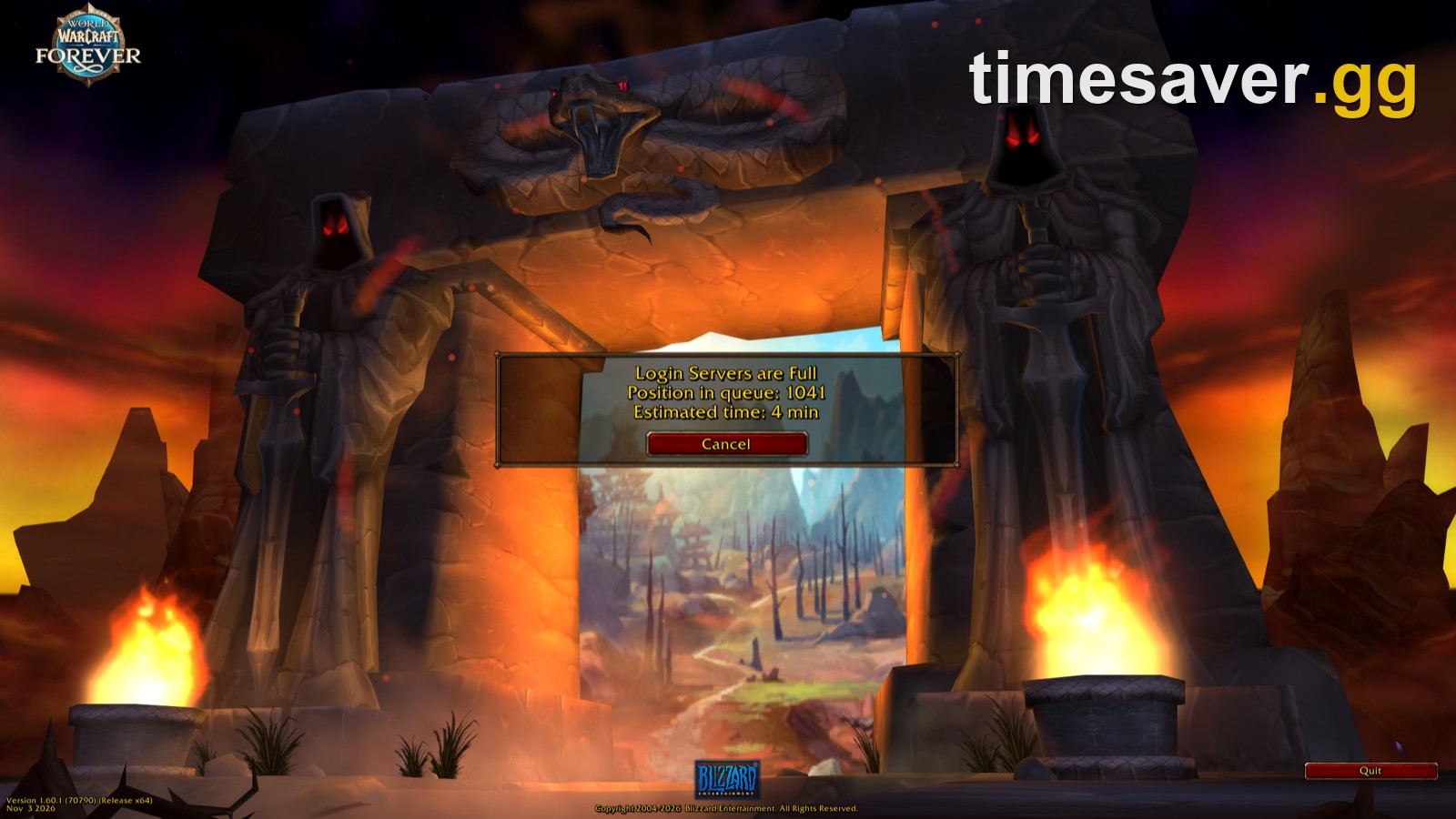
If you get an error code at login, a queue or a disconnect message instead of the game closing, it's more likely a server or account issue. A freeze or crash to desktop at the "logging in" screen is still a client crash. For login errors, see WoW Forever login errors and fixes and the live server status hub.
Lost your launch-week head start to crashes?
>
- WoW Forever Power Leveling to 60: any range from 1 to 60, played by hand on the quest route
- WoW Forever Gold, US & EU: bank your fresh-realm startup capital, face-to-face or by mail
What changed on November 5?
- Blizzard's Known Issues thread went up at 15:42 UTC and lists the "Vorsha the Lasher" crash. The quest is disabled.
- New Mac crash reports in Tirisfal Glades, Goldshire, Brill and the Barrens, with crash IDs posted by 20:58 UTC.
- The 0xC00000E5 thread kept growing through 20:06 UTC with no fix.
- No Blizzard hotfix or ETA for client crashes.
FAQ
Is WoW Forever down or is it just my game crashing? If the game freezes or closes to the desktop, it's a client crash on your machine. Server problems show up as queues, disconnect messages or login error codes. Check the live status hub for those.
What does 0xC00000E5 EXCEPTION_INTERNAL_ERROR mean in WoW Forever? It's the crash code players post most often in the forum threads we reviewed since launch, shown as a "Security Crash". It hits both low-end and high-end PCs, often 5 to 30 minutes into play, and has no confirmed fix as of 21:15 UTC on Nov 5.
Does switching to DirectX 11 fix WoW Forever crashes? On Windows, for black screens and lighting-related crashes, it's the most-confirmed fix, especially with Secondary Lighting on Fair. For 0xC00000E5 and loading-screen crashes, players report DX11 did not help.
Why did WoW Forever run in the beta but crash now? A Blizzard forum Tech MVP says betas "can be a bit more lenient with the requirements". If your GPU is below the minimum, such as an Intel Iris Xe on a 12th-gen laptop, the launch client may not run well on it.
Can I play WoW Forever on an M1 Mac? The listed Mac minimum is an Apple M2 on macOS 12, so an M1 is below it. M1 players report crashes entering zones, and M2 owners report some crashes too.
Is there a WoW Forever quest that crashes the game? Yes. Blizzard disabled "Vorsha the Lasher" in Ashenvale until a crash bug is fixed, according to its Known Issues thread from Nov 5.
When will Blizzard fix WoW Forever crashes? Blizzard has not given an ETA as of 21:15 UTC on Nov 5. This page's update log will carry any fix the moment Blizzard posts it.