Almost every redemption guide gives the same three steps and stops. None mention the part that actually costs players rewards: redeeming a code puts nothing in your inventory. It puts a letter in your in-game mail, and HoYoverse deletes that letter — rewards attached — after about a month. That is printed on the redemption page and in two HoYoverse Help Center articles.
Quick answer: Redeem at the official page, genshin.hoyoverse.com/en/gift, logged in to the HoYoverse account your progress sits on. HoYoverse's on-page rules require a created character and a linked account in the User Center; trackers add an Adventure Rank 10 gate for most codes. You also need the right server and character nickname. Rewards never hit your inventory — they arrive as in-game mail, which the redemption page calls "valid for 30 days by default" and which HoYoverse elsewhere confirms is "automatically deleted... even if the attached rewards have not been claimed yet." PlayStation players must create the HoYoverse account from inside the game first. Each code works once per account, and a redemption cannot be revoked.
Article status: re-verified on 23 September 2026, launch day of Version 7.1 "A Rekviem for the Underworld". Every rule quoted below was re-read from source today: the six rules HoYoverse prints on the redemption page, plus the Help Center articles How do I redeem a gift code? (updated 7 September 2026) and Can I recover expired in-game mail? (updated 23 September 2026). Where a step is documented only by third parties, this article says so.
What do you need before a Genshin Impact code will work?
Four things, and three of them explain most failed redemptions.
A linked account with a character on it. The only prerequisite HoYoverse itself states, as rule 1 on the redemption page: "Before redeeming a code, log in to your account and make sure you have created a character in the game and have linked your HoYoverse Account in the User Center. Otherwise, you will be unable to redeem the code."
Adventure Rank 10 — for most codes. HoYoverse never mentions Adventure Rank. The gate comes from trackers: IGN and PocketTactics both state AR10 flatly, while the community-run Genshin Impact Wiki applies it to "most of the codes" and records exceptions — GENSHINGIFT and Prime Gaming codes were historically redeemable as early as AR1, though the wiki adds you still needed AR2 to open the mailbox and take the rewards. AR10 lands early in the Prologue: it is the gate on Prologue Act II, not the end of the Prologue.
The right login. The page reads whichever HoYoverse account your browser is signed in to. If you started with a Google, Apple, Facebook or X login, use that same button — a different email will happily redeem your code onto an empty save.
The right server. The page's dropdown lists exactly four: America, Europe, Asia and TW, HK, MO. Picking America when your progress is on Europe is the commonest form of a "successful" redemption that delivers nothing.
An unused code, and an unused code group. Rule 4: "Each redemption code can only be used once. The same character cannot use redemption codes of the same type more than once." Nobody explains that second sentence — see the code-group trap below.
How do you redeem a Genshin Impact code on the official website?
This is the only method HoYoverse documents for Genshin Impact. Its Help Center article gives three steps in full:
"Visit the official redemption website at https://genshin.hoyoverse.com/en/gift. Enter your code to redeem it. After successful redemption, the rewards will be sent to your in-game mail."
Once logged in, the page asks for Server, Character Nickname and the Redemption Code. Before you press Redeem, note rule 5: "Once a code is redeemed, the redemption cannot be revoked." There is no undo, which is why the wrong-account mistake is expensive.
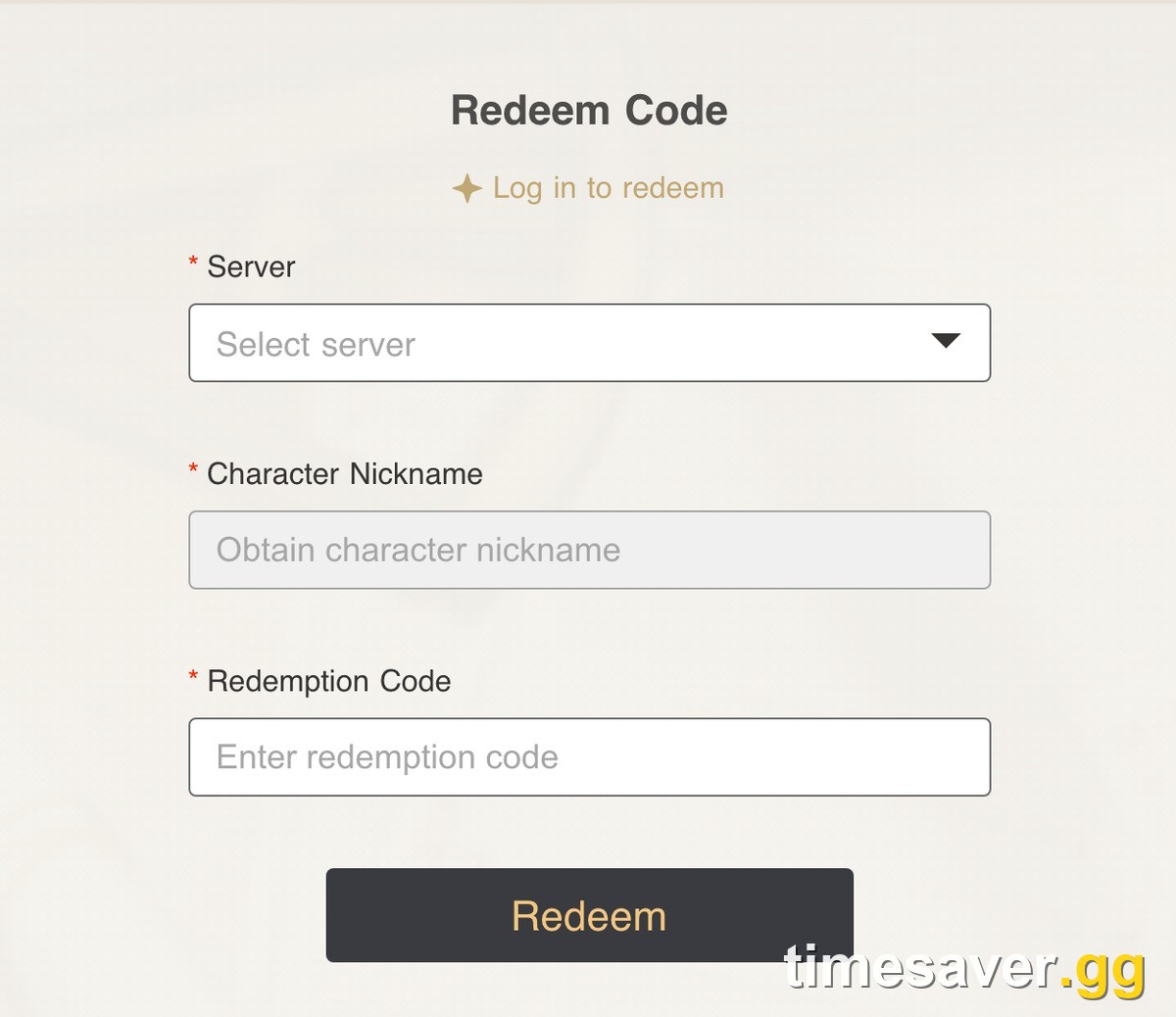
The login is mandatory rather than recommended, and you can prove it without opening a browser: the endpoint behind that page rejects anonymous requests outright, answering "Please log in to your account first" with return code -1071 — still the live response when we called it on 23 September 2026. That is why a UID-only "redeemer" site cannot work: there is no unauthenticated path to your account.
Two more first-party error strings sit in the page's own text. On the wrong server it answers "You haven't created a character on this server. Create a character first and then try redeeming the code." On a server with no character at all, "No character information on current server. Please create a character first before redeeming the redemption code." Neither is a broken code. Both are the server dropdown.
To check which account you are on, open Settings, then Account, then User Center in game: it shows your UID and linked email.
How do you redeem a code inside Genshin Impact?
Here the internet and HoYoverse disagree.
Third-party guides describe an in-game path — Settings, then Account, then Redeem Code, then Exchange. PocketTactics documents it down to that final Exchange; the Genshin Impact Wiki lists it in one line, "In-Game: Through the Settings Menu ➤ Account ➤ Redeem Code", and adds that the website method is Global-server only. The in-game option is real on PC and mobile.
HoYoverse itself does not document it. Compare the same Help Center's article for Zenless Zone Zero, How do I redeem a gift or redemption code?, which spells out both: "Method 1: In-Game Redemption... Method 2: Official Website Redemption." HoYoverse writes two-method articles when it wants to. For Genshin it published one.
Use the in-game box if you have it — it skips the login and server traps.
How do you redeem Genshin codes on PS5, Xbox and other platforms?
Console is where redemption quietly breaks, and the failure has one cause.
On PlayStation, Genshin accounts can start life as PlayStation accounts with no HoYoverse account attached. Create one on the website with your email and you get a brand-new empty account — and, per IGN's redemption guide, you cannot link your PlayStation progress to it afterwards. Trying again does not undo it.
The correct sequence, as IGN documents it: inside Genshin on PlayStation, open Settings, then Account, then User Center, and create the HoYoverse account there. That binds your progress to a web-usable login, after which the website flow works normally.
Xbox, iOS, Android and Epic follow the plain rule: the login you play with is the login you redeem with. Mail lands on the account, not the device, so a code redeemed in a phone browser shows up on Xbox.
Where do the rewards go, and how long do you have to claim them?
Nowhere near your inventory. Rewards arrive as in-game mail, opened from the mailbox in the Paimon Menu and taken with Claim All.
This is where people lose Primogems, and HoYoverse is blunt about it in three places. Rule 2 on the redemption page: "After redeeming the redemption code successfully, the system will issue the rewards via in-game mail. If there are no special circumstances, the mail is valid for 30 days by default." From the Help Center redemption article:
"It is important to claim your rewards from the in-game mail as soon as possible, as the mail typically expires after 30 days."
And from the companion article on expired mail, which HoYoverse itself updated on 23 September 2026:
"In-game mail is automatically deleted upon expiration, even if the attached rewards have not been claimed yet... Please note that we are unable to restore expired mail or its contents."
Read those together: a code redeemed on day one is still a code you can lose on day thirty-one, and support cannot undo it. The fix takes ten seconds — after redeeming, open the game and empty your mailbox the same day.
How long do livestream codes actually last?
Not 24 hours — and nobody agrees on the real number.
The Version 7.1 Special Program aired on 12 September 2026 at 08:00 (UTC-4), which is 12:00 UTC. HoYoverse's HoYoLAB Special Program Preview promised only that the show "will also 'drop' some redemption codes and other goodies!" — no count, no duration, no expiry. There is no first-party window anywhere.
The only written rule is community-maintained. The Genshin Impact Wiki states that Special Program codes "expire within 16 hours from its broadcast", adding that "Starting from Version 5.3, the redemption validity period for the Special Program codes will be extended by 48 hours." That totals 64 hours.
What the trackers actually recorded for the 7.1 batch:
| Source | Stated death of the 7.1 stream codes |
|---|---|
| genshin-builds.com (7 Sept preview) | codes that "expire within 24 hours" |
| Eurogamer (article body) | "had to be redeemed within 48 hours" |
| Eurogamer (its own expiry times) | 05:00 UK / 00:00 US East, 16 September |
| IGN (validity column) | 12 September 12:00 to 16 September 04:00 |
| Genshin Impact Wiki (expiry column) | 15 September |
Two timestamped records exist and they disagree by roughly a day. The wiki's 15 September is consistent with its own 16-plus-48-hour rule applied to a 12:00 UTC broadcast. IGN's table says 04:00 on 16 September and prints no time zone at all; sister site Eurogamer dates the same deadline to "5am (UK)", which puts it at 04:00 UTC — about 88 hours. That agreement is not corroboration: Eurogamer's footer reads "© 2026 Eurogamer.net a brand of IGN Entertainment, Inc.", one publisher agreeing with itself.
So the honest answer is 64 or 88 hours depending on which tracker you trust, and HoYoverse has published neither. Both bury the 24-hour claim everyone repeats. Redeem stream codes while the stream is still running and the argument stops mattering.
Either way the 7.1 codes are gone:
| Expired 7.1 livestream code | Reward | Dead since |
|---|---|---|
| Rekviem | 100 Primogems, 10 Mystic Enhancement Ore | 15 Sept (wiki) or 16 Sept 04:00 (IGN) |
| Vesna0923 | 100 Primogems, 5 Hero's Wit | 15 Sept (wiki) or 16 Sept 04:00 (IGN) |
| PrimaDonna | 100 Primogems, 50,000 Mora | 15 Sept (wiki) or 16 Sept 04:00 (IGN) |
Three hundred Primogems, gone inside four days — which is why our Genshin 7.1 livestream code tracker is a separate live page.
Which codes are worth testing right now?
Four strings were listed as active, with matching rewards, by three separately run trackers — IGN, the community wiki and PocketTactics — when all three were read on 23 September 2026.
| Code | Reward |
|---|---|
| Y6JYMKV6JKSL | 60 Primogems, 5 Adventurer's Experience |
| 2BJ64QRZ7RT8 | 60 Primogems, 5 Adventurer's Experience |
| BALLETCOLLAB | 30 Primogems, 10,000 Mora, 3 Hero's Wit, 3 Mystic Enhancement Ore |
| YOAL3V36XHS7 | 10,000 Mora, 10 Adventurer's Experience, 5 Fine Enhancement Ore, 5 Jueyun Chili Chicken, 5 Stir-Fried Fish Noodles |
One caveat on that table, because it matters more than the codes: only the wiki list is edited continuously. IGN's page carries "Updated: Sep 14, 2026" and PocketTactics' "Updated: Sep 18, 2026", so a code that died this week could still be sitting on both. Treat three-tracker agreement as "worth thirty seconds of testing", not as a guarantee.
And no, Version 7.1 did not ship a launch code. We read all 34 live in-game notices on patch day, including the Version 7.1 Update Details notice and the Version Details — What's New notice, both dated 23 September 2026 in the live announcement feed. Not one of them contains a redemption code. Version launches are not a code event; Special Programs are. Zero published codes beats a padded list.
Three older strings are held back. DUGODWKRHAKDNJ is listed active by IGN and the wiki but expired by PocketTactics — contested, not confirmed. Y1INABQB6DEX appears on PocketTactics only. GENSHINGIFT is the interesting one: the code every guide calls permanent is filed under expired by the wiki, which records that it "Hit max usage again as of May 20, 2026", while IGN still lists it active and PocketTactics keeps it with the note "(this code works periodically)". We side with the wiki, because "hit max usage" is a dated, checkable claim and "active" is an unedited table row. It is not a reliable starter code in September 2026, and it drives a large share of "my code won't work" complaints.
The code-group trap. Rule 4 says the same character cannot use codes "of the same type" twice. The wiki's editing instructions explain what that means: codes in a group "usually start off with the same 4 characters at the beginning, and that means that you cannot redeem another one after already activating one." One such group is live now — four strings sharing a GS71X prefix, up from three when we last checked on 20 September, all single-sourced to social posts, which is why none of them are in the table above. If a batch shares its opening characters, redeem one and move on instead of reading the rejections as a bug.
The full running list, refreshed as codes appear and die, lives on our Genshin Impact codes page.
Real codes come from three places: the Special Programs, HoYoverse's own channels, and official partner events. Anything with a "generator" or a UID request is not a code.
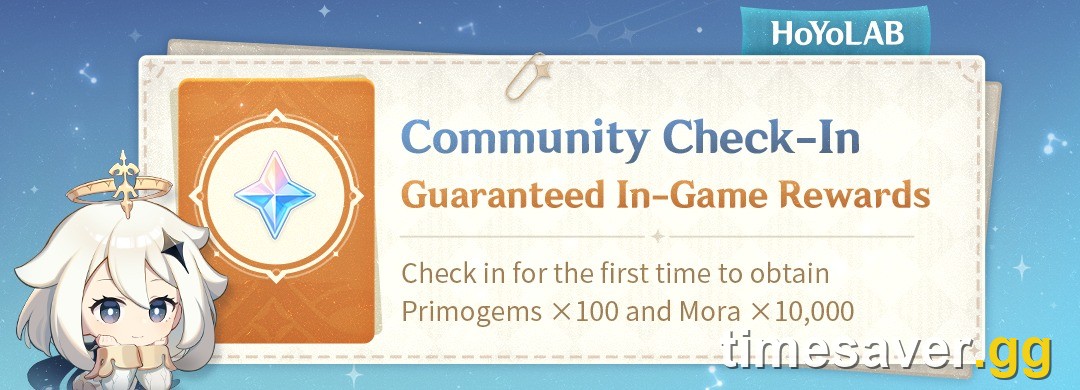
Codes are also not the largest free-Primogem tap. HoYoLAB Community Check-In pays Primogems ×100 and Mora ×10,000 for a first check-in, and Version 7.1 hands out 1,600 Primogems and 10 Intertwined Fate in its benefits package, confirmed in HoYoverse's Version 7.1 Benefits Overview — see our full count of 7.1's free Primogems, the 7.1 events calendar and the free 5-star selector.
Why won't your Genshin Impact code redeem?
Work down this list in order, commonest cause first.
- You already redeemed it, or one from its group. One use per account, forever, and one use per code type.
- You are logged into the wrong HoYoverse account. Check the linked email in User Center against the one in the browser.
- Wrong server selected. America, Europe, Asia and TW/HK/MO are separate accounts for redemption, and the page tells you so in plain words — "You haven't created a character on this server."
- The code expired, or hit its usage cap. Stream codes die on a schedule HoYoverse does not publish, and popular evergreen codes can be exhausted — which is what the wiki records for GENSHINGIFT in May 2026.
- You are below Adventure Rank 10. Nothing will redeem until you clear the gate, barring the historical AR1 exceptions.
- Stray spaces. The wiki is specific: "Inputting any space characters at the beginning or end of a code will cause the code to become invalid." Pasted codes pick those up constantly. The 0/O and 1/I pairs do the rest.
- The code was region-locked or partner-locked. Collaboration codes are sometimes limited to specific countries or specific platforms, and the only server-restricted row on the wiki's active list, YuanShen, is China-server only.
- It redeemed fine and you are looking in the wrong place. Check the mailbox, not the inventory.
If all of those are clean and the code still fails, rule 6 says contact Customer Service — the only route that can investigate a redemption that reported success and delivered nothing.
FAQ
Can you redeem Genshin Impact codes without logging in? No. The redemption endpoint rejects anonymous requests with "Please log in to your account first" and return code -1071, still the live answer on 23 September 2026. Any page offering to redeem a code from just a UID cannot do what it claims.
Do Genshin codes work on PS5 and Xbox? Yes, through the same website, but PlayStation players must first create their HoYoverse account from inside the game via Settings, Account, User Center. Creating it on the website first produces a separate empty account your progress cannot be linked to.
How long do you have to claim code rewards? The redemption page says the mail is "valid for 30 days by default", and HoYoverse states expired mail is deleted along with unclaimed rewards, with no restoration possible. Claim the same day you redeem.
Why do livestream codes expire so fast? HoYoverse publishes no duration. The Genshin Impact Wiki documents 16 hours plus a 48-hour extension since Version 5.3, and its record of the 7.1 codes matches that 64-hour figure; IGN's end time, read in the time zone its sister site Eurogamer supplies, works out to about 88 hours. Either way, the widely repeated 24 hours is not a HoYoverse number. Redeem during the broadcast anyway.
Did Version 7.1 come with a redemption code? No. All 34 in-game notices live on 23 September 2026, the day 7.1 launched, were checked and none carries a code. Codes arrive with Special Programs, not with version updates.
Do you need Adventure Rank 10 for every code? Not every one. The Genshin Impact Wiki says AR10 covers "most of the codes", with GENSHINGIFT and Prime Gaming codes historically redeemable from AR1. HoYoverse's own rules mention no rank at all.
Where do the Primogems actually appear? In your in-game mailbox, reached from the Paimon Menu. Use Claim All, then check your wallet.
The one-line version
Redeem on the official page, logged into the right account, on the right server — then open the game and empty your mailbox before you close it. The second half is the half guides skip, and the half HoYoverse says it cannot fix for you.
More Genshin Impact guides